


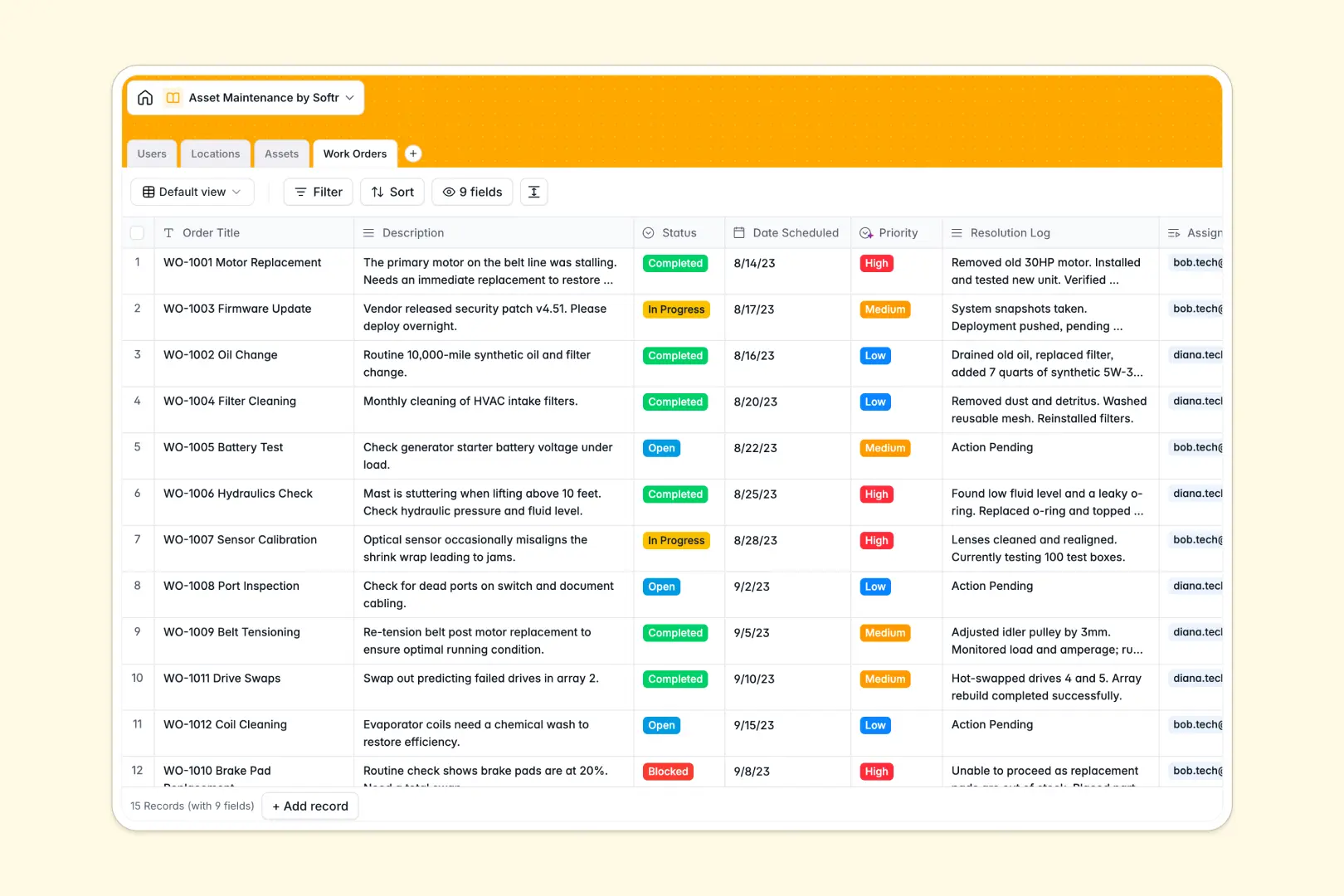
Your Asset Maintenance database at a glance
This template provides a clear, structured framework to manage your physical infrastructure, machinery, and upkeep schedules without administrative lag.
It connects four functional tables out of the box: Assets, Locations, Users, and Work Orders. This means you can link a malfunctioning HVAC unit to its physical branch and assign a specific technician in a single click.
Built-in AI fields jumpstart your efficiency by automatically categorizing task priority, writing completion summaries, and drafting facility context profiles.
What to check before building your asset maintenance base in Airtable
While Airtable is an excellent relational database, setting up your maintenance operations on it often reveals distinct operational boundaries as your field crew grows.
When you need dozens of technicians, facility managers, and third-party contractors constantly editing work orders, Airtable's per-seat pricing model quickly becomes a financial bottleneck.
What changes with a database built for apps
This is exactly what Softr Databases are designed for. You get the same robust relational structures—such as linked records and structured field types—without paying for every team member who needs access.
By keeping your database hosted in a platform designed for both structured storage and front-end generation, you avoid the messy, fragile third-party integrations needed to display data securely to a non-technical field technician.
What you can do with this template
Manage maintenance tasks progressively by linking real-time statuses like 'Active' or 'Under Maintenance' directly to the responsible staff directory.
Utilize native Database AI agents to auto-summarize completed jobs and predict task priorities from plain-text descriptions, saving your technicians hours of manual typing.
-
Users
Track maintenance staff, technicians, and managers with access roles
-
Locations
Manage facilities and physical sites with AI-powered vicinity insights
-
Assets
Track equipment and vehicles with AI-generated profile specifications
-
Work Orders
Manage repairs using AI to classify priority and summarize completions
Who is this Asset Maintenance database for
Streamlining maintenance tasks helps teams protect expensive infrastructure and coordinate on-site work efficiently.
- Facility Managers: Monitor multiple physical locations and direct regional technician teams.
- Maintenance Technicians: Access assigned work orders and update repair details instantly.
- Operations Officers: Trace equipment lifecycle costs and minimize overall equipment downtime.
How to take it further
1. Customize the database
Tailor the database to your exact operations. Modify choice fields like 'Category' to fit your industry, whether that means medical devices or manufacturing gear.
2. Import your existing data
Skip manual entry entirely. Easily upload your existing spreadsheet logs or parts inventory using our direct CSV import.
3. Build a full app around it
When your on-the-ground team needs a cleaner dashboard than a database table, you can easily build an app on top of this structure. Define custom users and permissions so technicians only see and edit their assigned work orders while admins maintain full visibility of all locations.
-
1
-
2
-
3
-
4
Frequently asked questions
-
What is an asset maintenance database?
-
Why use a no-code database to build an asset maintenance system?
-
How can AI help managing data for asset maintenance?
-
Can I build an app with this asset maintenance database?
-
Is this Asset Maintenance template free?
-
How is this template different from an Airtable template?
Start building today. It's free!
Build and launch your first app in under 30 minutes.