


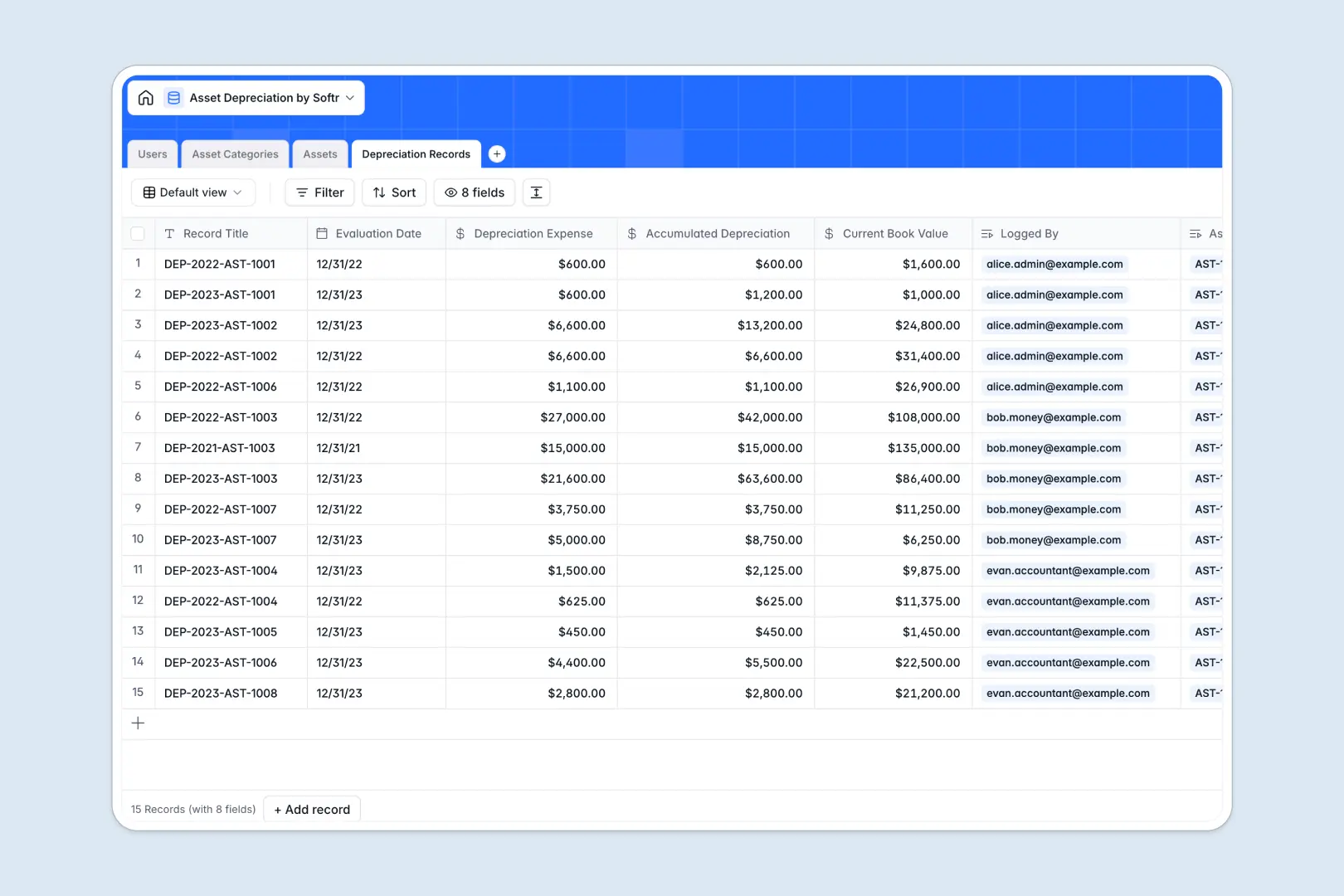
Your Asset Depreciation database at a glance
This pre-built template helps you track physical assets, set standard useful life cycles, and log periodic depreciation expenses without messy human errors. By keeping everything in one dedicated database, your accounting and operations teams stay aligned on current book values.
Your database organizes your equipment into Asset Categories, tracks individual fixed assets in the Assets table, and logs scheduled changes in the Depreciation Records table. These relational tables link together natively so you can see every calculation history associated with each physical asset.
With built-in Database AI agents, this template can auto-generate category summaries, compile record rationales, and even research technical specifications or maintenance cycles based on your asset list.
What to check before building your asset depreciation base in Airtable
If you are comparing database tools to manage capital assets, you already understand why spreadsheets fail. Relational records, enforceability, and clear data types are non-negotiable for balance sheet accuracy. However, choosing Airtable to manage this data introduces operational roadblocks.
What changes with a database built for apps
Managing balance sheet calculations means your accountants, operations managers, and department heads all need access to real-time data. Airtable's per-seat pricing penalizes this transparency, charging you for every single team member who needs to log or update an asset.
This is exactly what Softr Databases are designed to solve. Softr includes unlimited collaborators on all plans, allowing your entire workforce to log acquisitions and update conditions without ballooning software costs.
Additionally, high-velocity asset tracking can quickly bump against Airtable's record limitations and restrictive API rates. Softr Databases support up to 200K records per database and run on an API that is up to ten times faster, giving you the ceiling you need as your inventory grows.
What you can do with this template
- Automate financial updates: Let native Database AI agents research industrial upkeep schedules and write concise summaries for your compliance logs.
- Standardize valuation models: Predefine straight-line or declining balance methods across entire categories so team members never use inconsistent formulation.
- Scale safely: Import existing lists via CSV or sync with other accounts using our developer-friendly APIs.
-
Users
Manage employee directories, asset administrators, and system permissions
-
Asset Categories
Define depreciation rules with AI-generated summary profiles
-
Assets
Track asset inventory with AI research on item specs and lifecycles
-
Depreciation Records
Log value changes over time with automated AI financial summaries
Who is this Asset Depreciation database for
- Finance & Accounting Teams: Effortlessly calculate periodic expenses, salvage values, and net book valuations for tax and audit compliance.
- Operations & IT Managers: Keep an accurate log of physical equipment location, assigned employees, and lifecycle expectations.
- Business Founders & Operators: Gain clear visibility into capital expenditures, deprecation schedules, and physical asset lifecycles across the company.
How to take it further
Customize the database
You can modify this template in seconds to fit your exact standard operating procedures. Easily add custom fields like insurance policy numbers, adjust salvage value thresholds, or append your own tax categories inside your secure database structure.
Import your existing data
If you already have a list of computers, vehicles, or machinery, you can upload them instantly. Drag and drop your CSV directly into the platform or use the API to sync live inventories from existing procurement systems.
Build a full app around it
When you are ready, you can convert this database into a secure internal application. Use the AI app generator to generate a client portal or internal log book on top of this exact database outline with one simple prompt.
You can set up granular users and permissions so accountants can edit financial fields while regular employees only view their assigned laptops or machinery. This keeps your bookkeeping clean and secure.
-
1
-
2
-
3
-
4
Frequently asked questions
-
What is an asset depreciation database?
-
Why use a no-code database to build an asset depreciation system?
-
How can AI help managing data for asset depreciation?
-
Can I build an app with an asset depreciation database?
-
Is this Asset Depreciation template free?
-
How is this different from an asset depreciation template in Airtable?
Start building today. It's free!
Build and launch your first app in under 30 minutes.