


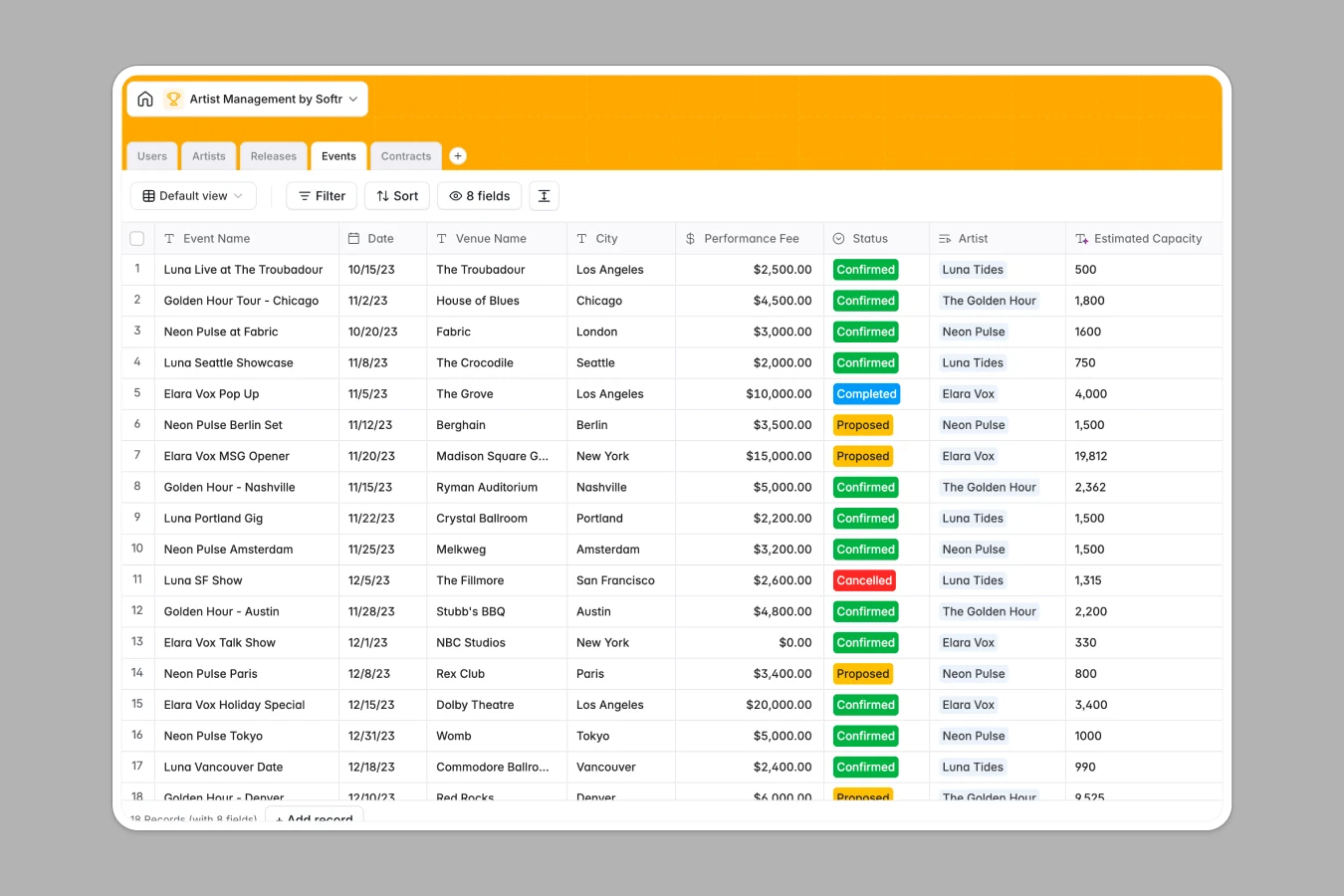
Your Artist Management database at a glance
Streamline your talent agency or record label workflows by tracking releases, gigs, and contracts in one unified workspace.
This template structures your workspace using relational tables, linking artists directly to their specific releases, active contracts, and upcoming events. This ensures that update histories and crucial document files never go missing.
Native Database AI agents can automatically research venue capacities, write professional artist biographies, and generate high-converting release pitches right inside your records.
What to check before building your artist management base in Airtable
While organizing music rosters in Airtable starts off well, managing growing teams, record contracts, and artist interactions often exposes scaling bottlenecks.
What changes with a database built for apps
Sharing database access with third-party booking agents, managers, and external musicians in Airtable quickly becomes expensive due to strict per-seat billing plans.
Softr Databases remove this friction entirely, offering collaborative database editing and unlimited external contributors on every tier.
Furthermore, you can deploy AI-powered fields right where your record data sits, letting you run web-searches and write copy automatically without third-party integration bills.
Keep your music business running smoothly
Monitor track distribution with accurate UPC codes, and ensure that live performance agreements stay signed and active.
This template easily transitions into a secure portal, where external users can update tracking data and login to upload key project assets directly.
-
Users
Manage system users including managers, agents, and artists with roles
-
Artists
Track managed artist profiles with linked bio generated by web-powered AI
-
Releases
Manage the music discography utilizing AI to generate marketing pitches
-
Events
Schedule shows and track capacity estimates sourced by web-searching AI
-
Contracts
Manage legal documents, active agreements, and performance riders
Who is this Artist Management database for
This template is designed for music industry professionals looking to keep their catalog and roster organized.
- Artist Managers: Track upcoming releases, active touring commitments, and agency agreements for your entire roster in one clear system.
- Record Labels: Centralize promotional assets, UPC codes, legal agreements, and cover art in a structured, easily searchable archive.
- Booking Agents: Manage performance fees, confirm event statuses, and look up venue capacities dynamically before sending out touring proposals.
How to take it further
Customize your template
Modify structural categories, add custom musical genres, or configure additional metrics seamlessly. Adjusting your workflow layout takes only a few visual clicks.
Import your existing data
Import your roster data from CSV sheets, or sync active live booking rosters with API database connections to get up and running instantly.
Build a full app around it
Once your data structure is ready, you can build an app on top of this schema. Softr's AI app builder lets you generate a customized portals or agent dashboard instantly. Protect sensitive records using robust users and permissions that restrict access so musicians only view their own performance terms.
-
1
-
2
-
3
-
4
Frequently asked questions
-
What is an artist management database?
-
Why use a no-code database to build an artist management system?
-
How can AI help managing data for artist management?
-
Can I build an app with an artist management database?
-
Is this Artist Management template free?
-
How is this template different from an Airtable template?
Start building today. It's free!
Build and launch your first app in under 30 minutes.