


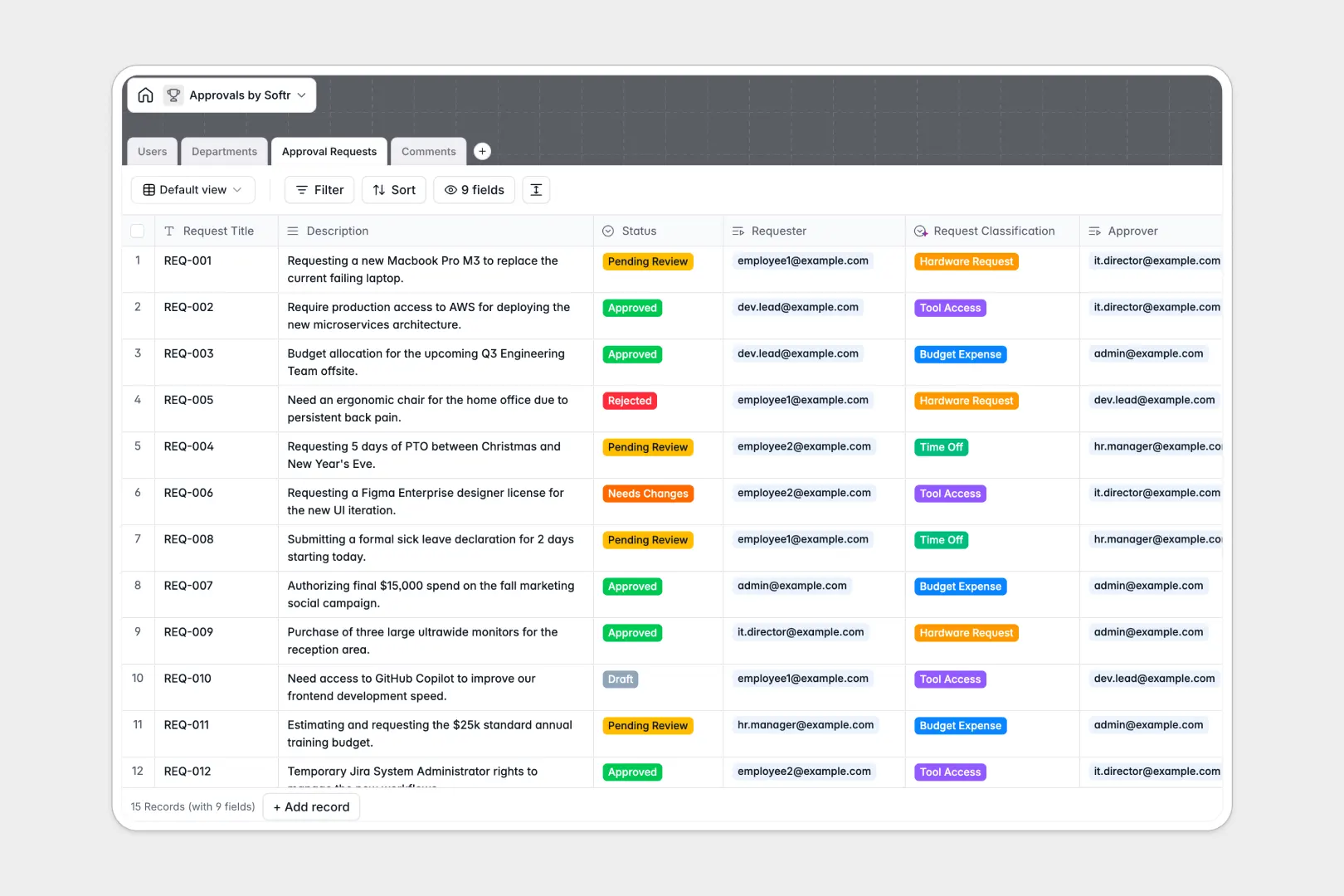
Your Approvals database at a glance
Track team requests from submission to final decision in a clean, connected workspace. This template standardizes review procedures across your whole organization.
By linking Users, Departments, Approval Requests, and Comments, you always know who requested what, who must review it, and the discussion history. Every table connects naturally to maintain complete data integrity.
This template also features native AI-powered classifications for request types and automated sentiment analysis directly on comments to highlight urgent feedback.
What to check before building your approvals base in Airtable
While Airtable handles structured data well, managing team-wide approvals there fast becomes complex and expensive as your team scales.
What changes with a database built for apps
Airtable charges per collaborator as soon as anyone needs editing access, which financially punishes you as more employees submit or sign off on requests.
Softr Databases include unlimited collaborators on all plans, allowing your entire team to submit requests and add comments without escalating costs.
You do not need to stitch together separate portals or interface layers. Your structured data exists in the exact same platform built to control what different roles can see and edit.
Automated operations in every field
Use Database AI agents directly inside your tables to analyze comment feedback or categorize requests automatically upon submission.
This template provides a production-ready starting point that easily scales to 200,000 records per database and supports a high-velocity API without hitting strict ceilings.
-
Users
Manage user profiles, organizational roles, and request assignments
-
Departments
Organize organizational units and handle custom structural workflows
-
Approval Requests
Track approval requests utilizing AI to auto-classify categories from descriptions
-
Comments
Log communications and feedback with AI-powered sentiment analysis on content
Who is this Approvals database for
Maximize oversight and resolve bottlenecks across various team structures with an organized approval flow.
- Operations managers: Standardize how hardware, tool, and budget access requests are logged and routed.
- Department heads: Easily track, review, and comment on pending submissions belonging to your business unit.
- Team members: Submit requests quickly with clear visibility into current review status and feedback loop.
How to take it further
1. Customize the database
Easily modify the Request Classification select choices, rename the status categories to fit your company terminology, or add custom validation rules in seconds. As a native Softr Database, structural edits are instant.
2. Import your existing data
Safely import active workflows from a CSV file, or use our flexible API to sync existing IT and tool registries automatically without losing historical records.
3. Build a full app around it
When your team is ready for an intuitive portal, build an app on top of this structured data. Use the AI app generator to turn your backend tables into a beautiful internal portal.
You can set up granular users and permissions so that team members only see their own requests, while department heads securely view and approve records with one-click portal actions.
-
1
-
2
-
3
-
4
Frequently asked questions
-
What is an approvals database?
-
Why use a no-code database to build an approvals system?
-
How can AI help managing data for approvals?
-
Can I build an app with an approvals database?
-
Is this template free?
-
How is this template different from an Airtable template?
Start building today. It's free!
Build and launch your first app in under 30 minutes.