


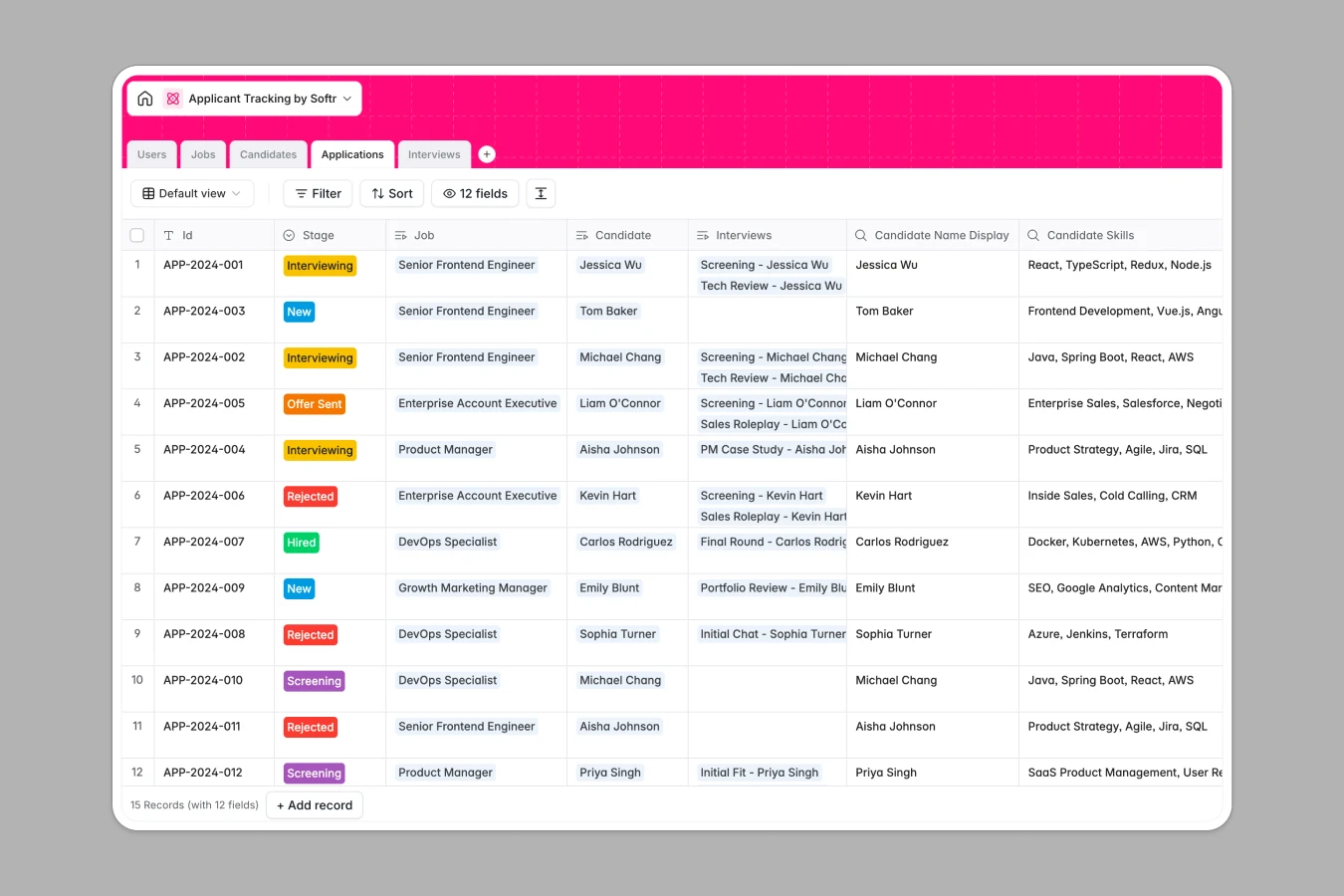
Your Applicant Tracking database at a glance
Streamline hiring by tracking candidates, pipeline stages, open positions, and interview schedules in one central hub.
Keep your data clean and organized by securely linking Jobs to Candidates through specific Applications, ensuring complete data consistency across your HR team.
Save hours of manual effort by letting built-in AI models auto-write job descriptions, enrich LinkedIn profiles, and draft candidate evaluation summaries instantly.
What to check before building your applicant tracking base in Airtable
While Airtable handles relational data well, managing a hiring pipeline with multiple stakeholders, hiring managers, and external recruiters quickly exposes platform limitations.
What changes with a database built for apps
Collaborate across departments without the budget stress. Instead of paying premium per-seat pricing for every hiring manager who needs to review a resume, Softr Databases let you share data with unlimited collaborators on all plans.
Scale your talent pool without hitting unexpected ceiling caps. Avoid strict record limits that force you to delete historic candidates or archive old data prematurely, and support thousands of profiles easily.
Streamline hiring on a single platform
Take the manual work out of applicant screening. Programmatically trigger Database AI agents to enrich candidate records from LinkedIn URL inputs and run instant fit analyses comparing resume skills to active job requirements.
Evolve your database into a hiring app when you are ready. Turn this exact template into a branded applicant tracking portal with distinct interfaces for recruiters, external placement partners, and internal pipeline managers.
-
Users
Manage recruiters, hiring managers, and system administrators with roles
-
Jobs
Track vacancies and generate AI-powered professional job descriptions
-
Candidates
Store candidate data and use AI to enrich profiles from LinkedIn
-
Applications
Process pipelines using AI to analyze candidate fit and draft emails
-
Interviews
Schedule meeting logs and use AI to generate tailored questions
Who is this Applicant Tracking database for
This structured database layout is designed to coordinate hiring operations for faster-growing teams:
- HR Leads: Maintain structured talent pipelines and ensure consistent processes across all open company positions.
- Recruiters: Keep hiring stages organized, run candidate matches quickly, and draft rejection emails automatically.
- Hiring Managers: Securely review applications and write interview feedback notes without accessing other departments' data.
How to take it further
1. Customize your hiring workflow
Adjust the fields to match how your team conducts evaluations. Change candidate stages, add specific department options like Engineering or Marketing, or modify the score card parameters instantly in the database UI.
2. Import your existing candidate pool
Avoid starting from scratch by importing historic hire lists, resume details, and upcoming schedules using the easy CSV importer or direct database API.
3. Build a secure portal around your data
When you are ready to expand, use the AI app generator to generate a custom app on top of this exact database. Build tailored dashboards for hiring managers to approve open roles and view applicant files, using secure users and permissions to control who sees sensitive salary and personal data.
-
1
-
2
-
3
-
4
Frequently asked questions
-
What is an applicant tracking database?
-
Why use a no-code database to build an applicant tracking system?
-
How can AI help managing data for applicant tracking?
-
Can I build an app with an applicant tracking database?
-
Is this Applicant Tracking database template free?
-
How is this applicant tracking template different from Airtable?
Start building today. It's free!
Build and launch your first app in under 30 minutes.