


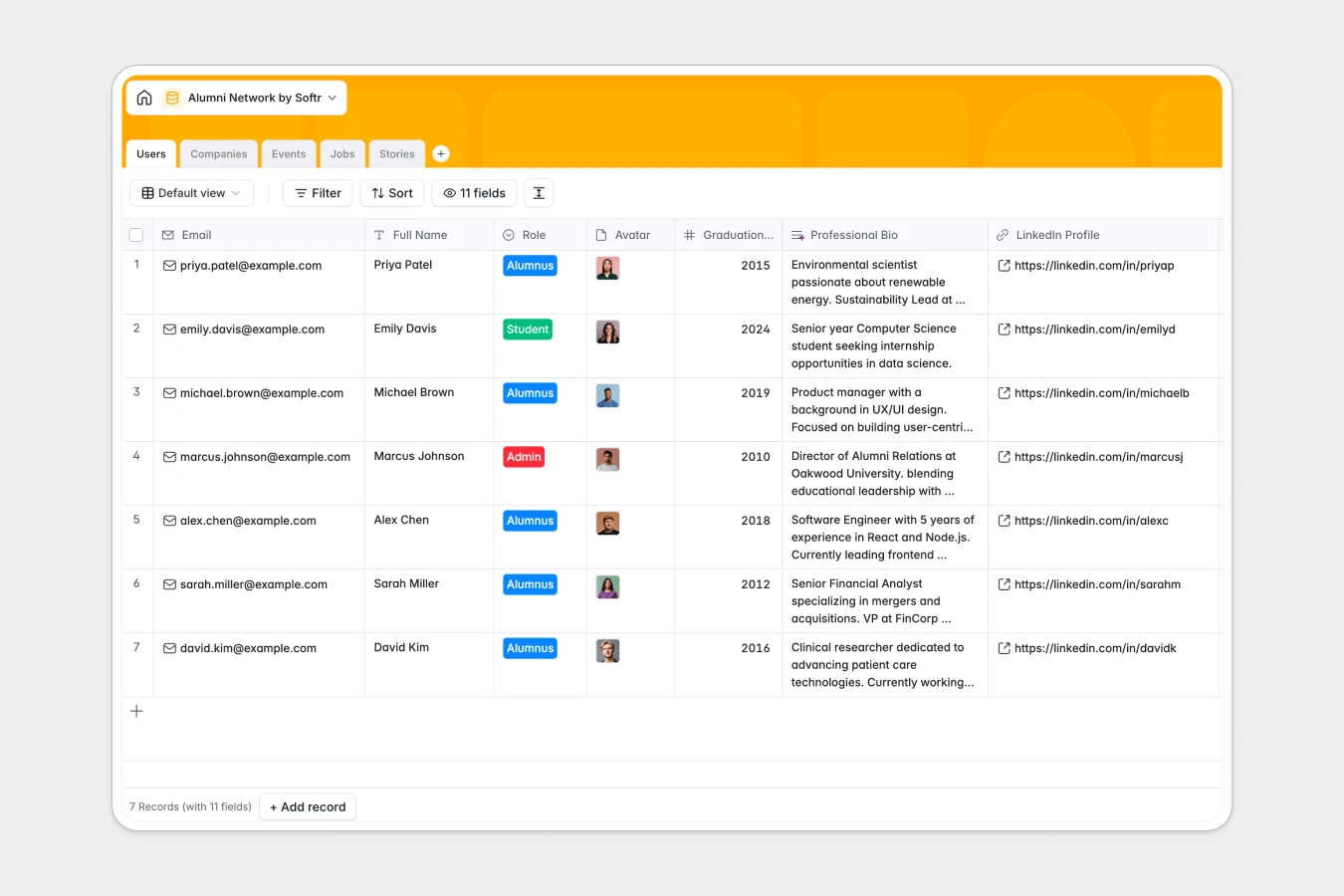
Your Alumni Network database at a glance
This template provides a professional structure to manage your community of graduates, students, and administrators. It helps you organize alumni contact info, the companies where they work, and active job postings in one place.
Your network tables are intuitively connected to each other. For example, when you link an alumnus to a company in the Companies table, the overall alumni count updates immediately.
Built-in AI features help you work faster by automatically researching company details on the web and drafting concise professional bios from LinkedIn links.
What to check before building your alumni cohort base in Airtable
When organizing a community database, choosing the right platform determines how easily your network can collaborate.
While databases like Airtable are relational, their per-seat pricing structure can quickly become expensive as more alumni join edit directories, post job openings, or RSVP to events.
What changes with a database built for apps
Rather than paying for every community member who needs edit access, Softr Databases include unlimited collaborators on all plans. This means you can scale your network without worrying about sudden subscription costs.
Additionally, you get generous record ceilings and rapid API speeds to support large networks, alongside native workflows and permissions in the same platform.
What you can do with this template
- Automate profiles: Use built-in Database AI agents to auto-fill industry classifications and summarize professional bios without manual research.
- Organize events: Maintain a single schedule of upcoming reunions and networking events while tracking total RSVPs dynamically.
- Host job boards: Allow alumni to share internal career opportunities directly from their respective companies.
-
Users
Directory of network members featuring professional bios generated by AI
-
Companies
Database of employer organizations with AI-enriched industry data and summaries
-
Events
Track networking opportunities, reunions, webinars, and attendance records
-
Jobs
Publish career opportunities featuring AI-extracted listing requirements
-
Stories
Publish achievements of community members with AI-powered quick summaries
Who is this Alumni Network database for
- University Departments: Centralize graduate directories and track career progression over time.
- Bootcamps & Guilds: Keep alumni connected through structured networking boards and job shares.
- Professional Associations: Manage event lists and regional member chapters efficiently.
How to take it further
Customize the database
You can modify fields instantly in your Softr Database. Add custom choices to the industry dropdown, create new roles, or add custom tags to group members by regional chapters.
Import your existing data
If you have a roster in spreadsheets, import it directly using a simple CSV file. You can also connect external services via API to sync job postings or registration details automatically.
Build a full app around it
When you are ready, use Softr's AI app generator to turn this database into an interactive portal. This allows alumni to log in, edit their own profile details, RSVP for events, and post new jobs directly.
By leveraging granular users and permissions, you can ensure that alumni can only modify their own profiles while administrators retain full directory visibility.
-
1
-
2
-
3
-
4
Frequently asked questions
-
What is an alumni network database?
-
Why use a no-code database to build an alumni tracker?
-
How can AI help managing alumni data?
-
Can I build an app with this alumni database?
-
Is this Alumni Network template free?
-
How is this template different from an Airtable template?
Start building today. It's free!
Build and launch your first app in under 30 minutes.