


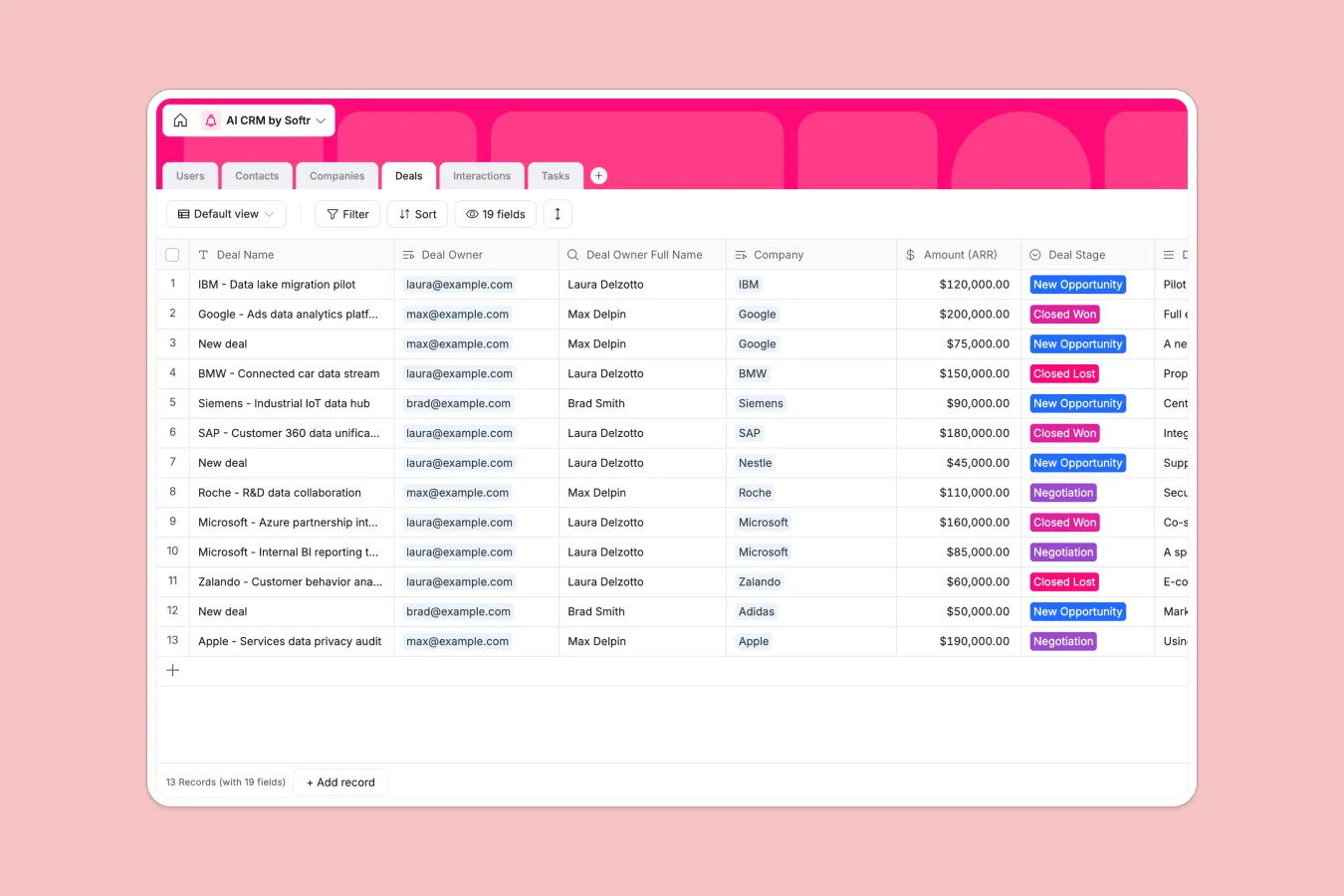
Your AI CRM database at a glance
This CRM template gives your team a central, organized place to track leads, companies, deals, and team tasks. Instead of manual data entry, the database keeps contacts, interactions, and sales pipelines linked cleanly in one unified workspace.
Everything in this database is connected natively. When a sales rep records a new meeting, it updates the interaction history for both the contact and their associated company automatically.
With built-in AI fields, the database also browses the web to auto-fill company domains, industries, descriptions, and employee counts. Your reps spend less time researching and more time closing deals.
What to check before building your AI CRM in Airtable
Airtable is a great tool for structured lists, but as custom CRM workflows grow, scaling teams often run into specific limitations around pricing, record ceilings, and user access.
What changes with a database built for apps
When multiple team members need to edit and manage deals, Airtable's per-seat pricing gets expensive quickly. Every collaborator you add to a base increases your monthly subscription cost.
Choosing Softr Databases allows you to invite unlimited collaborators to your database on all plans. You can keep your data completely secure while giving access to your entire scaling organization without unexpected fees.
Furthermore, databases should naturally support customer portals and team dashboards. Instead of stitching Airtable to third-party visual interfaces, this template integrates natively with interface builders, permissions, and automated workflows on a single platform.
Automating your CRM where data lives
Most CRMs require external API connectors or complex scripts to automate company profiling or lead enrichment.
This template leverages Database AI agents to run automated web research directly inside your tables. Whenever a company and domain are added, the database can automatically categorize the industry, summarize business activities, and fetch employee counts without external tools.
-
Users
Manage sales reps and team members with roles, emails and assigned records
-
Contacts
Track client leads and key people linking to their interactions and companies
-
Companies
Store organizations leveraging AI to find industries, descriptions and employee counts
-
Deals
Track revenue opportunities, pipeline stages, demo requests and deal amounts
-
Interactions
Log sales emails and meetings to build deep customer histories and draft follow-ups
-
Tasks
Organize to-do items with status tracking, due dates, owners and linked deals
Who is this AI CRM database for
- Sales Directors: Monitor the overall pipeline, pipeline stages, and representative performance in real time.
- Account Executives: Keep contacts, companies, interactions, and deal history centrally organized without switching tabs.
- Sales Operations: Automate company enrichment and research natively using built-in AI agents directly inside records.
How to take it further
Customize the database
You can easily tailor this database to match your exact sales pipeline. Add new custom select options for your Deal Stages, configure custom formulas, or update the AI prompt parameters to extract different company details from the web.
Import your existing data
Move your customer data out of messy spreadsheets or legacy software. Use the built-in CSV importer to upload your contacts and companies list in bulk, or use the API to sync live sales records.
Build a full app around it
When you are ready, you can easily turn this database into a complete client portal or internal CRM app. Using a native platform allows you to set up granular users and permissions so sales reps only see their assigned leads while managers track global statistics.
The fastest path is to use our AI app generator to describe your ideal application. The system will build a fully interactive user interface connected directly to this structured database, giving your team a customized app that works on desktop and mobile alike.
-
1
-
2
-
3
-
4
Frequently asked questions
-
What is an AI CRM database?
-
Why use a no-code database to build an AI CRM?
-
How can AI help managing data for an AI CRM?
-
Can I build an app with this AI CRM database?
-
Is this AI CRM database template free?
-
How is this AI CRM template different from Airtable?
Start building today. It's free!
Build and launch your first app in under 30 minutes.