


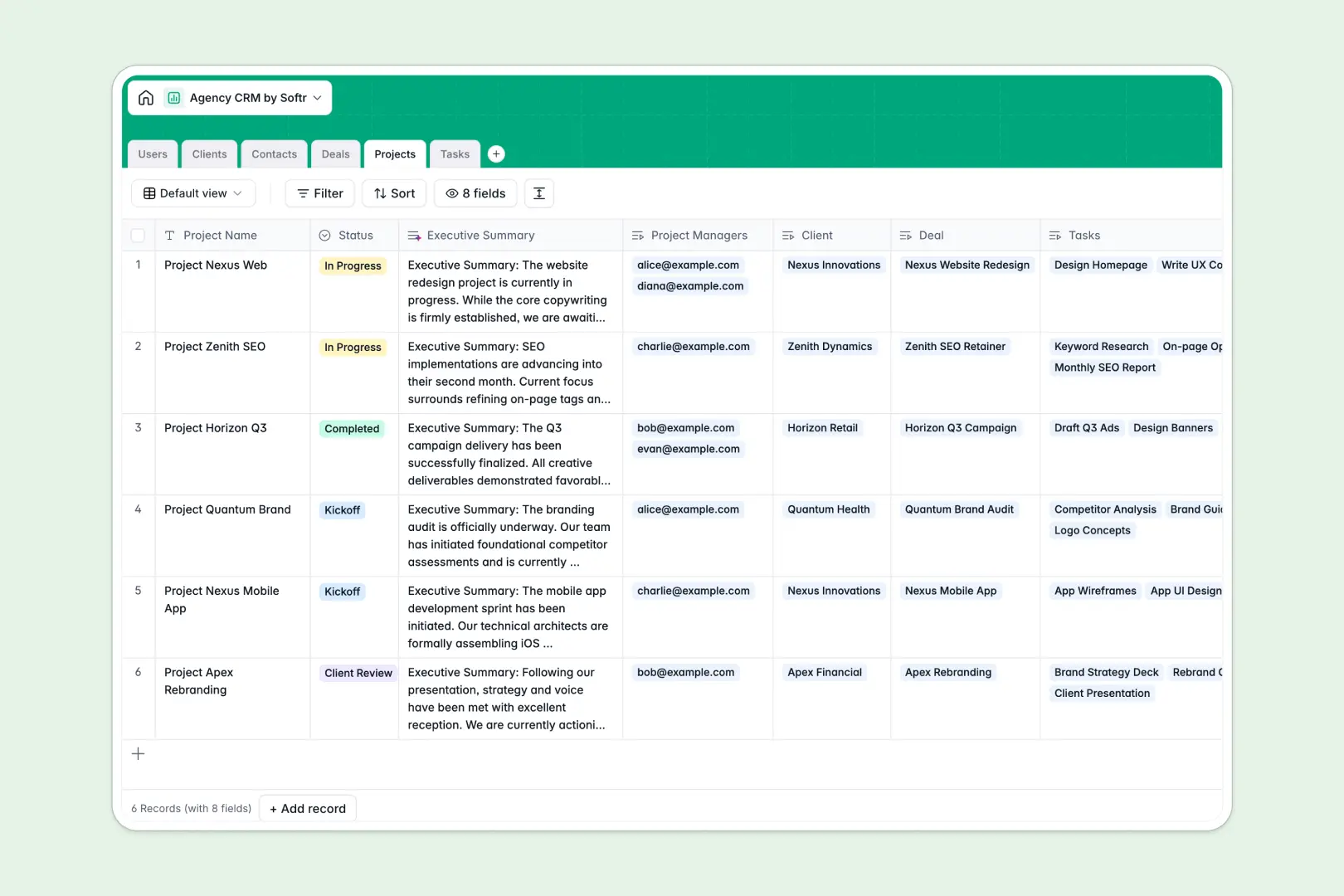
Your Agency CRM database at a glance
Run your complete agency operations seamlessly by unifying team responsibilities, client communications, and live project deliverables in one central hub.
This relational database connects internal staff (the "Users" table) directly to parent corporate accounts ("Clients"), main contacts, pipeline opportunities ("Deals"), live engagements ("Projects"), and daily tasks.
It features built-in automation fields that automatically summarize long project briefs and perform live web searches to write clear client profiles.
Where agency CRM workflows outgrow Airtable
Building a relational database is a smart operational move, but relying on systems where every single team collaborator drives up your monthly subscription costs becomes an obstacle to growth.
What changes with an agency database built for apps
Traditional tools scale defensively with seat-based models. With Softr Databases, your agency gets unlimited collaborators on all plans so your whole team and external contractors can log daily updates without billing surprises.
Because the database handles scaling up to 200,000 records effortlessly, you won't hit record caps or experience sluggish pipelines as your agency signs new clients.
What you can do with this agency template
Streamline hand-offs by linking projects and tasks directly to specific deals, assigned account managers, and individual client points of contact.
Save manual entry time with native Database AI agents that crawl websites to build instant client descriptions or extract key operational milestones from long block notes.
-
Users
Manage internal staff roles, contacts, and cross-project assignments
-
Clients
Manage clients and generate AI-powered company descriptions from websites
-
Contacts
Track individual client stakeholders, phone numbers, and job titles
-
Deals
Monitor active sales pipelines, proposal statuses, and estimated values
-
Projects
Lead team engagements using professional AI-generated executive summaries
-
Tasks
Track action items using AI to automatically categorize task types
Who is this Agency CRM database for
This structured database is built specifically to streamline client delivery and operations:
- Agency Owners: Keep a real-time, Bird's-eye view of your sales pipeline values, active project milestones, and resource allocation across teams.
- Account Managers: Find client details, live deals, and historic contacts instantly without chasing down project managers or digging through emails.
- Creative Teams: Access specific design, copywriting, or development tasks linked directly to project briefs and clear delivery deadlines.
How to take it further
Customize the database. You can easily change select-option dropdowns for deal stages, add custom tags for service categories, or insert monetary fields for retainer tracking in a click.
Import your existing data. Move off scattered sheets quickly by uploading your current files via bulk CSV import or using high-performance API connections to fetch external records.
Build a full app around it. When you want a clean portal experience for your clients, you can build an app on top of this exact database. Build a professional client ecosystem with tailored users and permissions so clients can submit creative draft feedback while your project finances remain strictly internal.
-
1
-
2
-
3
-
4
Frequently asked questions
-
What is an agency CRM database?
-
Why use a no-code database to build an agency CRM?
-
How can AI help managing data for agency CRM?
-
Can I build an app with this agency CRM database?
-
Is this agency CRM template free?
-
How is this agency CRM different from an Airtable template?
Start building today. It's free!
Build and launch your first app in under 30 minutes.