


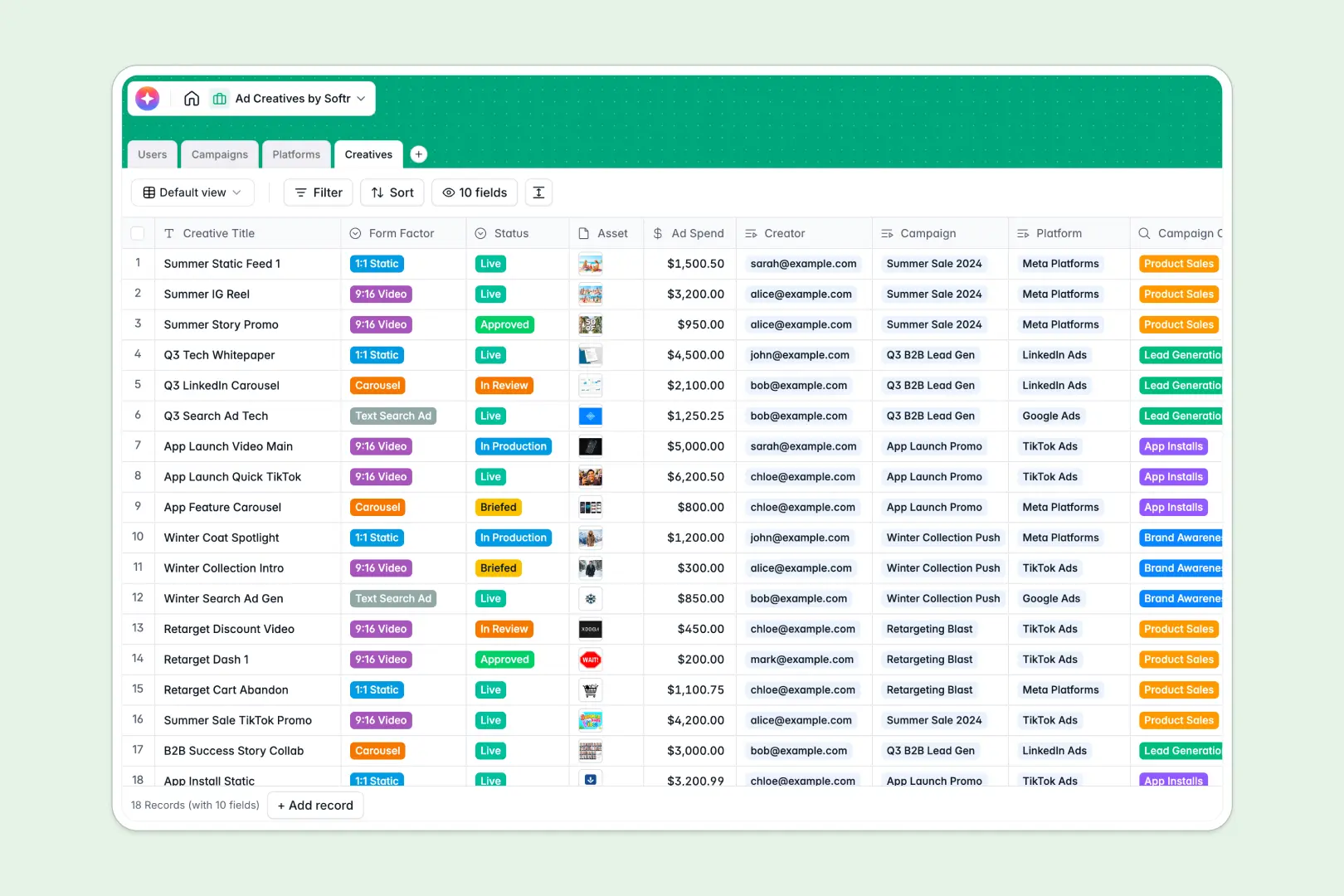
Your Ad Creatives database at a glance
This template provides a central hub to manage your entire creative production workflow, from brief to distribution. Keep your designers, copywriters, and campaign managers aligned in one shared workspace.
It connects four functional tables: Creatives, Campaigns, Platforms, and Users. Your assets link directly to their active campaigns and respective production status so you always know what is live.
Built-in AI generates customized ad copy based on your creative title and target platform, saving hours of manual work.
What to check before building your ad creatives base in Airtable
Managing creative assets requires heavy collaboration with external contractors, designers, and agencies. While Airtable is a capable relational database, its pricing structure can quickly become a bottleneck for teams with fluctuating external contributors.
What changes with a database built for apps
Collaborating with designers and copywriters shouldn't trigger an unexpected software bill. Softr Databases include unlimited collaborators on all plans, meaning you can invite your whole ecosystem to collaborate on creative production.
Additionally, you can scale your data freely without worrying about Airtable's strict record limits or rate-capped APIs. Data remains structured, typed, and fully relational beneath the hood.
What you can do with this template
This template comes equipped with native Database AI agents that auto-generate details directly within your tables. For example, you can automatically draft ad copy tailored to specific form factors like 9:16 videos or carousels.
Your team can also automatically research platform requirements or summarize campaign performance metrics in a single click. It's a database that actively does the work for you.
-
Users
Track marketing team members with roles, contact info, and task assignments
-
Campaigns
Manage marketing campaigns and generate automated AI executive summaries
-
Platforms
Configure advertising channels with AI-powered overviews of key ad formats
-
Creatives
Organize creative assets, design statuses, and draft high-converting AI ad copy
Who is this Ad Creatives database for
- Marketing Teams: Run multi-channel campaigns without losing track of your active assets.
- Design Agencies: Shepherd visual creatives through approval stages while keeping client feedback organized.
- Growth Marketers: Map ad spend directly to performance metrics and specific creative variations.
-
1
-
2
-
3
-
4
Frequently asked questions
-
What is an ad creatives database?
-
Why use a no-code database to build an ad creative management tool?
-
How can AI help managing data for ad creatives?
-
Can I build an app with this ad creatives database?
-
Is this Ad Creatives template free?
-
How is this template different from an Airtable template?
Start building today. It's free!
Build and launch your first app in under 30 minutes.