


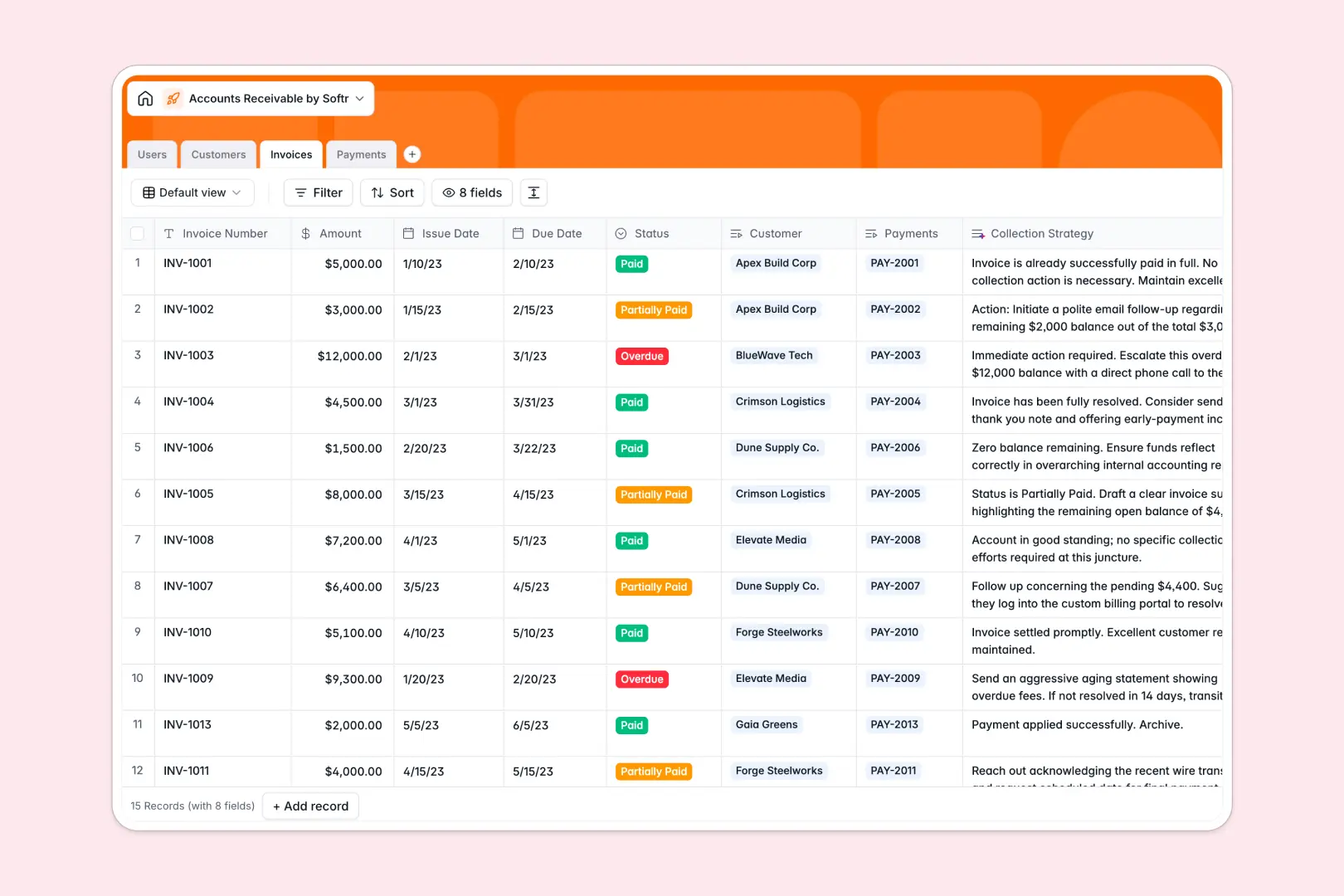
Your Accounts Receivable Database at a glance
Monitor outstanding balances and streamline cash flow without manual tracking. This template connects finance users directly to customers, invoices, and payments so your team stays aligned.
Keep track of individual invoice statuses, record payments when they land, and view automatically calculated totals per customer. Because relationships are built directly into tables, you can see instantly which invoice belongs to which company without messy lookups.
Built-in AI fields help you work faster by automatically researching customer details and suggesting specific follow-up actions for past-due balances based on invoice amounts.
What to check before building your accounts receivable base in Airtable
Managing open invoices and client follow-ups requires a system that is transparent, scalable, and cost-effective. While Airtable provides great relational structure, its pricing and sharing limitations can quickly become friction points for growing finance teams.
What changes with a database built for apps
Unlike platforms that charge per seat as soon as team members need to log payments or update statuses, Softr Databases allow unlimited collaborators on all plans. You can share access with your entire finance department, account managers, and executive team without a runaway monthly bill.
Additionally, you don't need to stitch multiple external tools together just to build private customer portals or secure internal dashboards. Softr combines the clean relational structure of a database with visual apps and automated processes native to the same platform.
What you can do with this template
This accounts receivable base organizes critical payment data instantly. You can easily view invoice aging, track payment methods like ACH and wire transfers, and identify high-value overdue accounts in seconds.
This template also features native Database AI agents that run directly inside your tables. They can draft collection strategies based on invoice status and research new billing contacts automatically on the live web.
-
Users
Track team members managing accounts receivable with assigned customers
-
Customers
Manage client profiles with financial summaries and AI-powered backgrounds
-
Invoices
Track active billing records and generate AI collection action strategies
-
Payments
Log transaction references, payment dates, amounts, and audit histories
Who is this Accounts Receivable database for
- Finance Managers: Keep tabs on cash flow, oversee team workloads, and establish consistent AR processes easily.
- Billing Clerks: Log payments, change invoice statuses, and generate follow-up recommendations without manual calculations.
- Account Managers: Check client payment history before high-impact meetings to manage customer relationships proactively.
How to take it further
Customize the database
Adjust fields to match your operating procedures. You can easily add options to the payment method list, set up customized currency formatting, or create specific aging brackets for outstanding invoices.
Import your existing data
Bring your active accounts receivable list over in seconds. Run a quick CSV import to load all active customers, open invoices, and payment histories directly into your new workspace.
Build a full app around it
When your team is ready, convert this database into an internal portal. Use the Softr AI app generator to turn these tables into an invoice dashboard with custom users and permissions in one click. This keeps financial records secure while letting account executives look up billing histories safely.
-
1
-
2
-
3
-
4
Frequently asked questions
-
What is an accounts receivable database?
-
Why use a no-code database to build an accounts receivable system?
-
How can AI help managing accounts receivable data?
-
Can I build an app with this accounts receivable database?
-
Is this accounts receivable template free?
-
How is this different from an accounts receivable Airtable template?
Start building today. It's free!
Build and launch your first app in under 30 minutes.