


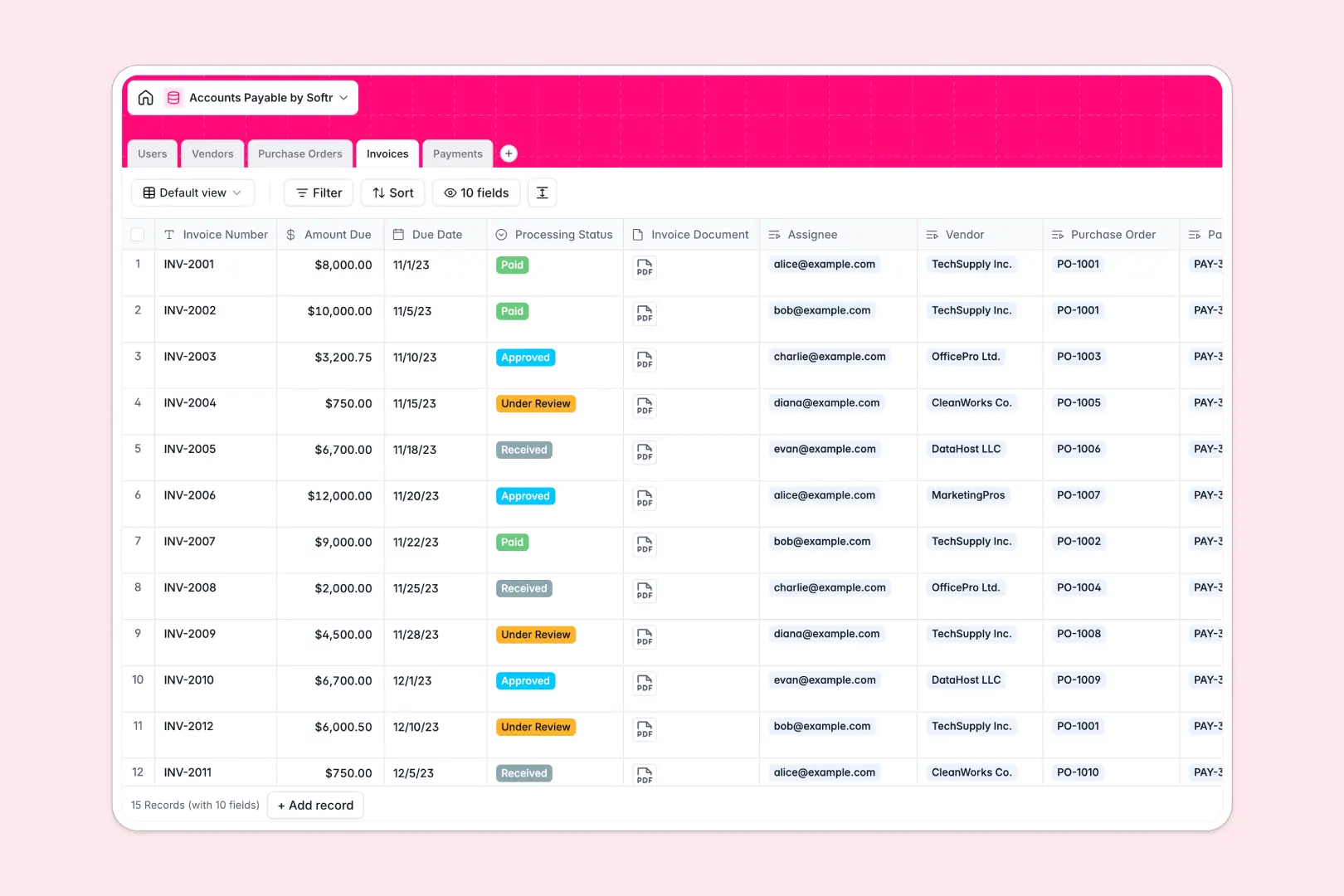
Your Accounts Payable database at a glance
Safely track invoice matching, purchase orders, and outgoing vendor payments in a single, robust platform.
This pre-built template connects internal team users directly to active vendors, matching purchase orders to multi-stage invoice documents instantly.
Integrated AI agents effortlessly draft vendor descriptions from websites, summarize overdue processing statuses, and auto-generate receipts.
What to check before building your accounts payable base in Airtable
While Airtable is excellent for relational structures, complex financial pipelines involving multiple partners often run into friction.
What changes with a database built for apps
Rather than paying costly per-seat pricing for every coworker who needs to view or approve a single invoice, you can distribute tasks freely. Softr offers unlimited collaborators so your whole accounting team can access details without soaring subscription bills.
Additionally, handling tens of thousands of transaction histories can quickly cap Airtable's workspace ceilings. This is exactly what Softr Databases are designed to solve by raising threshold caps to 200k records with extremely accelerated API speeds.
Workflows integrated with native AI
With this accounts payable template, automate manual data enrichment directly inside your table views. Connect built-in database AI agents to research vendor profiles, update invoice processing statuses, or summarize invoice documents.
You can set specialized execution rules, guaranteeing the agent only runs when a new invoice is marked as under review.
-
Users
Track team members handling accounts payable ingestion and manual approvals
-
Vendors
Manage suppliers and terms, utilizing AI to generate company profiles
-
Purchase Orders
Authorize internal purchasing requests linked to active vendor contracts
-
Invoices
Process incoming vendor bills utilizing AI to generate status summaries
-
Payments
Record transaction history with AI-generated confirmation receipt notes
Who is this Accounts Payable database for
- Finance Managers: Safely authorize pending transfers and monitor real-time company expenditures in one centralized place.
- AP Clerks: Record invoice details, upload invoice documents, and link records directly to specific vendors without manual lookups.
- Operations Teams: Generate purchase orders and verify fulfillment status before committing capital.
How to take it further
1. Customize the database
Update your preferred payment terms or payment methods to reflect your exact localized banking arrangements. Add fresh selection options to the Invoice processing steps to capture specific ledger rules safely.
2. Import your existing data
Easily transition legacy accounting spreadsheets or vendor catalogs using the native CSV upload tool. You can also run continuous syncs programmatically with the active API connection.
3. Build a full app around it
When you are ready to scale access control, use the native interface builder to turn this database into a secure client or team portal.
Implement precise users and permissions so vendors can log in to upload invoices directly, while your AP clerks process transactions privately. Evolving your database structure into a functional web app is painless since the data layer is already connected.
-
1
-
2
-
3
-
4
Frequently asked questions
-
What is an accounts payable database?
-
Why use a no-code database to build an accounts payable system?
-
How can AI help managing data for accounts payable?
-
Can I build an app with this accounts payable database?
-
Is this Accounts Payable database template free?
-
How is this template different from an Airtable template?
Start building today. It's free!
Build and launch your first app in under 30 minutes.