


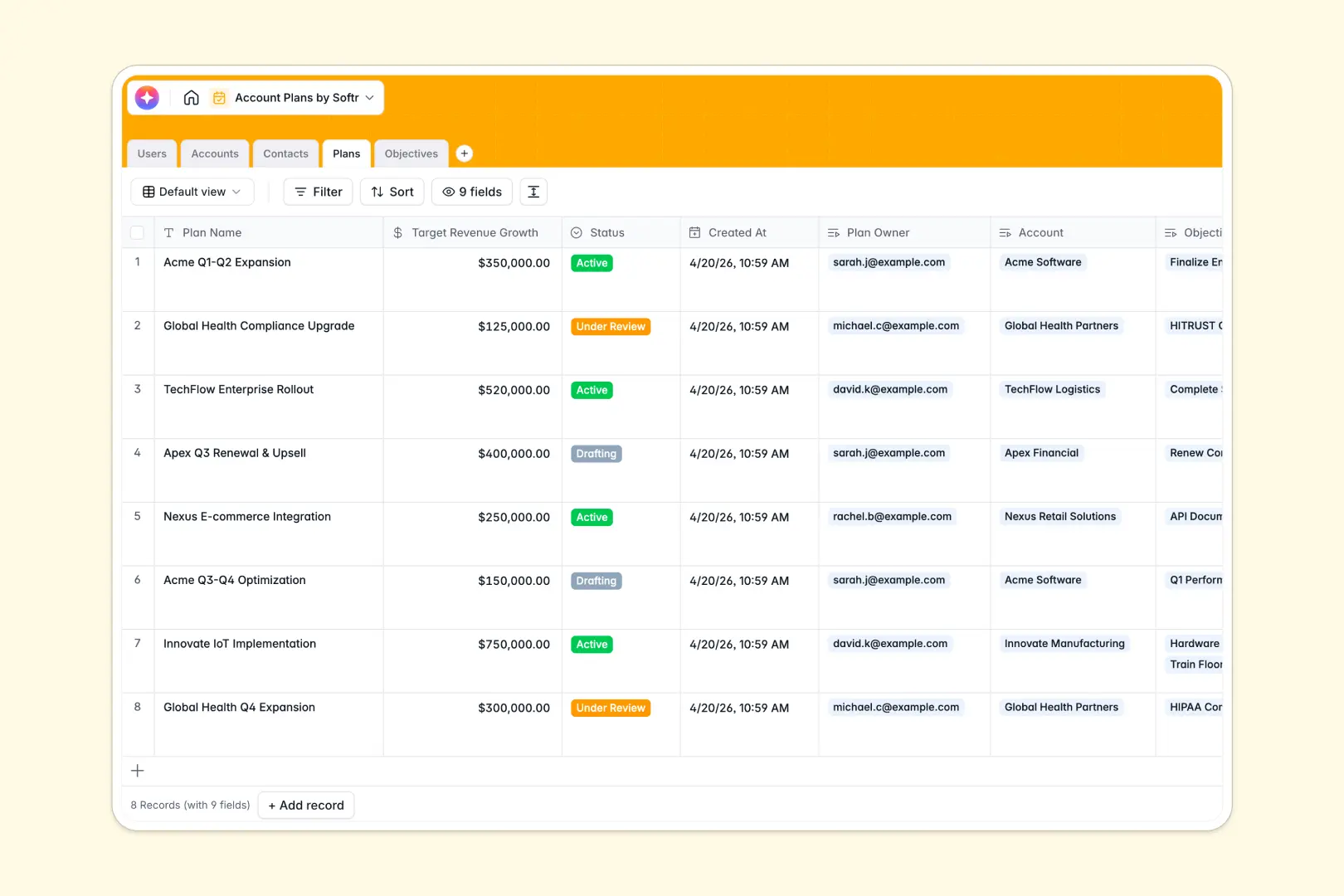
Your Account Plans database at a glance
Scale your strategic key accounts, manage buying stakeholders, and track target revenue growth in one central database. This template organizes everything needed to plan expansion within your most important customer organizations.
Your data is cleanly split into logical tables: Users, Accounts, Contacts, Plans, and Objectives. They link naturally to preserve context, ensuring you never lose track of who owns an account plan or which buyer controls an objective.
This template also comes with built-in AI agents that automatically research company domains behind the scenes, write strategic plan summaries, and even generate immediate action lists for goals as they are created.
Where account plans outgrow Airtable
When your team is managing enterprise accounts, scaling strategic account planning requires careful consideration of how you collaborate and manage margins.
What changes with a database built for apps
Airtable functions as an excellent relational database, but its per-seat pricing introduces immediate collaboration friction. The moment you want multi-tiered teams, external partners, or account stakeholders to edit plan objectives, Airtable's pricing structure punishes your growth.
This is exactly what Softr Databases are designed to solve. Teams gain robust relational tables combined with an application framework that provides unlimited collaborators. Record ceilings and api limits are generous, keeping your workspace fast even as data grows.
What you can do with this template
This database template lets you manage contacts by custom roles like Internal Champion or Executive Sponsor. You will always know how to tailor communications to secure approvals and push plans from drafting to active.
Because this setup runs Database AI agents within fields, you automatically gain deep research capability. The system can read an account's web domain and auto-populate an account description based on live, real-world data.
-
Users
Track team members managing key accounts with names, roles, and profiles
-
Accounts
Manage customer companies with domains, owners, and AI-powered activity research
-
Contacts
Store stakeholders per account with contact details and role classifications
-
Plans
Document strategic blueprints with financial goals and AI strategic summaries
-
Objectives
Track actionable plan goals with deadlines and AI-generated action items
Who is this Account Plans database for
- Account Managers: Track customer expansion strategies, manage action items, and hit growth quotas.
- Sales Directors: Maintain a clean oversight of pipeline goals, team ownership shifts, and deal risks.
- Customer Success Leads: Plan and align post-sale plans directly tied to corporate milestones.
- Agency Partners: Coordinate directly with external client champions on secure growth projects.
How to take it further
1. Customize the database
Customize select choices, update fields, or add specific tracking categories to match how your team handles enterprise accounts. Change choices in buying roles, adjust revenue metrics, or add custom columns in seconds.
2. Import your existing data
If you have lists of deals or account notes in separate spreadsheets, upload them using the high-speed CSV importer. You can also connect external sources directly with the API to import active customer contacts smoothly.
3. Build a full app around it
When your team is ready, you can easily build an app on top of this structure. Describe the tool you want in a simple prompt, and the Co-Builder generates a functional interface with workflows and granular users and permissions.
This allows you to assign specific managers to view and edit only their owned accounts, while admins view global performance dashboards.
-
1
-
2
-
3
-
4
Frequently asked questions
-
What is an Account Plans database?
-
Why use a no-code database to build an account management system?
-
How can AI help managing data for key accounts?
-
Can I build an app with an Account Plans database?
-
How is this template different from an Airtable template?
-
Is this Account Plans database free?
Start building today. It's free!
Build and launch your first app in under 30 minutes.