


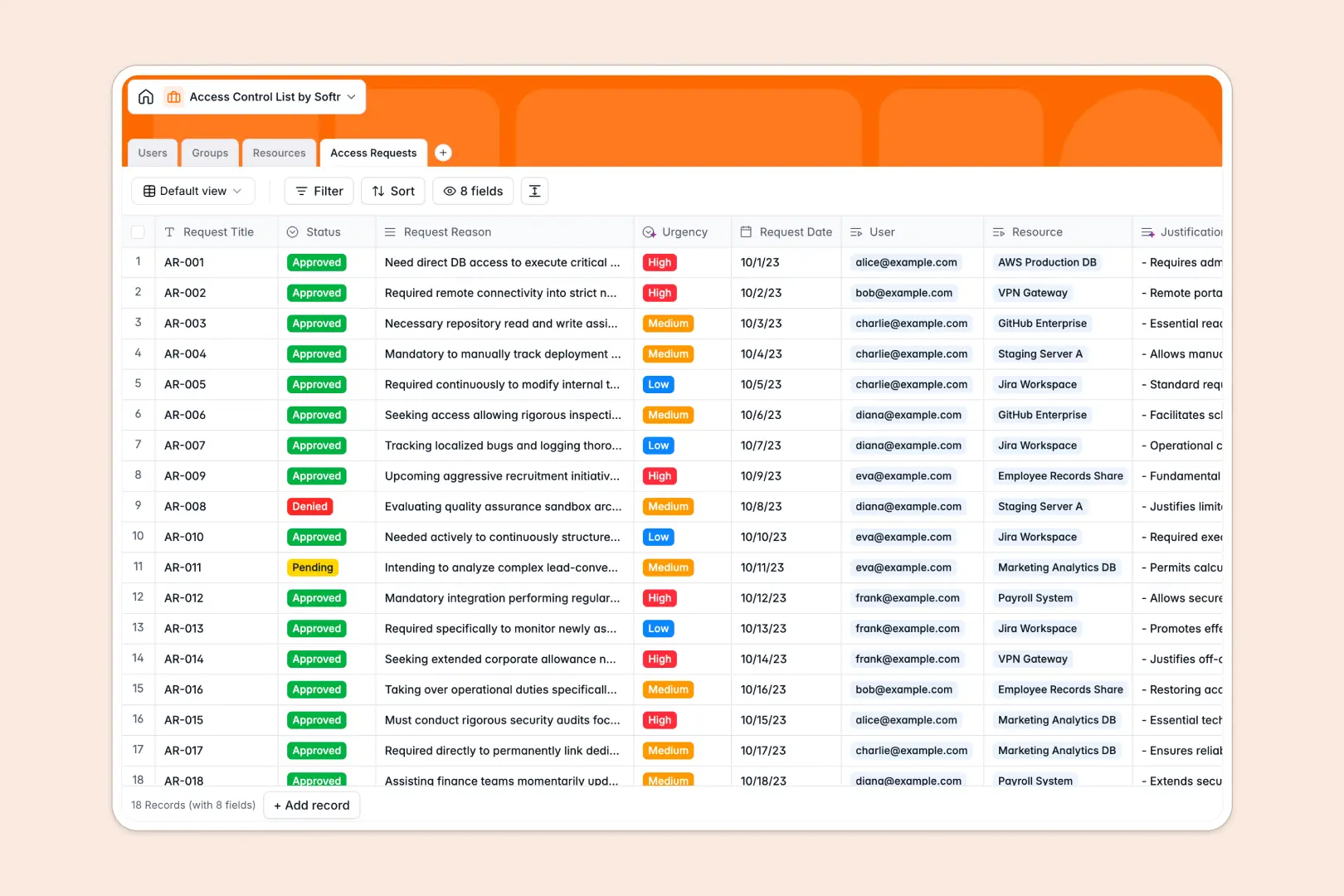
Your Access Control List database at a glance
This template helps you organize security permissions, track user roles, and manage system access requests from a single source of truth. It establishes clear visibility over who can access critical company assets like databases, servers, and applications.
The database connects four core tables: Users, Groups, Resources, and Access Requests. Because these tables use native relational connections, updating a user's role instantly adjusts their group memberships and resource permissions across the system.
It also includes native Database AI agents to automate administrative tasks. The agents automatically classify request urgency levels and summarize technical resource documentation so your security teams can make immediate, informed decisions.
Where managing access control lists outgrow Airtable
While Airtable offers a great relational starting point, managing employee access controls there often leads to scale and cost friction as your organization grows.
What changes with a database built for apps
Security systems naturally involve sharing records with IT teams, managers, and standard employees. Airtable's per-seat pricing quickly punishes this collaboration, while Softr Databases include unlimited collaborators on all plans so your entire team can participate without extra costs.
As your enterprise security logs grow, you will also need higher data ceilings. Softr Databases support up to 200K records per database and a 10x faster API rate limit compared to Airtable, ensuring your audit trails remain intact.
Most importantly, managing security means you need strict user-facing portals. Instead of stitching together external tools, Softr lets you build secure interfaces directly on top of your database, keeping data access restricted based on the actual roles in your tables.
What you can do with this template
With this pre-built structure, you can quickly define secure organizational units and assign resource owners to review incoming requests. Users can submit permissions updates that flow directly into automated queues for approval, maintaining a complete paper trail.
You can also leverage built-in Database AI agents to automatically categorize the urgency of new requests. The system reads justifications as they are submitted, flagging critical needs instantly and saving hours of manual review.
-
Users
Track system users with contact info, portal roles, and access level flags
-
Groups
Manage user cohorts and dynamically summarize their purpose using AI
-
Resources
Secure critical IT assets with AI-generated technical documentation
-
Access Requests
Log user requests with AI-estimated urgency and summarized justifications
Who is this Access Control List database for
This template is engineered for teams needing transparent, structured permission tracking without the overhead of enterprise identity providers.
- IT Operations Leads: Centralize identity management and audit access trails without paying for expensive per-seat database licenses.
- Security & Compliance Officers: Maintain clean logs of who has access to high-security assets and easily review pending approvals.
- Department Managers: Gain clear visibility into active group memberships and quickly approve resource requests for team members.
How to take it further
Customize the database
You can tailor this database in seconds. Modify select options like Security Levels (e.g., adding "Confidential") or append custom fields to track unique security keys without writing complex queries.
Import your existing data
If you already hold user directories or asset lists elsewhere, you can upload them instantly via CSV. You can also connect to external data systems using our robust API to synchronize live records seamlessly.
Build a full app around it
Once your database is ready, you can easily build an app directly on top of it. Describe your desired system in one prompt, and our AI builder will generate an interactive portal with custom dashboards for approvals.
This unified platform approach ensures that your backend data, user interface, and automated workflows are perfectly aligned. You can quickly configure granular users and permissions so front-line employees only see their active requests, while IT admins retain global editing power.
-
1
-
2
-
3
-
4
Frequently asked questions
-
What is an access control list database?
-
Why use a no-code database to build an access control system?
-
How can AI help managing data for access control?
-
Can I build an app with this access control list database?
-
Is this Access Control List template free?
-
How is this template different from an Airtable template?
Start building today. It's free!
Build and launch your first app in under 30 minutes.