


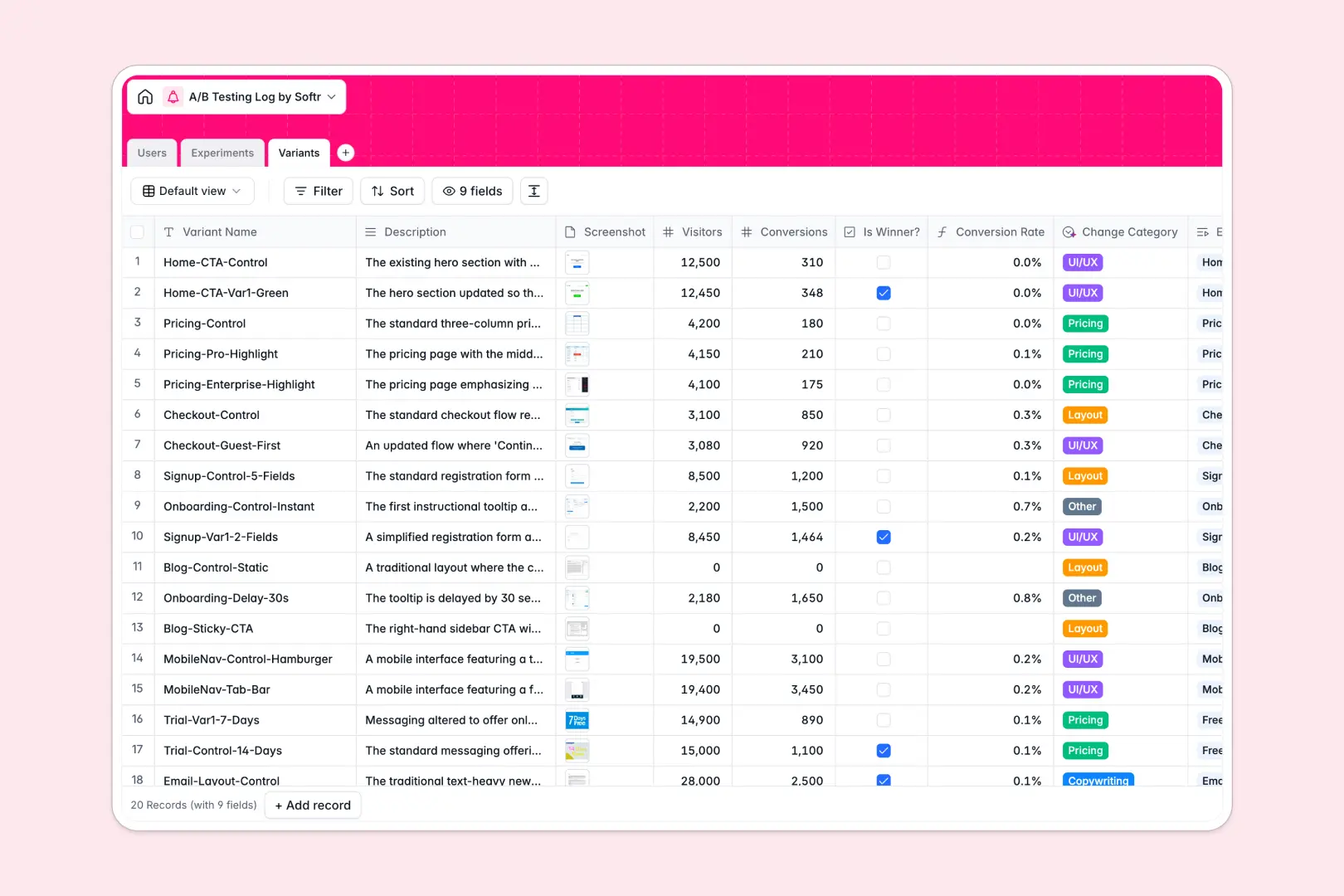
Your A/B Testing Log database at a glance
This template provides a centralized pipeline to track, organize, and analyze all your product and marketing experiments. It helps growth teams and product managers maintain a clear record of hypotheses, running tests, and final variant performance.
The database uses three naturally connected tables: Experiments, Variants, and Users. When you update a variant’s traffic and conversion numbers, formulas instantly calculate its conversion rate, linking the winning outcomes directly back to your high-level experiment records.
Native AI features handle repetitive logging tasks automatically. The database summarizes conclusions into high-level reports and categorizes test variants based on their descriptions, keeping your data clean and organized.
Where A/B testing logs outgrow Airtable
Airtable is an excellent relational tool, but scaling your conversion rate optimization program eventually hits operational limits. Sharing test details, screenshots, and visual results across a growing marketing and product team gets complex and costly.
What changes with a database built for apps
Instead of paying for ever-expanding per-seat licenses just to let teammates view and submit tests, you can manage your data on a platform with built-in access controls. Softr Databases feature unlimited collaborators, ensuring your entire team can view logs, submit results, and learn from experiments without driving up software costs.
You also avoid Airtable's record limits and API request ceilings. This ensures your growth history remains accessible in one robust archive, even as you run hundreds of detailed variants and capture countless screenshots over the years.
Because the database and your interface are built together, you do not need to stitch multiple external tools together. You can share reports, restrict edit rights, and automate review processes all in one secure system.
What you can do with this template
This template gives you an instant, production-ready blueprint with pre-built relationships between users, testing statuses, and performance variants. You can launch it immediately, then customize the drop-down choices, formula logic, or owner metadata as your testing strategy matures.
With native Database AI agents, you also eliminate manual summary work. The template automatically reads your variant descriptions to tag change categories (like Pricing or Copywriting) and drafts concise executive summaries when tests conclude.
-
Users
Manage team members designing, running, and analyzing experiments
-
Experiments
Track the test pipeline and generate AI executive summaries of results
-
Variants
Monitor variant performance metrics categorized automatically with AI
Who is this A/B Testing Log database for
- Growth Marketers: Track creative, copy, and landing page experiments to keep conversion pipelines optimized.
- Product Managers: Document feature flag iterations, track core metric impacts, and keep stakeholders clear on final wins.
- Data Analysts: Maintain clean inputs of traffic, conversions, and status logs to ensure testing validity.
- CRO Agencies: Manage multi-client experiments, log test assets, and share organized, high-level results effortlessly.
How to take it further
1. Customize the database
Feel free to adapt this structure to fit your exact testing framework. You can add specific tracking metrics like revenue-per-visitor, include custom tags for your marketing channels, or append file attachments for design files and wireframes.
2. Import your existing data
If you have a collection of past experiments living in static sheets or external documents, you can migrate them instantly. Bring your testing history into the relational schema in minutes using a simple CSV import.
3. Build a full app around it
Once your database structure is ready, you can easily wrap a collaborative portal around it. Use the AI app generator to turn your backend data into a clean, visual web portal with tailored dashboards for different stakeholders.
Using flexible users and permissions, you can let product managers run and update tests, while executives access a read-only portfolio showing which product changes drove the biggest conversion gains.
-
1
-
2
-
3
-
4
Frequently asked questions
-
What is an A/B testing log database?
-
Why use a no-code database to build an A/B testing log?
-
How can AI help managing data for A/B testing?
-
Can I build an app with this A/B testing log database?
-
Is this A/B testing log template free?
-
How is this template different from an Airtable template?
Start building today. It's free!
Build and launch your first app in under 30 minutes.