


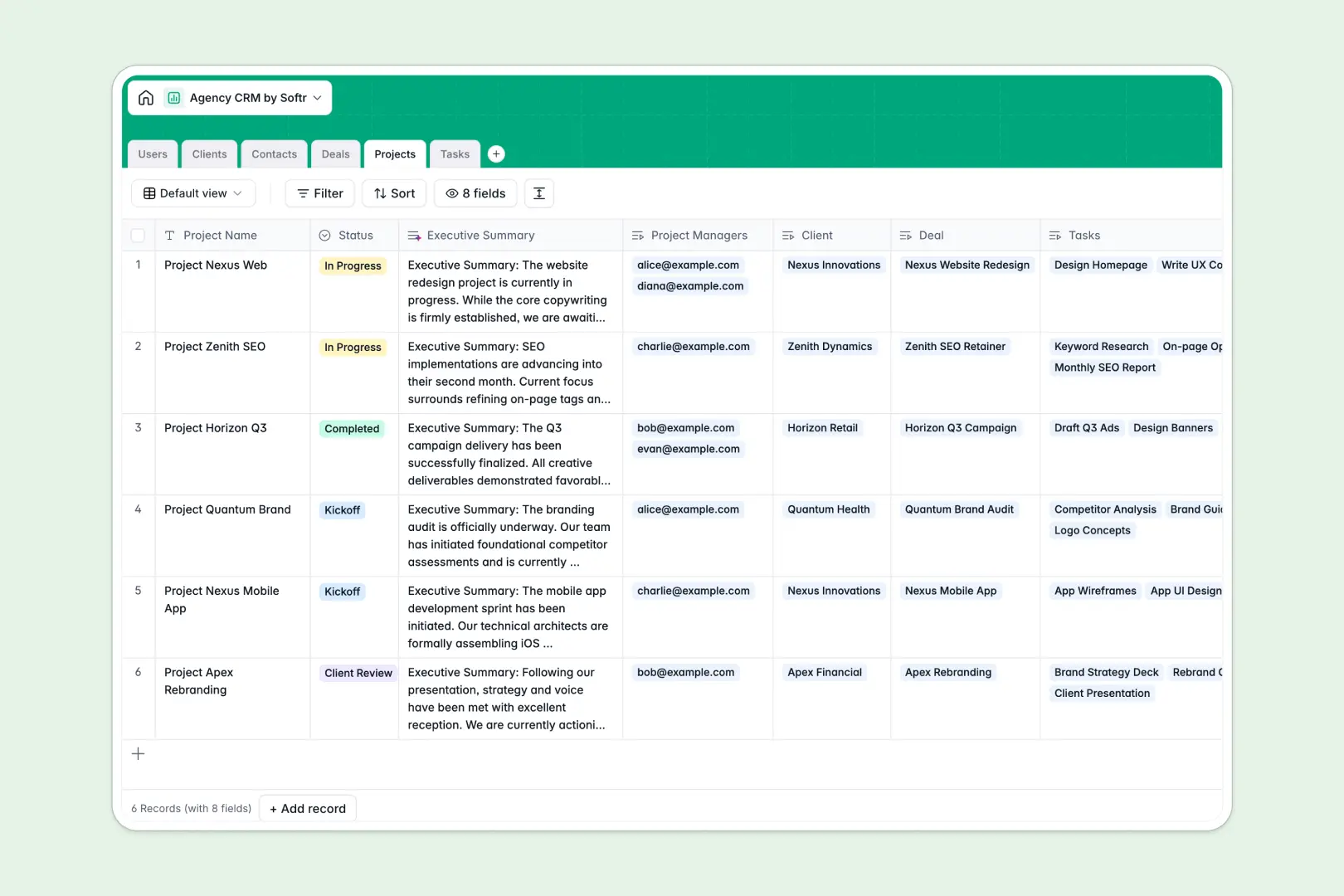
Your Agency CRM database at a glance
This template gives your agency a complete operational hub to manage accounts, track active proposals, and deliver client work on schedule. It brings your sales pipeline and delivery workflows together so account managers and creators always stay aligned.
Everything is connected across six relational tables: Clients, Contacts, Deals, Projects, Tasks, and internal Users. When a deal closes, it links directly to client records, project managers, and assigned deliverables without duplicate data entry.
Built-in AI fields enrich client accounts with automated web summaries, draft executive updates from raw project notes, and categorize incoming team tasks automatically.
Why agency pipelines break across disconnected sheets
Tracking high-touch client accounts, variable deal stages, and ongoing deliverables across generic tables quickly leads to missed follow-ups and lost context.
What a structured database changes
A structured database enforces strict data integrity across your entire agency. Dates stay dates, currency fields calculate accurately, and client companies link directly to multiple stakeholders, active deals, and project tasks.
Instead of copy-pasting client names across separate project trackers, every deliverable points back to a single source of truth. This is exactly what Softr Databases are designed for, giving you a reliable backend that scales with your roster.
What you can do with this template
Track prospective leads through each negotiation stage, assign account managers to brand accounts, and break client engagements into clear task lists with defined assignees.
Built-in Database AI agents research client websites to generate company descriptions and convert internal project notes into polished executive summaries for stakeholders.
Because the database is ready out of the box, you can organize your accounts immediately and adjust fields whenever your agency offerings evolve.
-
Users
Manage agency team members, assign client accounts, and track deliverables
-
Clients
Track client organizations with AI-generated web summaries and accounts
-
Contacts
Organize client points of contact, direct communication channels, and roles
-
Deals
Monitor sales pipeline stages, deal values, closing dates, and owners
-
Projects
Manage project milestones with notes and automated AI executive summaries
-
Tasks
Track actionable assignments featuring automatic AI category classification
Who is this Agency CRM database for
This system is designed for modern agency teams that need structured account management alongside execution tracking:
- Agency founders: Gain complete visibility over the active sales pipeline, open proposals, and client delivery health.
- Account managers: Keep client contacts, ongoing engagements, and status communications organized in one centralized hub.
- Project leads: Break client contracts into structured deliverables, assign responsibilities, and track task progress smoothly.
- Creative teams: View assigned tasks, due dates, and project context without searching through messy email threads.
How to take it further
Customize this database to match your agency's service model. You can modify deal stages, add custom tags for service tiers, or introduce dedicated tables for client invoices and asset links.
Import your existing client lists and active deals in seconds using CSV upload, or use an API connection to sync contact details from your lead capture forms automatically.
When your team is ready, build an app on top of this database to give clients and team members custom portals. You can set granular users and permissions so clients only see their own projects while team leads access the full pipeline, turning your structured tables into a complete business platform.
-
1
-
2
-
3
-
4
Frequently asked questions
-
What is an agency CRM database?
-
Why use a no-code database to build an agency CRM?
-
How can AI help managing data for an agency CRM?
-
Can I build an app with this Agency CRM database?
-
Is this Agency CRM database template free?
Start building today. It's free!
Build and launch your first app in under 30 minutes.