


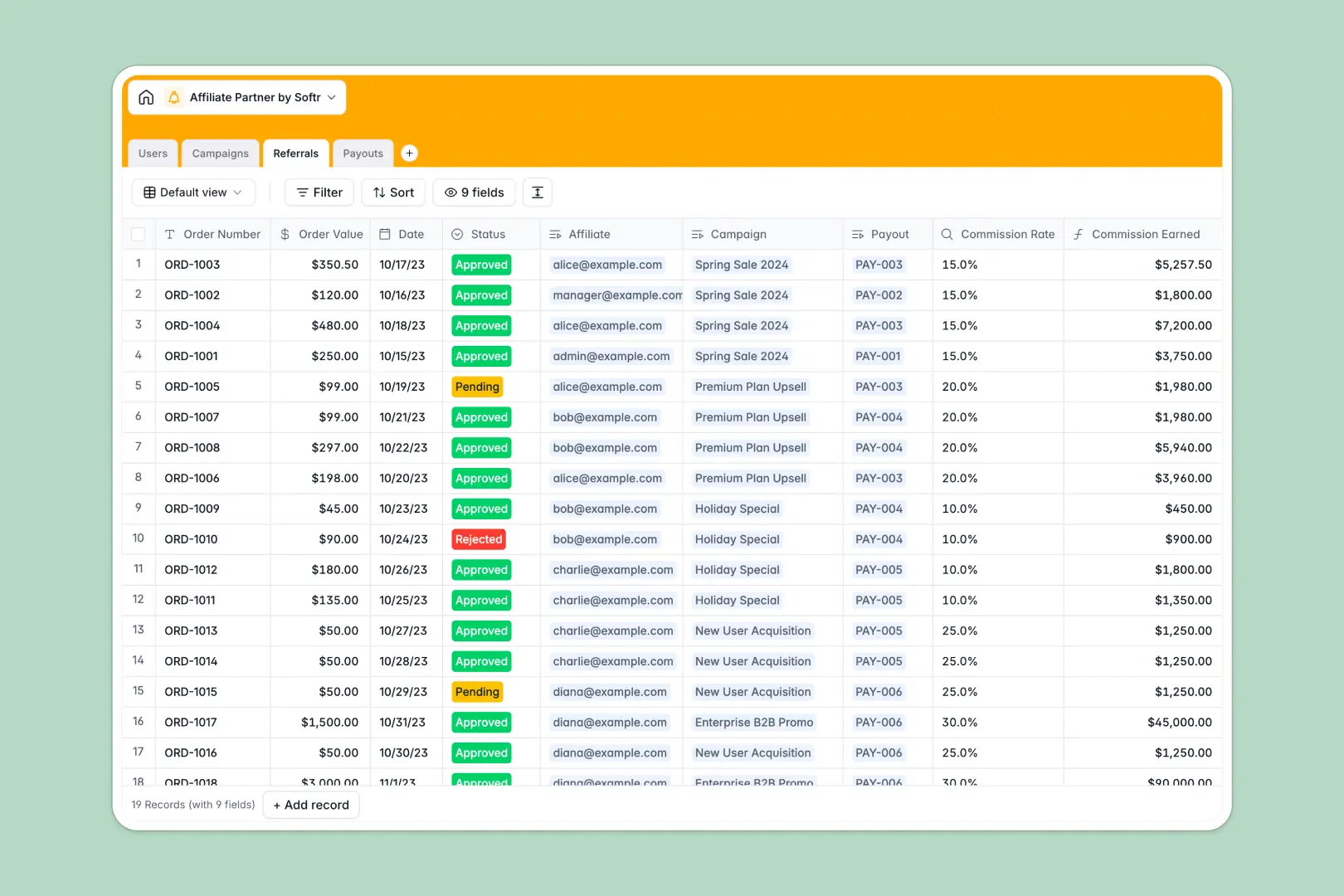
Your Affiliate Partner database at a glance
This template provides a comprehensive system to track marketing campaigns, log partner referrals, and manage commission distributions. Everything stays organized natively, ensuring you never miss a pending payment or miscalculate an order commission.
It works by connecting multiple tables together seamlessly. When an affiliate brings in a new Referral, it automatically looks up the paired Campaign to calculate the exact commission earned based on the linked order value.
Built-in AI fields help you engage with your affiliates faster. When you add a new campaign, AI automatically drafts promotional tweets, and when a batch payout is processed, it generates personalized congratulatory emails instantly.
Why managing affiliate networks in spreadsheets breaks down
Spreadsheets become messy quickly when you try to track active campaigns, pending referrals, and variable commission rates across dozens of different partners.
What a structured database changes
A structured system ensures numbers stay as valid currency, payout statuses remain consistent, and partner data doesn't get lost in infinite grids. You no longer have to worry about broken formulas or accidentally deleted rows.
Instead of relying on fragile VLOOKUPs, tables connect directly so you can link a referral to a campaign and let the platform handle commission math. This is exactly what Softr Databases are designed for.
What you can do with this template
Instantly track which affiliate drove which sale, grouping pending referrals together to process batch payouts without manual calculations. You can see your entire partner ecosystem in one clean view.
Using Database AI agents, you can automatically generate customized promotional copy for affiliates to use and draft warm payout notifications with zero extra effort. The template is fully ready to use on day one.
-
Users
Manage internal staff and affiliate partner profiles with payment details
-
Campaigns
Organize marketing offers and use AI to generate promotional copywriting
-
Referrals
Track historical sales conversions and calculate earned affiliate commissions
-
Payouts
Process commission batches and draft AI-powered congratulation notifications
Who is this Affiliate Partner database for
This template is built for teams looking to scale their partner programs without losing track of critical financial data.
- Marketing Teams: Centralize campaign materials and easily share promotional structures securely.
- Partnership Managers: Track individual affiliate performance and ensure accurate, timely commission processing.
- Finance Departments: Group pending referrals into distinct payout records for transparent accounting and receipt management.
How to take it further
1. Customize the database
Easily adapt the table structure to fit your partner workflow. You can add new statuses for referral approvals or adjust how you categorize your product campaigns.
2. Import your existing data
Securely import your current partner lists, historical sales data, or active campaigns via CSV. Your operations can seamlessly transition to this new setup in minutes.
3. Build a full app around it
When you're ready to share this data, you can turn this backend into a full partner portal using Softr's interface builder. Applications are much easier to launch when your foundation is well-structured.
With native application users and permissions, you can allow affiliates to log in securely. They will only see their own pending referrals, specific payout history, and accessible campaigns.
-
1
-
2
-
3
-
4
Frequently asked questions
-
What is an affiliate partner database?
-
Why use a no-code database to build an affiliate tracking tool?
-
How can AI help managing data for affiliate programs?
-
Can I build an app with this affiliate partner database?
-
Is this Affiliate Partner template free?
-
How does this database calculate earned commissions?
Start building today. It's free!
Build and launch your first app in under 30 minutes.