


Overview
Our Client Portal template allows you to build a secure space for your clients to access invoices, track project progress, and share files. Connect your Airtable or Google Sheets data securely in minutes using Softr's portal builder.
How It Compares
Standard Portals
Most standard tools lack integration flexibility or require you to learn to code before deploying a simple interface.
The Softr Advantage
With Softr's client portals, you get granular role-based access, rapid drag-and-drop building, and native database integrations without writing a single line of code.
-
Users
Manage internal finance team members, roles, and assigned accounts
-
Customers
Store client data featuring AI-generated profiles and billing history
-
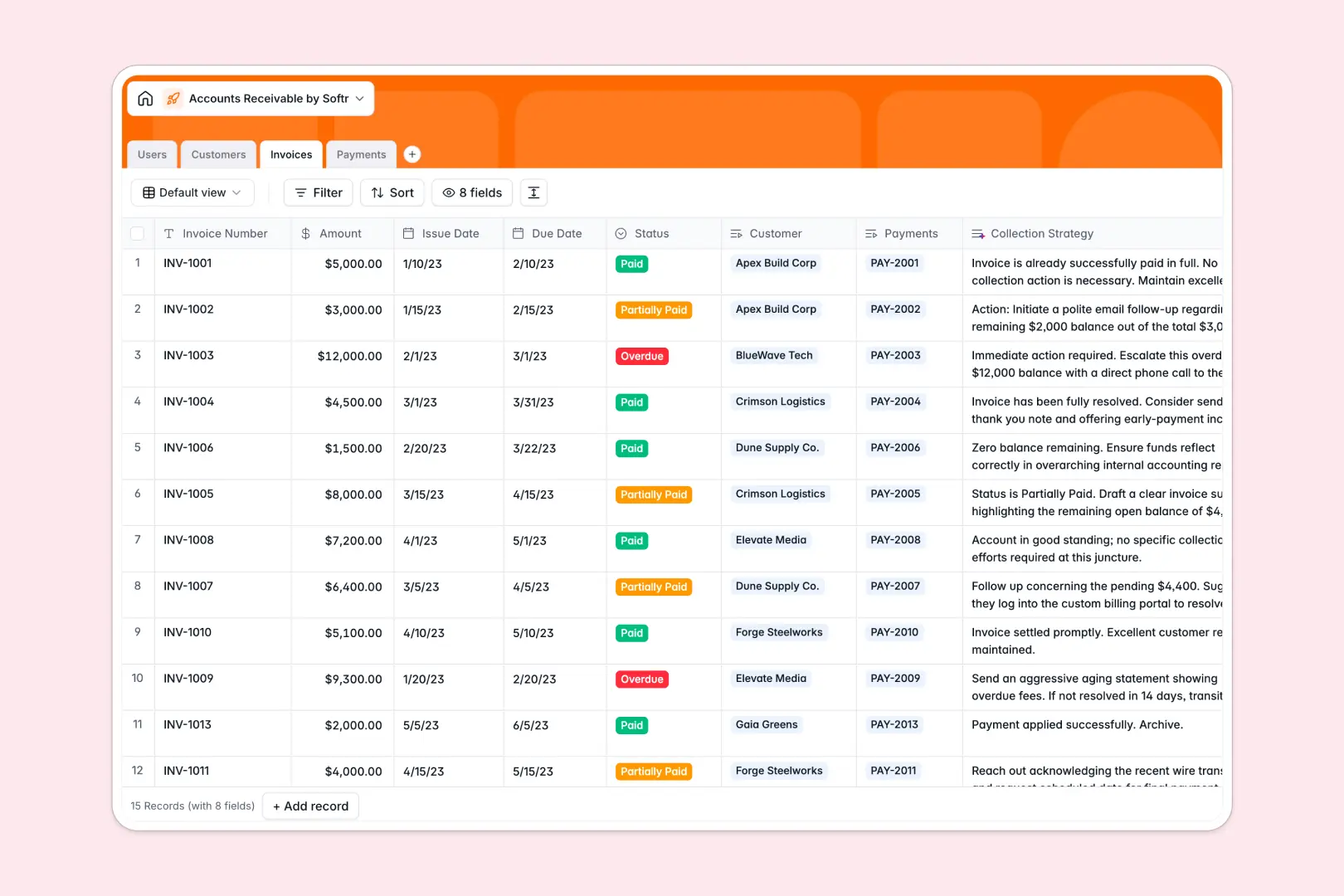
Invoices
Track billing cycles with AI-calculated debt collection strategies
-
Payments
Record received funds with payment methods linked to specific invoices
Who is this for?
This flexible solution is primarily designed for businesses scaling their client interactions and document management:
- Agencies: Share deliverables, collect feedback, and track revisions seamlessly.
- Freelancers: Keep invoices, proposals, and project milestones organized in one place.
- Consultancies: Provide a highly secure hub for sensitive documents and proprietary reports.
How to take it further
Once your basic portal is live, you can easily expand its capabilities using robust Softr integrations. Add Stripe for direct payment processing or connect tools like Zapier for automated onboarding emails. Your portal continuously grows exactly as your business needs dictate.
-
1
-
2
-
3
-
4
Frequently asked questions
-
What is a client portal?
-
Do I need coding skills to use this template?
-
Can I limit what specific clients can see?
-
Is it possible to accept payments through the portal?
-
Can I connect my own custom domain?
Start building today. It's free!
Build and launch your first app in under 30 minutes.