


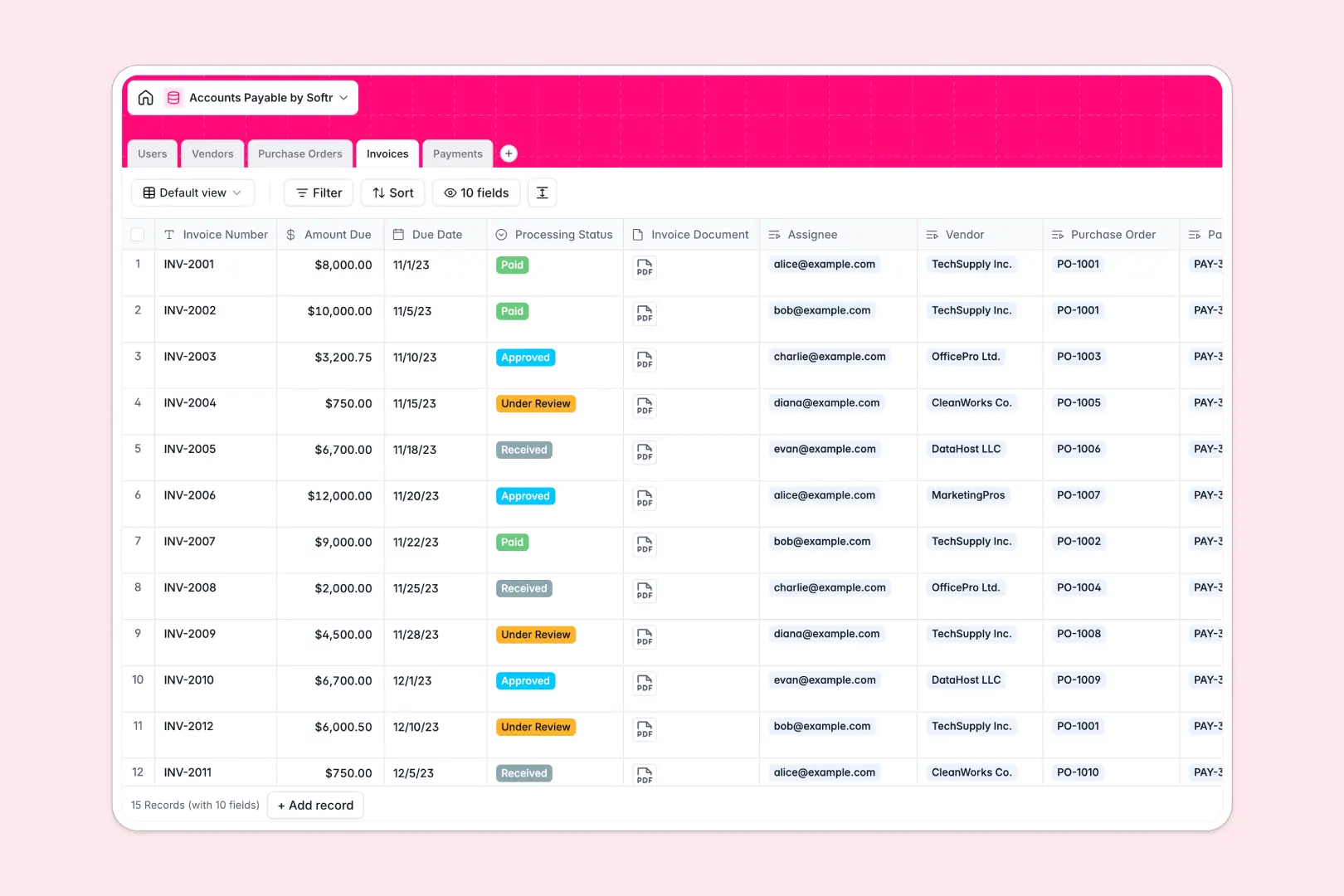
Your Accounts Payable Database at a glance
This template centralizes your entire payable workflow, from incoming invoices to final vendor payments. It completely replaces scattered email approvals and messy tracker sheets with a clear, reliable system.
It works by linking essential records together automatically. You can track individual purchase orders, connect them to specific vendors, and assign invoices to the right clerks or approvers without manual data entry.
This system also features built-in AI agents that save you hours of manual review. It automatically researches vendor websites to write company descriptions, summarizes invoice statuses, and generates payment receipt notes instantly.
Why managing accounts payable in spreadsheets breaks down
Tracking vendor bills and payment schedules in spreadsheets quickly becomes chaotic. As invoice volume grows, rows get accidentally deleted, payment statuses become outdated, and tracking approvals across different departments is nearly impossible.
What a structured database changes
A proper system enforces clean data by giving every piece of information a specific format. Due dates stay formatted as dates, payment amounts remain strict currencies, and processing statuses are locked to predefined stages like "Under Review" or "Approved."
Relational connections mean you can link a payment directly to its corresponding invoice and vendor without relying on fragile VLOOKUP formulas. This is exactly what Softr Databases are designed for, keeping your financial records accurate as you scale.
What you can do with this template
You can immediately start logging vendors, issuing purchase orders, and tracking payment disbursements in one unified view. The pre-configured tables ensure you always know what is owed, who needs to approve it, and when it is due.
You also get access to powerful AI agents that work natively within your tables. Whenever a new vendor is added, the system can scan their provided website and automatically populate their company description for your records.
-
Users
Manage system accounts and team members processing invoice approvals
-
Vendors
Store supplier profiles with AI-powered web descriptions and payment terms
-
Purchase Orders
Track internal purchase authorizations and draft agreements for vendors
-
Invoices
Log vendor bills with AI summaries of processing states and amounts due
-
Payments
Record disbursement history with AI-generated notes for receipt confirmation
Who is this Accounts Payable Database for
This system is explicitly built for finance teams and operations heads who need absolute clarity on outgoing payments.
- Finance Managers: Track total outstanding balances across all vendors in real time to manage cash flow.
- AP Clerks: Monitor assigned invoices, update processing statuses, and attach relevant documents effortlessly.
- Department Heads: Review pending purchase orders and approve vendor invoices without digging through email threads.
- Operations Leads: Keep a secure, organized ledger of all historical disbursements and payment methods.
How to take it further
Because this is a native Softr Database, you can fully customize the structure to match your exact approval workflow. Easily add new payment status options, create custom views for different team members, or add new automated fields.
You can safely import your existing vendor lists and historical payment records instantly. Simply upload a CSV file or use the provided API to automatically sync ongoing data from your current accounting tools.
When your team is ready, you can transform this foundation into a secure financial portal for your company. You can build custom dashboards for cross-functional teams to submit purchase orders directly into the database.
You can also configure flexible users and permissions to control exactly who sees what data. This ensures AP clerks only see their assigned invoices while vendors could potentially log in to check their specific payment receipt notes.
-
1
-
2
-
3
-
4
Frequently asked questions
-
What is an accounts payable database?
-
Why use a no-code database to build an accounts payable system?
-
How can AI help managing data for accounts payable?
-
Can I build an app with this accounts payable database?
-
Is this Accounts Payable Database free?
-
How does this accounts payable template differ from Excel or Google Sheets?
Start building today. It's free!
Build and launch your first app in under 30 minutes.