


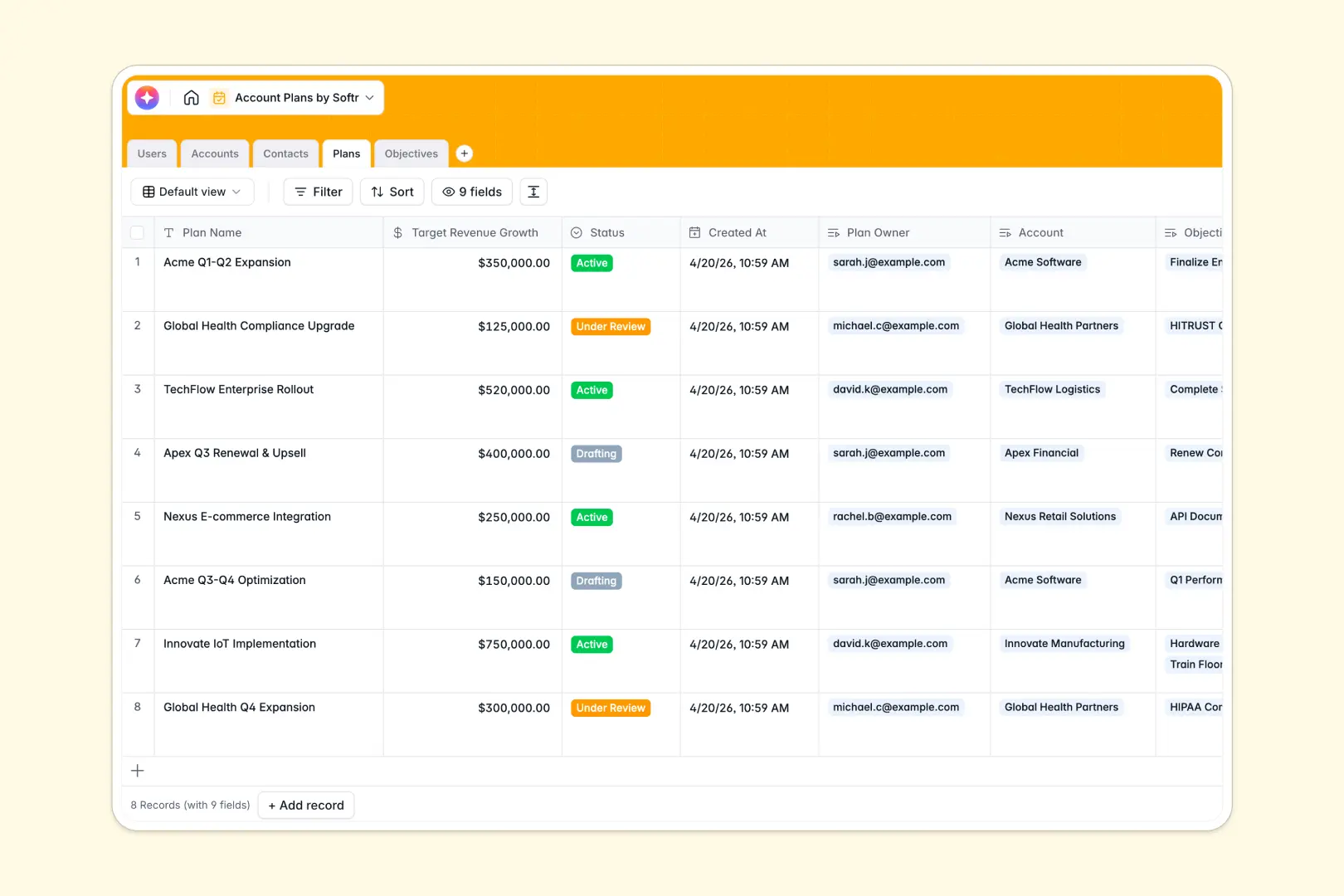
Your Account Plans database at a glance
This template gives your team a clear, structured framework to coordinate strategic client growth. It organizes high-value relationships, growth goals, and milestone execution in a single connected workspace.
Five dedicated tables keep your data organized: Accounts, Plans, Objectives, Contacts, and Users. Each strategic plan links directly to its target client, assigned owner, and actionable milestones, eliminating scattered notes and broken context.
Built-in AI fields automatically research client domains to generate account overviews, summarize complex strategic plans, and extract step-by-step action items for each objective.
Why account roadmaps break down in unstructured sheets
Strategic account management requires connecting high-level revenue targets directly to stakeholder mapping and day-to-day milestones. In a standard spreadsheet, tracking multiple initiatives across accounts creates messy rows, disconnected tabs, and stale updates.
What a structured database changes
A dedicated database enforces real relationships across your business records. When you assign an Objective to a Plan, it automatically rolls up to the right Account without messy manual copy-pasting.
Fields stay clean because every column has a strict type, from target revenue numbers to stakeholder buying roles. This reliable foundation is exactly what Softr Databases are built for.
What you can do with this template
You can map executive champions and blockers under key accounts, track plan statuses from drafting to completion, and monitor revenue growth targets in real time.
With native Database AI agents, your team can instantly synthesize account research and generate objective checklists directly inside your tables.
-
Users
Track internal account managers with roles, assignments, and ownership
-
Accounts
Manage key client accounts with industry info and web-researched AI summaries
-
Contacts
Organize client stakeholders with buying roles, job titles, and details
-
Plans
Drive growth strategies with revenue targets and AI-generated plan summaries
-
Objectives
Track strategic milestones with target deadlines and AI-crafted action items
Who is this Account Plans database for
This database helps client-facing revenue teams maintain strategic visibility and drive expansion across enterprise accounts.
- Account Executives & Directors: Coordinate long-term account roadmaps, map buying roles, and track revenue expansion targets.
- Customer Success Managers: Manage post-sale milestone delivery, prevent churn, and keep stakeholder contacts organized.
- Sales & Revenue Leadership: Gain immediate visibility into account health, assigned owners, and strategic execution progress.
- Client Strategy Teams: Turn high-level commercial objectives into actionable, step-by-step checklists.
How to take it further
1. Customize the database
Tailor the structure to your exact enterprise workflow in seconds. Add custom industry options, modify buying role categories, or introduce new fields like contract renewal dates directly within the visual interface.
2. Import your existing data
Bring your current client roster and active account lists into the database using the built-in CSV import tool. You can also connect via API to sync accounts automatically from your existing CRM.
3. Build a full app around it
When your team is ready, you can build an app on top of this data in minutes. Softr creates intuitive interfaces and dynamic workflows directly connected to your records.
Configure custom users and permissions so account directors only manage their assigned portfolios while leadership maintains full strategic oversight across all accounts.
-
1
-
2
-
3
-
4
Frequently asked questions
-
What is an account plans database?
-
Why use a no-code database to build an account plans tool?
-
How can AI help managing data for account plans?
-
Can I build an app with this account plans database?
-
Is this Account Plans database free?
-
How do I import existing account plans into this template?
Start building today. It's free!
Build and launch your first app in under 30 minutes.