


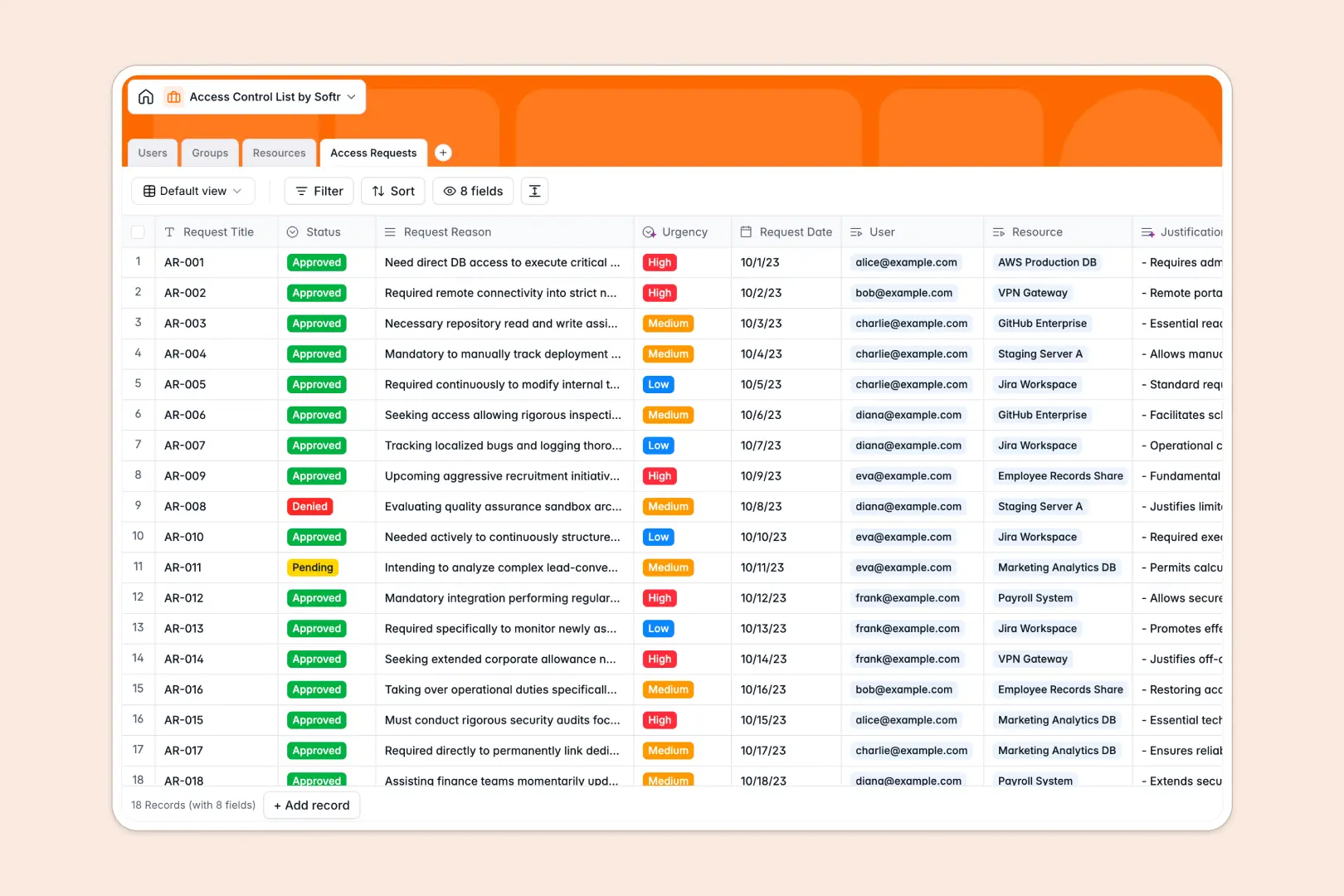
Your Access Control List Database at a glance
This template gives you a centralized system to manage user permissions, organizational groups, and critical IT resources. It streamlines how you handle, audit, and approve access requests across your company.
It uses connected tables to link individual users to multiple groups, and connects those groups to secured resources like applications or servers. When an employee submits a new access request, it is instantly tied to their profile and the specific target asset.
Built-in AI automatically searches the web for standard vendor documentation about your resources. It also summarizes long request justifications and automatically classifies urgency levels so administrators can prioritize effectively.
Why managing access control in spreadsheets breaks down
Tracking system access and security permissions in a spreadsheet quickly becomes a massive administrative headache.
What a structured database changes
In a spreadsheet, assigning employees to rotating security resources means endlessly copying and pasting rows. This creates fragmented data down the line, making it impossible to audit who actually has access to what.
A relational structure solves this by letting you connect records cleanly—linking a single user to multiple servers without relying on fragile macros or VLOOKUPs. This is exactly what Softr Databases are designed for.
With this structure, permissions stay auditable and request statuses are strictly standardized. Your IT team can finally stop hunting through outdated tabs to verify security protocols.
What you can do with this template
You can immediately start tracking resources by security level and organizing users into functional groups. It provides a reliable log for routing formal access requests through proper pending, approved, and denied statuses.
Thanks to native Database AI agents, the template actively helps your team process information. It will automatically classify the urgency of an incoming request and pull standard technical documentation for your listed IT assets.
-
Users
Manage user identities, avatars, and hierarchical access roles across the system
-
Groups
Organize users into units with AI-generated purpose summaries for easier management
-
Resources
Secure critical assets using AI to fetch technical documentation and security data
-
Access Requests
Track permission requests with AI-driven urgency scoring and justification summaries
Who is this Access Control List database for
This database is built for teams that require strict oversight of internal systems and tools.
- IT Administrators: Track application and server access across the whole company securely.
- Security Teams: Audit who holds access to critical databases and high-security file shares.
- Engineering Leads: Manage onboarding by easily grouping developers and standardizing their toolsets.
- Operations Managers: Process software access requests quickly without getting lost in email threads.
How to take it further
You can easily customize this database to fit your exact security protocols. Modify the security level dropdowns, add new resource types, or adjust organizational group structures in just a few clicks.
If you already track assets in a CSV or another directory, you can upload your existing data for a bulk import. You can also connect via API to automatically sync new employee records as they join your team.
When your team is ready, you can build a complete employee portal on top of this data. This allows staff members to log in and request access to tools visually, while managers review a clean dashboard of pending approvals.
By setting up users and permissions, you can ensure employees only see their own active requests while administrators maintain full visibility across all secure assets.
-
1
-
2
-
3
-
4
Frequently asked questions
-
What is an access control list database?
-
Why use a no-code database to build an access control tool?
-
How can AI help managing data for an access control list?
-
Can I build an app with this access control list database?
-
Is this Access Control List template free?
-
How does this template track employee access requests?
Start building today. It's free!
Build and launch your first app in under 30 minutes.