


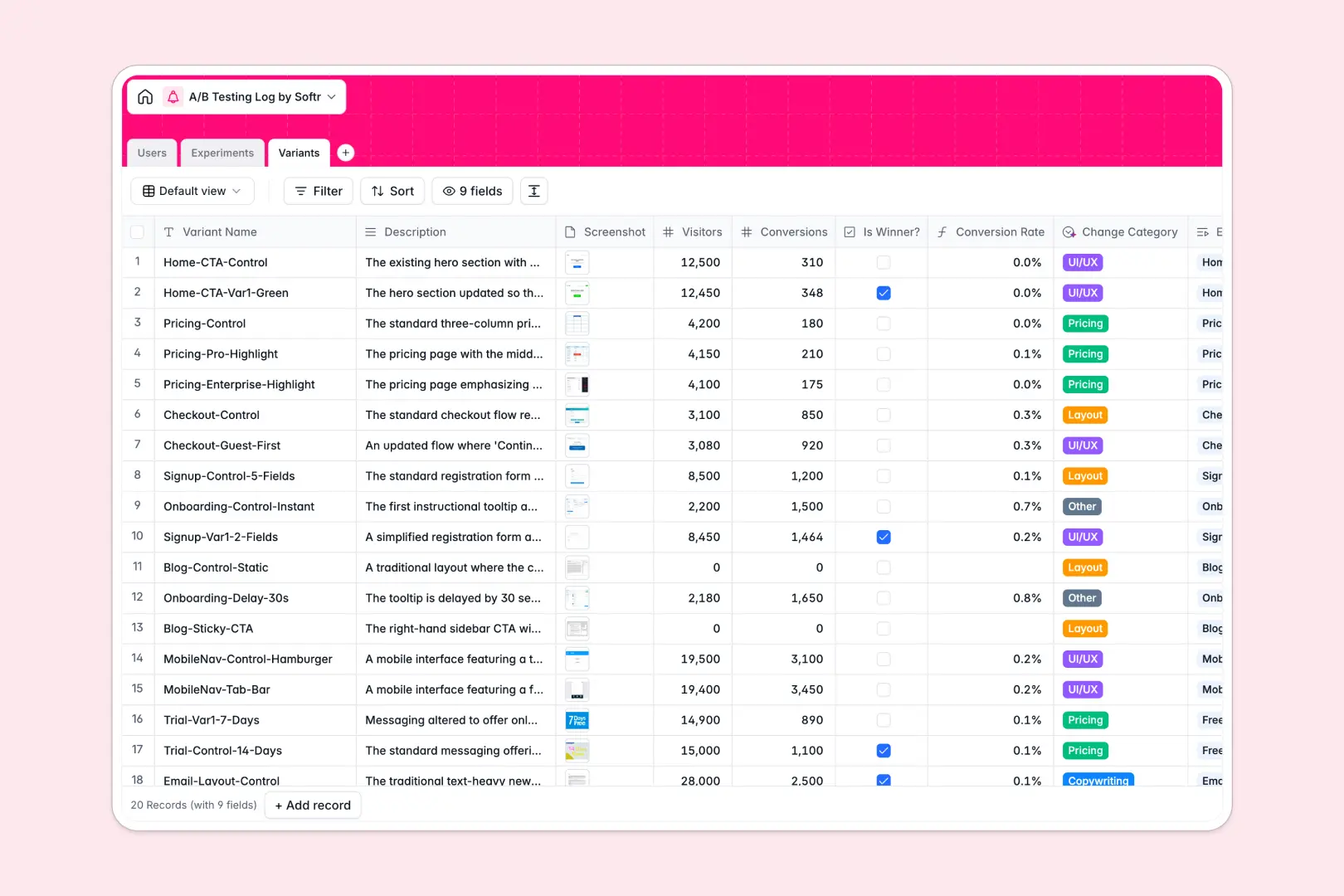
Your A/B Testing Log database at a glance
Centralize your entire experimentation pipeline in one structured log. This template tracks hypotheses, test duration, and performance metrics, giving your team a single source of truth for what ultimately converts.
It organizes your operations across three connected tables: team members, overall experiments, and individual design variants. Every variant automatically calculates conversion rates and rolls up total visitor metrics so you can instantly spot top performers without manual math.
Built-in AI features make analysis effortless for everyone involved. It automatically generates high-level executive summaries of your experiment conclusions and instantly categorizes variant changes based on your descriptions.
Why managing A/B tests in spreadsheets breaks down
Running growth experiments is complex, but tracking them in a flat spreadsheet quickly turns into a mess of broken formulas and scattered screenshots.
What a structured database changes
Spreadsheets force you to cram hypotheses, mockup images, and conversion data into single, fragile rows. When your testing scales, finding past winners or securely attributing results to specific product managers becomes nearly impossible.
A structured approach changes this by giving your data strict types and clean relationships. You can smoothly link a specific UX variant directly to its parent experiment and safely attach image files without writing a single VLOOKUP or breaking your layout.
This is exactly what Softr Databases are designed for. They enforce clean data structure so your team always knows which test won, why it won, and who ran it.
What you can do with this template
Log every active, paused, or completed experiment while neatly associating them with their respective design variants. You can track exact start and end dates to ensure overlapping tests don't poison your data.
Auto-calculate visitor sums and monitor conversion rates on the fly while Database AI agents instantly summarize complex conclusions. Stakeholders get the insights they need instantly, directly in your secure tracking environment.
-
Users
Manage team members responsible for designing and analyzing A/B tests
-
Experiments
Track the test pipeline with AI-generated executive result summaries
-
Variants
Evaluate test variations using AI to categorize changes and track metrics
Who is this A/B Testing Log database for
This template is built for teams that need to maintain a rigorous, easily accessible record of their growth experiments.
- Growth Marketers: Track variant success, analyze conversion rates, and catalog which copy or layout drives the most impact.
- Product Managers: Maintain a clear pipeline of ongoing experiments and easily share AI-summarized conclusions with stakeholders.
- Data Analysts: Ensure experiment data remains clean, structurally sound, and accurately attributed to timelines and owners.
How to take it further
Customize the database perfectly to your workflow. You can easily modify the drop-down statuses, adjust user role types, or add new formula fields to track specific statistical significance thresholds.
Don't start from scratch if you already have a rich history of split tests. You can quickly upload your past insights via CSV or use the API to sync ongoing experiment data automatically.
When you need to share results beyond your core growth team, you can use this reliable data foundation to build an app.
Turn this log into a secure internal knowledge base where executives can review AI summaries or departments can submit new test ideas. By leveraging native users and permissions, you can ensure stakeholders only see top-level conclusions while researchers manage the raw variants.
-
1
-
2
-
3
-
4
Frequently asked questions
-
What is an A/B testing log database?
-
Why use a no-code database to build an experimentation tool?
-
How can AI help managing data for A/B testing?
-
Can I build an app with this A/B testing database?
-
Is this A/B Testing Log template free?
-
How is this template better than tracking tests in Excel or Google Sheets?
Start building today. It's free!
Build and launch your first app in under 30 minutes.