Make vs Zapier: Which automation platform is better in 2026?

[.blog-callout]
TL;DR
- Zapier is easier to get started with, great for simple automations, and offers over 8,000 app integrations. However, it gets expensive fast and lacks some advanced features.
- Make offers more control with visual workflows, complex logic, and operation-based pricing. It’s powerful but has a steeper learning curve.
- Softr is the better long-term solution if you want to build apps and automate workflows on a single platform, without having to juggle multiple tools or pay for separate seats across different systems.
[.blog-callout]
You’re trying to automate repetitive tasks. Maybe it involves syncing leads from your forms to your CRM, sending Slack notifications when a deal closes, or updating spreadsheets when invoices get paid.
You’ve probably heard of Zapier and Make. Both let you connect apps and automate workflows without writing code. However, they work differently, are priced differently, and appeal to different types of users.
Zapier is known for being beginner-friendly. You can set up a simple automation in minutes. Make is known for being more flexible. You can automate more actions in each app and build complex workflows.
So which one should you choose?
In this guide, we’ll compare Make vs Zapier across features, pricing, ease of use, integrations, and real-world use cases. We’ll also show you why Softr might be a better fit if you’re looking to combine interfaces, databases, workflows, and AI in one place.
Make vs Zapier: Quick comparison
| Feature | Zapier | Make |
|---|---|---|
| Best for | Simple automations, beginners | Complex workflows, visual thinkers |
| Pricing model | Task-based | Operation-based |
| Integrations | 8,000+ apps | 2000+ apps |
| Workflow logic | Linear, limited branching | Advanced (loops, routers, filters) |
| Learning curve | Easy | Moderate |
| AI features | AI agents and chatbots | AI modules and agents |
| Free plan | 100 tasks/month | 1,000 operations/month |
| Best use case | Quick point-to-point connections | Multi-step workflows with conditions |
What is Zapier?
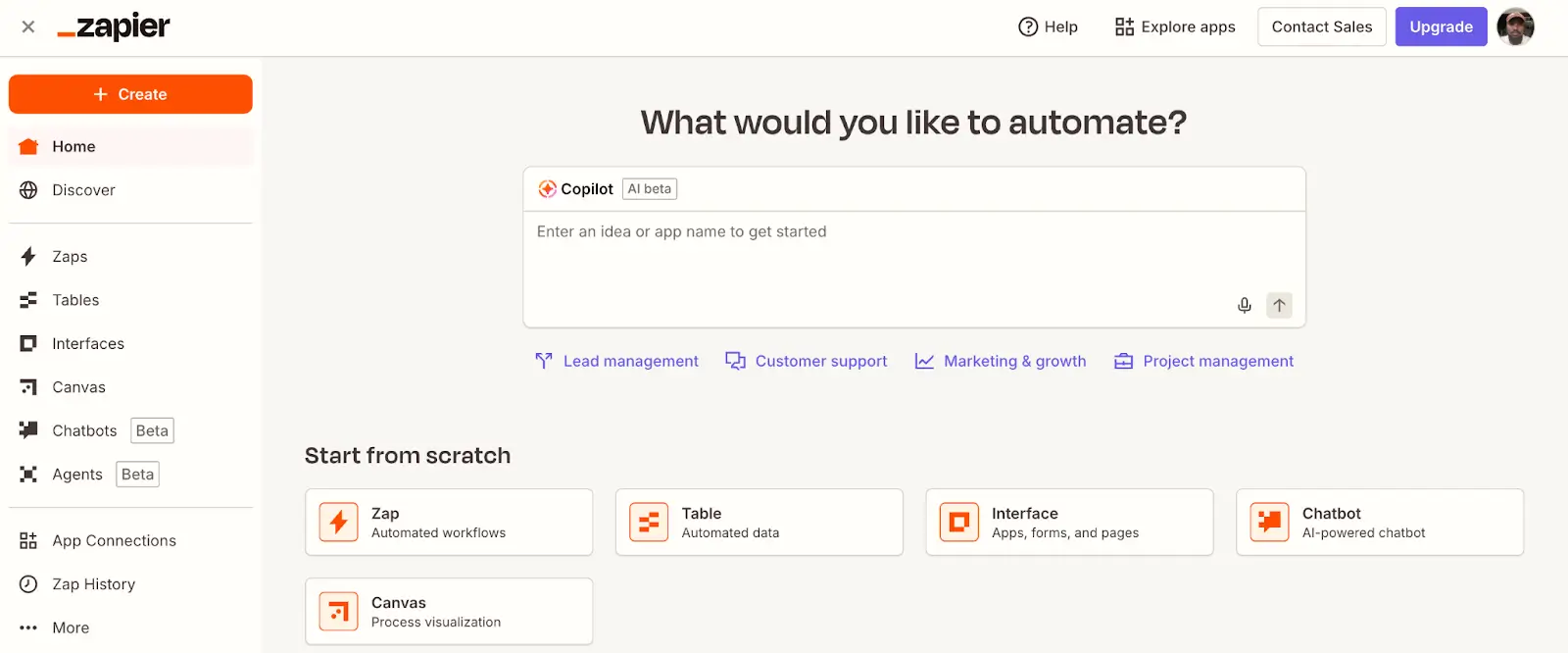
Zapier is an automation platform that connects over 8,000 apps, allowing you to create workflows (called “Zaps”) without writing code.
Each Zap follows a simple trigger-action model: when something happens in one app, Zapier performs an action in another app.
For example, when a new form submission is submitted to Google Forms, Zapier can add that contact to your CRM, send a Slack message, and create a task in Asana.
Zapier is designed to be simple. You don’t need technical knowledge to get started. The interface is straightforward, and you can set up most automations in minutes.
Who is Zapier best for?
Zapier works well for anyone from small business owners to Fortune 500 execs who want quick automation workflows between thousands of apps.
How Zapier works
Zapier connects apps through a three-part system—authentication, triggers, and actions.
Authentication lets Zapier access your apps securely. When you set up a Zap, you authenticate each app once, like logging into Google Sheets or HubSpot. After that, Zapier uses those credentials for every action, so you don’t have to reconnect every time.
Triggers start your automations. A trigger is an event that kicks off a Zap. It could be a new form submission, an updated spreadsheet row, or a calendar event. When the trigger fires, Zapier checks for new or updated data and passes it to the next step.
Actions are what happen next. After a trigger, Zapier performs actions in other apps, such as creating a contact, sending an email, or adding a task. Each action uses the data from the trigger to complete the task automatically.
Together, these three pieces create automated workflows. One event (trigger) leads to one or more tasks (actions) across different apps without you lifting a finger.
Each step in a Zap counts as a “task,” and tasks determine your pricing tier.
What is Make?

Make is a visual automation platform that lets you build complex workflows using a drag-and-drop interface. Make uses “scenarios” that can include multiple branches, loops, error handlers, and data transformations.
Make is more technical than Zapier, but that extra complexity gives you more control. You can view your entire workflow on a single canvas, route data through different paths based on conditions, and handle errors without interrupting the whole automation.
Who is Make best for?
Make is ideal for technical teams that need advanced automation logic and want to build sophisticated workflows without hiring developers.
If you’re connecting apps with complex data relationships or need to handle errors gracefully, Make is a strong choice.
How Make works
Make ditches the simple trigger-action setup. You’re building scenarios on a visual canvas instead, where you can see the entire automation laid out in front of you.
Scenarios are what Make calls its workflows. You drop modules onto a canvas and connect them with lines. Each module pulls data, transforms it, and sends it somewhere else.
A trigger module fires first. Maybe it’s a new row in a database or a Shopify order coming through. Make grabs that event and kicks off the rest of the flow.
Then come action modules, the steps that do something with your data. Create a task in Asana. Send a Discord notification. Update inventory in your system.
But Make goes beyond simple actions. You can split workflows into different paths using routers, loop through lists with iterators, and catch errors before they break everything.
You connect the dots by mapping data between modules. Drag a field from one step into another, and Make handles the rest.
Make vs Zapier: Features compared
Let’s break down the key differences across usability, features, integrations, pricing, and AI capabilities.
Which is easier to use and set up?
Zapier wins on simplicity. The interface is clean, the setup process is guided, and you can create a basic automated workflow in under five minutes.
There’s almost no learning curve. If you’ve never used automation software before, Zapier won’t intimidate you.
Make requires more upfront learning. The visual canvas is powerful, but it takes time to understand how modules, routers, and iterators work together.
Once you get comfortable, Make’s interface makes it easier to see and troubleshoot complex workflows. But if you just need something fast, Zapier is the quicker path.
Verdict: Zapier is easier to use.
Which offers more features and flexibility?
Make offers significantly more control. You can build intricate workflows with conditional branches, loops, error handling, and data transformations.
For example, in Make you can:
- Route data through different paths based on conditions
- Build multi-step scenarios and trigger them instantly via webhooks.
- Catch errors and retry failed steps automatically
- Transform and manipulate data directly inside the workflow
On paid plans, you can add filters and conditional paths; however, the logic is simplified. Zapier recently closed the gap with its loop support and error handling features, but it’s not quite as robust as Make’s yet.
Verdict: Make is more flexible and powerful for complex automation needs. Zapier is better for straightforward, linear workflows.
Which is best for integrations?
Zapier lets you set up integrations with over 8,000 apps. If you’re using mainstream business software, Zapier probably connects to it. Plus thousands of smaller, niche tools that might be specific to your industry.
Make has fewer apps, but the integrations are often deeper. Make’s modules expose more functionality and give you finer control over how data is sent and received.
Both platforms support webhooks and APIs, allowing you to connect to custom or niche tools as needed.
Verdict: Zapier wins on breadth. Make wins on depth.
Which is more affordable?
Pricing is where things get tricky because Zapier and Make use different models.
Zapier pricing is task-based:
- Free: 100 tasks/month
- Professional: $19.99/month for 750 tasks
- Enterprise: Custom pricing
In Zapier, a “task” is a single action. If your Zap has five steps, that means five tasks will be executed every time it runs.
Make pricing is credit-based:
- Free: 1,000 credits/month
- Core: $9/month for 10,000 credits
- Pro: $18.82/month for 10,000 operations (with premium apps and features)
- Teams: $34.12/month for 10,000 operations (with team collaboration)
- Enterprise: Custom pricing
Overall, it depends on your usage. Make’s free plan is more generous (1,000 credits vs 100 tasks). For light use, Make is clearly more affordable.
But for heavy automation, pricing can vary. Zapier’s task model can get expensive if you have multi-step Zaps running frequently. Make’s credit model provides more flexibility and typically costs less for complex workflows.
Verdict: Make is more affordable for most use cases, especially if you’re building multi-step automations.
Which has better AI automation capabilities?
Both platforms have significantly expanded their AI features, but they take different approaches.
Zapier connects to over 250 AI tools, including ChatGPT, Claude, and Jasper, through pre-built integrations.
You can trigger AI actions as part of your workflows, like generating text, summarizing emails, or analyzing data.
Zapier also introduced AI Agents that can fetch information and take actions across your connected apps, plus Zapier MCP (Model Context Protocol), which lets Claude and ChatGPT interact directly with your 8,000+ integrated apps.
Make offers robust native AI capabilities like:
- AI Toolkit: Built-in modules for sentiment analysis, text categorization, summarization, translation, and data extraction—using Make’s native AI provider or your own API
- AI Agents: Autonomous systems (launched April 2025) that use reasoning to make decisions and adapt workflows on the fly
- AI Content Extractor: Extracts structured data from images, PDFs, and audio files in one step
- Native AI provider: Use Make’s built-in LLM access, or connect your own OpenAI, Anthropic, or Hugging Face accounts
- Custom AI workflows: Build complex AI-driven scenarios with conditional logic, data processing, and decision-making
Make also handles data transformations better, which is crucial when using AI to process unstructured data, such as parsing emails, extracting information from documents, or cleaning messy datasets.
Verdict: Make offers more advanced, native AI capabilities and flexibility for complex AI workflows. Zapier is easier for simple AI tasks and excels at connecting external AI tools; however, it increasingly relies on third-party services for AI functionality.
Popular use cases for Make vs Zapier
Here’s how each tool performs in common automation scenarios.
Best use cases for Zapier:
- Lead capture and CRM syncing: Automatically add form submissions to HubSpot, Salesforce, or Pipedrive
- Notification workflows: Send Slack or email alerts when specific events happen (new deal, support ticket, payment received)
- Data syncing between apps: Keep contact lists, calendars, or project tasks in sync across tools
- Simple reporting: Pull data from multiple apps into a Google Sheet or dashboard
Zapier excels when your workflows are straightforward and involve popular apps. If you need something running in under 10 minutes, Zapier delivers.
Best use cases for Make:
- Complex approval workflows: Route requests through multiple decision points based on conditional logic
- Data processing and transformation: Clean, enrich, or restructure data before sending it to other apps
- Multi-branch automations: Split workflows into different paths based on criteria (e.g., route leads to different sales reps based on region or deal size)
- Error handling and retries: Build resilient workflows that catch failures and retry automatically
- Batch operations: Process large datasets in bulk (e.g., update hundreds of records in a database or spreadsheet)
Make is the better choice when you need granular control and your workflows involve multiple conditions, loops, or complex tasks.
Make vs Zapier on Reddit and other reviews
Real users have strong opinions on both platforms.
The common theme we found was that users agree that Zapier wins on ease of use and speed to get started. And that Make wins on flexibility, control, and cost at scale.
Most users who switch from Zapier to Make cite hitting pricing or complexity limits as the tipping point.
See for yourself.
On Zapier:
One Reddit user put it simply, “I prefer Zapier over Make because it's more no-code friendly and a better UX in general, which matters. It means you can learn it quicker and if you struggle, it's got stronger support and community.”
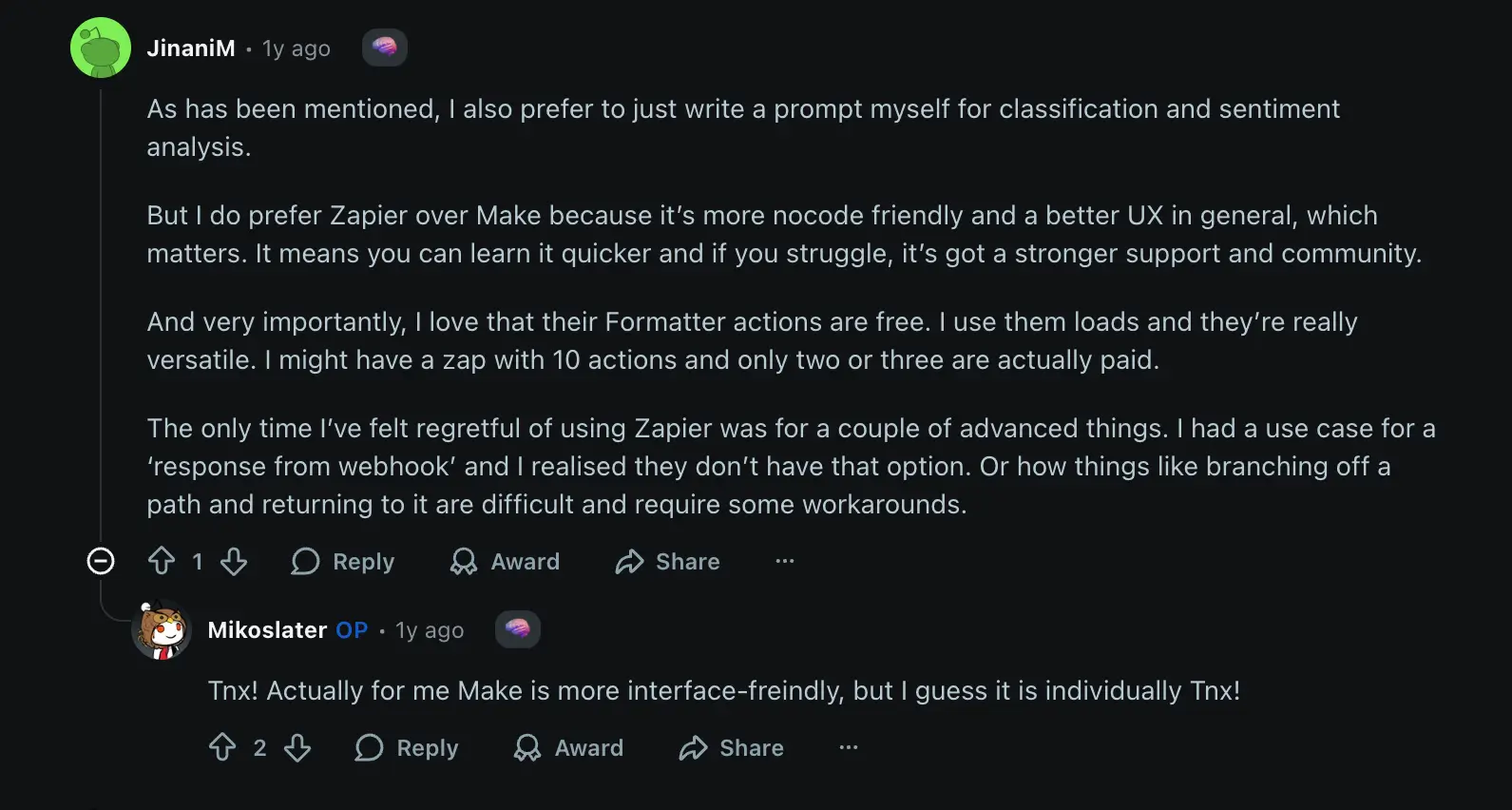
The same user added: “I love that their Formatter actions are free. I use them loads and they’re really versatile. I might have a zap with 10 actions and only two or three are actually paid.”
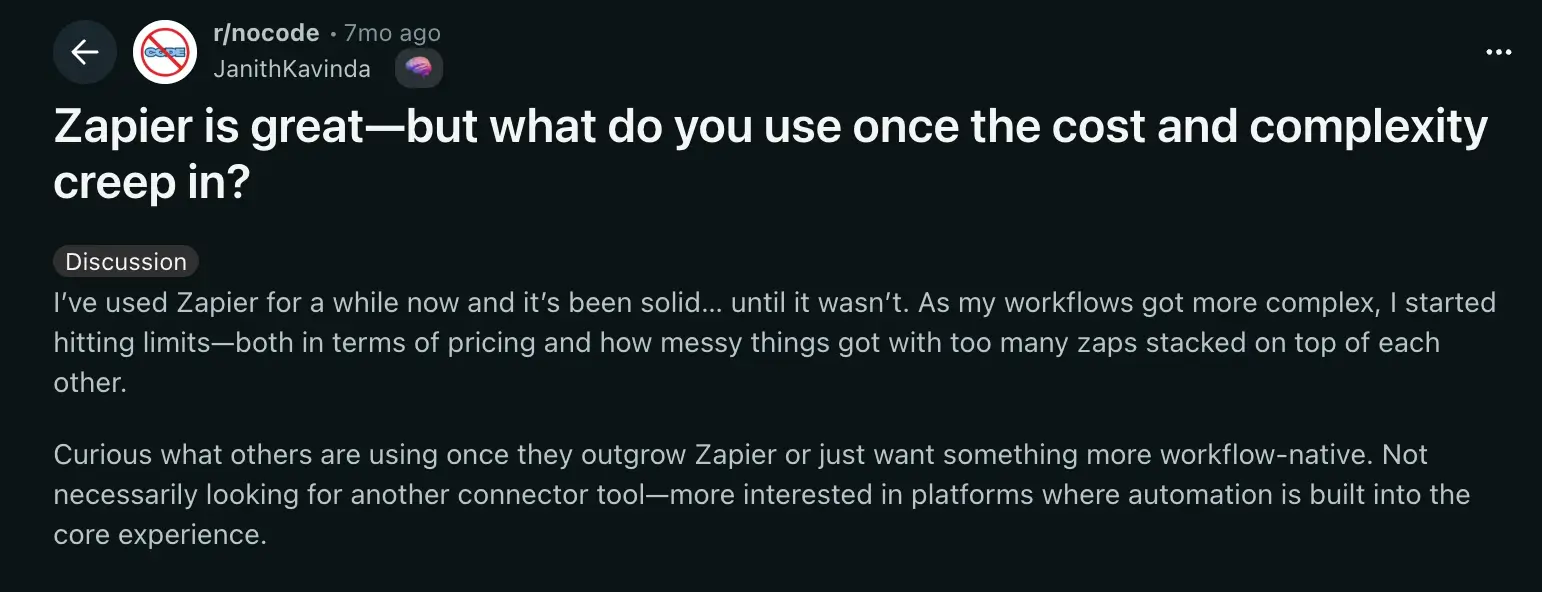
But there’s a common breaking point.
As one user described: “I’ve used Zapier for a while now and it’s been solid...until it wasn’t. As my workflows got more complex, I started hitting limits—both in terms of pricing and how messy things got with too many zaps stacked on top of each other.”
On Make:
Users praise Make’s power but acknowledge the learning curve.
“Make is definitely more cost-effective and honestly gives you more flexibility with custom AI integrations,” one automation expert noted. “The fact that you need to handle classification through custom prompts isn’t necessarily a downside—it actually gives you more control over the AI behavior.”
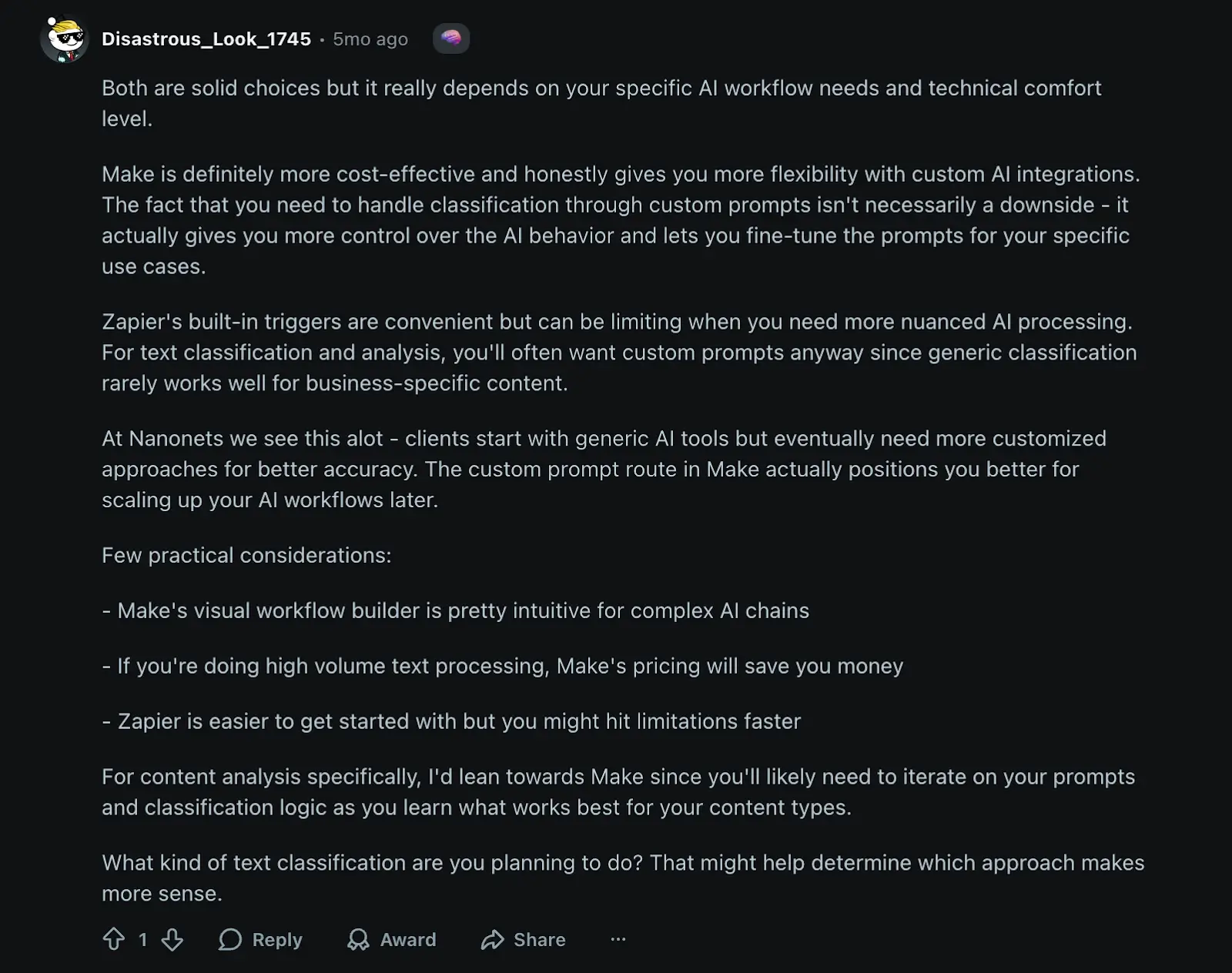
The user continues, “Make’s visual workflow builder is pretty intuitive for complex AI chains. If you’re doing high volume text processing, Make’s pricing will save you money.”
Checking a software review site, G2, you’ll see that Zapier has 4.5 stars out of 5 from 1,520 reviews. Make has 4.6 stars out of 5, based on 264 reviews.
Common pros and cons mentioned
| Zapier pros | Zapier cons | Make pros | Make cons |
|---|---|---|---|
| Extremely easy to use and set up | Gets expensive fast as workflows scale | More affordable at scale | Steeper learning curve |
| Massive app library with over 8,000 integrations | Limited branching and conditional logic | Visual workflow builder makes complex automations clearer | Debugging costs operations and can get expensive |
| Strong community and support | “Response from webhook” and advanced features are missing or require workarounds | Advanced logic (routers, loops, error handling) | Some documentation gaps for complex scenarios |
| Free formatter actions | Task limits add up quickly with multi-step Zaps | Better for custom AI integrations and prompts | Auto-layout works well only for small scenarios |
| Better for beginners | Operation-based pricing is more predictable | Output states are volatile (only last for a single run) |
How pricing compares between Make and Zapier
Pricing is one of the most significant factors when choosing between these platforms, but the comparison isn’t straightforward. Both use different billing models, and the “cheaper” option depends entirely on how you build your workflows.
Zapier charges per task. A task is a completed action, like creating a contact in your CRM or sending an email. Triggers, filters, and formatters don’t count as tasks. If your Zap has one trigger and four actions, you’re using four tasks each time it runs.
Make charges per operation (now referred to as “credits”). An operation is any module execution—including triggers, actions, filters, and even failed steps. A scenario with one trigger and four action modules uses five operations per run. Some AI-heavy operations use multiple credits.
Pricing comparison table
| Plan | Zapier | Make |
|---|---|---|
| Free | 100 tasks/month | 1,000 credits/month |
| Entry tier | $19.99/month (750 tasks) | $9/month (10,000 credits) |
| Mid tier | N/A | $16/month (10,000 credits) |
| Team tier | $69/month (2,000 tasks) | $29/month (10,000 credits) |
The two platforms count different things toward your monthly limit.
For example, filtering and formatting data are free or unlimited on both tools. However, something like a trigger action uses credits on Make, while it’s free on Zapier. The same applies to checking an error on a step or referencing data in built-in tables.
Here’s a scenario to paint a better picture.
Let’s say you’re monitoring a form for new submissions every 5 minutes.
- In Zapier: The trigger checks for new data constantly (free). When a submission comes in, you run four actions, which equals four tasks used.
- In Make: The trigger checks every 5 minutes, which is equivalent to 12 operations per hour (288 per day), regardless of whether new data is available. When a submission is received, you perform four actions, totaling five operations for that workflow execution.
If you’re running high-frequency polling automations, Make’s costs can add up faster than expected, even though the per-operation price looks cheaper.
Zapier’s model is more predictable. You know exactly what you’re paying for and are not constantly optimizing workflows to avoid unnecessary credit usage.
Make’s model rewards efficiency. If you’re building complex, high-volume workflows and you’re willing to optimize them, Make can save you serious money.
The bottom line is that neither platform is universally “cheaper.” It depends on how you build.
That said, both tools still require you to manage workflows across multiple apps. You’re paying for automation, but you’re not building the tools your team actually needs. That’s where Softr comes in.
Meet Softr: The best all-in-one alternative to Make and Zapier for building business software with AI and no-code
Make and Zapier are great for connecting apps and automating workflows. But you’re still spending time working inside other tools’ interfaces, juggling accounts, and paying for tasks or using up credits.
With Softr, you build the system that those workflows belong to.
Build fully custom apps, not just automations
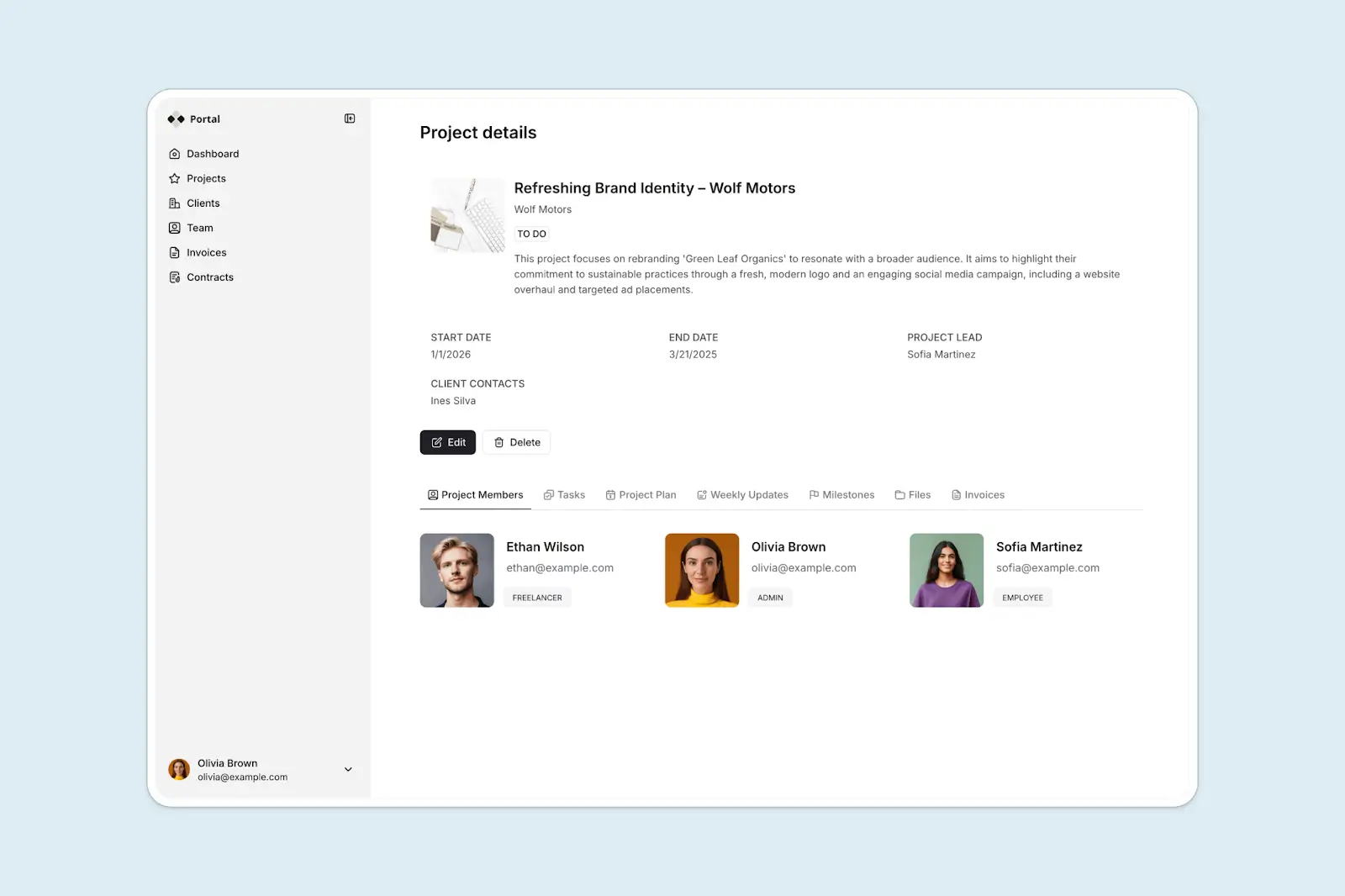
Softr lets you create full-featured business apps, like CRMs, client portals, dashboards, and internal tools, where users can log in, interact, and access data.
You’ll be able to build the app itself (or generate it in minutes using the AI Co-Builder), rather than being limited to connecting existing apps.
For example, instead of using Zapier to sync data between Airtable, Notion, and Gmail, you could build a custom client portal in Softr where clients submit requests, view project updates, and download invoices.
Store and manage your data in Softr

While Zapier Tables provides a basic database for storing automation inputs, Softr lets you manage your data natively with a full relational database.
You can create tables, link records, filter views, and build workflows around your data without paying for a separate database tool.
Or, if you already use Airtable, Google Sheets, Notion, or HubSpot, Softr connects to them with real-time, two-way sync. That way, your data stays up to date automatically.
Automate workflows right inside your app
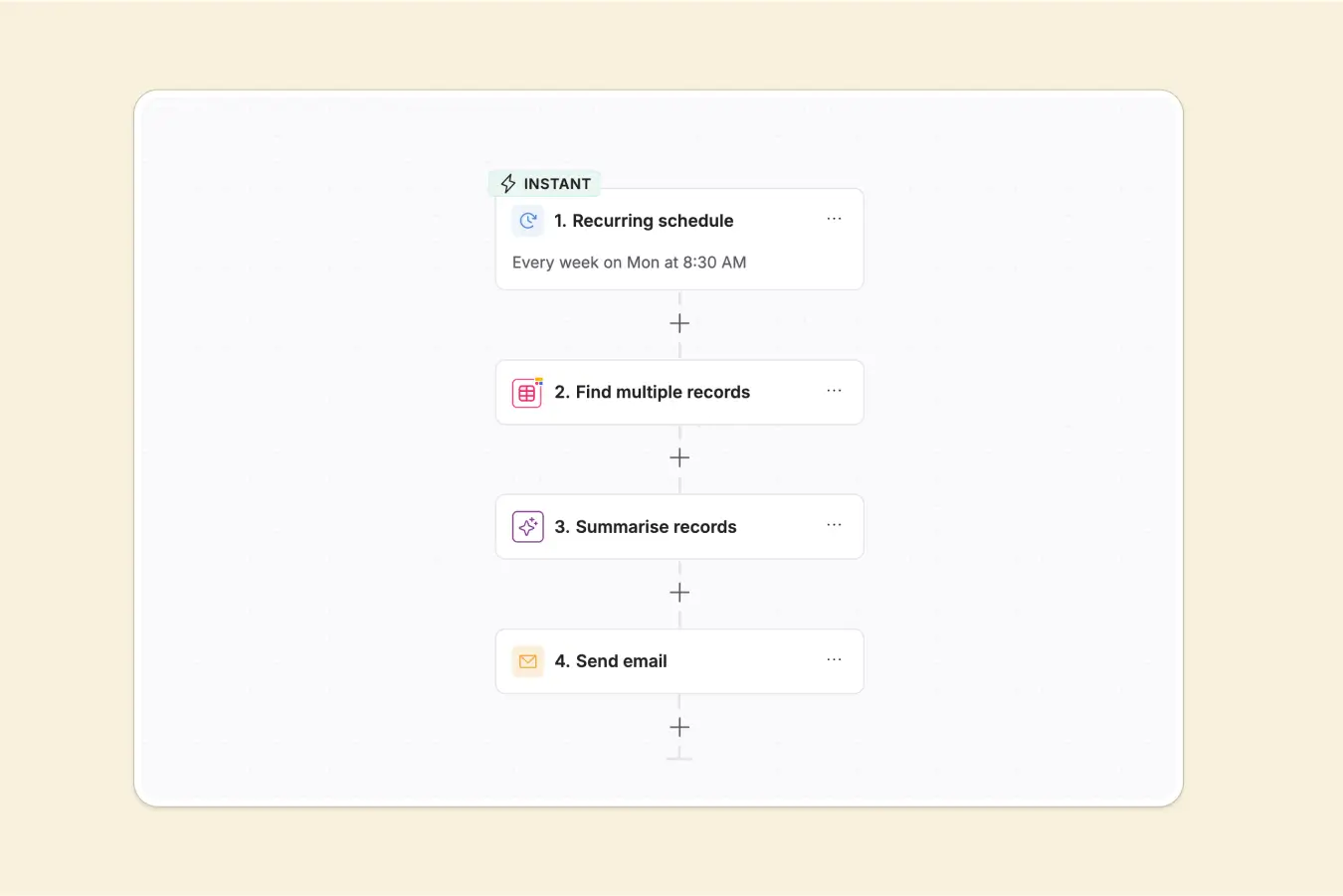
Softr Workflows enable you to trigger automations directly from user actions or database changes, eliminating the need for Zapier, Make, or any external tool. When someone clicks a button, submits a form, or updates a record, you can initiate multi-step workflows that connect your apps, databases, and technology stack.
You can run automations when records are created or updated and set conditions so workflows only fire when specific fields meet your criteria.
Softr lets you schedule workflows for daily summaries or recurring tasks. Call external APIs, add custom code, or loop through records for bulk updates. You can also use Softr’s built-in LLM integrations or bring your own API key to power AI automation.
An additional advantage Softr Workflows have over Make and Zapier is that the logic resides within your app’s data and user context, which is more comprehensive and powerful than external automation tools.
You can learn more about Softr’s Workflows from this video:
Control who sees what with granular permissions
Create custom user roles, such as clients, teammates, partners, or vendors, and define exactly what each person can access.
Show clients only their own projects. Allow managers to view all records, but restrict editing to administrators. Hide sensitive fields, such as pricing or internal notes, from external users.
Control permissions down to the individual field level, so every user sees a version of your app tailored to their role.
Make and Zapier move data between apps, but they can’t control who sees what inside those apps. Softr builds the access control directly into your system.
Consolidate your tech stack by building your full suite in Softr
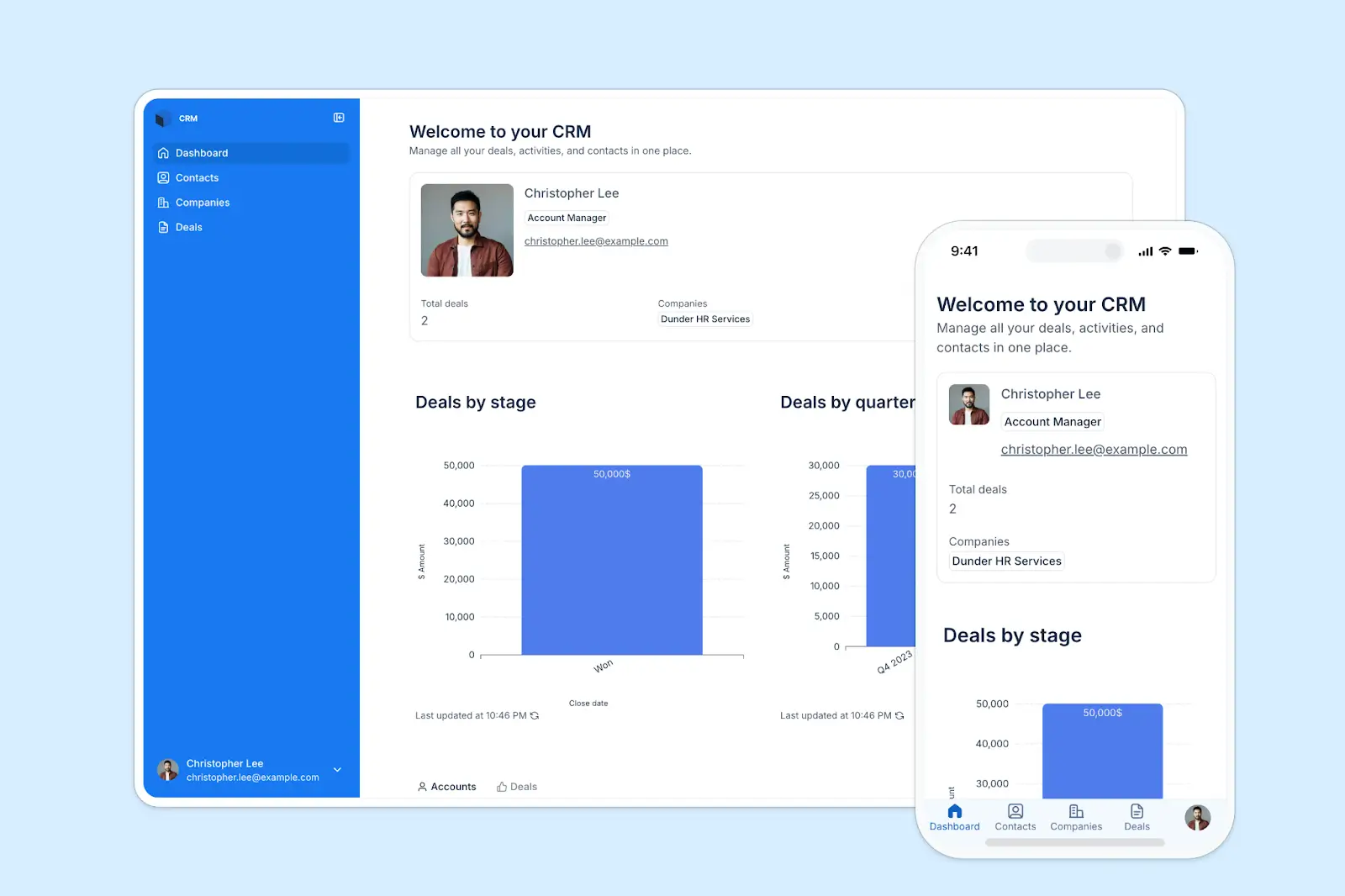
Most teams start with one tool. Maybe it’s a CRM, a team wiki, or a project tracker. Then they add another. And another. Before long, you’re juggling Airtable, Zapier, Make, Google Sheets, and a dozen other apps, paying for seats across all of them.
Softr lets you build everything in one place. Your client portal, internal dashboard, and inventory system can all live on the same platform, talking to the same databases, following the same permissions, running under your brand.
Make and Zapier connect apps you already use. Softr replaces them.
Predictable pricing
Softr offers flat, predictable pricing plans so you always know what you’ll pay each month. Zapier and Make are powerful automation tools, but they charge per task or operation and live outside your product. They connect apps and run tasks in the background. Softr is different. Workflows are built directly into your app and every plan, working on your live data, inside your permissions, and triggered by real user actions:
- Free: Unlimited apps, with access to Softr Workflows and Softr Databases, 5 app users, 5 AI credits, 5,000 database records, and 500 workflow actions
- Basic: $19/month for unlimited apps with 42+ integrations, Team: 5 + Client: 5 app users, 10 AI credits, 50K records, 2.5K workflow actions
- Pro: $99/month for unlimited apps with 45+ integrations and custom code, Team: 10 + Client: 50 app users, 50 AI credits, 500K records, and 10K workflow actions
- Business: $329/month for unlimited apps with 52+ integrations, Team: 30 + Client: 100 app users, 100 AI credits, 1M records, and 25K workflow actions
- Enterprise (custom pricing, contact sales)
The key difference is bundling. Make and Zapier are purely automation platforms where you pay per operation or task.
Softr bundles everything. You’re not paying separately for a database tool, an interface builder, and an automation platform. It’s one system, from the apps your users see to the data they interact with to the workflows running in the background.
What you can build with Softr
Softr is an AI-native platform for building the software your business needs. You can create:
- Design approval workflows that route requests through your team, track who’s signed off, and send notifications at each step
- Client portals where customers log in to view project status, submit requests, and download documents
- Internal tools like custom CRMs, project trackers, team wikis, or inventory systems that fit your exact workflow
- Dashboards that pull data from multiple sources and visualize everything in real time
- Knowledge bases for internal documentation or customer support
Make vs Zapier vs Softr: Which one should you choose?
The right choice depends on whether you’re looking to connect existing tools or build new ones from scratch.
When to choose Zapier
Choose Zapier if you need quick, simple automations between popular apps and you don’t want to deal with a learning curve. It’s best for small teams or individuals who need to connect tools fast and don’t mind paying more for simplicity.
When to choose Make
Choose Make if you need advanced workflow logic like branching, loops, and error handling.
It’s best for operations-focused teams and advanced users who want more control and better pricing, and who are willing to invest time learning the platform.
When to choose Softr
Choose Softr if you’re tired of stitching together multiple tools and paying for separate licenses. Softr is best for teams that want to build custom apps, manage data, and automate workflows in one platform. Instead of connecting apps, you’re building the tools your business actually needs.
Choose the right automation platform for your team
Comparing Make vs Zapier, both are solid automation platforms, but they’re built for different use cases. Zapier is easier to start with and connects to more apps. Make gives you more control and better pricing for complex workflows.
Yet neither solves the bigger problem: you’re still stitching together other people’s tools, managing workflows across platforms, and dealing with integrations that break when something changes.
That’s where Softr fits in. It brings together the flexibility of AI app building with the automation power you’d get from Make or Zapier, all in one platform. You get databases, workflows, user permissions, and branded interfaces working together, so your systems can move from scattered tools to a unified operating system without hitting a ceiling.
👉 Try Softr for free and see how it replaces the stack of tools you’re currently juggling.
Frequently asked questions
What is the main difference between Make and Zapier?
Is Make or Zapier cheaper?
Can I use both Make and Zapier together?
Is there anything better than Zapier?
Can Softr replace Make and Zapier?