If you’re managing sales data in spreadsheets right now, you’ve probably hit the wall where formulas start breaking, version control becomes a nightmare, and nobody knows which sheet has the up-to-date pipeline numbers.
Sales database software solves this by giving you a single source of truth for customer data, deal tracking, and pipeline management. However, there are so many options on the market, from traditional customer relationship management (CRM) tools to lightweight options that often lack sales-specific features.
There’s also a middle ground with tools that balance customization and sales-ready functionality. We’re talking about databases you can configure for your exact workflow without writing code, but that come with built-in pipeline views, deal tracking, and reporting.
This guide covers 7 sales database platforms worth considering, ranging from developer-focused options to no-code AI solutions like Softr.
What is sales database software?
Sales database software stores and organizes all your customer and deal information in a structured format.
Think of it as an upgrade from spreadsheets that adds relationships between data (linking contacts to companies to deals), enforces data quality (no more “N/A” in the phone number field), and provides views designed specifically for sales workflows.
At its core, sales database software handles:
- Contact and company management: Store details about people and organizations you’re selling to. Track relationships between contacts, like who reports to whom, link multiple contacts to the same company, and maintain a history of all interactions to strengthen customer relationships.
- Deal pipeline tracking: Move opportunities through your sales funnel, from qualified to demo to scheduled to proposal sent to negotiation to closed (won/lost). See your entire pipeline at a glance, forecast revenue, and identify bottlenecks that stall deals.
- Activity logging: Record every customer interaction—calls, emails, meetings, and notes—to map the complete customer journey. This creates institutional knowledge that survives when someone leaves your team.
- Reporting and analytics: Answer questions about your average deal size, how long deals take, and your best lead source without exporting to Excel or looking for another tool.
The difference between sales database software and a spreadsheet is in structure. Spreadsheets let you put anything anywhere. Databases enforce rules (this field is a date, that field links to a contact record, these values come from a dropdown) that keep your data clean and usable as it grows.
Types of sales database software
Sales database platforms fall into three main categories, each with different tradeoffs.
No-code options
These tools let you build custom interfaces on top of your database without writing code. You connect a data source, usually Airtable or Google Sheets, then use visual builders to create forms, tables, charts, and custom views.
The advantage is flexibility. You can create a sales portal that exactly matches your workflow, add client-facing dashboards that pull live data, and modify everything as your process evolves. You’re not locked into someone else’s idea of how sales should work.
For most no-code options, the tradeoff is that you’re building, not buying. The setup might take longer than clicking “activate CRM.” You’ll spend time designing views and workflows. But you end up with something tailored to your needs rather than forcing your team to adapt to generic software.
Best for: Teams with specific workflows that don’t fit standard CRM templates, or companies that need customer-facing portals alongside internal tools.
Traditional CRMs
Traditional CRM software comes with pipeline views, sales stages, activity tracking, and reporting. You customize fields and stages, but the core structure is fixed.
You can quickly sign up for these tools, import your contacts, and set things up. However, what you gain in speed, you lose in flexibility. Traditional CRMs are mostly rigid. You’d have to adapt to the CRM’s workflow, not the other way around.
If your sales process is unique, you’ll end up with workarounds or paying for custom development.
Best for: Teams with straightforward sales processes that fit the standard lead → opportunity → deal → close workflow.
Self-hosted databases
Tools like Supabase, Baserow, and Retool give you a real database (usually PostgreSQL) plus tools to build interfaces on top of it. These are developer-adjacent. You can get started without code, but you’ll eventually want someone technical on your team.
With these tools, you get more power and control. You own your data, you can build exactly what you need, and you can integrate with anything.
The tradeoff is complexity. You’re responsible for setup, security, backups, and maintenance. If your database goes down at 2 AM, you’re fixing it. Most teams underestimate the operational overhead.
Best for: Technical teams building custom sales tools, or companies with complex integration requirements that off-the-shelf CRMs can’t handle.
What to look for in sales database software
As expected, not all types of sales database software would fit your needs. Here are some important factors to consider when choosing.
- Ease of use: The best sales database acts as a management tool that handles both task management and pipeline tracking without adding complexity. If logging a call takes seven clicks and three dropdown selections, reps will skip it.
- Data structure and relationships: Can you create linked records between contacts, companies, deals, and projects? True relational databases let you model how your business works, rather than forcing data into separate lists.
- AI and automation: AI features in sales tools range from useful to marketing hype. Focus on automation that saves time and helps you do more meaningful work.
- Data accuracy: Customer experience often depends on data quality. Poor data leads to mistimed outreach and frustrated prospects. Tools that maintain accurate records of customer interactions help you improve customer relationships over time.
- Reporting: You need to be able to answer questions like “what's our win rate by lead source?” and “how long do deals stay in the demo stage?” without exporting to Excel and building pivot tables.
- Pricing: Per-seat pricing can get expensive when you need to grant access to contractors, part-time team members, or clients. Flat or usage-based pricing often makes more sense for small businesses.
- Permissions and control: As your team grows, you need granular control over who can see and edit what. Check whether the tool supports role-based permissions, record-level security, field-level permissions, and sharing rules.
- Integrations: Your sales database doesn’t exist in isolation. It needs to connect with key apps in your tech stack: email, calendar, website, accounting software, and marketing tools.
Best sales database software at a glance
| Tool | Best for | Key features | Pricing |
|---|---|---|---|
| Softr | All-in-one sales database with AI agents and app building | AI sales databases builder, automated data enrichment, create deal trackers and client portals, custom data structure | Free plan available; paid plans from $19/month |
| Pipedrive | Traditional pipeline-focused selling | Visual pipeline, deal rotting alerts, email integration, mobile app | $14/user/month |
| HubSpot CRM | Teams starting with free tools | Email tracking, meeting scheduler, reporting dashboard | Free plan available; paid plans from $9/seat with limited features |
| Airtable | Spreadsheet users wanting more power | Familiar grid interface, linked records, multiple views, automations | $20/user/month |
| Supabase | Technical teams building custom tools | PostgreSQL database, real-time subscriptions, row-level security, REST API | Free plan available; paid plans from $25/month |
| Baserow | Self-hosted database needs | Open-source, self-hostable, no vendor lock-in, database views | Free self-hosted and cloud versions; paid plans from $10/user/month |
| Notion | Teams already using Notion | Flexible databases, collaborative editing, all-in-one workspace | Free for individuals; paid plans from $10/user/month |
1. Softr Databases — best all-in-one sales database with AI agents and app building
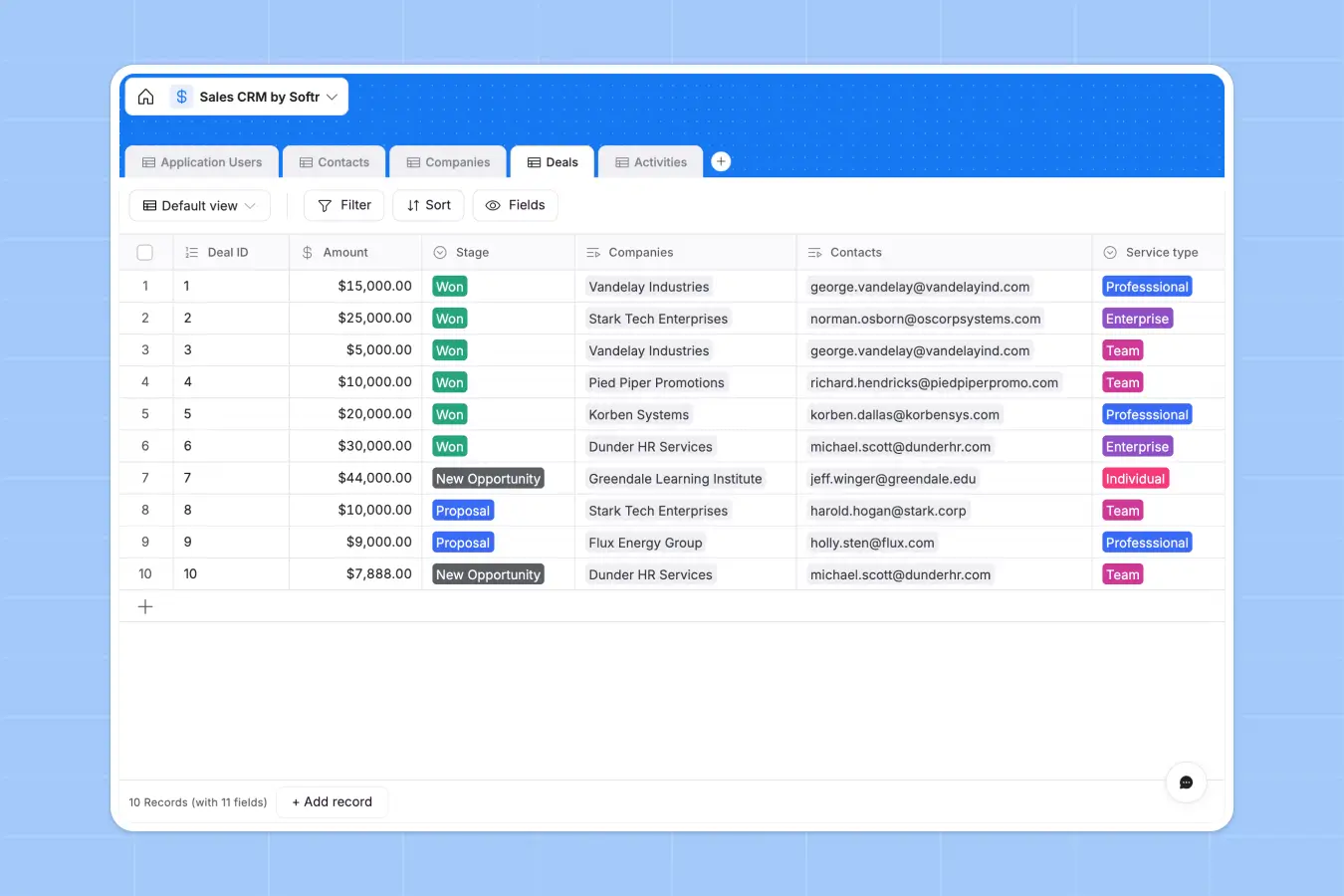
With most CRM databases, you’re locked into someone else’s schema. Softr lets you build custom sales databases that match your exact data structure — and with the AI Co-Builder, you can describe what you need and get a fully configured database back, with tables, fields, and relationships already set up.
Create relational databases with linked tables for contacts, companies, deals, products, and any custom entities your sales pipeline needs. Unlike basic spreadsheets, you get proper relationships, validation, and role-based access so sales reps only see the records they need to see.
Your database can live entirely in Softr or connect to existing data in Airtable, Google Sheets, Notion, or Supabase. AI agents automate data maintenance—enriching leads details, deduplicating records, extracting information from documents or the web, and keeping fields up to date.
What sets Softr apart is combining databases, app building, workflows, and AI automation in one platform. Build interfaces on top of your data: internal dashboards for sales analytics, forms for lead intake, or portals where partners can submit opportunities. Or use Softr purely as a structured data layer that feeds into other tools.
Softr pros and cons
Pros:
- Relational database with flexible field types for sales workflows: formulas for commission calculations, lookups for account hierarchies, rollups for deal summaries, and attachment storage for contracts
- Build custom sales dashboards, pipeline trackers, and client portals on top of your CRM data — wherever it lives
- Real-time pipeline visibility with automatic data syncing across your sales team
- Unify contacts, deals, and account data from multiple sources (CRM, marketing tools, support systems) in one sales app
- Visualize pipeline data as tables, kanban boards, calendars, or custom dashboards without rebuilding your database structure
- SOC 2 and GDPR compliant for handling sensitive customer and deal information
- Flat, predictable pricing tiers that scale with your sales team without per-seat costs
Cons:
- Not ideal for teams that want pre-configured sales workflows out of the box
Softr best features
- Build in minutes: Generate sales databases using AI, or start from a template and customize using the intuitive spreadsheet interface — no programming expertise or developers required.
- Database AI Agents: Automate data tasks by toggling AI on any field. Agents can enrich company records, extract contract details, clean messy data, generate content, and search the web for real-time info. You control when agents run and which model to use (GPT, Claude, Gemini).
- Performance at scale: Handle hundreds of thousands of deal records without lag. Unlike spreadsheets that start chugging at 5,000 rows or Airtable bases that struggle at 50,000 records, Softr maintains speed with large datasets.
- Single source of truth: Replace fragmented spreadsheets with one workspace. Manage data across processes and teams in real-time. Everyone works from the same structured, connected data. No version control issues or wondering which sheet is current.
- Multi-source connections: Combine Softr Databases with other sources like Airtable, Sheets, and Supabase in one application. For example, you can build dashboards that display CRM data from Airtable, financial data from Sheets, and product usage from Supabase.
- Enterprise-grade security: Built-in GDPR and SOC 2 compliance without extra setup. Your sales data stays secure with enterprise-grade protection no matter what plan you’re on.
- Workflow automation: Configure form submissions, new records, and existing data changes to trigger automated workflows like email sends, Slack notifications, and AI-powered data enrichment.
- Conditional forms for lead capture: Build smart intake forms that adapt based on responses to qualify leads and route them directly into your sales database.
- Role-based permissions for sales teams: Control what each team member sees and edits. Sales reps see only their assigned accounts and deals, managers see their team's full pipeline and performance, and executives see company-wide analytics.
Softr pricing
Softr’s pricing is flat and predictable, and you get Databases on every plan, including the free one.
- Free: Unlimited apps, with access to Softr Workflows and Softr Databases, 5 app users, and 5,000 records total
- Basic: $19/month for unlimited apps with 42+ integrations, Team: 5 + Client: 5 app users, and 50K records per workspace
- Pro: $99/month for unlimited apps with 45+ integrations and custom code, Team: 10 + Client: 50 app users, and 500K records per workspace
- Business: $329/month for unlimited apps with 52+ integrations, Team: 30 + Client: 100 app users, and 1M records per workspace
- Enterprise: Custom pricing for enterprise customers
2. Pipedrive — best for visual pipeline management
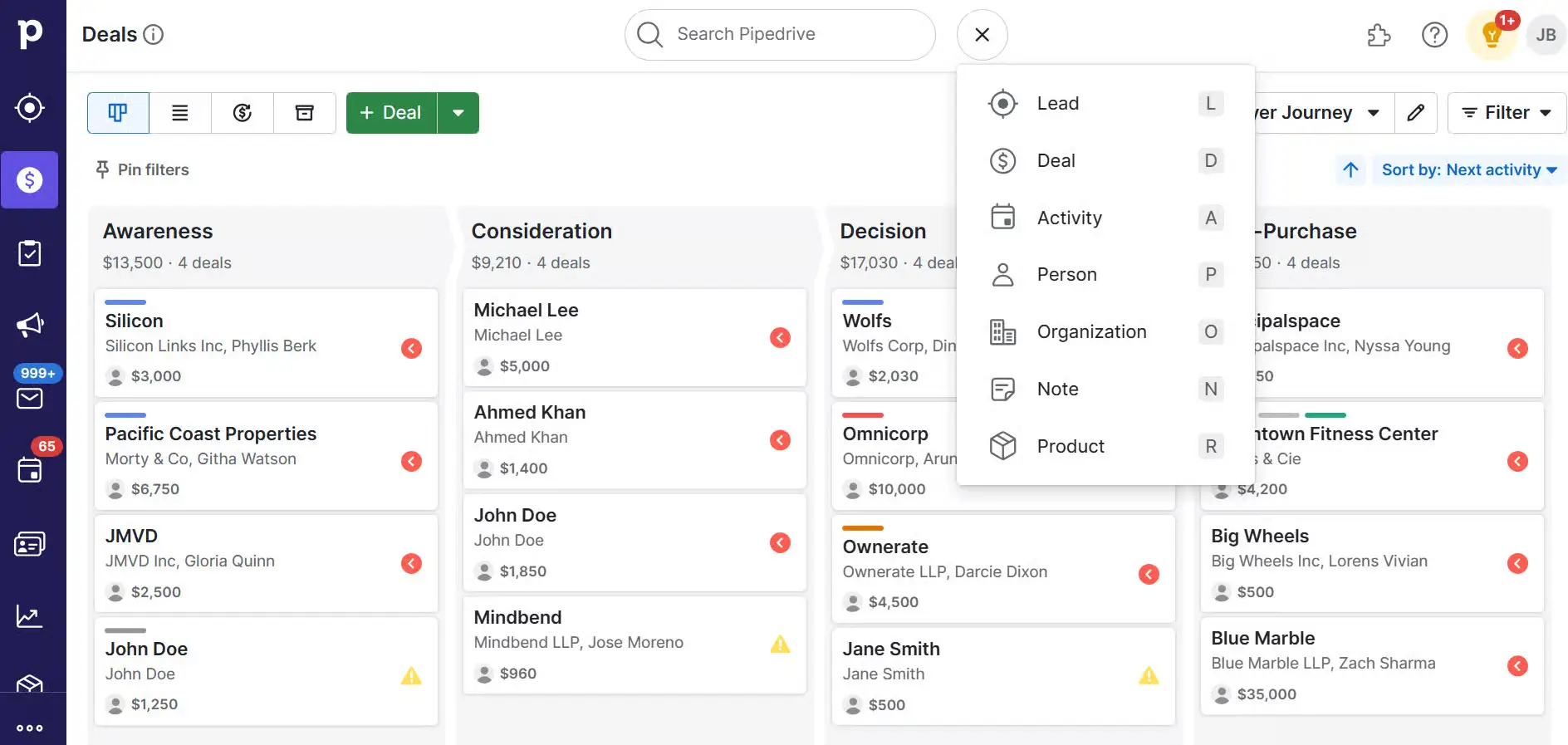
Pipedrive is what happens when you build a CRM specifically for sales reps instead of for operations teams. The entire interface centers on the pipeline view. You see all your deals as cards, organized by stage, with drag-and-drop movement between stages. When you open a deal, you see the contact details, all communication history, scheduled activities, and next steps. You don’t have to hunt through tabs or menus, since everything relevant is visible up front.
The tool also does a good job of preventing deals from falling through the cracks. If a deal sits too long without activity, Pipedrive flags it as “rotting” and prompts you to take action.
Pipedrive pros and cons
Pros:
- Intuitive visual pipeline
- Email integration works well
- Deal rotting alerts prevent forgotten opportunities
Cons:
- Limited customization beyond pipeline stages
- Can become expensive with add-ons
- Self-service support only on lower tiers
Pipedrive’s best features
- Visual sales pipeline: See every deal organized by stage. Drag cards between columns to update deal status. Filter by rep, date range, or value to focus on what matters.
- Smart Contact Data: When you add a contact’s email address, Pipedrive automatically pulls in company information, social profiles, and contact details (if available).
- AI Sales Assistant: AI-powered suggestions that remind users to follow up, flag stale deals, show optimal times to reach contacts, and identify patterns in previous wins.
- LeadBooster add-on: For an extra cost, this adds chatbot, live chat, and web forms that feed directly into your pipeline. Visitors can schedule meetings or request demos, and the platform automatically creates deals.
Pipedrive pricing
- Lite: $14/user/month
- Growth: $39/user/month
- Premium: $59/user/month
- Ultimate: $79/user/month
3. HubSpot CRM — best free CRM with sales database
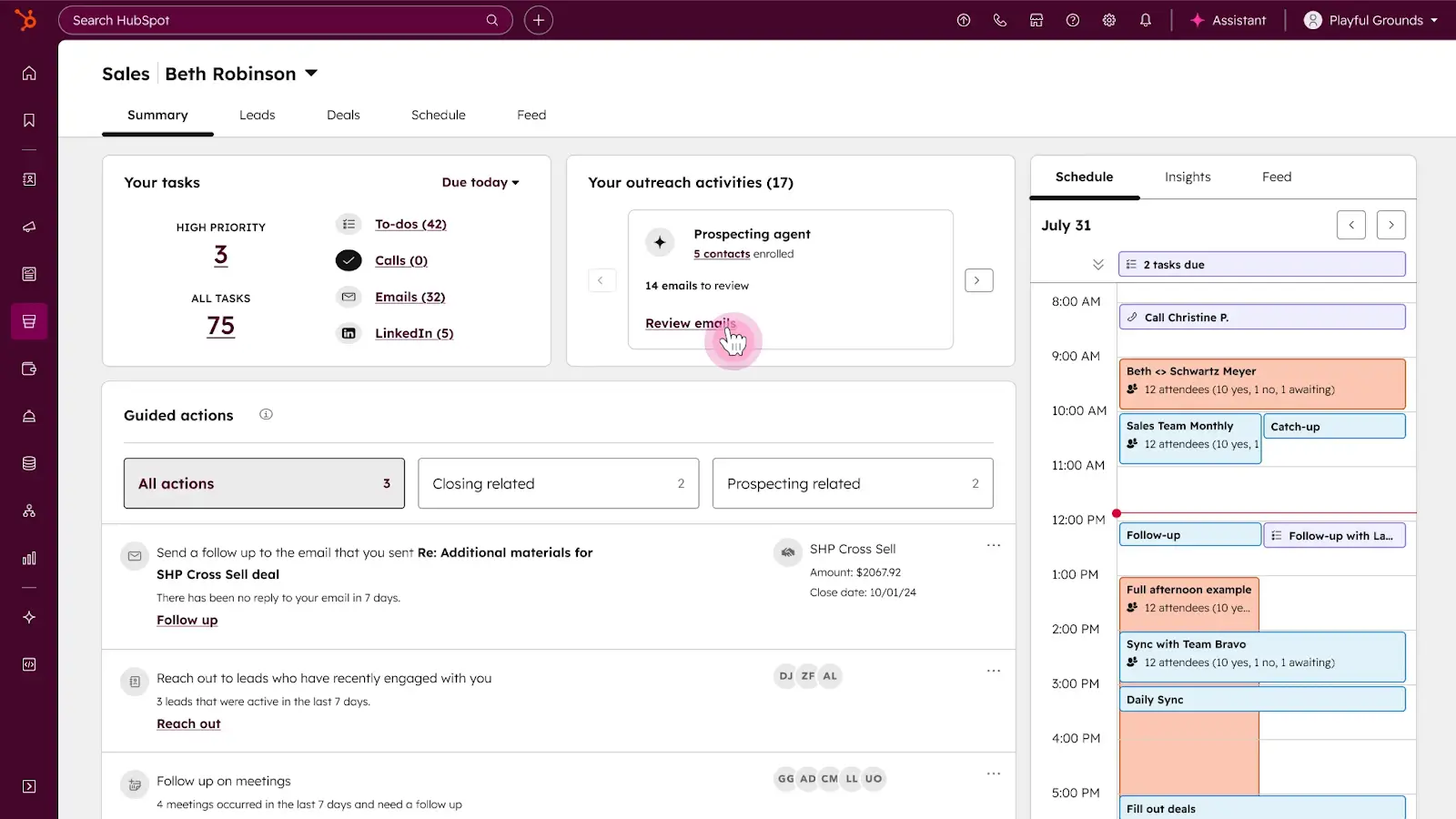
HubSpot is a CRM with sales tools you can use for free (for up to two users). With HubSpot, you can access your database, view reports, set up basic task management, and track deals. The catch is that HubSpot eventually wants you to upgrade to their Marketing Hub, Sales Hub, or Service Hub products.
This integrated platform approach is where HubSpot really shines. CRM data flows into marketing, service, and sales tools. If you grow into a company that needs all three functions coordinated, HubSpot can be a solid pick.
HubSpot pros and cons
Pros:
- Clean, modern interface that’s easy to learn
- Excellent knowledge base and training resources
- Scales with your business
- Native integrations with 2000+ apps
Cons:
- Can’t remove HubSpot branding on free plan
- Workflow automation requires the Professional tier
- Gets expensive quickly if you need advanced features
HubSpot’s best features
- Contact and company records: HubSpot stores the complete history of every interaction. Emails, calls, meetings, website visits, and form submissions are all logged automatically.
- Email tracking and templates: Know when prospects open your emails and click links. Save templates for common scenarios and track which templates perform best.
- Customizable properties and data validation: Add custom fields for deal values, product interests, lead sources, or any sales-specific data points.
- Mobile app: Full CRM functionality on your phone. Log calls, update deals, and check contact info from anywhere.
HubSpot pricing
- Free: Up to 2 users
- Sales Hub Starter: $9/seat/month
- Sales Hub Professional: $90/seat/month
- Sales Hub Enterprise: $150/seat/month
4. Airtable — best for spreadsheet users who need database power
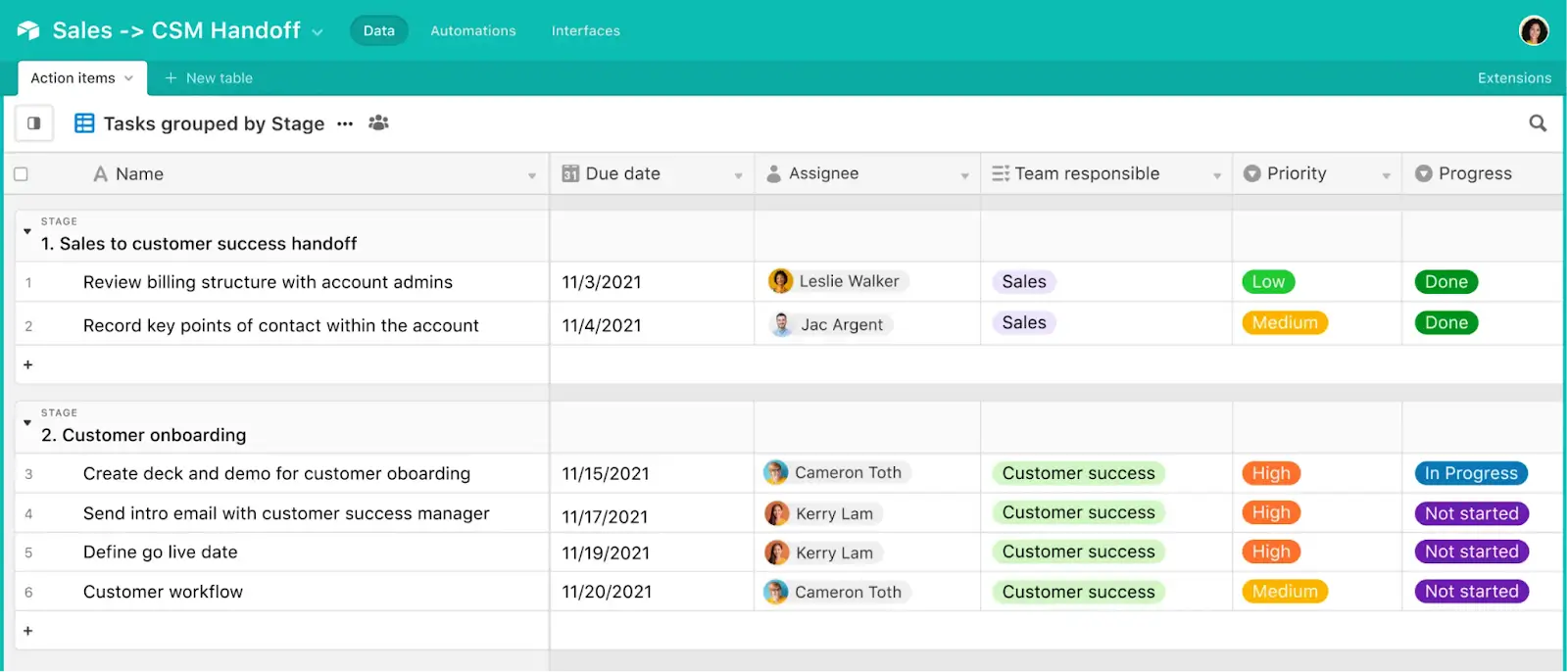
Airtable combines the familiar feel of spreadsheets with the power of relational databases. Because it’s really a souped-up spreadsheet tool, it’s easy for non-technical sales teams to create linked tables, filtered views, and automated workflows to manage data.
Airtable isn’t specifically built for sales; it’s a general-purpose database platform. This means more setup work (you’re building your sales system from scratch or adapting a template) but also more flexibility.
Airtable pros and cons
Pros:
- Familiar spreadsheet interface with minimal learning curve
- Linked records connect related sales data
- Excellent API for custom integrations
- Templates provide starting points for common database types
Cons:
- Not purpose-built for sales use cases
- Can get slow with complex bases or datasets
Airtable’s best features
- Linked records for sales relationships: Connect contacts to companies, deals to contacts, and products to opportunities across your tables.
- Multiple views: See the same data organized differently. Each view filters and sorts differently but uses the same underlying records.
- Custom interfaces for different sales roles: Build simple dashboards on top of your database and tailor them to specific users.
Airtable pricing
- Free: Unlimited bases
- Team: $20/seat/month
- Business: $45/seat/month
- Enterprise: Custom pricing
[.blog-callout]
👉 See Softr vs. Airtable for a more detailed comparison of these no-code sales database tools.
[.blog-callout]
5. Supabase — best for developers building custom sales tools
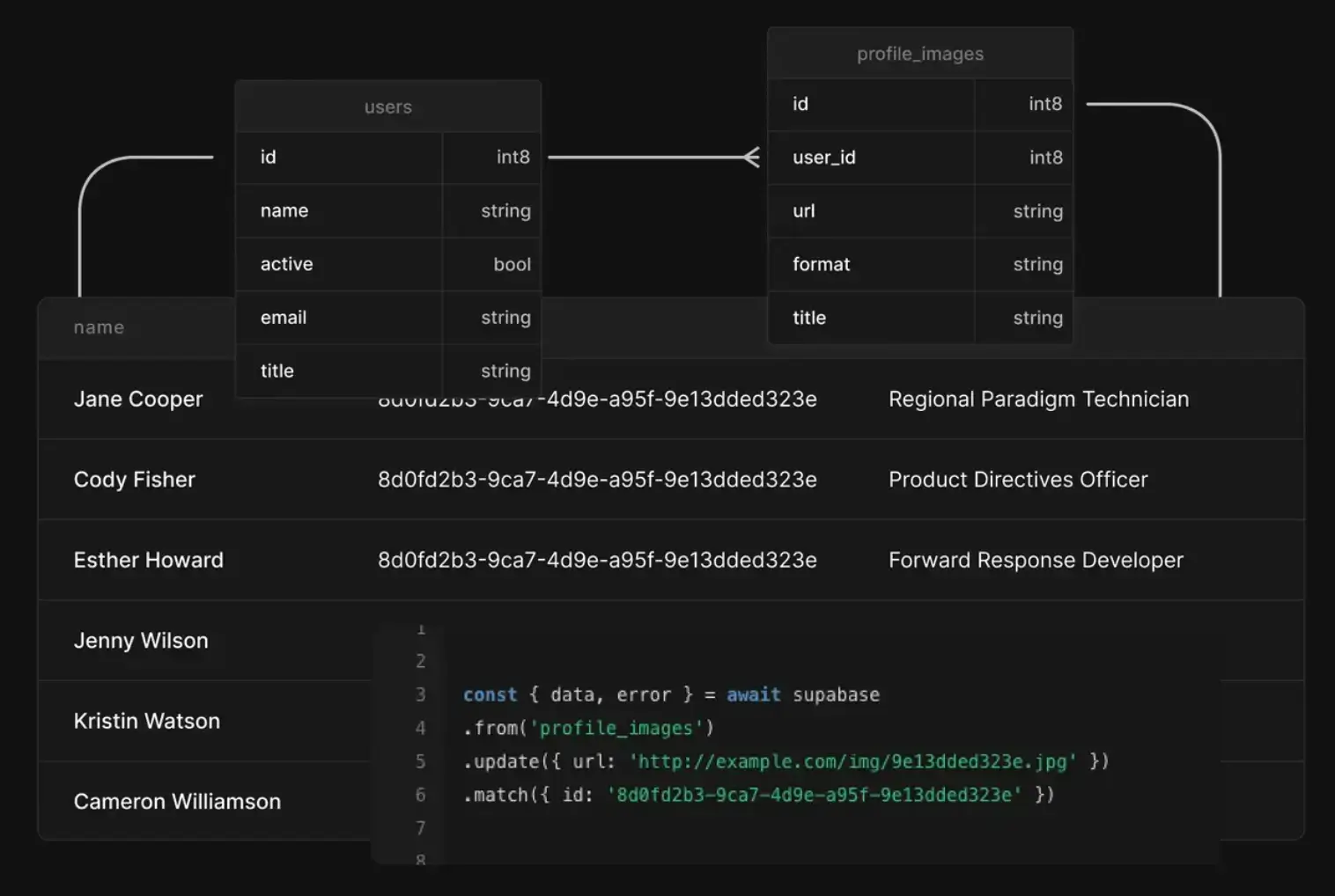
Supabase is a PostgreSQL database with tools layered on top. It’s infrastructure for building custom applications. A technically-minded sales team could use Supabase to make the custom sales tool they need without paying per-seat CRM fees.
You define your database schema exactly how you want it, write your own SQL queries to answer any question about your data, and build APIs, triggers, and functions that align with your specific sales workflows. Just be aware that you’ll need developers on your team to set all this up.
Supabase pros and cons
Pros:
- Real PostgreSQL database
- Generous free tier for testing and small projects
- Auto-generated REST and GraphQL APIs
- Open source, so you can self-host if you want complete control
Cons:
- Requires deep technical skills
- No pre-built sales interface, so you’ll have to build from scratch
- Reporting requires external tools or custom builds
Supabase’s best features
- PostgreSQL database: Full-featured relational database with all the power that implies: complex queries, joins, indexes, views, functions, and triggers. If you can write SQL, you can build anything.
- Row-level security: Define access rules at the database level using SQL policies. Users can only see rows they own. Admins see everything.
- Real-time subscriptions: Subscribe to changes in your database. When a deal is updated, all connected clients receive the new data immediately.
- Auto-generated APIs: Supabase generates REST and GraphQL APIs directly from your database schema. Define tables and relationships, and automatically get working APIs.
- Edge functions: Run serverless code at the edge (close to your users). Useful for custom business logic, integrations with external services, or processing that doesn’t belong in the database.
Supabase pricing
- Free: 2 projects, 500 MB database, 1 GB file storage
- Pro: $25/month
- Team: $599/month
- Enterprise: Custom pricing
Note: The Pro and Team plans include $10 in compute credits, and you’ll have to pay for more as needed.
6. Baserow — best for open-source and self-hosted sales databases
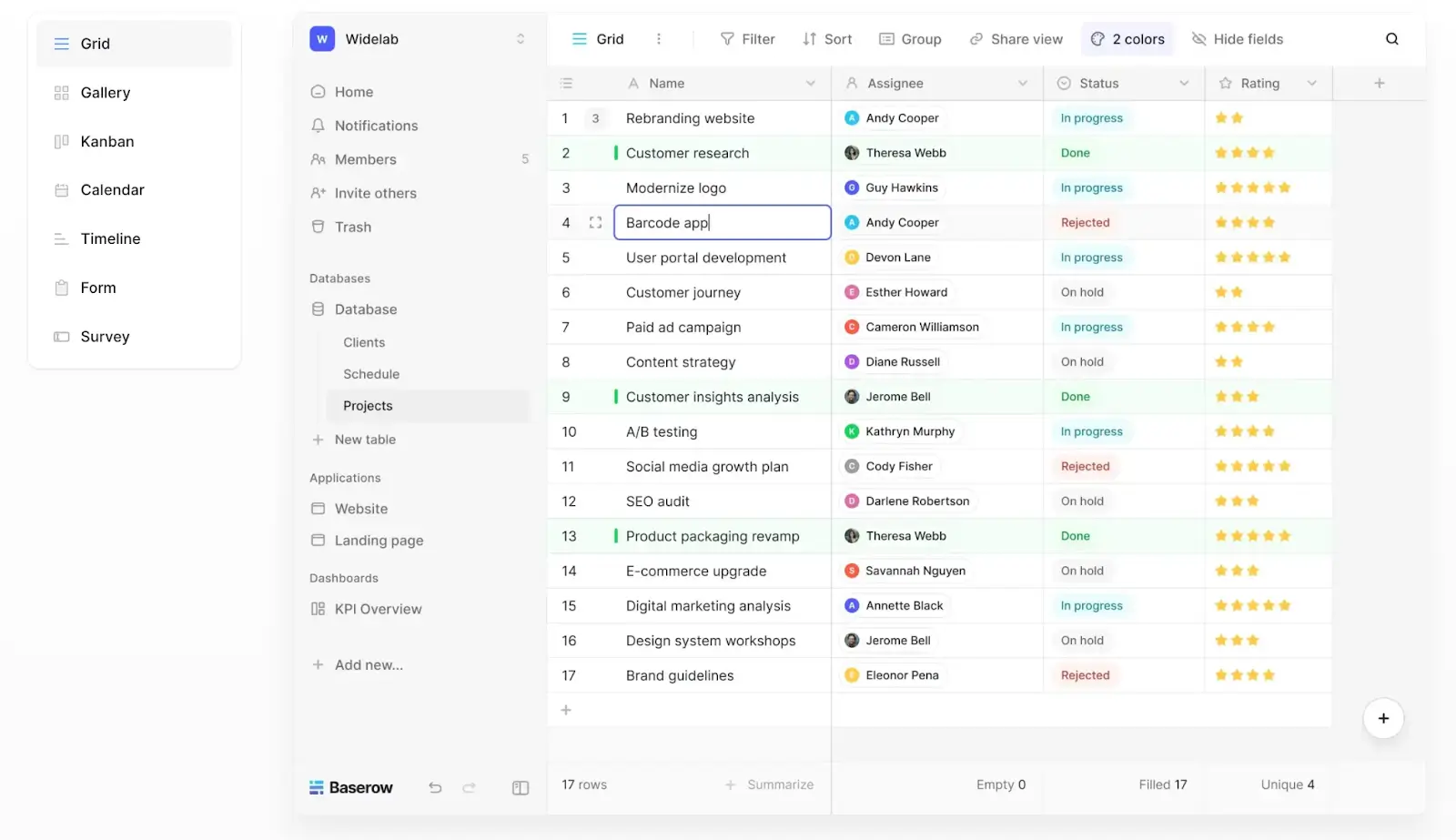
Baserow is an open-source Airtable alternative for building a sales database. You get similar functionality—such as grid views, linked records, multiple views, and API access—but you can self-host it on your own infrastructure. This matters for teams with strict data residency requirements or who want to avoid vendor lock-in altogether.
For sales teams, Baserow works as a flexible database where you build your own sales structure. It’s not a pre-built CRM, but it provides the foundation to create one that matches your process on an open-source model.
Baserow pros and cons
Pros:
- Cloud or self-hosting option
- Clean interface comparable to Airtable’s
- API for custom integrations
- Active development and regular updates
Cons:
- Small ecosystem with limited templates and integrations
- You’re responsible for updates and security if you self-host
- Not a full no-code platform
Baserow’s best features
- Run on your own infrastructure: Deploy Baserow on your servers using Docker, Helm, AWS, or other platforms. Complete control over sales data location and governance.
- Auto-generated REST APIs: Every table automatically gets a working REST API with no manual API development needed. This makes automation and third-party integrations straightforward without custom coding.
- Custom app builder with plugins: Build simple applications, dashboards, or custom workflows on top of your sales data. Use plugins for extended functionality or low-code customization for specific needs.
- Linked records with live collaboration: Connect sales data across tables relationally (contacts link to companies, deals link to contacts). Multiple people can edit simultaneously, with changes appearing in real-time.
Baserow pricing
- Free: Unlimited databases, 3,000 rows per workspace
- Premium: $10/user/month
- Advanced: $18/user/month
The self-hosted version is free forever, but you’ll have to pay your own hosting costs. An enterprise license available for support and additional features.
7. Notion — Best for teams already using Notion
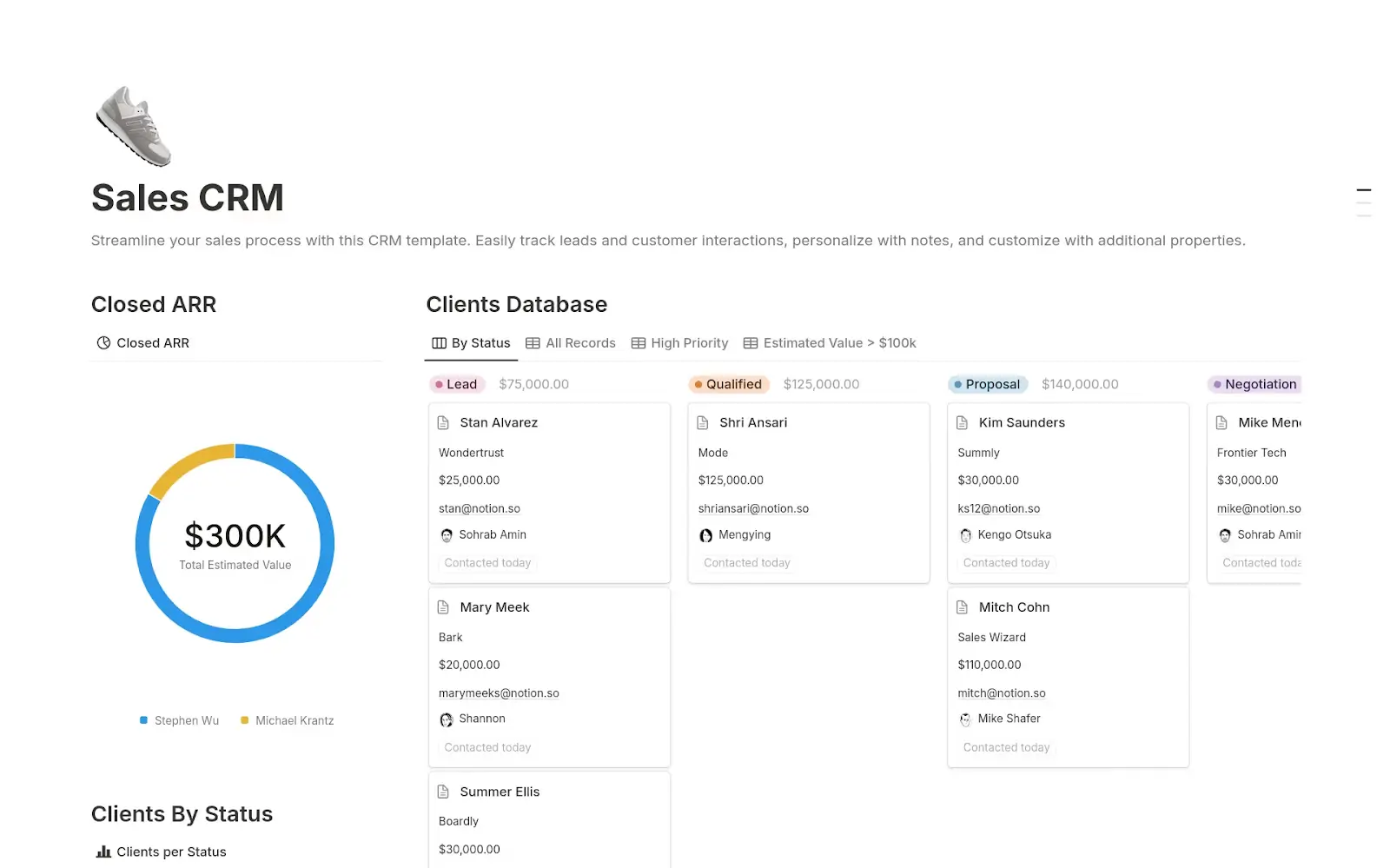
Notion is an all-in-one workspace that includes database functionality for sales tracking. You can create relational databases with linked records for contacts, companies, and deals directly within your existing Notion workspace. If your team already uses Notion for documentation and project management, building a sales database there consolidates customer data alongside meeting notes, playbooks, and deal documentation.
Notion pros and cons
Pros:
- No learning curve for teams already using Notion
- Flexible relational databases with custom properties for sales workflows
- Linked records connect contacts, companies, deals, and notes across tables
- Real-time collaboration lets multiple reps work on deal records simultaneously
Cons:
- Not built for sales, as it lacks CRM-specific features. The mobile app is functional but clunky for data entry
- Search can be slow in large workspaces
Notion’s best features
- Databases everywhere: Create a sales database inline in any page. Link it across multiple pages and filter views (by rep, deal stage, close date, etc.) depending on context.
- Templates and automations: Save page templates for common structures (e.g., a deal template with all the required fields). Use database templates to pre-fill new records and set up automations to assign owners or set due dates.
- Collaborative editing: Multiple team members can update deal records, add meeting notes, and attach proposals simultaneously with real-time syncing. Leave inline comments on specific fields, @mention colleagues for handoffs, and track who changed what with automatic edit history.
Notion pricing
- Free: Includes databases
- Plus: $10/user/month
- Business: $20/user/month
- Enterprise: Custom pricing
Find the best sales database software for your team
If you’re looking for a sales database that combines flexibility, AI automation, and cost-effective pricing, Softr should be your starting point. The platform eliminates the most significant pain points of traditional CRMs: expensive per-seat pricing, rigid data structures that don’t align with your process, and limited customization.
Softr makes sense for most teams because:
- You can build the exact sales database you need without developers.
- AI agents handle the busywork automatically, enriching company records, extracting contract details, cleaning messy data, generating summaries, and more. Plus, Softr AI can build you entire sales databases using natural language prompts.
- The flat pricing model is predictable, so you won’t get surprise costs as your business grows.
- Enterprise-grade features like SOC-2 and GDPR compliance and workflows are included on every plan. Most platforms gate these behind expensive tiers.
Want to see Softr Databases in action? Get started for free.
Frequently asked questions
What’s the difference between a sales database and a CRM?
Do sales teams need technical skills to use database software?
Can I migrate data from spreadsheets to sales database software?