Make (formerly Integromat) is great for streamlining complex, repetitive work like moving data between spreadsheets and managing sales processes. It’s also far from the only platform available: the automation market has grown exponentially since Make’s founding, and with the advent of AI, there are more options than ever. We tested each of these on features, pricing, and ease of use.
Best Make alternatives at a glance
| Tool name | Best for | Standout features | Pricing |
|---|---|---|---|
| Softr Workflows | Building business apps with built-in automation | - App and workflow building - Database AI Agents - Conditions, filters, branching, and looping | Free plan available; paid plans starting at $19/month |
| Workato | Building complex enterprise workflows | - Universal connectivity - Low-code interface - Pre-built AI agents | Fully custom |
| n8n | Developers who want more technical control over workflows | - Fast feedback loops - Custom error notifications - Flexible AI "nodes" - Free to on users’ servers | Free trial available; paid plans starting at €20/month |
| Gumloop | Technical users building specialized workflows with AI | - Prompt-based interface - Workflow access controls - Fully-inclusive subscription pricing | Free plan available; paid plans starting at $37/month |
| Lindy | Building autonomous agents to delegate work to | - 5,000+ integrations - Prompt-based UX - Agent templates | Free plan available; paid plans starting at $49.99/month |
| Zapier | Automating AI workflows and agents across 8000+ apps | - 8,000+ integrations - Workflow templates - AI agents and chatbots | Free plan available; paid plans starting at $19.99/month |
Limitations of Make
Make is a no-code tool, so it's a popular choice for people who need to automate work without writing any code. But it's not the only visual workflow builder on the market, and like any tool, it has its drawbacks.
Limited integrations
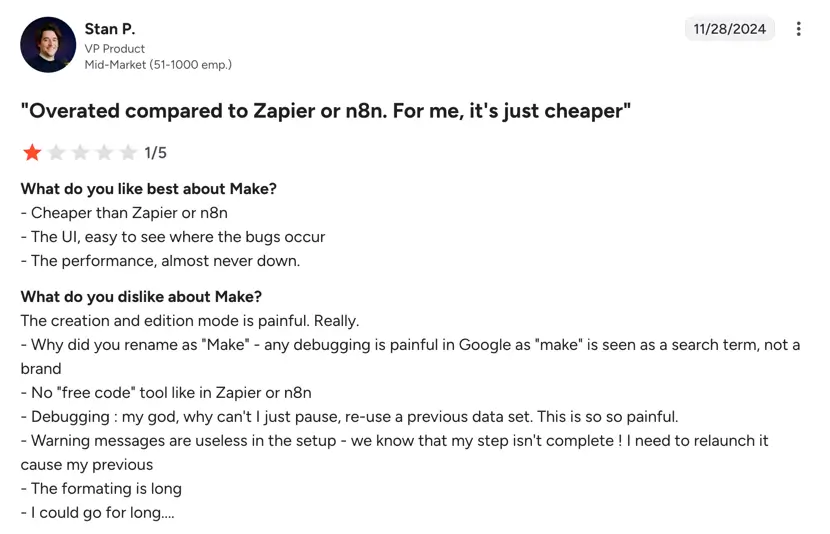
Most notably, Make doesn't necessarily offer all the integrations you might need, especially if you run a dynamic, growing small business. Currently, it connects to about 3,000 pre-built apps, which might sound like a lot—but if you use a niche tool in your day-to-day work (or change your app stack in the future), it might not be supported. You can use APIs to connect to unsupported apps, but that requires a little more technical skill and dev support.
Usage-based pricing
Make also relies on usage-based pricing, which means steeper costs as you automate more work. If you only need to automate one or two simple workflows, it can still be a strong choice. But if you're trying to streamline complex, multi-step processes — like your entire lead management flow, for example — the cost quickly adds up.

Steeper learning curve
While basic workflows are easy to set up in Make, more complex automation may require some learning time. The more complex the workflow, the less intuitive the UX becomes—especially if you’re new to automation tools.
.webp)
What to look for in a Make alternative
Not all automation tools are created equal. If you're looking for a Make alternative, here are a few criteria to consider before signing up for an annual subscription:
- Ease of use: Make's main selling point is that it's a no-code platform, meaning you don't have to write any code to create automated workflows. Any strong alternative should have a similar visual interface for building automations.
- Automation at the centre of your business operations: Third-party integrations are useful, but they still introduce external dependencies. Look for platforms that let you automate natively within your apps or databases, reducing tool sprawl and stacked licenses.
- Range of integrations: Whichever platform you choose, it needs to support the apps you already use—and allow custom integrations via webhooks and APIs.
- Scalability: Similarly, a great Make alternative will let you easily automate a wide range of use cases across marketing, sales, accounting, and more. It should also handle multi-step workflows and workflows that need human input or intervention.
- AI-friendliness: AI has become a fundamental time-saving and cost-cutting technology for almost every team, so any good automation platform should be able to connect AI tools like agents along with more traditional apps.
- Pricing: Whether it bills per task or on a subscription basis, a strong Make alternative will deliver value without breaking the bank or surprising you with a high monthly bill.
Softr Workflows — Best for building end-to-end operating systems for businesses
Softr is an AI no-code platform for building custom business software. Most companies need three things to run their operations and build production-ready apps:
- A database to store customer data, deals, projects—whatever runs your business;
- Apps and interfaces to interact with that data (client portals, dashboards, internal tools);
- Automation to eliminate manual work between systems.
Softr gives you all three natively, so they work together without you having to stitch together tools or rely on third-party apps. With Softr Workflows, you can automate between your Softr apps, databases, and any other tools you use—or handle connections between external cools on one native platform.
You can trigger workflows from database changes, on a recurring schedule, when events happen in other apps, or the moment users do something directly inside your Softr apps (like clicking a button or submitting a form). From there, you decide what happens next using a visual, multi-step workflow builder.
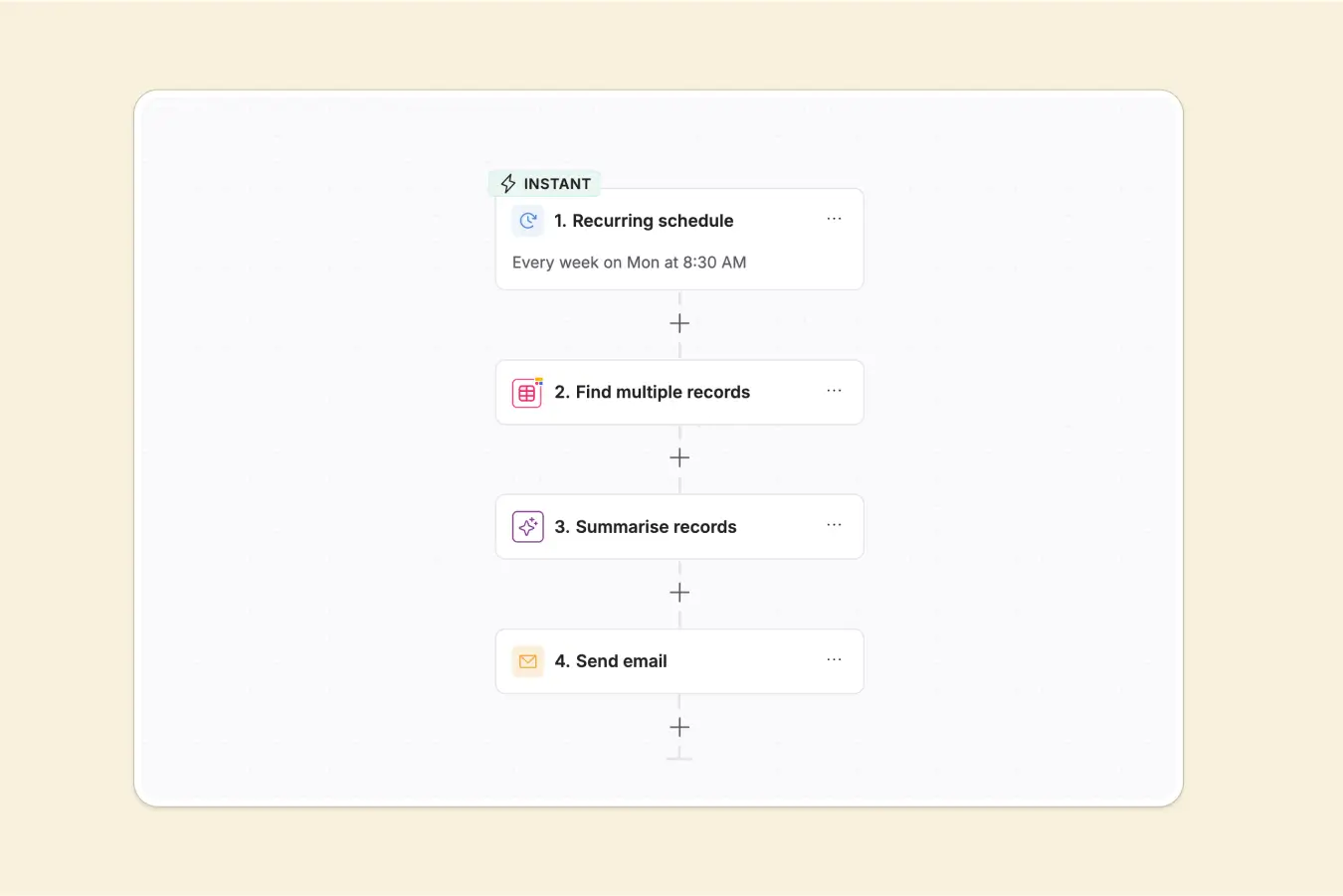
For example:
- When a new client is added to your database → Send a personalized onboarding email
- When a deal is marked as “won” in your CRM → Send Slack notification, then create a project in ClickUp
- When someone submits a form in your portal → Enrich lead data with AI, then assign to sales rep in CRM
You can layer in conditions, branching logic, loops, and delays. For tasks that normally need human intervention (like researching a company or enriching incomplete data), add AI steps that handle it automatically.
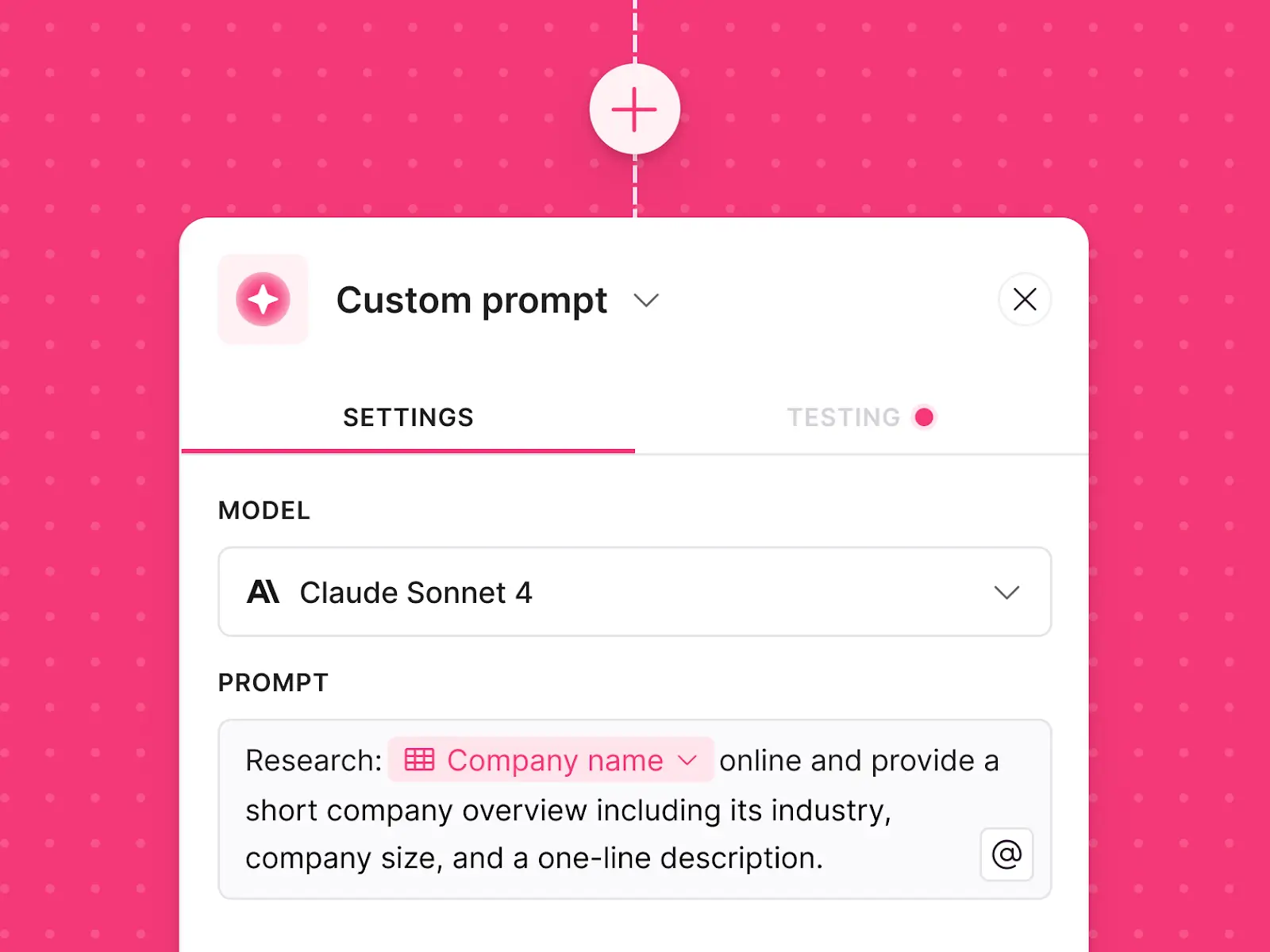
You can also use Workflows as a standalone automation tool to connect the apps within your techstack (think Airtable, Google Sheets, Slack, HubSpot, etc) and trigger workflows automatically to keep your processes running.
Why this matters: Most teams string together a bunch of tools to accomplish what Softr does natively, then pay for a separate automation platform on top of that. It’s overkill. With Softr, your database, apps, and automations live in one system. And even if you're not using Softr's database or apps, you can still use Workflows as a standalone automation tool, consolidating your tech stack either way.
Softr pros
- Flexible automation: Works natively inside Softr apps and databases—or as a standalone automation solution connected to your tech stack
- Reduced tool sprawl and license costs: Automate end-to-end processes across your Softr apps, databases, and external tools so that you can save on software licenses.
- Connect any tools natively inside Softr: Set up automations that connect your Softr apps, Softr Databases, and any other tool in your stack, including Airtable, Google Sheets, Slack, Gmail, and more.
- Approachable, yet powerful: Designed for non-technical teams, while still supporting advanced logic with APIs, custom code, and AI when workflows get more complex.
- Fast to launch, easy to evolve: Use the AI co-builder to build complex workflows in minutes, then layer in conditions, branching, integrations, and logic to fit your business needs.
- Built-in tools without relying on extra services: Send emails, call APIs, scrape webpages, extract PDFs, or run custom code all powered natively within Softr’s platform.
- AI for smarter automation: Go beyond rule-based workflows by layering in AI agents and AI steps to automate analysis, enrichment, document review, and decision-making with or without human input.
Softr cons
- Smaller native integration library than Zapier or Make, though webhooks and REST APIs can be used to connect additional systems.
Softr key features
- Apps, databases, and workflows in one system: Build workflows that live inside your Softr system. Automate across Softr apps, Softr Databases, and external tools.
- AI co-builder for instant setup: Describe what you want in plain language and let the AI co-builder generate a ready-to-run workflow or agent in seconds. Refine logic, steps, and conditions through chat as your process evolves.
- Visual workflow builder: An easy-to-use, drag-and-drop canvas for building multi-step workflows with conditions, filters, branching, loops, wait times, scheduling, webhooks, API calls, and optional custom JavaScript or Python when needed.
- Event-driven workflows: Run end-to-end workflows when users take action in your app or when data changes in your database. Trigger automations from form submissions, button clicks, or record updates, then guide users with progress screens and personalized outcomes.
- Combined AI intelligence with automation: Deploy AI agents directly in workflows to analyze data, summarize content, enrich records, review documents, and make decisions automatically.
Softr pricing
- Free plan with 500 workflow actions/month
- Basic: $19/month for 2,500 workflow actions
- Pro: $99/month for 10,000 workflow actions
- Business: $329/month for 25,000 workflow actions
- Enterprise: Enterprise (custom pricing, contact sales)
Why it’s better than Make's pricing
Because Softr is an all-in-one app-building and automation platform, you get way more bang for your buck. You're not just paying for automation capabilities, but app- and database-creation tools that let you fully customize your work tools.
Who Softr is best for
Softr is perfect for those who want total end-to-end control over both their apps and their automated workflows. If you're already using Softr to create custom apps or portals, for example, Softr Workflows is an easy, native way to streamline your processes. It's especially valuable for small to mid-sized businesses that want to consolidate their tech stack and avoid paying for multiple platforms. Non-technical teams will especially appreciate the no-code approach and predictable pricing structure.
Verdict: Softr vs. Make
Softr is the better long-term solution if you want to build apps and automate workflows on a single platform, without having to juggle multiple tools or pay for separate seats across different systems. However, Make is more powerful — it offers more integrations — and less expensive if you only need an automation platform.
Workato: Best for complex workflows
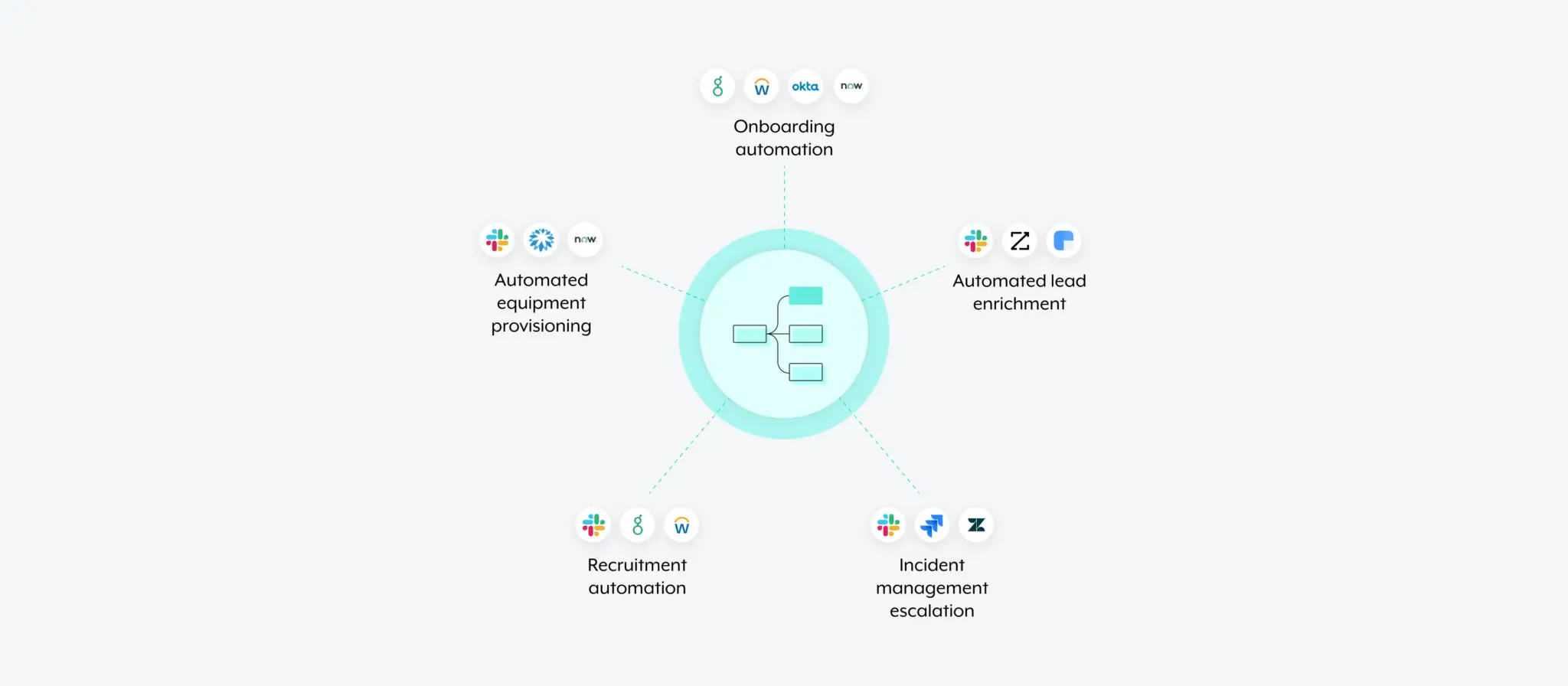
Workato is an integration-platform-as-a-service (iPaaS) provider known for robust, enterprise-grade security and compliance features. It connects to workhorse apps like Salesforce, Workday, and NetSuite, and like most modern automation tools, it offers native AI features, including agents and MCP support.
However, Workato’s strength in handling complex, enterprise workflows comes with a trade-off: it often requires technical expertise and significant setup time. For teams or creators who want to build functional apps and automate workflows visually, platforms like Softr offer a simpler, more intuitive alternative.
Pros and cons of using Workato
Pros:
- Enterprise‑grade security & compliance: Meets stringent security requirements for large organizations.
- Universal connectivity: Works with cloud apps, on‑prem systems, data warehouses, and more.
- Pre‑built AI agents: Automate high‑level use cases with AI.
- Handles complex workflows: Supports multi‑system orchestration at scale.
Cons:
- Very steep learning curve for non-technical users
- Custom pricing may be prohibitively expensive for smaller teams
Workato key features
- Low‑code automation studio: Build automation with visual tooling and optional script logic.
- Universal connectors: Integrate with SaaS, legacy systems, and databases.
- AI agents (“genies”): Automate repeatable tasks across systems with AI.
- Enterprise controls: Governance, access management, and compliance settings.
- Advanced orchestration: Handle conditional logic, parallel paths, and large data flows.
Workato pricing
- Pricing is fully custom based on your needs and platform usage
Who Workato is best for:
If you work in a larger organization, Workato is a great choice. It's secure and compliant—so your IT team will love it—and offers support for every kind of tool imaginable, even legacy on-prem systems that sit behind a firewall. Plus it includes strong native AI features that let you bring the power of AI to every step of your work, including decision-making.
Verdict: Workato vs. Make
While Workato is perhaps the most robust automation platform on the market, it's likely too robust for smaller teams or individuals. Its interface, while low-code, isn't entirely code-free; it's difficult to master and includes too many bells and whistles for truly non-technical users. The platform is also much more expensive than Make, with wholly custom pricing dependent on your needs and usage.
n8n: Best for developers who need technical control over workflows
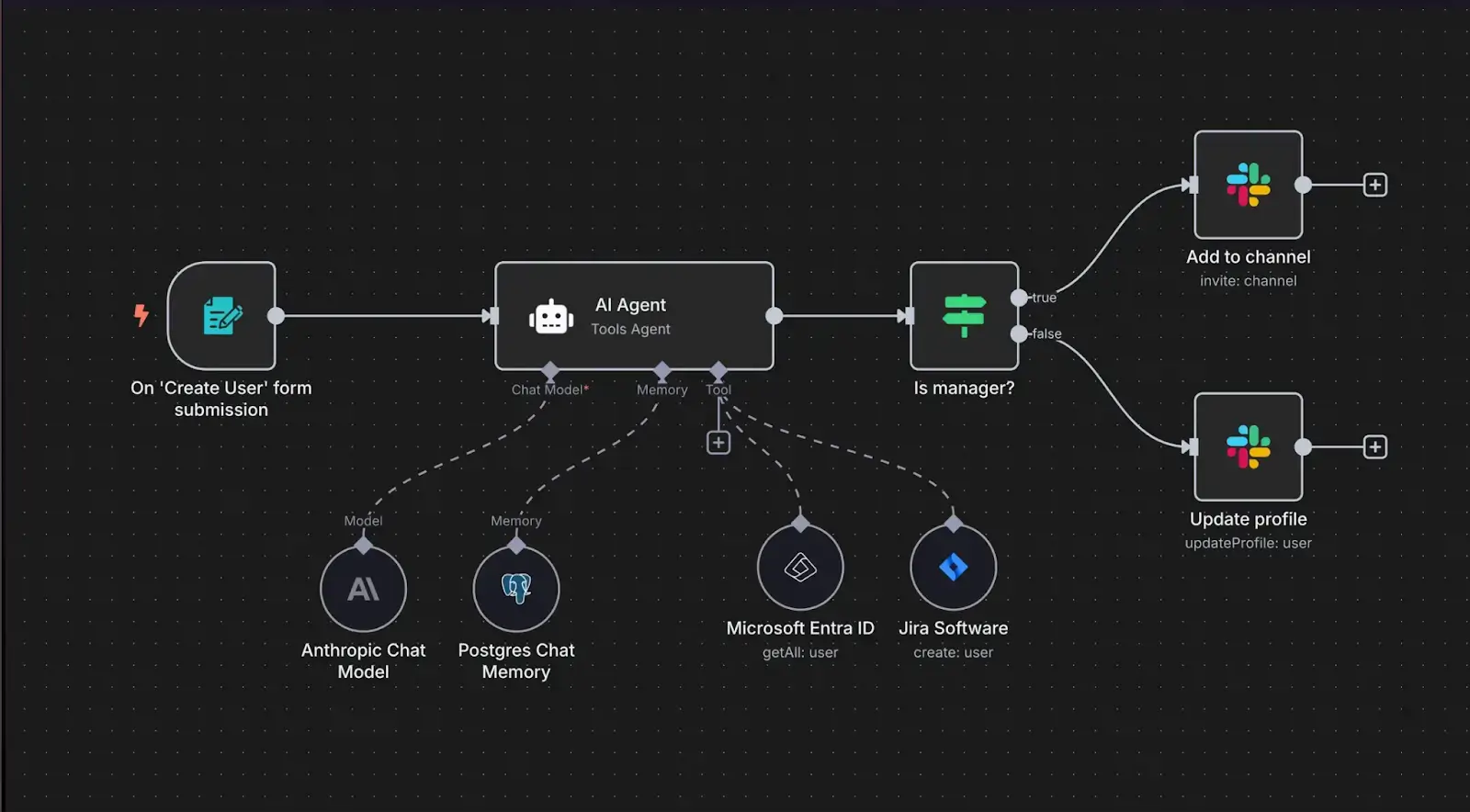
n8n is a newer automation platform that claims to be simple enough to build quickly but sophisticated enough to scale reliably. With a dark mode visual interface reminiscent of code editors, it definitely feels more technical than other Make alternatives—but it promises the same outcome: fully-automated, AI-native workflows that save you time.
That said, while n8n is powerful, its setup and maintenance can be more complex for non-technical teams. For users looking to build apps, portals, and workflows visually without coding, Softr provides an easier, all-in-one solution. You get automation built directly into your apps and databases, while still connecting to external tools—letting you launch, iterate, and scale faster without juggling multiple platforms.
Pros and cons of using n8n
Pros:
- Visual or code‑enabled workflows: Offers both drag‑and‑drop and scripting for flexibility.
- Self‑hosting option: Keep workflows and data in your infrastructure for security.
- AI “nodes”: Integrate language models and AI capabilities into workflows.
- Scales for developers: Technical users can unlock deep custom behavior.
Cons:
- 1,000 pre-built integrations limit what you can build quickly
- Designed for technical teams, not laypeople
n8n key features
- Drag‑and‑drop or code editor: Choose visual editing or code for workflow steps.
- Custom error handling & notifications: Add backups, alerts, and safety logic.
- Flexible AI integration: Bring in models via nodes for smarter automations.
- Execution insights: Track and debug each step with visibility into transitional data.
- Big integration catalog: Pre‑built connectivity for hundreds of services.
n8n pricing
- Free trial available
- Starter: Starting at €20/month for 2,500 workflow executions
- Pro: Starting at €50/month for 10,000 workflow executions
- Business: Starting €667/month for 40,000 workflow executions
- Enterprise: Custom pricing
Who n8n is best for
n8n is a great option if you're a fairly technical person who wants to get really hands on in building automated workflows. Its visual interface isn't the cleanest or most intuitive, but the option to build using code unlocks a bit more flexibility than truly no-code platforms.
Verdict: n8n vs. Make
Because it's geared more towards technical users, n8n isn't the strongest Make alternative we tested. Overall, it's great if you want to tinker — but it's not the best option if you need to quickly build and scale workflows as a layperson.
Gumloop — best for technical users building specialized workflows with AI
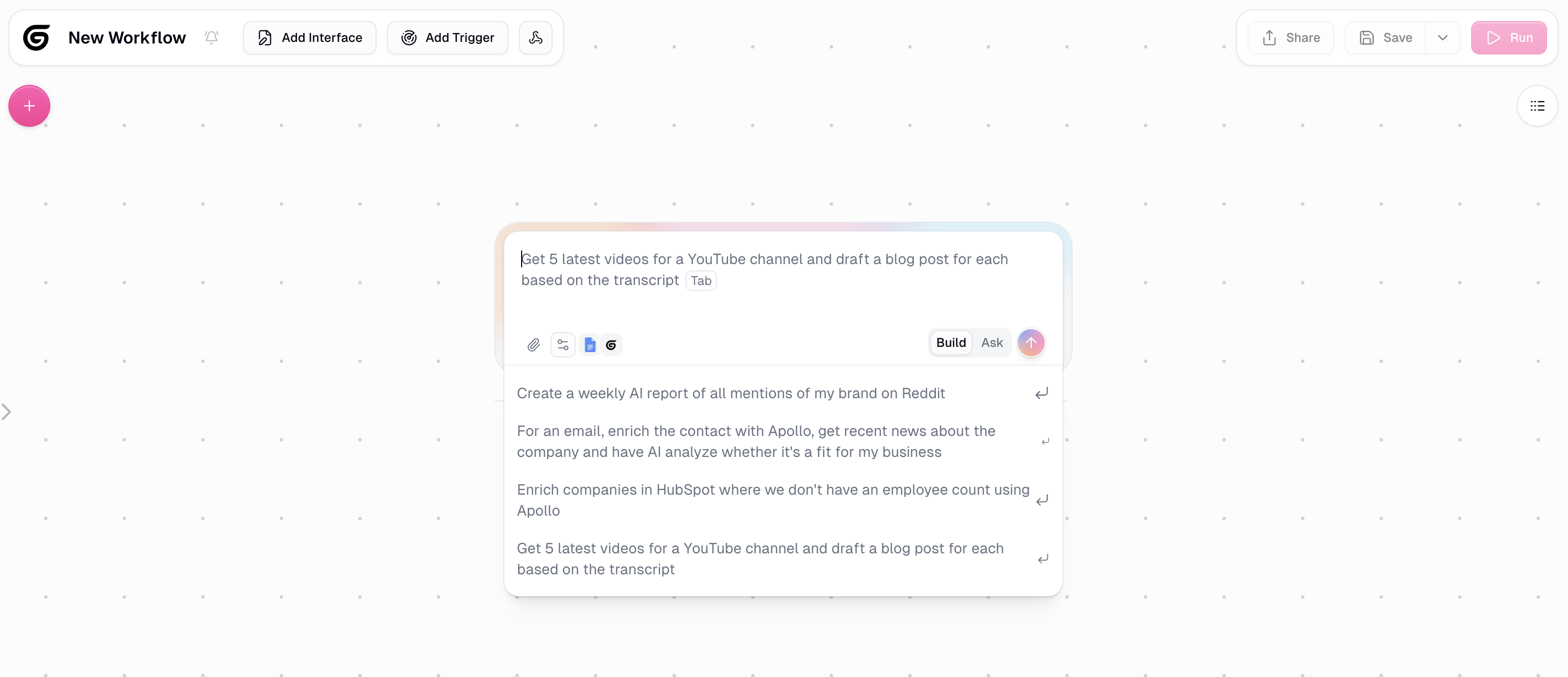
Gumloop presents itself as “the automation platform for everyone,” with a bright, approachable interface and a drag-and-drop workflow builder. You can design flows by arranging individual action steps visually, or use its AI assistant to generate entire workflows from a simple natural language description.
Gumloop is AI-focused, offering built-in nodes that can extract data, analyze text and images, and integrate with large language models to make workflows smarter. This makes it well-suited for users who want to go beyond basic automation and incorporate AI into their processes.
However, Gumloop can get technical quickly. Its library of built-in integrations is smaller than some competitors, covering roughly 120 popular apps like Slack, Airtable, and Salesforce. For apps outside this list, you may need to create custom integrations, manage API connections, and handle errors manually—which adds complexity for teams working with less common tools.
Pros and cons of using Gumloop
Pros:
- Complex workflows with AI: Built-in AI can extract data, analyze images, and leverage large language models (LLMs) to power smarter automations.
- Ready-made workflows: Tap into community-created templates to help non-technical teams get started quickly and avoid building flows from scratch.
- Drag-and-drop builder: Create or customize workflows visually by dragging nodes into place, making it easy to map out multi-step processes without coding.
- AI Assistant (Gummie): Use the AI assistant to build entire workflows from a simple, natural language description — perfect for speeding up workflow creation.
Cons:
- Limited native integrations: Roughly 120 apps; custom integrations require extra work.
- Steeper learning curve: Advanced AI and workflow features require some technical skill to use effectively.
Gumloop key features
- Natural language prompting: Describe workflows in plain terms and generate logic.
- Drag‑and‑drop canvas: Build multi‑step processes visually.
- Reusable steps & branching: Create structured logic paths with loops and conditions.
- Team access controls: Manage who can build, edit, or run workflows.
- Inclusive subscription pricing: Predictable costs without add‑ons.
Gumloop pricing
- Free plan with 2k monthly credits
- Solo: Starting at $37/month for 10k monthly credits
- Team: Starting at $244/month for 10 seats and 60k monthly credits
- Enterprise: Custom pricing
Who Gumloop is best for
Gumloop is best for technical users or teams who want to build AI-powered, specialized workflows. Its drag-and-drop builder and AI assistant make it possible to create complex automations, but getting the most out of the platform requires some familiarity with workflow logic, APIs, and integrations. Teams looking to leverage AI in their automations (like data extraction, LLM tasks, or multi-step processes) will find Gumloop particularly valuable.
Verdict: Gumloop vs. Make
While Gumloop offers powerful AI capabilities and a visual workflow builder, it has fewer native integrations than Make. For teams that need to scale automation across a wide range of apps, or require extensive prebuilt connectors, Gumloop may require more custom work to achieve the same level of coverage.
Lindy: Best for building autonomous agents
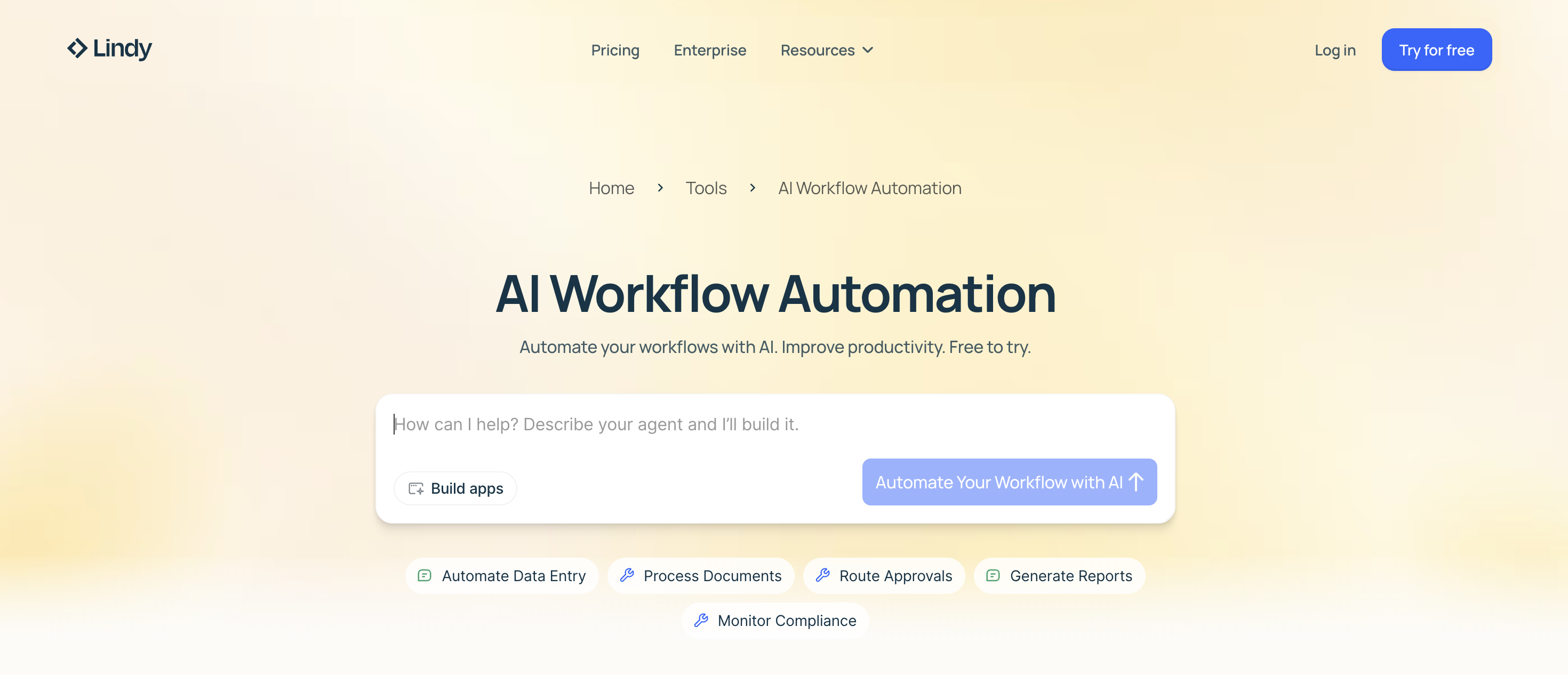
Rather than connecting apps with simple if-then rules like other make alternatives, Lindy uses large language models to create agents that can understand context, make decisions, and adapt to changing situations. Think of it like having a set of virtual employees, rather than rules-based workflows.
Instead of building out workflows yourself, you simply delegate work to these agents. They can send emails, book meetings, add clients to your CRM, and more with just a few natural language prompts.
Pros and cons of using Lindy
Pros:
- AI-first platform: Automate complex or unstructured tasks that traditional rule-based automations can’t handle.
- Autonomous agents from simple prompts: You don’t need to design workflows step by step; the agents figure out the logic for you.
- Flexible AI models: Integrate your favorite large language models to match your team’s needs.
- Supports complex multi-step processes: Agents can communicate and coordinate across tasks for end-to-end automation.
Cons:
- Credit-based pricing can be unpredictable: Costs may vary depending on agent usage and AI compute needs.
- Learning curve for advanced setups: Using multi-agent systems effectively may require some experimentation and understanding of AI behavior.
Lindy key features
- 5,000+ integrations: Connect to most major apps and tools your business relies on.
- Prompt-based UX: Build automations without flowcharts or workflow diagrams.
- Agent templates: Prebuilt agents for sales, support, HR, and operations to get started quickly.
- Built-in agent training and testing: Refine agent behavior and test workflows before deployment to ensure reliability.
- Multi-agent collaboration: Combine agents to handle complex processes or delegate subtasks autonomously.
- Context awareness and memory: Agents can maintain state, track past interactions, and adapt behavior over time.
Lindy pricing
- Free: 40 tasks/month
- Pro: Starting at $49.99/month for up to 1,500 tasks
- Business: Starting at $199.99/month for everything on the Pro plan, plus 100 phone calls/month
- Enterprise: Custom pricing
Who Lindy is best for
Lindy is a great choice for businesses that need to incorporate AI but don't have dedicated technical teams. Because it lets you create AI agents that can think and act autonomously (rather than rigid rule-based workflows), it's particularly valuable if you need to automate workflows that require judgement and decision-making, like email triage, lead qualification, and customer support,
Verdict: Lindy vs. Make
Lindy excels when you need automation that thinks: Reading unstructured emails, having conversations with customers, or making judgment calls that would normally require human intervention. The platform is particularly strong for teams without technical expertise who want to describe workflows in plain English rather than building complex logic trees. But Make still delivers more robust, rules-based automation—plus it offers detailed error handling and predictable operation-based pricing.
Zapier: Automating AI workflows and agents across 8,000+ apps
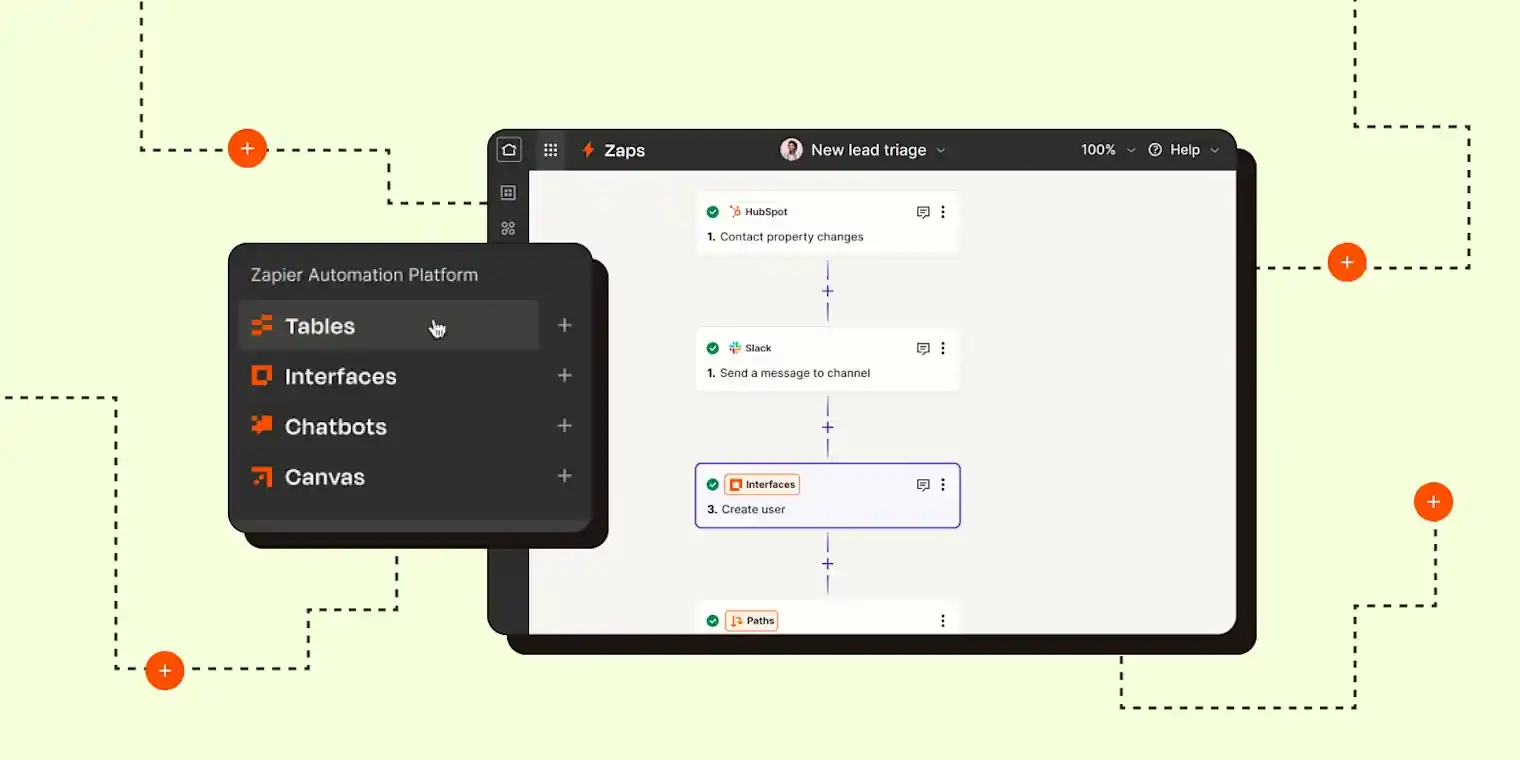
At its core, Zapier works on a simple principle: “When this happens, do that.” You create automated workflows, called Zaps, that connect your favorite tools and trigger actions automatically. For example, when a new form submission comes in, Zapier can create a CRM record, send a Slack message, and update a spreadsheet—all without touching a line of code.
Using Zapier’s visual workflow builder, you start by selecting a trigger event (like a new form submission), then choose the actions that should happen in response. The drag-and-drop interface makes it easy to map data between apps, test workflows, and customize multi-step automations.
In recent years, Zapier has expanded beyond simple automation into more advanced, AI-powered workflows. Its suite now includes Tables (lightweight databases), Interfaces (custom forms and internal tools), AI Agents, and Chatbots, all designed to let teams build more sophisticated systems.
Pros and cons of using Zapier
Pros:
- Large integration ecosystem: 8,000+ integrations, including 300+ AI tools.
- Workflow templates: Pre‑built use cases help users get started quickly.
- Built‑in AI workflows and agents: Includes chatbots and AI agents to automate more advanced tasks.
- Drag‑and‑drop builder: Visual interface makes building multi‑step automation intuitive.
- Extensible toolset: Built‑in forms, database‑like “Tables,” and Interfaces reduce the number of external tools needed.
Cons:
- Some AI features, like agents and chatbots, cost extra
- Wide range of features may feel overwhelming for new users
Zapier key features
- Visual workflow editor: Plan and map automations on a drag‑and‑drop canvas.
- Workflow templates: Thousands of pre‑built automations for common use cases.
- AI tools: Agents and chatbots that respond, act, and assist across workflows.
- Built‑in forms & tables: Create lightweight forms and data storage inside Zapier.
- Multi‑step logic: Branching, filters, delays, and conditional paths.
Zapier pricing
- Free plan available
- Professional: Starting at $19.99/month
- Team: Starting at $69/month for up to 25 users
- Custom pricing for enterprise
Who Zapier is best for
With its seemingly limitless integrations and pre-built templates, Zapier is a great choice for anyone who needs an all-around automation tool that can handle lots of different use cases. It's relatively easy to create simple, two-step workflows—like taking a new lead from a Facebook ad campaign and adding it to your email marketing list—but it can also handle complex, multi-step automations that use sophisticated AI agents.
Verdict: Zapier vs. Make
While Make and Zapier offer similar learning curves, Zapier is a better choice if you need to automate more than just a couple of workflows. Its wide range of integrations—plus its native AI features—make it a great all-around pick.
Choose the right Make alternative for your team
The automation landscape in 2026 offers something for everyone — whether you're a complete beginner looking to automate your first workflow, a technical tinkerer who wants granular control, or a growing business looking for an all-in-one platform that combines app building with AI-powered automation.
While no single tool is perfect for every use case, finding the right fit for your team's specific needs will save you time, money, and headaches down the road.
If you're building custom apps alongside your automations, Softr Workflows deserves serious consideration. Rather than paying for separate platforms — one for your client portal or CRM, another for automation — Softr combines both into a single, cost-effective solution. It's ideal for small to mid-sized businesses who want to consolidate their tech stack and avoid breaking the bank.
Try Softr for free and start building workflows today.
Frequently asked questions
What is the best free Make alternative?
Can Softr Workflows replace Make and Zapier?
Do I need coding skills to use Make alternatives?