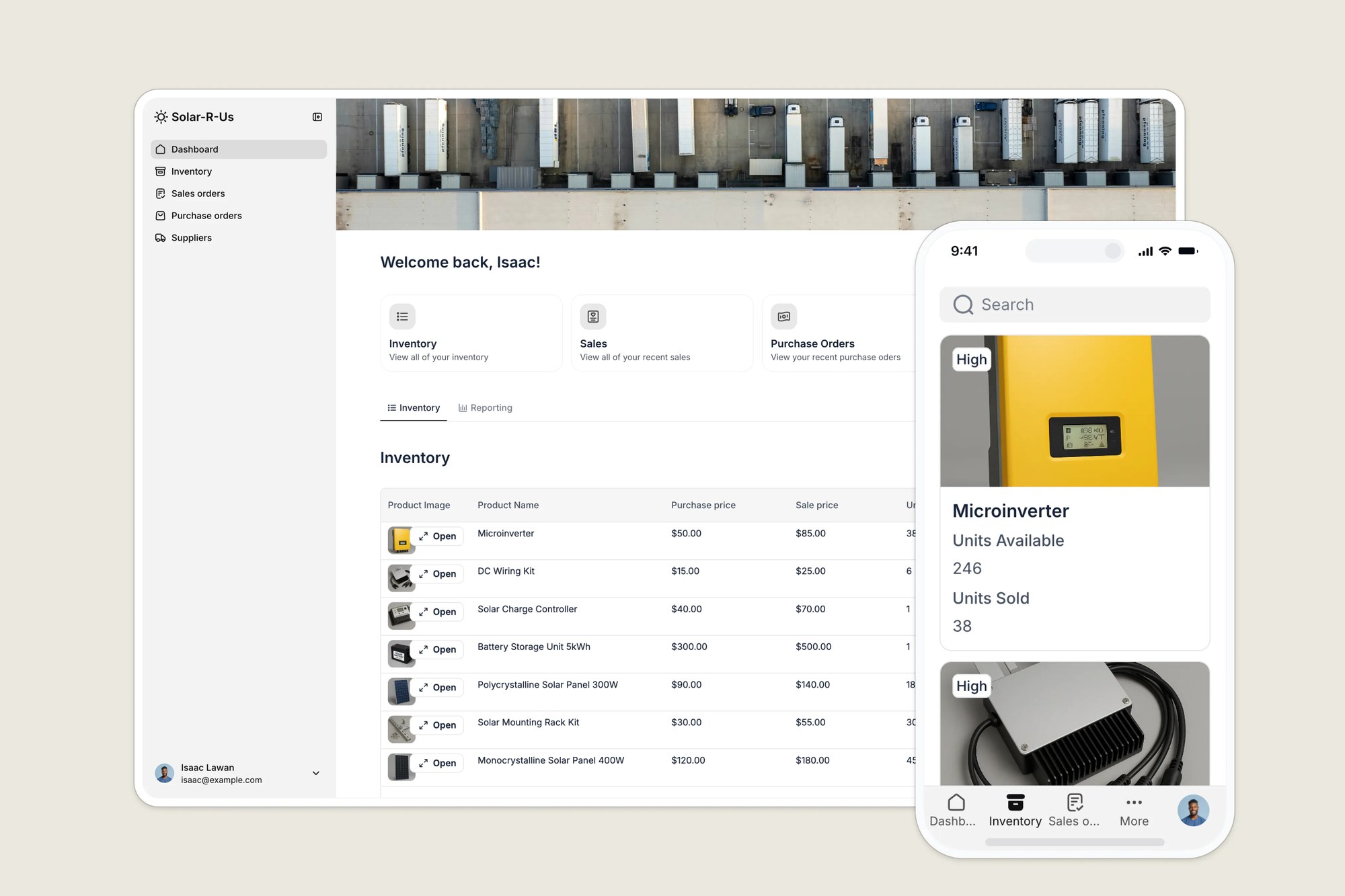
Organize your product catalog, monitor stock levels in real-time, and link products to suppliers and orders, all in one centralized database.
Data sources supported





.svg)


Resources




Overview
This free template helps you build a flexible product inventory system to maintain accurate stock counts, organize SKU details, and prevent stockouts.
It includes a pre-built database structure so you can easily visualize your product lines, but it is fully customizable to work with your existing data sources (including Google Sheets, Notion, monday.com, Airtable, HubSpot, and more).
Why use this product inventory template?
- Centralize your product data: Move away from scattered spreadsheets. Create a single source of truth for every product, SKU, and variant image to ensure your team is always looking at the latest data.
- Maintain accurate stock levels: Get a real-time view of product availability. Automatically adjust stock counts as orders are processed to eliminate discrepancies between your physical warehouse and your records.
- Scale your catalog easily: Whether you manage 50 items or 5,000, this template adapts to your workflows, allowing you to filter products by category, supplier, or availability status.
Template features:
- Role-based product access
- Product catalog & tracking
- Order & stock management
- Supplier & product linking
- Inventory dashboards
- Mobile inventory lookup
Who is this product inventory template for?
This template is designed for businesses that handle physical goods and need a streamlined way to oversee their product catalog and stock movement without investing in expensive enterprise software.
- Retailers & E-commerce: Manage detailed product listings, images, and variants. Ensure your online store inventory matches your actual warehouse stock.
- Wholesalers & Distributors: Track bulk product movement and link specific inventory items to supplier reorder workflows.
- Light Manufacturers: Organize raw material products and finished goods to ensure production never stops due to missing components.
- Field Operations: Give field teams mobile access to check product availability and parts inventory while on the job.

“What we love most about Softr is the instantaneous, customizable power a no-code platform allows.”

- 1
- 2
- 3
- 4
Frequently asked questions
I've never built a product inventory app before. Where should I start?
Do I need a Softr account to use the template?
What data sources does this template support?
Can I customize the template for my business?
Why do I need a product inventory app?
Why should I use a template instead of just Excel?