


Stacker Astra is sunsetting: Why and how to migrate to Softr
[.blog-callout]
TL;DR
- Stacker retired Astra at the end of 2025, so any team still running an Astra app now needs a new home for it.
- Softr is a full-stack alternative built on Softr Databases, an AI Co-Builder, a drag-and-drop interface builder, and Softr Workflows, designed for real business operations, not just internal prototypes.
- Migrating usually takes 1-2 weeks, and Softr offers Stacker customers a free migration consultation to help map out the move. [.blog-callout]
If you're a Stacker Astra user, you already know the news: Stacker retired Astra at the end of 2025.
Platform sunsets are never easy, especially when you've built your business around a tool you trust. The last thing you need is disruption to your operations while searching for a new solution.
Here's the good news: migrating doesn't have to be difficult. We've welcomed many teams who weren't just searching for a replacement, but an upgrade, and we're here to make the migration as easy as possible.
If you're evaluating new platforms for your business, here's why Softr stands out as the ideal alternative to Stacker Astra, and everything you need to know about making the transition.
Why teams are moving from Stacker to Softr
If you loved how easy Stacker made it to turn your spreadsheets into applications, but still found yourself running into limitations, here are some of the main reasons Stacker customers are choosing Softr.
Softr is now an AI app builder for creating real business software without code. Describe what you need, and the AI Co-Builder builds the database, interface, and business logic already connected, secure, and ready for real users. Unlike pure vibe-coding tools, this is one option among three: you can also start from a template or build from scratch and get the same level of control by hand.
Whenever you're connecting apps to data, Softr Databases comes first: a native, relational database built explicitly for business data, with an easy import from Airtable and a robust API for anything custom. Beyond that, Softr connects to 21+ external data sources including Airtable, Google Sheets, HubSpot, Notion, SQL, and any REST API.
You'll also find Softr Workflows, our native automation engine and a comprehensive alternative to tools like Zapier, Make, and n8n. It comes with everything you'd expect: loops, conditions, branches, schedulers, and all the triggers and actions you need, like webhooks, emails, and custom code, or you can connect those third-party tools directly if you prefer.
1. A familiar home for your business data, with an upgrade
If you built your Stacker app on a native database, you'll find migrating to Softr Databases fast and familiar. You'll also be able to continue managing everything in one place, just like you're used to, but with more power under the hood and no per-seat cost for your team to collaborate on it.
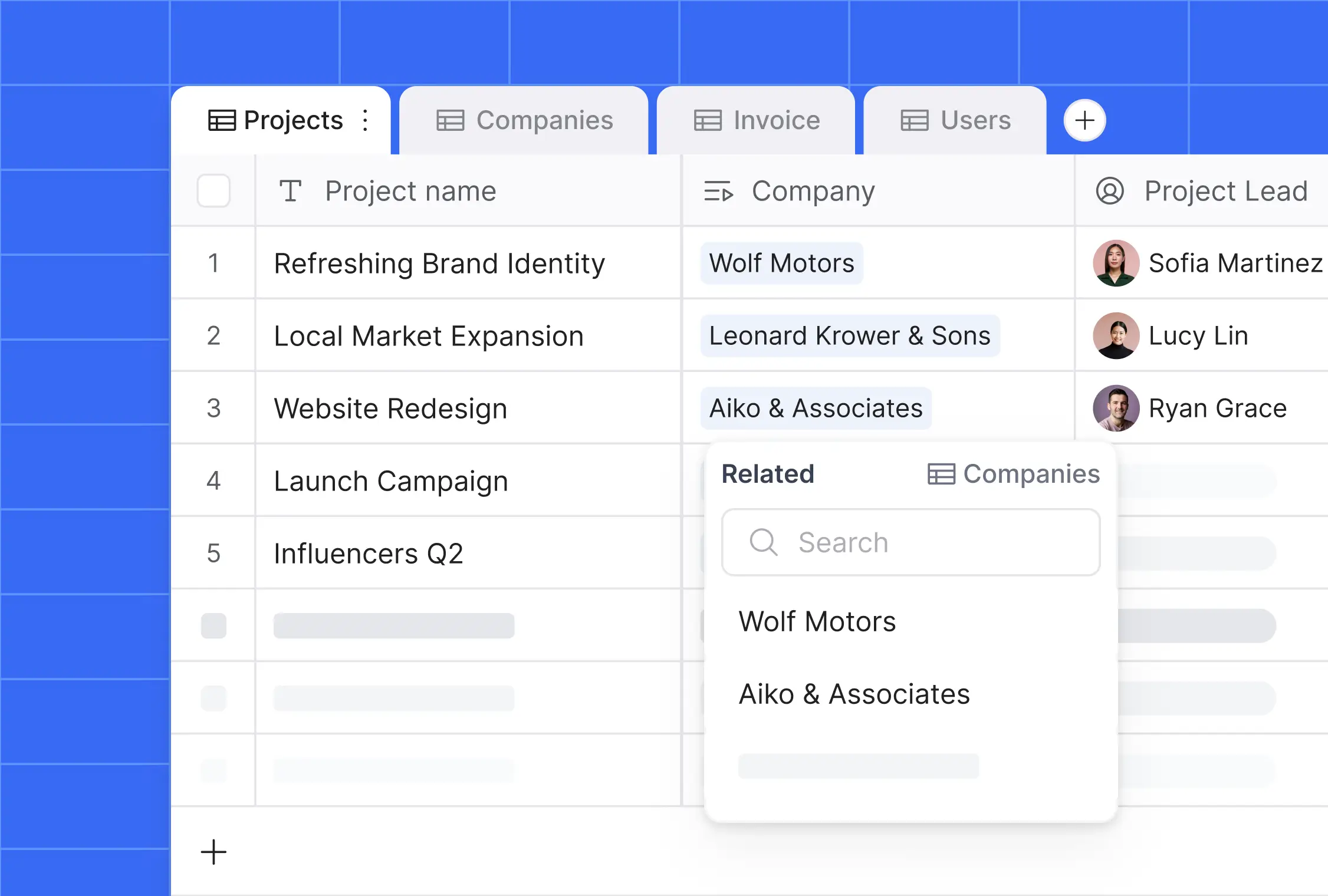
Of course, if your app is built on top of Airtable, you can easily reconnect it in Softr and get an immediate upgrade: our 2-way sync is real-time, so your data is always instantly up to date, no more delays. As your business needs evolve, you can also connect to 21+ other sources like Google Sheets, HubSpot, Notion, SQL, or any REST API.
"I find Softr very intuitive and easy to navigate, which is great for someone who is not a programmer by nature. It integrates very nicely with Airtable and other databases we are already using... I also love the ability to control access globally, which is really important for data security and privacy." - Natalie S., Director of Operations, G2 review
2. Build faster with an AI Co-Builder, not just a drag-and-drop editor
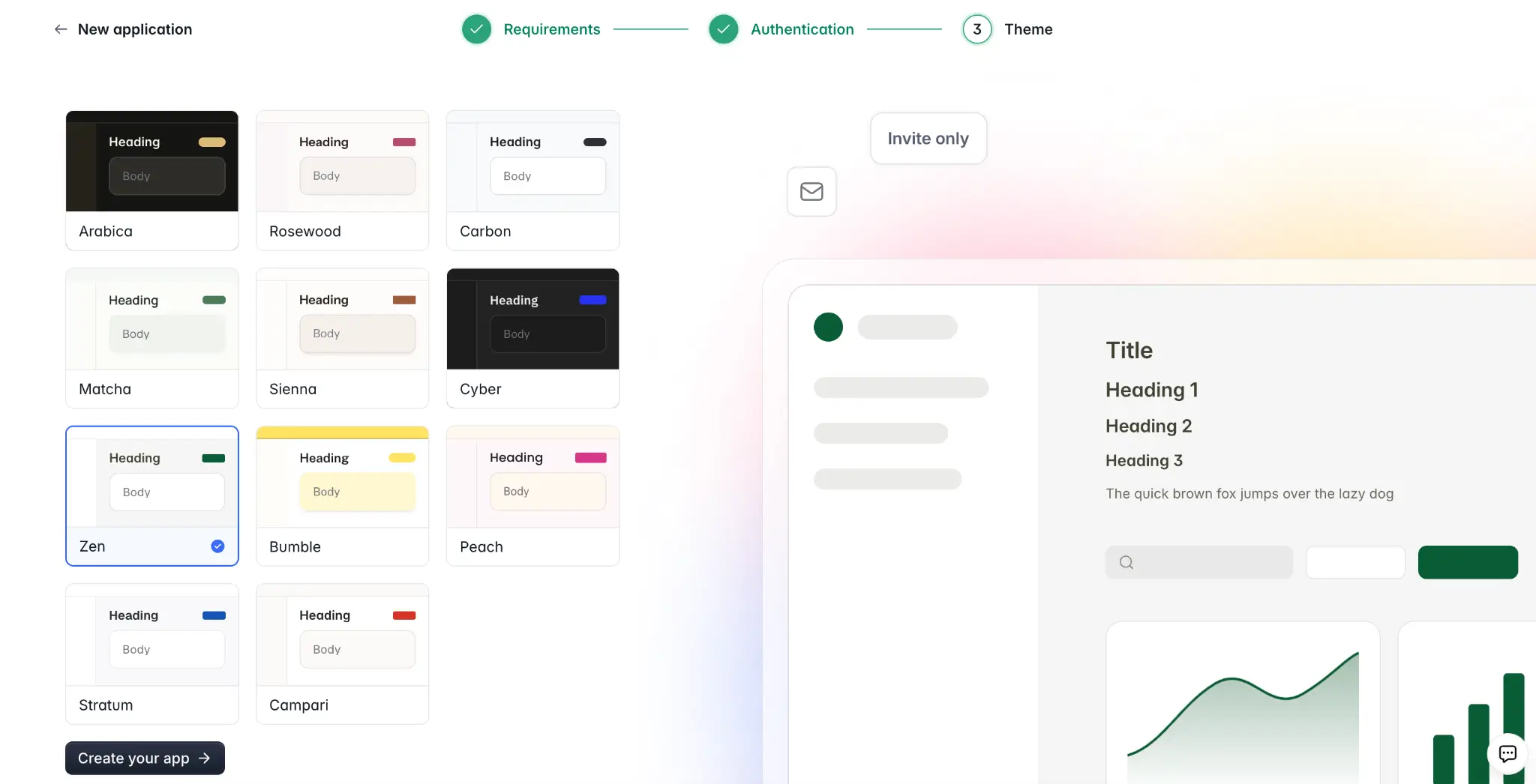
Migrating doesn't mean starting from a blank canvas. Describe your app to the AI Co-Builder and it generates a complete starting point: database tables with relationships, pages matched to your use case, user groups, and a clean theme, ready to preview or fine-tune. If you'd rather build it yourself, you can start from one of our 80+ templates or from scratch, with the same manual controls available either way.
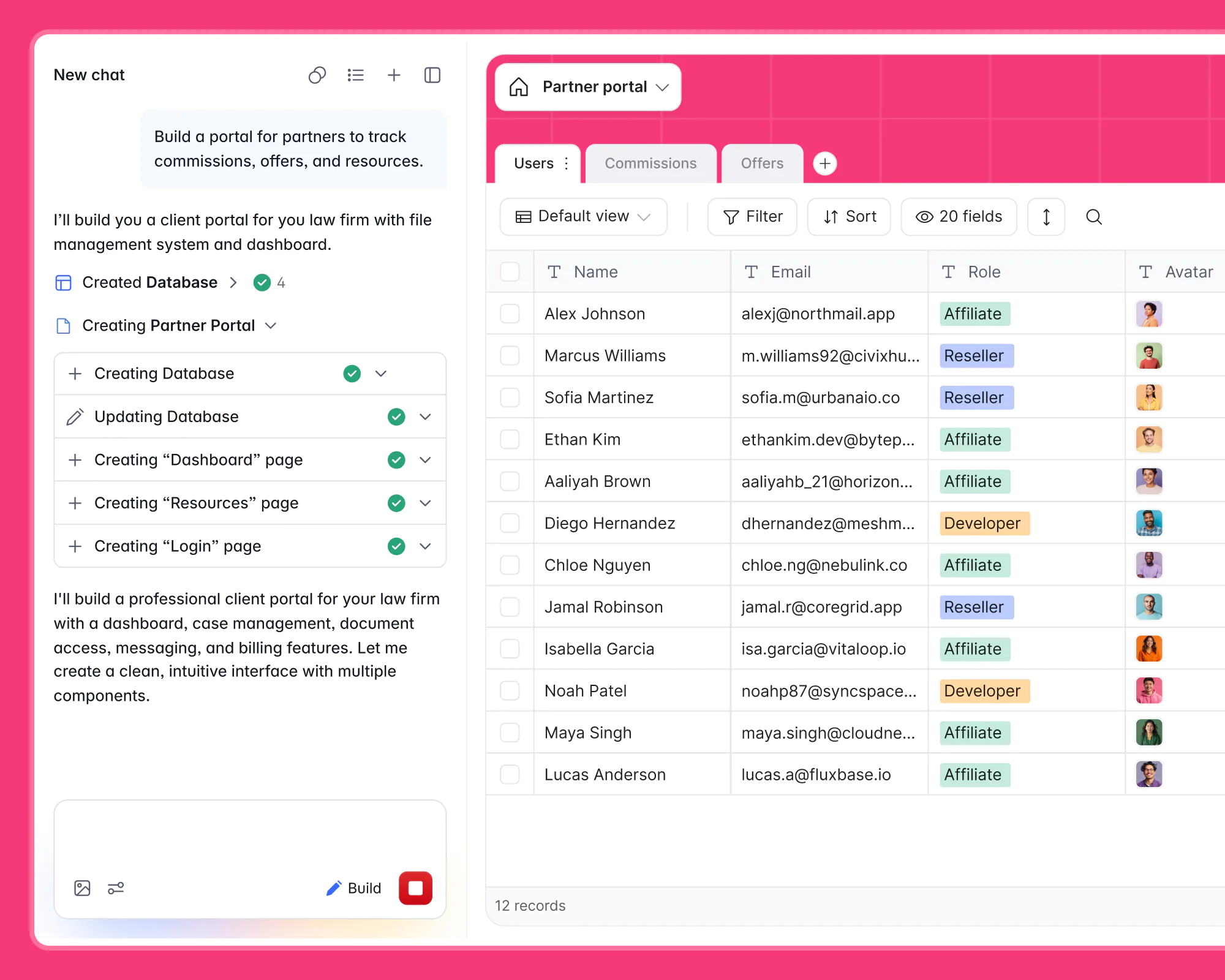
We're also dedicated to building in AI where it drives the most impact for you and your team's productivity, both during setup and once your app is live.
Your users can get instant answers from your live data with Ask AI, a built-in chat assistant that takes one click to turn on. There's no complex setup, it's secure by default and automatically respects your user permissions, so you don't have to worry about users getting access to data they shouldn't.
For builders, you can create database AI agents (AI-enabled fields) in Softr Databases that cut hours of manual data entry and cleaning into seconds. For instance, auto-filling missing record details, extracting info from files, creating content, or auto-tagging records by category.
What sets Softr apart is the level of control. You can set specific filters and conditions for when they run, so you're not wasting credits on tasks that don't need automation.
3. Granular and flexible permissions system
Softr's users and permissions system is more powerful and automated than Stacker's.
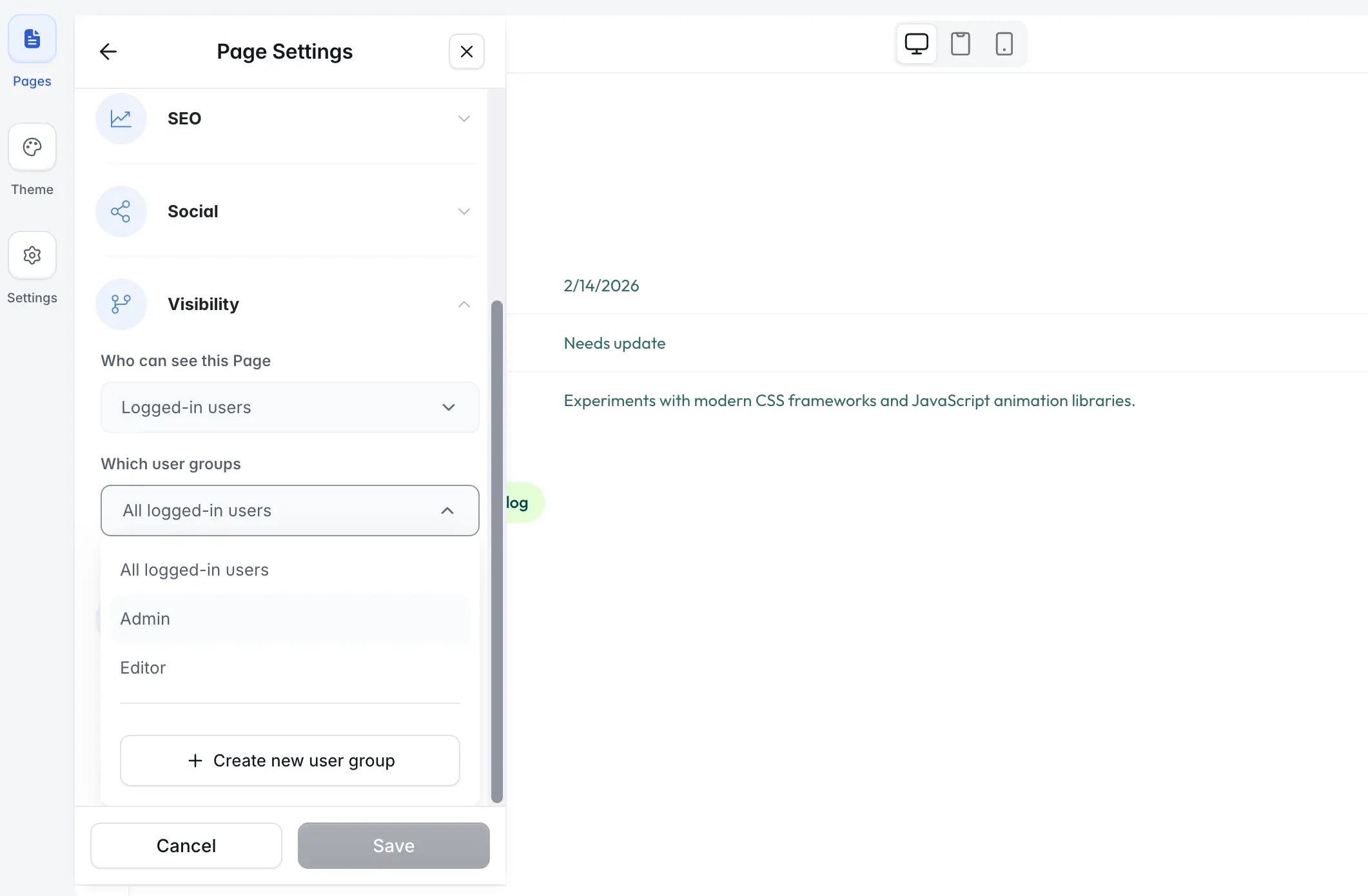
You can create custom user groups and set granular permissions to control exactly what those users can see and edit, from entire pages to specific records. With conditional filters, it's also very easy to build secure portals where each client logs in and can only see their own projects and data.
For enterprise-grade security, you can also set app-level permissions with global data restrictions, that allow you to define a rule once, like "clients only view their own records," and it applies throughout the entire application, so you don't need to manually configure each page.
4. Custom workflows and automations
With Softr Workflows, you can build automations with loops, conditions, branches, schedulers, and all the triggers and actions you need, like webhooks, emails, and custom code. If you'd rather not configure the logic by hand, you can describe the automation you need to the Workflow AI Co-Builder and it builds the steps for you. Or, you can easily integrate with third-party tools like Zapier, Make, and n8n.
With our built-in action buttons, you can add advanced business logic. Send an invite email the moment a user joins, automatically mention teammates in a comment, or call an API to process external invoices, all right inside your app.
5. Professional and tailor-made business apps
Your apps should look and feel exactly the way you want. With Softr, you get full control over design and layout without needing a developer, and pre-built blocks cover most standard needs (tables, kanbans, forms, charts) out of the box.
For the rest, the Vibe Coding block lets you generate custom UI components from a plain-language prompt when a pre-built block won't quite do it, like a Gantt chart, a pricing calculator, or a branded onboarding flow. It automatically inherits your app's theme and connects securely to your data, so you get limitless customization without breaking the rest of your app.

- 100+ building blocks: Lists, Kanban, Charts, Forms, and more to build any interface.
- Vibe Coding block: Generate custom components with AI for the 20% of your app that pre-built blocks don't cover.
- 80+ templates: Launch Client Portals, CRMs, Dashboards, and more in minutes.
- Granular permissions: Control exactly what each user can see and do, from hiding a button to restricting access to specific data.
“We thought we'd need developers, a product manager, and UX designers before launching a new project management system. With Softr, we built it ourselves in weeks.”
Natalie Neumann, COO, Designity
Softr vs. Stacker: a quick comparison
| Feature | Stacker | Softr |
| Data Sources | Native database Airtable (partial) | Built-in Softr Database with easy import and 21+ native integrations (Airtable, SQL, HubSpot, etc.) |
| AI Features | Simple AI agents | AI Co-Builder for app, database, and workflow creation, AI for end-users ("Ask AI"), AI agents in databases, Softr AI actions in workflows (no need for API keys) or connect directly to your favorite AI providers. |
| Workflows | Basic automations | Built-in Workflows with loops, branches, schedulers, webhooks, and AI actions. |
| Permissions & security | Standard role-based permissions | Dynamic User Groups, record-level filters & application-level data restrictions. |
| Data Sync | Delayed (up to 5 mins) | Instant, 2-way real-time sync |
How to migrate from Stacker to Softr
We want your move from Stacker to feel simple and stress-free.
To help you get started, we're offering Stacker users a free migration consultation. Our team will review your setup, scope the project, and help you map out the smoothest transition to Softr.
{{cta-1}}
Prefer to get started on your own? You can rebuild and even improve your Stacker app in just a few simple steps:
- Start your app: Describe your Stacker app to the AI Co-Builder and let it generate a working starting point, or start from one of our 80+ templates, or build from scratch if you prefer full manual control from step one.
- Connect your data: Connect to your existing Airtable, Google Sheets, or SQL database, or import everything into Softr's built-in Database. You can also describe your data structure to the Database AI Co-Builder and it generates the tables and relationships for you.
- Build your interface: Use our drag-and-drop builder to recreate your app's pages, or ask the AI Co-Builder to add blocks and pages by describing what you need.
- Set up users and permissions: Mirror your current user roles with Softr's flexible user groups and permission settings.
- Automate your processes: Recreate any automations you relied on in Stacker with Softr Workflows, either manually or by describing the automation to the Workflow AI Co-Builder.
- Publish your app: Add your domain and branding, then launch your upgraded business app.
With Softr's intuitive builder, most teams finish their migration in just 1-2 weeks (often faster) depending on the size of the project.
Frequently asked questions
Is it easy to migrate from Stacker to Softr?
What types of business apps can I build with Softr?
How does Softr protect my business data?
Does Softr have a free plan?
Can AI speed up my migration from Stacker to Softr?


