Ops teams today need more than spreadsheets: they need connected tools that automate and scale real workflows. Noloco and Glide are two no-code app builders that promise fast setup and modern interfaces.
But their approaches to data integrations, limitations, permissions, and app customization differ in many ways that are important to know before picking a solution.
In this comparison guide, we’ll unpack each tool’s features, limitations, and pricing. We’ll also point to a better option when you need more flexibility, scalability, better pricing and control in your business apps.
Noloco vs Glide comparison
| Feature | Noloco | Glide |
|---|---|---|
| Ease of use | Moderate learning curve, geared to lightwight tools, dashboards and data management apps. | Moderate learning curve, no-code builder with simple starter templates. |
| Pricing model (monthly/yearly) | Tiered by team seats, client seats, rows, and workflow runs. Paid plan required to sync external data sources. | Split into “for individuals” and “for businesses.” Paid plan required to publish an app and connect external data sources. |
| Best for | Data management apps for SMBs (no public pages except on business or enterprise plans) | Simple internal & external tools, quick prototypes, and a UI layer for small teams. |
| Data sources | Airtable, Google Sheets, SmartSuite, HubSpot, PostgreSQL, MySQL, Xano, Supabase, Stripe, Noloco Tables (availability varies by plan). | Google Sheets, Excel, Airtable, BigQuery, SQL sources, Glide Tables (availability varies by plan). |
| Automations | Built-in workflows (rule-based). | Built-in visual Workflow Editor. |
| Customization | Limited visual control (mostly colors and icons). | Limited visual control, similar-looking templates. |
| Permissions | Role-, record-, and field-level controls on higher tiers. | User-based visibility and filters, simpler than Noloco. |
What is Noloco?
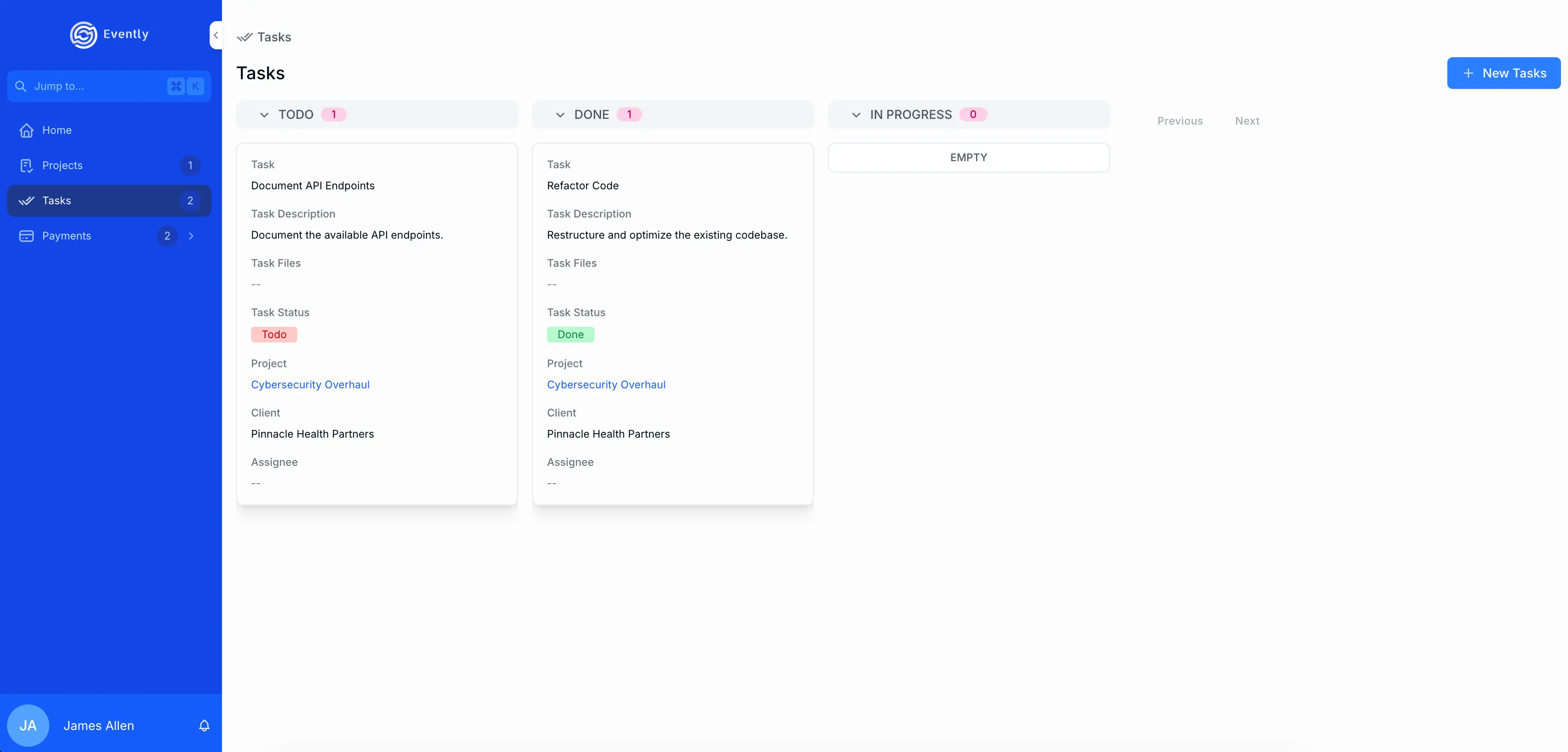
Noloco is a no-code platform for building lightweight internal tools, portals, and apps without relying on engineers. On paid plans, it syncs to data sources like Airtable, Google Sheets, PostgreSQL, MySQL, and Xano. Or you can store data directly in Noloco Tables, its built-in database.
How it works and who it’s for
Noloco is built around structured data and user access. You connect a data source (like Airtable, Sheets, or another database), then layer an interface and workflows on top so internal teams or clients can log in and work with that data.
Setup is relatively fast if your data is already clean. But in practice, getting the structure right takes iteration — especially for relational setups or multi-step workflows. Customization is mostly limited to layout and basic styling, and more complex UI changes aren’t always possible without workarounds.
Because Noloco relies heavily on synced data, reliability and performance can become major issues as apps grow. Users report slowdowns, sync inconsistencies, and limits (like row caps) that only show up once the system is already in use.
Pricing in Noloco is based on Team seats (internal builders and admins) and Client seats (external users), along with your data volume and whether you’re building with external data sources. That structure makes it a stronger fit for smaller teams or limited client-facing projects rather than large internal or external operations, where user limits could get confusing.
Compared to Glide, Noloco gives you more granular access control and higher listed row limits on its Business tier: 200,000 rows in Noloco Business vs. 100,000 rows on Glide Business. The tradeoff is that Noloco’s cost depends on several separate limits, including team seats, client seats, synced rows, and workflow runs. Glide starts at $199/month on annual billing for its Business plan, with 30 business users and 5,000 updates/month included, so apps with frequent data changes or external syncs can become harder to forecast.
What is Glide?

Glide is a no-code platform that lets teams turn data from spreadsheets into polished web or mobile apps. Glide’s front-end is primarily built to accommodate users of its own database (Glide Tables), so it doesn’t have the in-depth native data integrations that other builders do. Besides, users report row limits being too low even for the business plan.
How it works and who it’s for
Glide is built for speed and simplicity. You can generate apps quickly from spreadsheets or Glide Tables and refine them with pre-built components. That makes it easy to get something working fast. But the structure is opinionated. Customization is limited, and once apps rely on more complex workflows, permissions, or relationships, they can become hard to manage.
Glide Classic pricing starts at $199/month (billed yearly) for the Business plan, which includes 30 users, with additional users costing $5 each. Glide also uses usage-based limits (like updates), which can make costs less predictable as apps grow. There’s no lower-tier option for running production apps, and you can’t publish apps on the free plan, which raises the barrier for smaller teams.
Compared to Noloco, Glide offers a cleaner UI out of the box and faster setup. But it gives you less control over how data is structured, how permissions scale, and how apps evolve over time. That tradeoff becomes more noticeable in larger or more complex use cases.
Noloco vs Glide: 8 features compared
Both Noloco and Glide help teams move beyond spreadsheets into simple, working applications you can set up fast. But how they handle setup, data, pricing, and user experience can have a big impact on what you can build and how far you can scale.
Here’s how they compare across the areas that matter most for builders and ops teams.
1. Which is easier to use and set up?
Glide makes it quick to get started: you can connect a Google Sheet, Airtable base, or Excel file, or start from a simple template or blank canvas.
Noloco launches with its AI builder, Nola. It’s useful for setting up internal tools with clear permissions, but it can be confusing to get started when you land in the builder.
Bottom line: Glide gets you building faster; Noloco takes longer upfront but gives you more structure from the start.
2. Which one lets you build more complex apps?
Noloco supports multi-table relationships, custom roles, and workflow logic that make it better suited for structured internal tools and client portals. Builders can define record- and field-level permissions and work across multiple tables, though setting this up often takes iteration and can become harder to manage as apps grow.
Glide emphasizes simplicity and speed. It supports logic, workflows, and role-based access, but its structure is more opinionated and centered around Glide Tables. That makes it easier to get started, but limiting when apps require more complex relationships, flexible permissions, or evolving data models.
Verdict: Noloco handles more complex, structured use cases. Glide works better for simpler apps where speed matters more than flexibility.
3. Which integrates with more tools?
Noloco connects to Airtable, Google Sheets, PostgreSQL, MySQL, and SmartSuite, or you can use Noloco Tables as your internal database. Sync works on paid plans, but performance and reliability can vary depending on data size and sync frequency.
Glide integrates with Google Sheets, Excel, Airtable, BigQuery, and SQL. In practice, it performs best when using its own Glide Tables. External data sources rely on syncs rather than true real-time connections, and can introduce delays or inconsistencies as data grows.
Verdict: Noloco offers broader database integrations, though sync reliability can be a factor. Glide is more stable within its own ecosystem, but less flexible with external data.
4. Which one costs more in the long run?
Noloco’s pricing is based on Team seats, Client seats, and limits for rows, workflow runs, and storage. It includes a Free plan, but real usage typically requires upgrading. Costs can be hard to predict as you combine different seat types and data limits, especially for client-facing apps.
Glide Classic’s pricing for business users starts at $199/month (billed yearly). In addition to user limits, Glide uses usage-based metrics like updates and syncs. As apps grow and activity increases, costs can rise quickly and become harder to forecast — especially for data-heavy or frequently updated apps.
Verdict: Both platforms become expensive as usage grows. Glide’s usage-based limits can make costs less predictable, while Noloco’s seat-based model adds complexity as you scale across teams and clients.
5. How do their workflow automations compare?
Glide includes a visual workflow builder with triggers like app interactions, schedules, emails, and webhooks. It’s easy to get started and works well for straightforward automation, but more complex logic often requires workarounds or becomes difficult to maintain.
Noloco offers record-based workflows with triggers and actions like updating records, sending emails, or running syncs. It supports more structured automation tied to your data model, but the setup is less visual and can take more effort to configure.
Verdict: Glide is easier for simple automations. Noloco supports more structured workflows, but with a steeper setup.
6. Can I control who sees what?
Glide offers two layers of access control: Roles, which hide screens or components based on a user’s assigned role, and Row Owners, which ensure that only the designated user can download and access specific rows of data. Row Owners are Glide’s only true data security feature — everything else (roles, visibility conditions, and filtered views) runs client-side, meaning hidden data may still be delivered to the device even if the UI doesn’t display it.
Role assignment also isn’t automated: when new users sign up, someone on your team must manually assign their role in the data source.Noloco provides record- and field-level permissions, along with custom roles on higher-tier plans. This allows teams to control what different users can view or edit, which is especially useful for client portals or multi-role workflows.
In practice, setting this up correctly takes care. Permissions often depend on how your data is structured, and misconfiguration can lead to users seeing more (or less) than intended. There’s also limited visibility into changes (for example, missing detailed audit logs), which can make debugging access issues harder.
Verdict: Noloco supports more flexible access control for multi-user setups. Glide works best when each user should only see their own data and Row Owners can handle the restriction. But because both platforms still rely on some client-side visibility logic, neither is ideal for highly sensitive or compliance-heavy use cases.
7. How do their apps look and perform?
Glide delivers a more professional, mobile-first design out of the box, with smooth UI components, animations, and native actions like recording audio or capturing device location. Apps look modern and feel native without custom code.
Noloco is designed primarily for web apps and portals. It works on mobile browsers and adapts responsively, but it doesn’t offer the same level of polish or native mobile experience as Glide.
Verdict: Glide offers stronger mobile performance and a cleaner UI; Noloco focuses on functional but less customizable layouts.
8. Will it work as my team grows?
Noloco is better suited for structured, relational data and multi-role setups than simpler tools. You can connect multiple data sources and build systems that handle more complex workflows.
However, in real usage, scaling comes with trade-offs. Teams report performance slowdowns, sync issues with external data, and plan limits (like row caps) that can become blockers as data grows. These constraints often show up after the system is already in use.
Glide handles moderate data and user counts well but can slow down with frequent updates or large external data syncs.
Verdict: Noloco supports more complex scaling needs; Glide scales smoothly within its native ecosystem but becomes expensive if using external data sources.
Summary: Noloco vs Glide
- Noloco is a better fit when your app depends on structured data, multiple user roles, and controlled access. It works well for internal tools and client portals, but setup takes time, and issues like sync reliability, performance, and plan limits tend to show up as apps grow.
- Glide is built for speed. It’s a strong option for quickly turning spreadsheets into simple, usable apps for internal teams or early-stage use cases. But its opinionated structure, limited flexibility, and usage-based pricing make it harder to scale beyond smaller, straightforward apps.
{{cta-1}}
Popular use cases for Noloco vs Glide
Both Noloco and Glide help small and mid-sized teams build business apps without code, but they fit different scenarios depending on your team’s structure, data, and workflow needs.
Noloco
Noloco works best when you already have structured data and need to turn it into a light usable interface for internal teams or clients.
Common setups include client portals, lightweight CRMs, and internal tools layered on top of Airtable or similar systems. It’s especially useful when access control matters — for example, giving each client visibility into only their own records.
Where it starts to struggle is at scale. Larger datasets, heavier workflows, or more complex apps can lead to performance issues, sync problems, or hitting plan limits. It’s not designed to replace a full backend or handle highly customized applications.
It’s a good fit when your priority is getting a working system in place quickly — and you’re okay with some constraints as it grows.
Glide
Glide works best for small to mid-sized internal tools where speed matters more than flexibility.
Teams use it for checklists, inspections, lightweight CRMs, inventory tracking, or dashboards connected to Google Sheets or Airtable. It’s especially useful when replacing spreadsheets with something more usable, without setting up a full system.
It works for mobile-friendly workflows and simple data collection. But as apps grow — more users, more data, more logic — limitations around pricing, data structure, and customization tend to show up.
Noloco vs Glide: What do Reddit commenters and other reviews say?
Across Reddit discussions, users often compare these tools based on speed, flexibility, and how much setup each one needs.

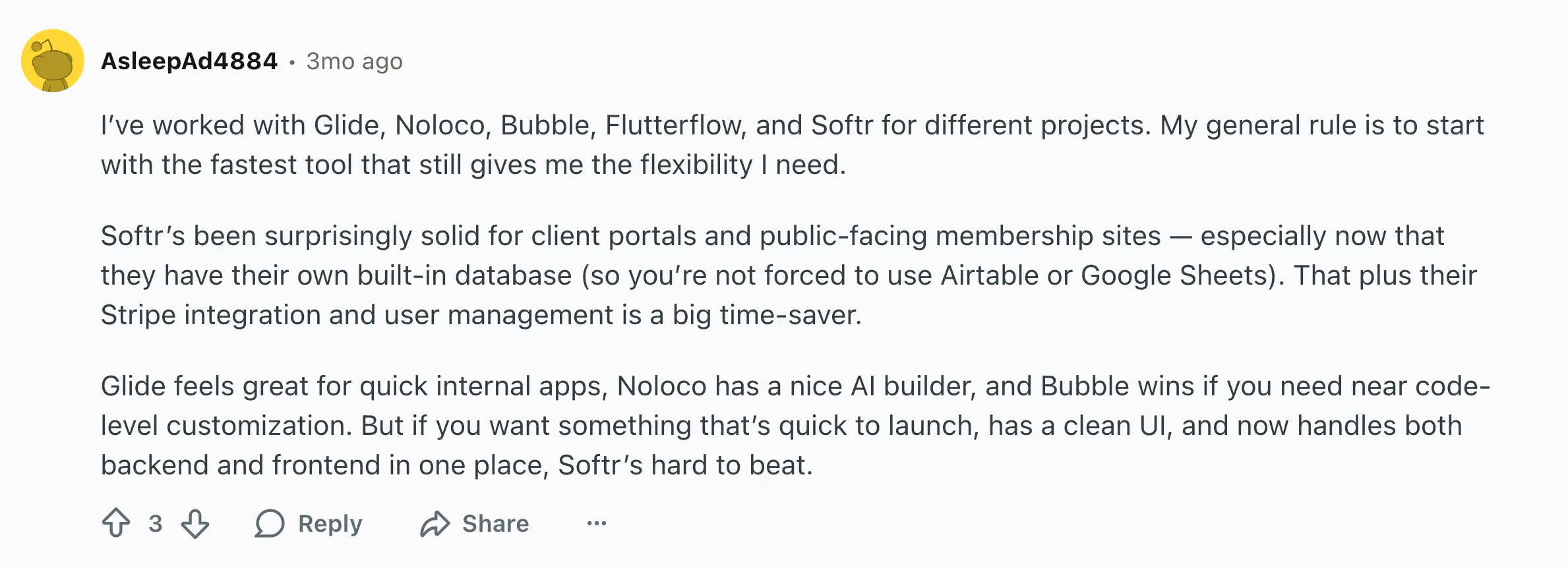
Many Reddit users say Glide feels fast and intuitive for internal apps built from spreadsheets. It’s praised for simplicity and a smooth UI, though some users admit it hits limits when apps need complex logic or scale.
Noloco, on the other hand, gets credit for structure and automation. Redditors mention its AI builder and deeper database control, but note that it can feel more technical and less flexible than they’d like.
How pricing compares between Noloco and Glide
Pricing can be tricky when choosing a no-code platform. Both Noloco and Glide promote accessibility for small teams, but how they charge for users, records, and updates can change the real cost fast.
Here’s a quick look.
| Pricing Model | Noloco | Glide |
|---|---|---|
| Free plan | Free for 14 days: includes 3 team seats, 7 client seats, 2,000 rows, and 100 workflow runs. Noloco Tables, Google Sheets (import), and CSV. | Includes unlimited drafts (apps can’t be published), 2 editors, and up to 25,000 rows across Glide Tables, Google Sheets, Airtable, or Excel. |
| Paid plans start at | $99/month (billed yearly): Pro plan with 10 team seats and 50 client seats, 50,000 rows, 3,000 workflow runs, and 25,000 synced rows. | $199/month (billed yearly): Business plan with 30 users and 5,000 updates. No lower-tier business plan available. |
| Next tier (mid-level) | Business plan: $213/month (yearly). Includes 30 team seats and 100 client seats (both with paid add-ons), 200,000 rows, 100,000 synced rows, and 10,000 workflow runs. | Glide offers only one standard paid tier for businesses (Business plan); next tier is Enterprise. |
| Highest listed tier | Enterprise plan: $319/month (yearly). Includes custom team & client seats, volume-based data limits, and other custom features. | Enterprise: Custom pricing. Includes unlimited apps, custom users, custom updates, and enterprise integrations. |
| Included users | Varies by plan: from 3 to 30 team seats (internal users/builders) plus client seats for external users. Extra seats cost $1-6 each depending on type. | 30 users included on Business plan. Additional users cost $5 per user/month. |
| Data limits | Rows per app: total number of records across all data sources. Synced rows per app: rows synced from external sources (Airtable, Google Sheets, SmartSuite, Xano, etc.).Range: 50,000–200,000 rows depending on plan (with paid add-ons). | Up to 100,000 rows depending on plan. Row limits include data from Glide Tables, Google Sheets, Airtable, and Excel. |
| Workflows / Updates | 1,000–10,000 workflow runs depending on plan. Used for automations triggered by record changes, emails, or updates. | 5,000 updates included on Business plan. Extra updates cost $2 per 100 updates. Used for data syncs, logic, and automations. |
| External data syncing | Available only on paid plans (Starter and above). Live sync supported for Airtable, SmartSuite, Google Sheets, PostgreSQL, MySQL, and Xano. | Available on paid plans (Business and above). Syncs with Google Sheets, Excel, Airtable, BigQuery, and SQL sources, though not in real time. |
| Free plan limitations | Limited to Noloco Tables, Google Sheets (import), and CSV. | Free plan does not allow publishing apps; for testing only. |
Meet Softr: The best Noloco vs Glide alternative for building production-ready business apps that scale
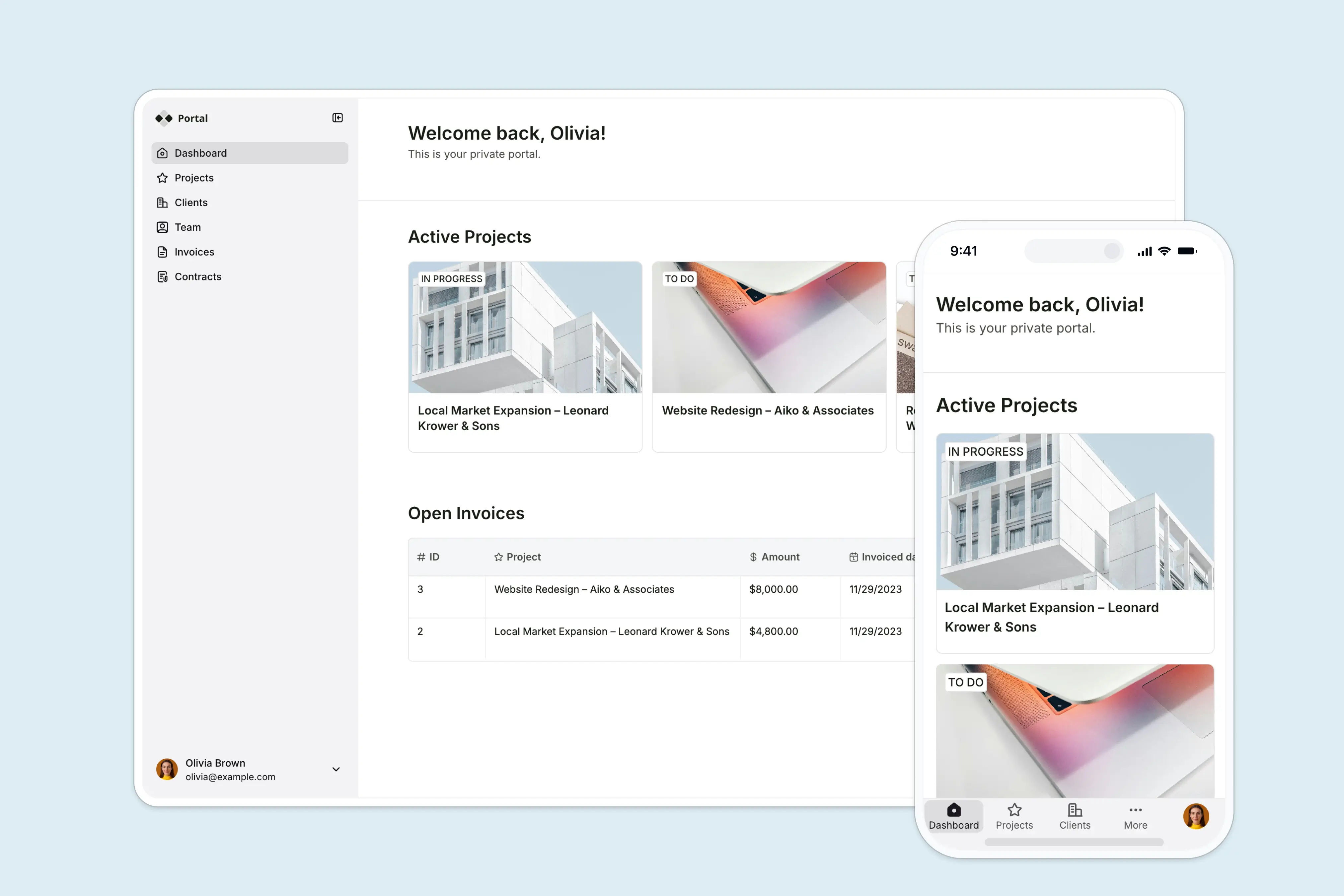
Tools that rely heavily on sync or opinionated data models can become harder to maintain as systems grow. Platforms like Softr combine flexible data modeling with stable infrastructure, so apps don’t rely on fragile syncs or rigid structures as they grow.
Softr is an AI-native platform for building real business software (client portals, vendor portals, company intranets, CRMs, project trackers, and more) without writing code. With the AI Co-Builder, just describe the app you need and get a customdatabase, app, and business logic.
The difference is that Softr doesn’t just generate an app — it gives you a complete, structured system you can understand, control, and evolve over time.
Your data lives in a real, visual database you can inspect and manage. Permissions and user access are configured explicitly, not hidden in generated code. Workflows are built as clear, step-by-step logic, not stitched together through prompts.
So instead of relying on AI to “get it right” every time, you’re working with a system that’s predictable, secure, and designed to handle real business use cases from day one.
Here’s what makes it the best alternative to Noloco and Glide:
1. Softr is easier to learn and faster to build with
Softr strikes the right balance of speed and customization. It’s powerful yet intuitive. You can describe what you need, and let the AI create the database, app, and business logic—already connected, secure, and ready for real users. Then you can use drag-and-drop, visual editor to customize which will save you AI credits.
Apps look great out of the box, but you can still customize layouts by adding tabs, columns, and custom navs to match your workflow and brand.
Result: Launch internal tools or client portals in hours, then keep scaling them without hitting structural limits as your workflows grow.
[.blog-callout]
P.S. Over 7,000 organizations, from startups to enterprises like Netflix, Google, Stripe, and Depop, run their operations on Softr.
[.blog-callout]
2. Softr lets you connect and manage all your data in one place
Noloco and Glide both support external data connections, but their integrations are limited or rely on syncing and data copies.
Softr connects to your data directly, without relying on fragile sync layers or duplicated datasets. This means no sync errors or version drift between systems, and more reliable performance as your data grows.
You can use Softr’s highly flexible and AI-powered native database as a secure built-in backend . Or, you can connect to your data in Airtable, Google Sheets, HubSpot, Notion, monday.com, SmartSuite, PostgreSQL, and more with real-time, two-ay sync.
You can even combine multiple data sources in a single app (for example, Airtable + HubSpot + Google Sheets) and map each Softr block to a different source. Your data stays live: no syncing, duplication, or lag.
Result: A single source of truth that connects directly to your workflows, not a copy of your data.
3. Softr has more predictable, affordable pricing that scales
Noloco charges by internal vs. client seats, workflow runs, and data volume, making pricing hard to forecast as your team grows. Glide Classic offers only one standard paid business plan starting at $199/month (billed yearly) and doesn’t allow published apps on its free plan.
For teams running operational business apps, pricing predictability matters as much as features — especially when usage grows day to day.
With Softr’s predictable pricing tiers, it’s easy to start small and scale as you grow.
- Free: Unlimited apps for up to 3 builders, with access to Softr Workflows and Softr Databases, 5 total app users, 5000 database records per workspace, 5 AI credits, and more
- Basic: $19/month, unlimited apps with 42+ integrations, Team: 5 + Client: 5 app users, 50,000 database records per workspace, default user groups, and 10 AI credits per month
- Pro: $99/month, unlimited apps with 45+ integrations and custom code, Team: 10 + Client: 50 app users, 500,000 database records per workspace, 3 custom user groups, and 50 AI credits per month
- Business: $329/month, unlimited apps with 52+ integrations, Team: 30 + Client: 100 app users, 1M database records, custom user groups (up to 10), and 100 AI credits
- Enterprise: Custom pricing available including optional SSO, custom agreements and SLAs, dedicated success manager, and priority support
Result: No surprise overages and a clear path to scale with your business.
4. Softr lets you set real granular permissions, and it’s more secure.
When apps involve clients, partners, or sensitive data, access control needs to be reliable — not just visual.
Softr defines user groups and permissions in a flexible, logic-based way. You can create custom visibility rules using AND/OR conditions and reference any combination of database fields or user attributes. With Global Data Restrictions, you can also enforce app-level data protection, ensuring restricted records or fields can’t be viewed, updated, or deleted.
All visibility rules in Softr are server-side, meaning hidden data is never sent to the browser. By contrast, Glide and Noloco implement visibility client-side, where technically skilled users can still expose hidden data.
Result: Stronger access control and enterprise-grade security baked into every app all in the same Softr studio, without duplicating tools or managing separate systems.
5. Softr works well for both internal and external applications.
Most teams don’t just need an app. They need a system that works across internal processes and external users.
While Glide and Noloco primarily target internal tools, Softr is built for both internal operations and external-facing apps. You can use the same platform to power client portals, vendor hubs, partner dashboards, or even public directories or learning systems.
[.blog-callout]
Example: THE BOARD
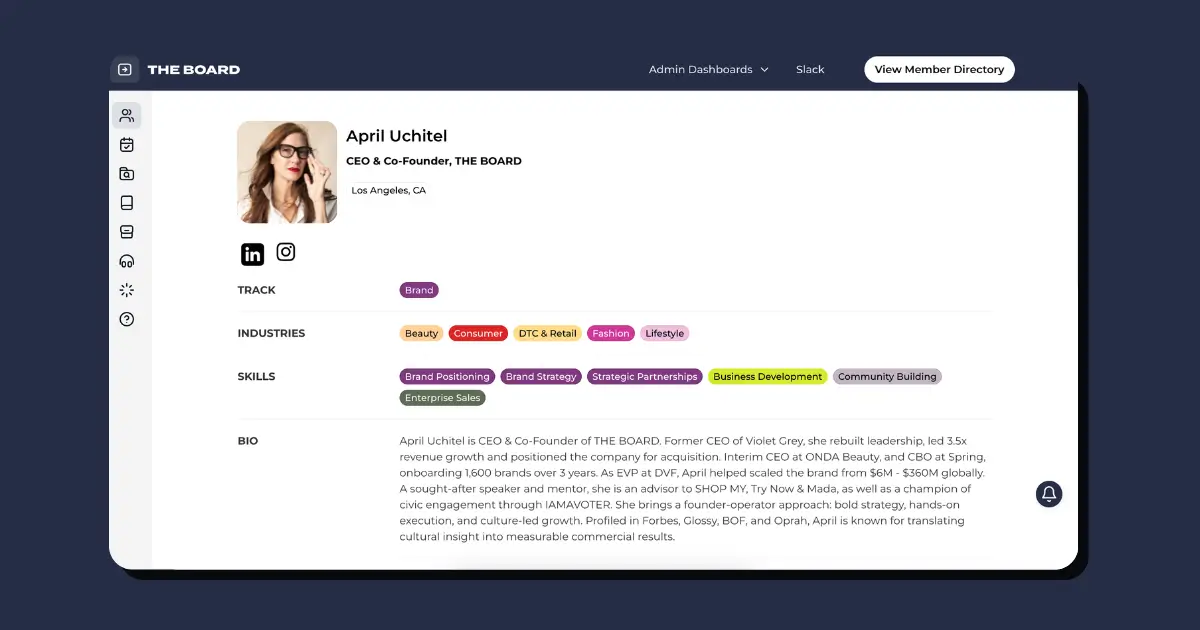
A consulting collective like THE BOARD used Softr to bring its member directory, client pipeline, and internal workflows into one platform. Instead of switching between separate tools, both members and internal teams work from the same system with different access levels.
Result: One place to manage members, clients, and operations — without relying on disconnected tools.
[.blog-callout]
Bonus: Run workflow automation and AI directly inside your apps
With Softr Workflows, you can trigger automations directly from action buttons in your apps and run them in the background with optional wait screens or next steps. You can even add AI Agents to summarize, enrich, or route data automatically, keeping your workflows fast and intelligent.
In short: Softr gives you both speed and scale. It combines powerful native data source connections, flexible design, granular permissions, and predictable pricing in one platform built for real operational teams.
Softr is built for teams that need more than a quick app — it’s designed for systems you can run your operations on. You can start fast, but more importantly, you won’t need to rebuild when your data, users, and workflows become more complex.
See more about how Softr compares to Glide and Noloco:
How Softr pricing compares to Noloco and Glide
Softr vs Noloco
Softr vs Glide
Noloco vs Glide vs Softr: Which one should you choose?
Glide and Noloco both help you move beyond spreadsheets and turn data into usable apps. Glide is the fastest way to get something live, especially for simple, mobile-friendly internal tools. Noloco adds more structure, making it a better fit for workflows that depend on relational data and user roles.
But tradeoffs become clearer as your app grows. Glide can feel limiting once you need more complex data models or predictable pricing at scale. Noloco offers more control, but relies on synced data and can get harder to manage as systems become more complex.
Softr fits a different stage. It’s built for teams that aren’t just testing ideas, but running real operations. You can connect your data directly, build serious business apps and portals on top, and automate workflows in one place with AI. All without relying on sync layers or usage-based pricing that becomes harder to forecast over time.
Choose Softr if you want one platform to build, run, and automate your business apps. Softr combines Glide’s simplicity with Noloco’s structure, and adds deeper data source integrations, more useful AI features, stronger security, and more predictable pricing.
👉 Try Softr for free and see how easy it is to build tools that match your business operations.
This article was originally published on Nov 25, 2025. The most recent update was on Mar 19, 2026.
Frequently asked questions
What is the difference between Glide and Softr?
What is the open-source alternative to Glide?
Is Glide a good app builder?