


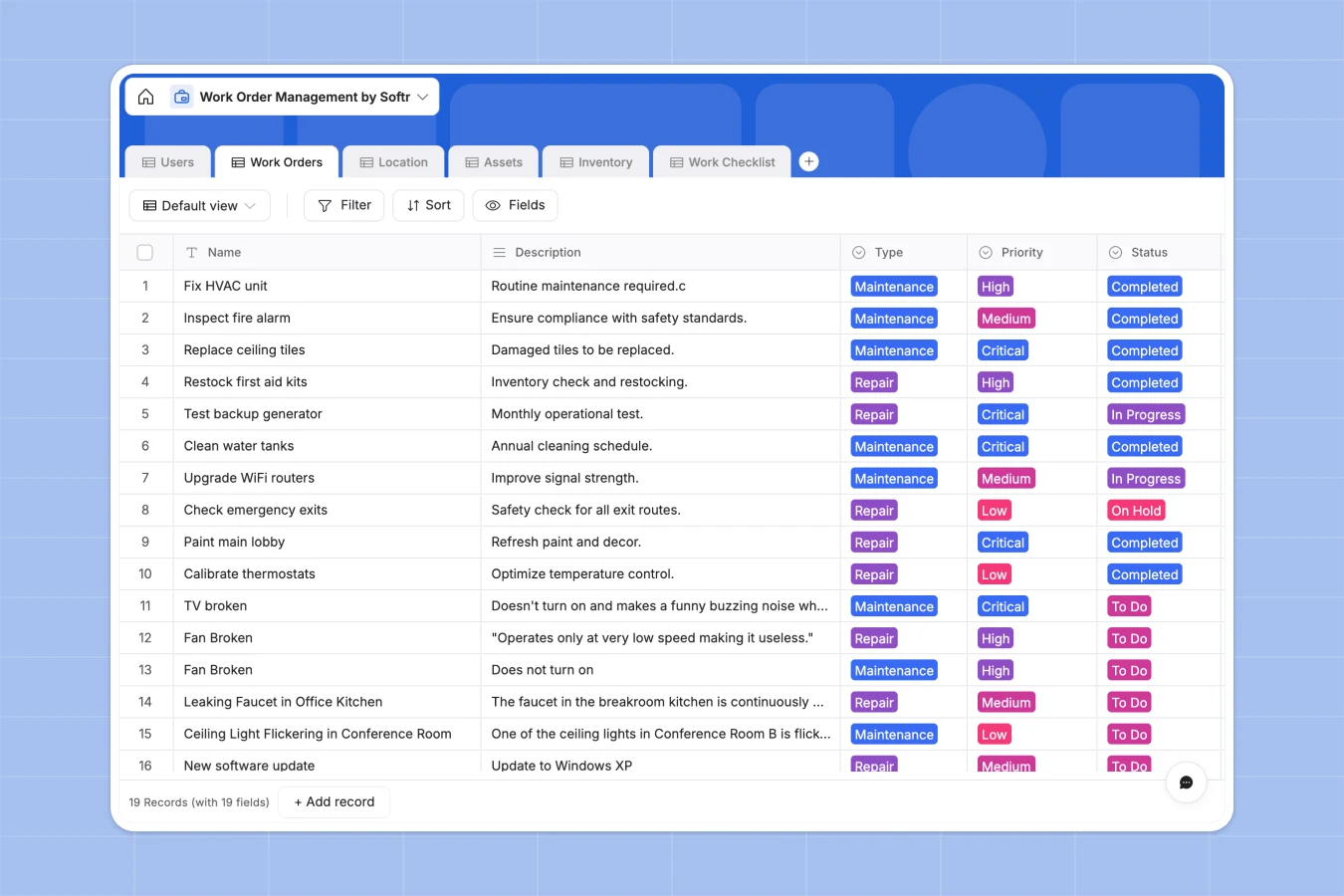
Your Work Order Management database at a glance
This template provides a central hub to track incoming maintenance requests, schedule repairs, and monitor task completion in real time. It ensures your operations team never misses a critical update.
The system organizes everything into connected tables for work orders, technicians, assets, and inventory. When a new request arrives, you can immediately link it to the correct building location and assign the right personnel.
Why managing work orders in spreadsheets breaks down
Tracking maintenance requests across multiple locations quickly becomes chaotic in standard spreadsheets. Rows get accidentally deleted, task assignments get lost, and inventory counts rarely stay accurate.
What a structured database changes
A structured system enforces clear data types, so critical priority labels and due dates always stay completely standardized.
You can securely link a specialized technician to specific HVAC or plumbing assets without relying on fragile formulas. This is exactly what Softr Databases are designed for.
What you can do with this template
Instantly log new maintenance priorities, assign them to specific employees, and attach necessary equipment manuals right to the record.
Keep track of your consumable inventory and spare parts natively, ensuring your crew always has the tools they need before starting a job.
-
Users
Manage team members, technicians, and managers with roles and assignments
-
Work Orders
Centralize maintenance tasks with priority levels, status, and assignment logs
-
Location
Track physical areas including buildings, floors, and rooms for maintenance
-
Assets
Monitor equipment condition, maintenance history, and scheduled service dates
-
Inventory
Manage supplies and spare parts with stock levels and reorder thresholds
-
Work Checklist
Organize granular sub-tasks and verification steps for each work order
Who is this Work Order Management database for
This system is built for operations and facilities teams that need complete visibility over maintenance tasks.
- Facilities Managers: Centralize incoming requests across multiple buildings and campuses in one standardized view.
- Maintenance Technicians: Access clear job descriptions, required parts, and work checklists directly on mobile.
- Operations Leads: Monitor inventory levels and track equipment condition to prevent costly downtime.
How to take it further
Start by customizing the database structure to perfectly fit your existing workflow. You can easily adjust the asset types, modify the priority levels, or add new columns for specific compliance requirements.
Next, quickly import your current records using a CSV upload or an API connection. This instantly populates your locations, user directory, and existing inventory so your team can start working on day one.
When your team is ready, you can transform this data into a fully functional app, like an employee portal for submitting service tickets. By utilizing the interface builder, you apply strict permissions to ensure technicians only see their assigned work orders while managers have global oversight.
A well-structured database foundation makes building and scaling these custom internal tools incredibly intuitive.
-
1
-
2
-
3
-
4
Frequently asked questions
-
What is a work order management database?
-
Why use a no-code database to build a maintenance system?
-
How can AI help managing data for work orders?
-
Can I build an app with this work order management database?
-
Is this Work Order Management database free?
Start building today. It's free!
Build and launch your first app in under 30 minutes.