


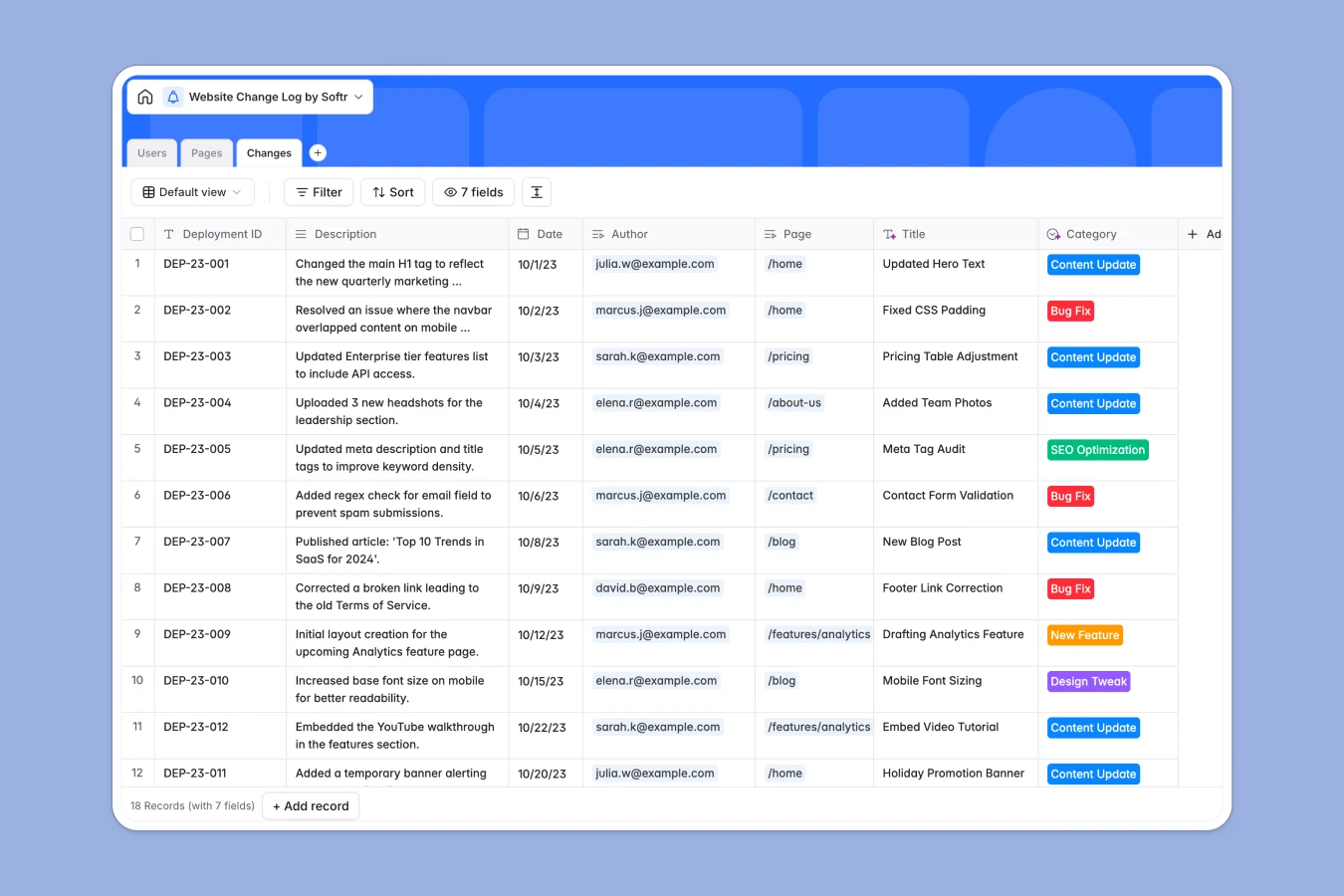
Your Website Change Log database at a glance
This template gives your team a single source of truth for every modification made to your site. It helps you track exactly what was changed, when it happened, and who published it.
The system is structured around three connected tables: Pages, specific Changes, and authorized Users. When an editor logs a new content update or bug fix, it automatically links to the live URL and rolls up the page's total modification history.
Why managing website change logs in spreadsheets breaks down
Using a spreadsheet to track site updates usually ends in chaos. Team members forget to log deployments, URLs break across rows, and seeing the complete history of a single page requires endless scrolling.
What a structured database changes
Side-stepping fragile formulas, a structured database keeps your deployment history perfectly organized. Instead of typing out URLs manually, you can link an SEO optimization directly to its parent page with one simple click.
Every column enforces clean data, ensuring dates, deployment IDs, and update categories stay standardized as your site grows. This is exactly what Softr Databases are designed for.
What you can do with this template
Instantly view a chronological history of all updates grouped by page, category, or author. You can quickly see if a recent design tweak or new feature deployment correlates with a drop in traffic.
The template is ready to use immediately. Just invite your team, add your core pages, and start logging deployments without any technical setup.
-
Pages
Monitor specific website URLs with their live summaries and change counts
-
Users
Manage team members authorized to edit content and log development updates
-
Changes
Log detailed website modifications by category with links to authors and pages
Who is this Website Change Log database for
This template is built for teams that manage active content, technical SEO, and frequent deployments.
- Marketing Teams: Track content updates and SEO optimizations to correlate changes with traffic fluctuations.
- Web Developers: Maintain a clean log of bug fixes and feature deployments tied to specific pages.
- Project Managers: Keep an eye on team productivity and ensure all draft pages successfully reach published status.
How to take it further
Customizing this database to fit your workflow is effortless. You can easily add new update categories to the select fields or attach a file column to upload screenshots of design changes.
If you already have a backlog of site updates, you can bulk-import them via CSV. You can also use the API to automatically log changes whenever a new deployment goes live from your CMS.
When you are ready to scale, you can transform this database into a secure internal portal. Using the Softr interface builder, you can create a custom review dashboard for your team.
You can even set up custom permissions to ensure external contractors can only log changes but cannot delete high-level page records. A well-structured database makes building these custom tools remarkably simple.
-
1
-
2
-
3
-
4
Frequently asked questions
-
What is a website change log database?
-
Why use a no-code database to build a website change log?
-
How can AI help managing data for website change logs?
-
Can I build an app with this website change log database?
-
Is this website change log database free?
-
How is a website change log database different from a spreadsheet?
Start building today. It's free!
Build and launch your first app in under 30 minutes.