


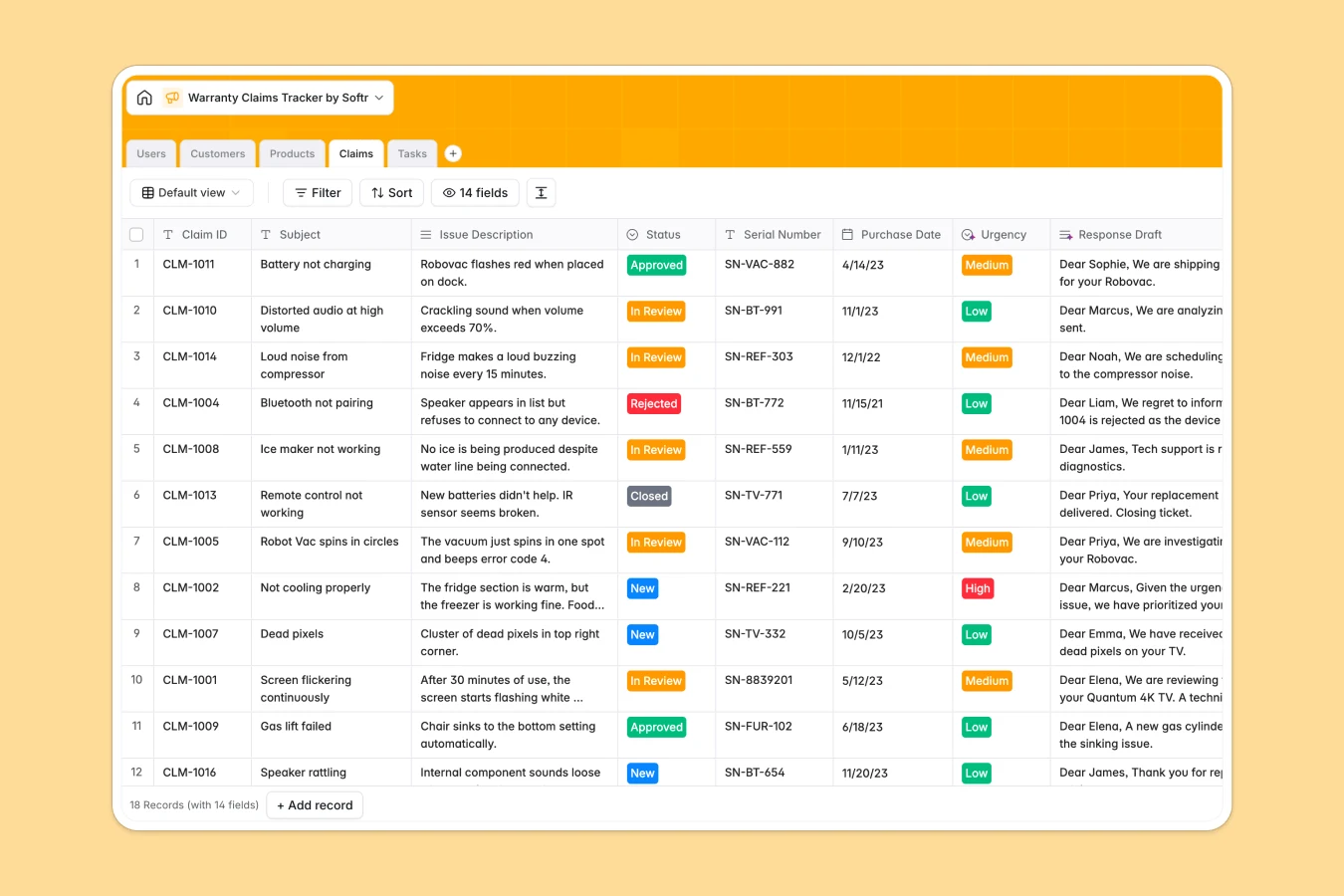
Your Warranty Claims Tracker database at a glance
This template centralizes your incoming warranty claims, customer histories, and product catalogs into one structured system. It eliminates lost emails and untracked repair requests by organizing every claim from initial submission to final resolution.
Key tables for Claims, Customers, Products, Tasks, and Users link together automatically. You can review a claim, see the exact product's warranty duration, verify the customer's purchase proof, and assign follow-up tasks to support agents or technicians without jumping across files.
Built-in AI capabilities analyze incoming issue descriptions to classify ticket urgency and draft professional customer response emails automatically based on resolution notes.
When warranty tabs multiply and claims get dropped
A warranty spreadsheet usually starts simply, but it quickly multiplies into separate monthly tabs, disconnected customer lists, and untracked serial numbers. When claim data is scattered across duplicate files, support teams lose context, miss follow-ups, and risk honoring expired warranties.
What a structured database changes
In a structured database, data is stored as distinct, connected objects rather than disconnected text cells. Customer profiles link directly to their entire claim history, while products automatically calculate remaining warranty periods without fragile formulas that break when rows shift.
Every field maintains strict data types, keeping purchase dates, serial numbers, and uploaded receipts clean and validated. This connected structure is exactly what Softr Databases are built for, providing an organized foundation that stays reliable as your claim volume grows.
What you can do with this template
With this template, your team can track claim statuses from submission through review to closure while assigning specific subtasks directly to technicians. Rollup fields give you instant visibility into repeat claimants and product fault patterns across your entire catalog.
Integrated Database AI agents streamline daily triage by evaluating issue descriptions to prioritize high-severity claims and generating customer-ready email drafts instantly.
-
Users
Manage internal support staff, technicians, and their assigned claims
-
Customers
Store customer contact information, addresses, and claim histories
-
Products
Catalog warrantied items with SKU details and AI product descriptions
-
Claims
Track warranty requests with AI urgency assessment and email drafting
-
Tasks
Organize resolution action items, due dates, and staff assignments
Who is this Warranty Claims Tracker database for
This database is designed for operations and customer service teams handling product warranties, repairs, and returns.
- Customer Support Teams: Track incoming customer claims, review proof of purchase, and send rapid resolution updates.
- Repair Technicians: Manage assigned repair tasks, document diagnostic notes, and update hardware repair statuses.
- Operations Managers: Monitor recurring product defects, oversee agent workloads, and ensure warranty policies are upheld.
- E-commerce & Retail Brands: Centralize warranty tracking across multiple product categories and verify warranty durations accurately.
How to take it further
Customize this database to match your specific support workflow. You can modify claim status categories, add custom fields for return tracking numbers, or expand product categories to fit your inventory structure.
Import your existing customer data, product catalogs, and historical claim records using a simple CSV upload or direct API sync to get up and running immediately.
When your team needs dedicated interfaces, you can generate an app with AI directly on top of this database. Build a public claim submission portal for customers and an internal management portal where support agents and technicians log in with tailored users and permissions to view only the records assigned to them.
-
1
-
2
-
3
-
4
Frequently asked questions
-
What is a warranty claims tracker database?
-
Why use a no-code database to build a warranty claims tracker?
-
How can AI help managing data for warranty claims?
-
Can I build an app with warranty claims tracker database?
-
Is this Warranty Claims Tracker database free?
-
How is a warranty claims database different from a spreadsheet?
Start building today. It's free!
Build and launch your first app in under 30 minutes.