


Overview
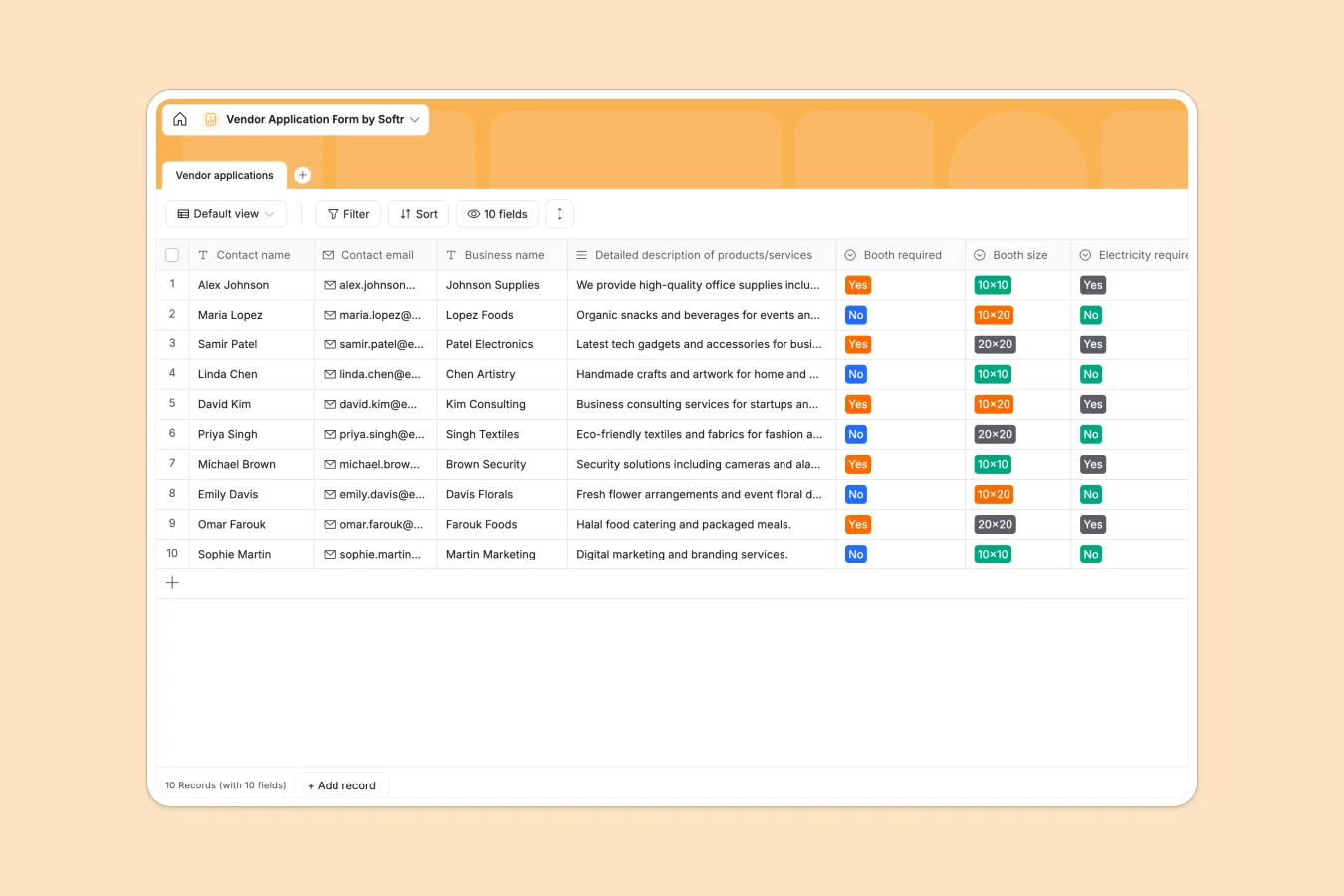
This vendor application database centralizes all vendor submissions for events, markets, or trade shows. It captures essential vendor details—contact information, business descriptions, booth requirements, and special requests—so organizers can review, compare, and approve applications without chasing information across email threads or scattered documents.
The database includes fields for contact name and email, business name, product/service descriptions, booth specifications (size, electricity needs), special requirements, signature attachments, and auto-created timestamps. Every application lives in one structured table, making it easy to filter by booth size, identify vendors needing electricity, or pull submission dates for planning.
Why use this vendor application database (instead of spreadsheets)
Spreadsheets become unwieldy fast when managing vendor applications. Columns end up with mixed data types—dates, comments, and status updates jumbled together—making filtering unreliable. Tracking booth assignments, electricity requirements, and special requests across multiple tabs creates navigation headaches and version control issues.
The power of Softr Databases
Softr Databases enforce column types: single-line text for names, email fields with validation, select fields for booth sizes and yes/no choices, long text for detailed descriptions, and attachments for signatures. This structure prevents data inconsistencies and makes filtering straightforward. Related records and lookups enable future connections—link applications to approved vendors, booth assignments, or payment status. Following one table = one object keeps your data app-ready, not spreadsheet chaos.
Core features and functionality
Select fields for booth requirements (size, electricity) let you instantly filter vendors by needs—critical for space planning and resource allocation. Long text fields capture detailed product descriptions and special requests without character limits or formatting breaks. Attachment fields store signed agreements directly in each record, eliminating separate file folders. Auto-created timestamps track submission order automatically, helping manage review queues and first-come-first-served policies.
-
Vendor applications
Collect and manage vendor registration details including booth logistical needs
Who is this vendor application database for
This database works for anyone managing vendor onboarding for events, markets, or partnerships:
- Event organizers: Review applications systematically and allocate booth space based on actual requirements.
- Farmers market managers: Track vendor submissions with product details and booth needs in one organized view.
- Trade show coordinators: Manage hundreds of applications efficiently and identify electricity or special setup needs early.
- Festival planners: Keep vendor contacts, business descriptions, and signed agreements accessible without email digging.
- Retail partnerships teams: Centralize supplier applications and review product offerings against business criteria.
How to take it further
Customize the database. Modify select field values to match your booth sizes (add 15x15 or custom dimensions) or electricity options (110V vs. 220V requirements). Add fields for application fees, payment status, insurance documentation, or product categories. Rename fields to match your terminology—change "Booth required" to "Space needed" or add conditional logic based on your approval process.
Import your existing data. Upload historical vendor applications via CSV to maintain records from previous events. Use API connections to sync applications submitted through external forms or registration systems. Bringing existing data in means immediate insights into repeat vendors and historical booth assignments.
Build an app on top. Create a vendor portal where applicants submit information directly through custom forms built with Softr's interface builder. Add an internal review dashboard for your team to approve/reject applications, assign booth numbers, and track setup requirements. Use permissions to let vendors see only their own submissions while staff access the full database. Your well-structured database becomes the foundation for a complete vendor management system—eliminating manual data entry and email back-and-forth entirely.
-
1
-
2
-
3
-
4
Frequently asked questions
-
What is a vendor application database?
-
Why use a no-code database to build a vendor application system?
-
How can AI help managing data for vendor applications?
-
Can I build an app with a vendor application database?
-
Is this vendor application database free?
-
How is a vendor application database different from spreadsheets?
Start building today. It's free!
Build and launch your first app in under 30 minutes.