


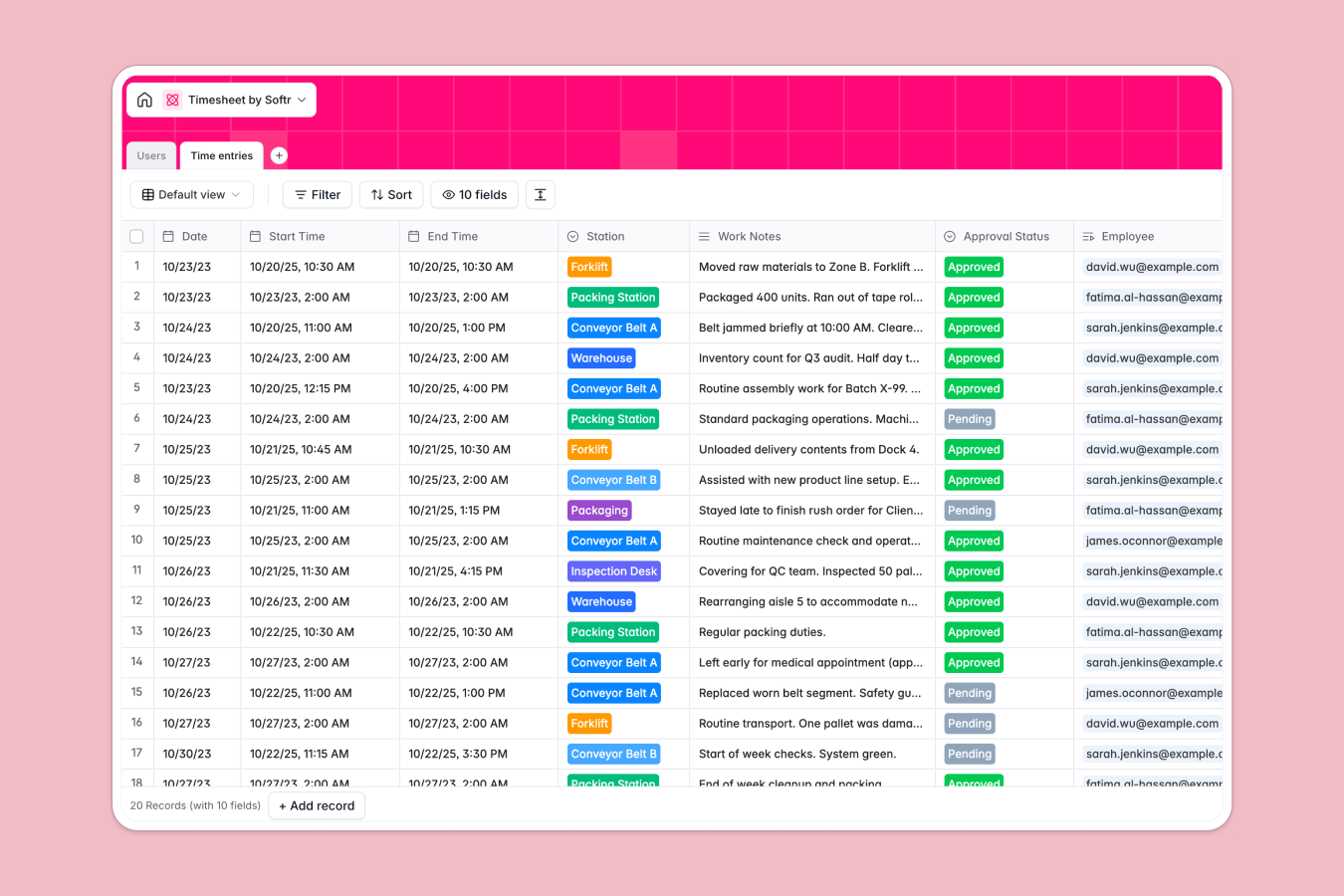
Your Timesheet Database at a glance
This template gives you a clear, centralized system to track employee shifts, manage factory hours, and review operational notes. It ensures every hour worked is accounted for without relying on fragile workbooks.
It works by connecting a Users table for your staff directly to a Time entries table. This means you can assign shifts to specific stations and auto-calculate total hours based on precise start and end times.
Best of all, an AI field automatically reviews shift notes to flag machinery issues or safety risks. If an employee mentions a problem, the system highlights it immediately to keep your operations compliant.
Why tracking timesheets in spreadsheets breaks down
Logging employee shifts across multiple spreadsheet tabs quickly turns into a logistical nightmare. Formulas for calculating durations get easily overwritten, and linking a specific shift back to an employee requires fragile lookups that repeatedly break.
What a structured database changes
Instead of messy rows of unstructured text, a database gives every piece of information a strict format. Dates stay as dates, hourly rates remain numbers, and approval statuses are locked to a clean dropdown menu.
Tables also link natively, meaning you can connect a worker to past shifts without duplicating their details. This is exactly what Softr Databases are designed for—giving you a stable foundation as your workforce grows.
What you can do with this template
You can immediately log shifts, track total hours using accurate formulas, and approve timesheets from one unified view. Supervisors can also filter these entries effortlessly by specific workstations like the Assembly Line or Packaging.
Because it includes built-in Database AI agents, the template will dynamically read daily shift notes and evaluate them for equipment hazards. This transforms a simple timesheet into an active, self-monitoring safety system.
-
Users
Manage factory personnel with roles, departments, and payroll rate tracking
-
Time entries
Track shift logs with AI-powered safety analysis and compliance verification
Who is this Timesheet Database for
This template is built for operations leaders who need to track hours and operational notes reliably.
- Factory Managers: Track exactly who worked at which station and monitor total shift counts effortlessly.
- Production Supervisors: Review shift outputs instantly to catch equipment issues on the assembly line.
- Payroll Teams: Calculate accurate hours based on rigid start and end times to process payments reliably.
How to take it further
Start by customizing the database structure to mirror your exact facility. You can quickly edit the station dropdowns to match your actual equipment, or adjust the department roles to fit the way your team works.
Once aligned with your operations, seamlessly pull in your existing team records using a quick CSV upload. This populates your database with active employees so they can begin logging their shifts immediately.
When your team expands, you can evolve this database into an internal staff portal by naturally building interfaces directly on top of it. Full-stack apps combining data, workflows, and frontend views take no time to launch.
By leveraging native users and permissions, you can ensure warehouse employees only view their own logging screen, while managers access bulk approvals for their department. Starting with a well-structured database makes expanding into a custom app incredibly easy.
-
1
-
2
-
3
-
4
Frequently asked questions
-
What is a timesheet database?
-
Why use a no-code database to build a timesheet system?
-
How can AI help managing data for timesheets?
-
Can I build an app with this timesheet database?
-
Is this Timesheet Database free?
-
How is a timesheet database different from Google Sheets?
Start building today. It's free!
Build and launch your first app in under 30 minutes.