


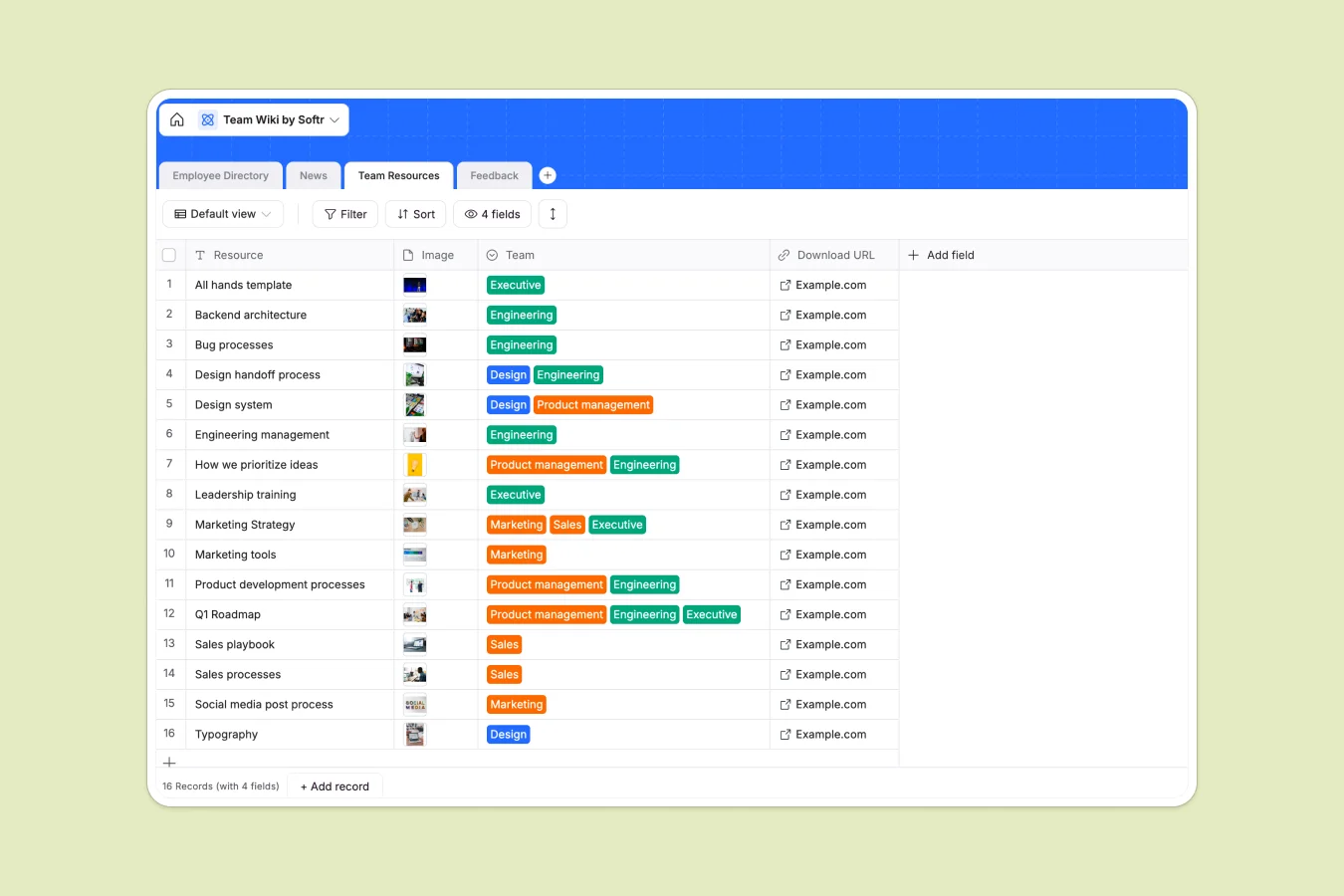
Your Team Wiki Database at a glance
This template creates a central hub for your organization's most critical information. It brings your employee directory, company news, and essential resources together so everyone stays on the same page.
The database is structured into connected tables for Employees, Feedback, and Resources. You can link specific feedback directly to team members and categorize downloadable files by department like Marketing or Engineering.
Why managing team knowledge in spreadsheets breaks down
Trying to run a company wiki in Excel or Google Sheets results in broken links, hidden rows, and a messy interface that no one wants to read. Information gets buried in tabs, and attaching files or images to specific cells is clumsy at best.
What a structured database changes
Unlike a grid of text cells, a proper database handles rich media like employee photos and downloadable resource files natively. Data types are enforced, meaning dates stay dates and emails stay emails.
Relationships allow you to connect records logically, such as linking a piece of feedback to an employee profile without duplicating names or risking typos. This is exactly what Softr Databases are designed for.
What you can do with this template
You can filter resources by department instantly, ensuring Engineering sees code guidelines while Sales sees pitch decks. The structure serves as a solid foundation for internal operations.
With Database AI agents, you could even automate the categorization of new feedback entries or summarize weekly news updates automatically based on the description text.
-
Employee Directory
Centralize staff profiles with roles, contact info, and department details
-
News
Keep track of company announcements, blog posts, and scheduled webinars
-
Team Resources
Store and distribute department assets, images, and internal downloads
-
Feedback
Collect and process internal employee suggestions with review status tracking
Who is this Team Wiki database for
- HR Managers: Centralize onboarding documents, policies, and employee contact details in one accessible view.
- Operations Teams: Distribute company-wide news and critical updates without clogging email inboxes.
- Department Heads: Organize specific resources like design assets or sales playbooks for your direct reports.
How to take it further
Customize the database
You can easily adapt this template to your specific culture. Add a "Skills" column to the Employee Directory to track expertise, or rename the "News" categories to match your internal communication channels.
Import your existing data
If you already have a staff list or resource inventory, simply import it via CSV. You can map your existing columns to this template and populate your directory immediately.
Build a full app around it
When you are ready, use the interface builder to turn this database into a secure employee portal. You can set users and permissions so that only admins can post news while everyone can read it, ensuring your wiki remains a trusted source of truth.
-
1
-
2
-
3
-
4
Frequently asked questions
-
What is a team wiki database?
-
Why use a no-code database to build a team wiki?
-
How can AI help managing data for team wikis?
-
Can I build an app with this team wiki database?
-
Is this Team Wiki template free?
-
How is this different from a Google Drive folder?
Start building today. It's free!
Build and launch your first app in under 30 minutes.