


Overview
This template provides a robust system to track initiatives from start to finish. It connects individual tasks to high-level projects, ensuring every action item contributes to broader business goals while keeping responsibilities clear.
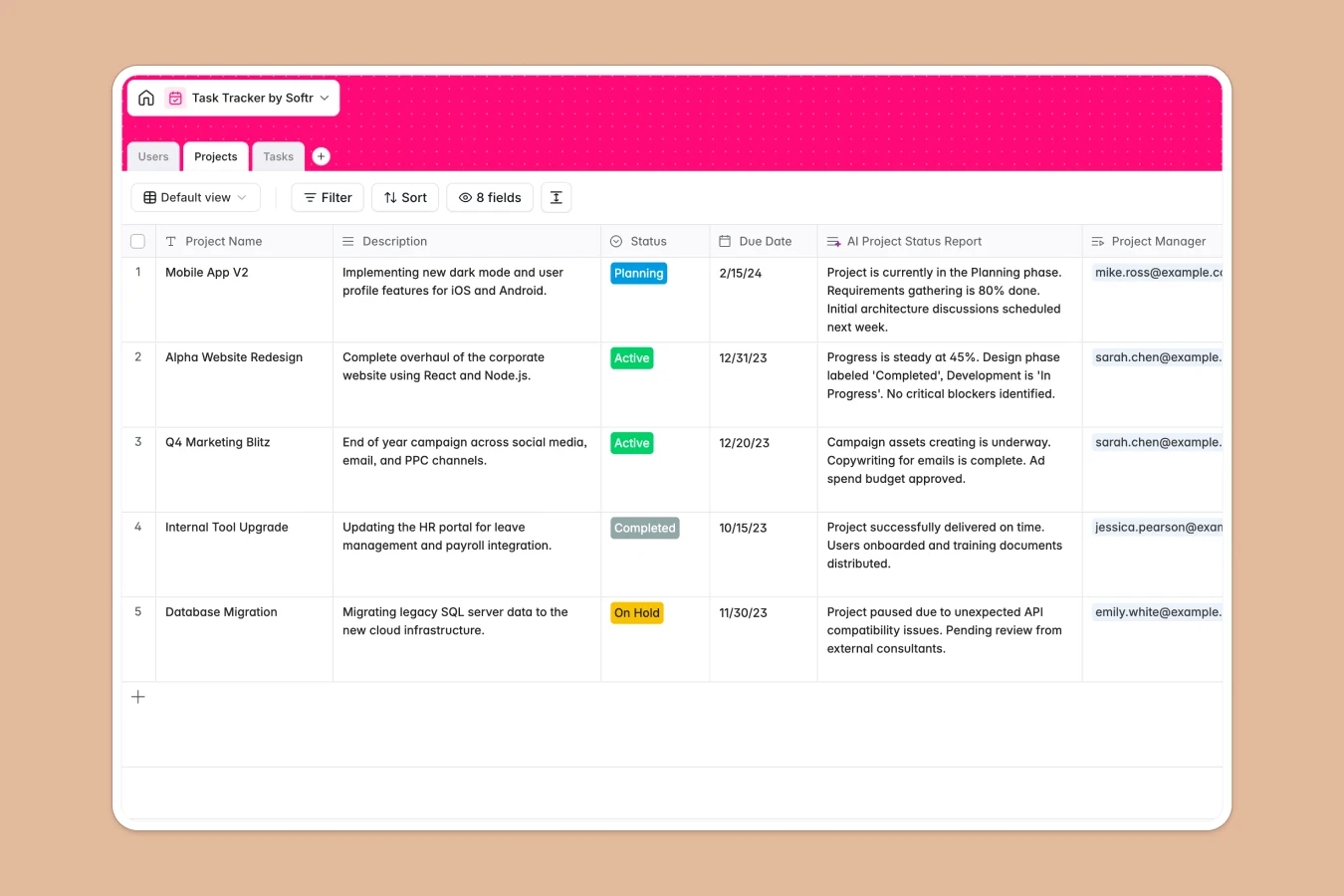
The structure links three core tables: Projects, Tasks, and Users. Project Managers can oversee timelines and status reports, while team members see exactly what they need to do in the Tasks table, complete with due dates and progress notes.
Built-in AI capabilities help automate administrative work by generating project status reports and organizing task names instantly, keeping data clean without manual effort.
Why use this Task Tracker Database (instead of spreadsheets)
Stop wrestling with disconnected sheets and start using a relational system designed for project management.
The power of Softr Databases
Unlike spreadsheets, Softr Databases use a relational model where Tasks are actually linked to Projects—not just text in a cell. This structure enforces data integrity with specific column types for distinct statuses and dates, preventing the chaos of mixed data formats. You get a single source of truth that scales with your team, avoiding the fragility of complex VLOOKUPs.
Core features and functionality
This template features intelligent automation powered by Database AI agents that can draft status reports and normalize task naming conventions automatically. Native linked records allow you to jump from a Project to all its underlying Tasks instantly. Plus, formula fields like "Composite Task Info" automatically combine relevant details for quick scanning.
-
Projects
Manage initiatives with timelines and AI-generated status reports
-
Users
Track team member profiles, administrative roles, and task ownership
-
Tasks
Organize work items using AI task naming and priority status tracking
Who is this Task Tracker Database for
This template is designed for teams that need structure without the complexity of enterprise tools.
- Project Managers: Oversee multiple initiatives, track status changes, and generate reports without manual compilation.
- Operations Teams: Standardize how work is assigned and tracked across different departments.
- Team Leads: Monitor individual workload and ensure deadlines are met with clear visibility into assignees.
- Small Business Owners: Keep all company priorities organized in one central hub rather than scattered emails.
How to take it further
1. Customize the database
Tailor the template to your workflow by modifying the "Status" select options in the Projects table to match your specific lifecycle stages. You can also add a "Priority" column to the Tasks table to help the team focus on urgent items first.
2. Import your existing data
Don't start from empty tables. You can easily import your existing project lists and task backlogs via CSV, mapping your current data fields directly to this structured format.
3. Build an app on top
Turn this database into a collaborative project portal using the interface builder. You can set users and permissions so that Clients only see their specific Projects, while Team Members can edit only their assigned Tasks. This creates a secure, user-friendly tool that powers your daily operations.
-
1
-
2
-
3
-
4
Frequently asked questions
-
What is a task tracker database?
-
Why use a no-code database to build a project management tool?
-
How can AI help managing data for task tracking?
-
Can I build an app with this task tracker database?
-
Is this Task Tracker Database free?
-
How does this database handle project reporting?
Start building today. It's free!
Build and launch your first app in under 30 minutes.