


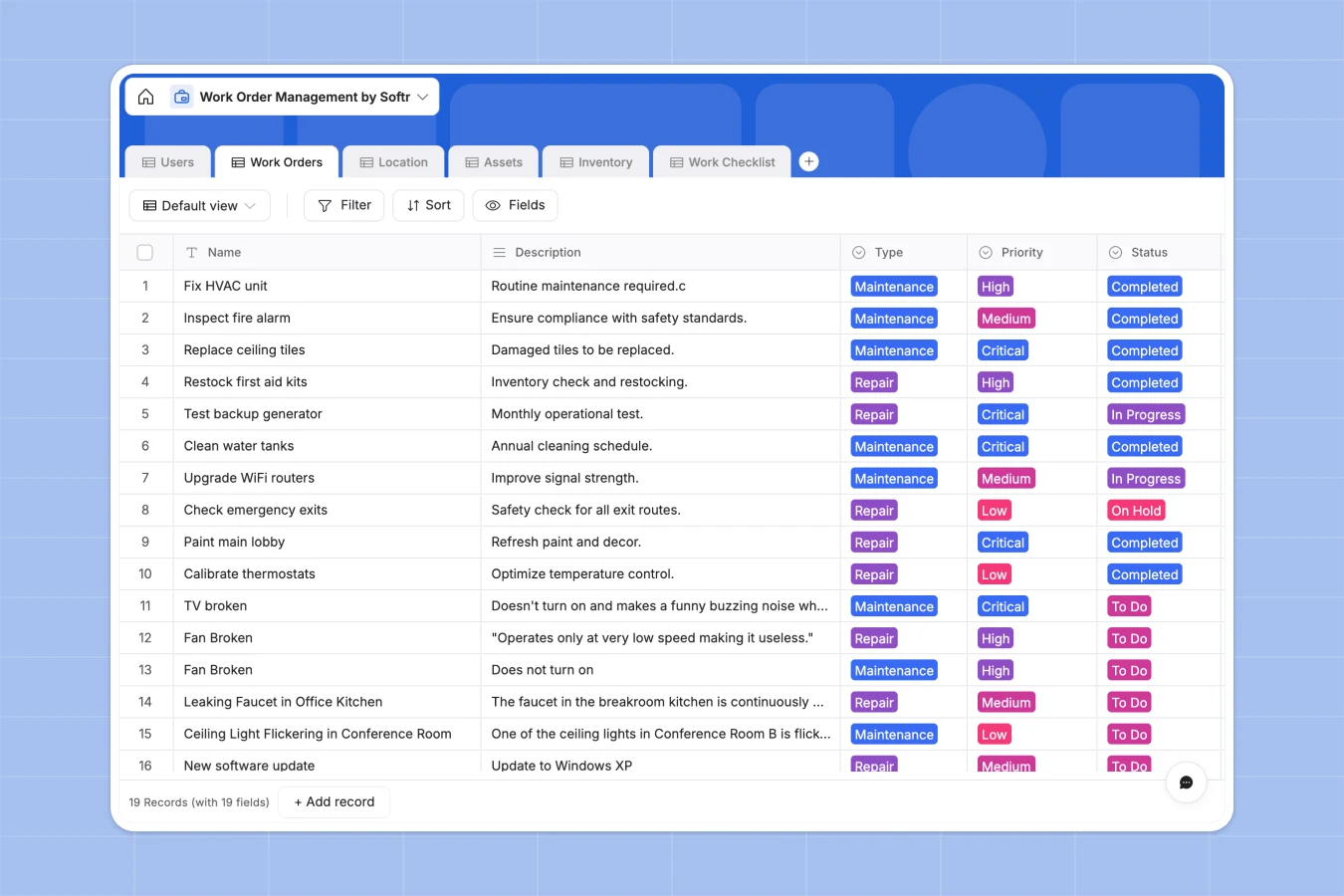
Your Work Order Management database at a glance
This ready-to-use template tracks maintenance requests, assigns technicians, and monitors asset conditions all in one place.
It works by linking your specific work orders directly to campus locations, relevant assets, and current inventory levels. You can effortlessly track completion times, see which spare parts are heavily used, and maintain standard operating procedures using connected checklists.
Why work order management gets messy in spreadsheets
When you handle facility repairs and safety issues in standard spreadsheets, tracking tasks quickly becomes chaotic. Tying a single repair job to specific inventory counts, an asset history, and a campus location requires complex, fragile formulas.
What a structured database changes
In a real database, every single column has a strict purpose to protect your data integrity. Dropdown statuses remain consistent, service dates are strictly formatted, and photos of broken equipment attach directly to the exact work ticket.
You can seamlessly link a maintenance request directly to a specific piece of HVAC equipment without relying on messy VLOOKUPs. This is exactly what Softr Databases are designed for.
As your buildings and operations scale, your task records remain perfectly organized and easy to filter by priority or assigned technician.
What you can do with this template
Track your live inventory levels alongside the daily work orders that consume those exact supplies and parts.
Build detailed, step-by-step checklists natively within the work order so your technicians never miss a critical safety step.
-
Users
Manage team profiles, technician roles, contact details, and assigned tasks
-
Work Orders
Track maintenance tickets with priorities, status updates, and task durations
-
Location
Centralize physical site details, building info, and floor layouts for repairs
-
Assets
Log equipment data, operational conditions, and historical maintenance schedules
-
Inventory
Monitor spare parts, stock levels, reorder points, and supplier information
-
Work Checklist
Organize granular task steps, completion statuses, and parent order links
Who is this Work Order Management database for
This system provides immediate structure for teams that need to maintain optimal facility conditions and track technical operations efficiently.
- Facility Managers: Monitor maintenance queues centrally and analyze exactly where repairs happen across campuses.
- Maintenance Technicians: Access step-by-step checklists, update their designated repair statuses, and attach completion photos.
- Operations Leads: Keep an eye on inventory consumption natively to forecast when to reorder essential spare parts.
How to take it further
You can easily customize this base to fit your exact standard operating procedures. Add new asset categories, modify the task priority levels, or include specialized checklist stages tailored to your safety team.
Bring in your existing repair logs instantly. Import your list of campus locations, parts inventory, and past maintenance records via CSV to immediately populate the system.
When your team is ready, you can deploy a full-stack portal built right on top of this structured data. Field workers can access a mobile-friendly dashboard to view their assigned tasks and securely log time spent without needing backend access.
By leveraging custom users and permissions, you can ensure that casual requesters only see their own issue tickets, while operations managers maintain complete oversight of the entire inventory logic.
-
1
-
2
-
3
-
4
Frequently asked questions
-
What is a work order management database?
-
Why use a no-code database to build a work order system?
-
How can AI help managing data for work order operations?
-
Can I build an app with this work order database?
-
Is this Work Order Management database free?
-
How is a database different from tracking requests in spreadsheets?
Start building today. It's free!
Build and launch your first app in under 30 minutes.