


Overview
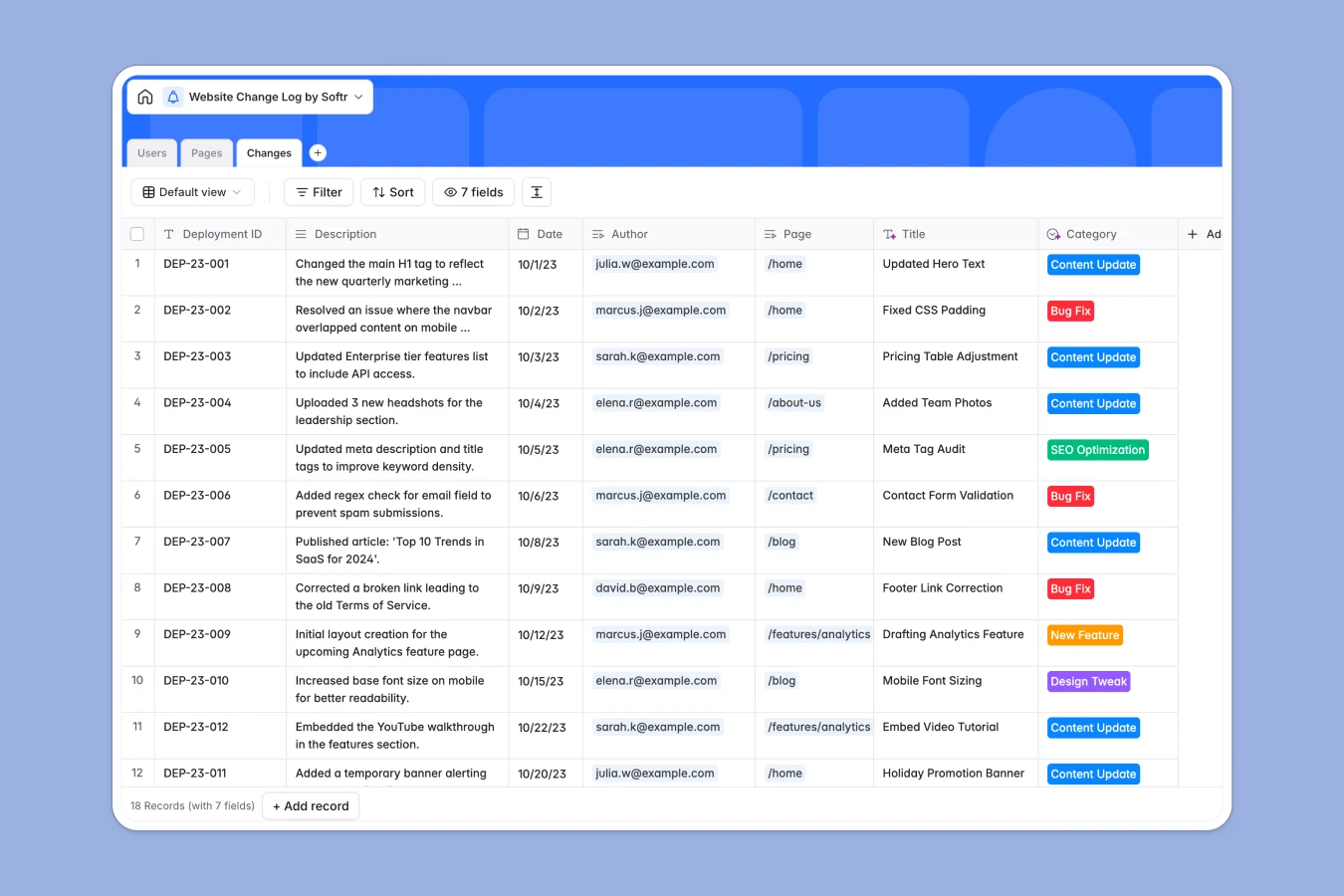
This Website Change Log database tracks every modification made to your website—content updates, design tweaks, bug fixes, SEO changes, and new features. Instead of hunting through Slack threads or spreadsheets with scattered notes, you maintain a complete audit trail linking changes to specific pages, team members, and deployment IDs.
The database connects three tables: Pages (tracking each URL and its status), Users (team members with defined roles), and Changes (individual log entries). When someone logs a change, it automatically links to the page affected and the author responsible. Rollup fields on the Pages table show the last update date and total number of changes per page, so you can instantly see which pages are actively maintained and which haven't been touched in months.
Why choose a website change log database over spreadsheets
Spreadsheets force you to duplicate page information across multiple rows or maintain separate sheets for pages and changes, leading to inconsistent data and navigation headaches. When someone updates a page title, you risk having mismatched references scattered across your log.
The power of Softr Databases
Softr Databases enforce proper structure with typed columns—dates stay dates, URLs validate automatically, and select fields limit category values to prevent typos. Instead of fragile VLOOKUP formulas that break when you insert rows, native linked records connect changes to pages and authors reliably. The rollup fields pull the latest update date and total change count for each page automatically, something spreadsheets handle poorly. This relational approach follows the principle of one table per object type (pages, users, changes), making your data immediately app-ready and eliminating the messy multi-sheet structures spreadsheets require.
Core features and functionality
Linked records connect each change entry to its page and author, so you can trace every update back to who made it and which URL it affected. Rollup fields automatically calculate the last update date and total changes per page—no manual counting or MAX formulas to maintain. Select fields for status, role, and category enforce consistent values, preventing the data drift that happens when different team members use "bug fix" versus "bugfix" versus "fixed bug" in spreadsheets.
-
Pages
Registry of unique website pages with URLs, statuses, and history logs
-
Users
Manage authorized team members with specific roles and access levels
-
Changes
Track website updates with deployment IDs, categories, and author logs
Who is this website change log database for
This database helps teams maintain visibility and accountability for website modifications:
- Marketing teams: Track content updates, SEO optimizations, and campaign page changes with clear ownership and timestamps.
- Product teams: Document feature releases, A/B test implementations, and UI tweaks to understand what shipped when.
- Development teams: Log bug fixes, deployment IDs, and technical changes to troubleshoot issues and track production updates.
- Agencies: Maintain client-facing audit trails showing exactly what work was completed and when changes went live.
- Content teams: Monitor which pages are actively maintained versus stale, and coordinate updates across multiple contributors.
How to take it further
Customize the database. Modify the Category select field to match your specific update types—add "Performance Optimization" or "Accessibility Fix" if those are common changes. Add custom fields like "Review Status" or "Rollback Required" to track quality control steps, or include a "Before/After Screenshots" attachment field for visual documentation.
Import your existing data. Use CSV import to bulk-load historical changes from existing spreadsheets or export your Git commit history and deployment logs. Connect via API to automatically sync changes from your CMS, version control system, or deployment platform so log entries create themselves when code ships.
Build an app on top. Create an internal portal where team members submit change logs through a form interface, view filtered timelines of recent updates, and search the full history by page, author, or date range. Using Softr's interface builder, you can build full-stack apps that connect directly to this database. Set up users and permissions so developers can log and edit all changes, while marketing viewers see only content-related updates. Since the database is well-structured with proper relationships and typed fields, building these interfaces becomes straightforward—the data layer is already production-ready.
-
1
-
2
-
3
-
4
Frequently asked questions
-
What is a website change log database?
-
Why use a no-code database to build a website change log?
-
How can AI help managing data for website change logs?
-
Can I build an app with this website change log database?
-
Is this website change log database free?
-
How is a website change log database different from spreadsheets?
Start building today. It's free!
Build and launch your first app in under 30 minutes.