


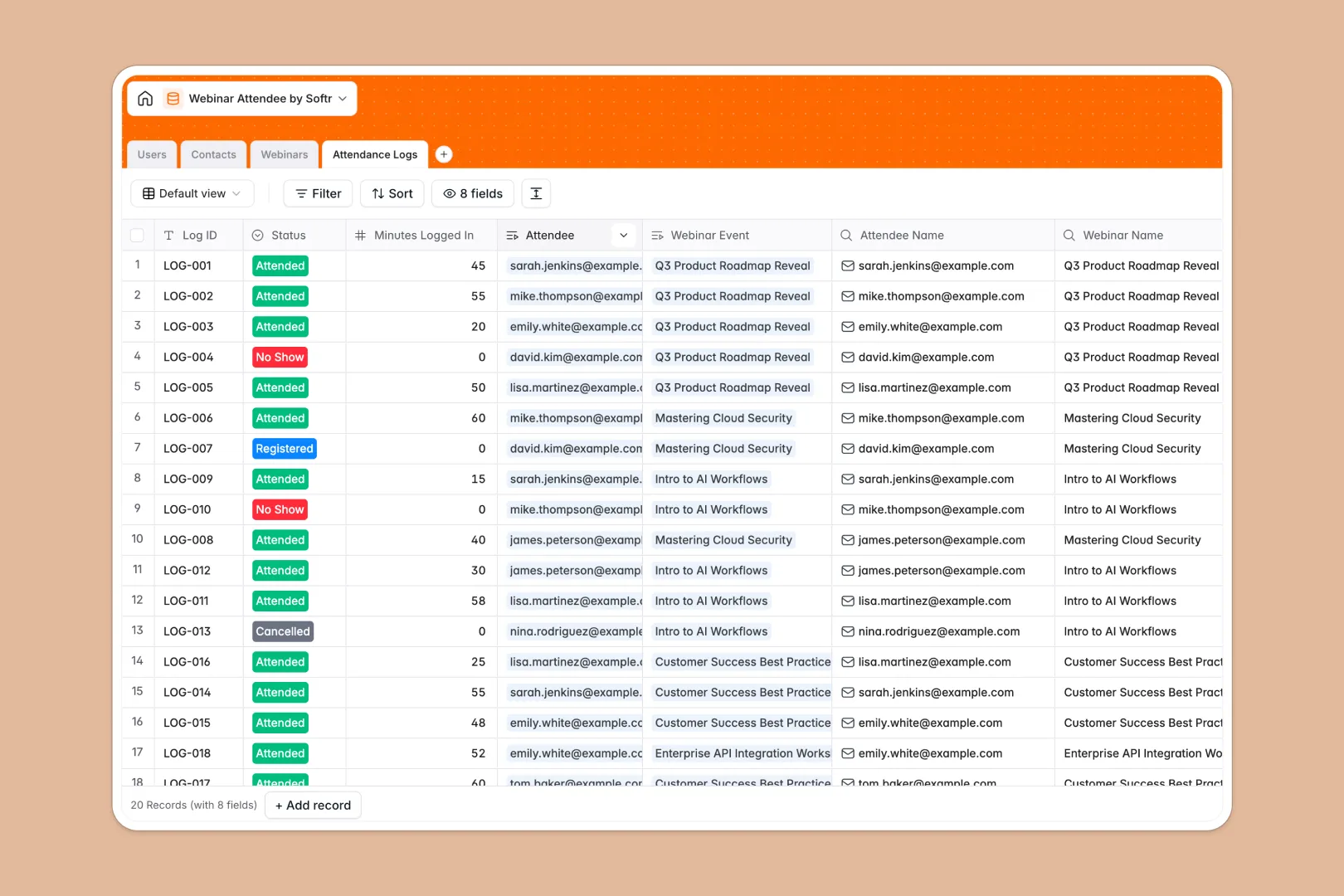
Your Webinar Attendee Database at a glance
This template tracks registrants, attendance rates, and scheduled sessions in one central place, giving you total visibility over your event performance.
It uses connected tables to link individual contacts directly to their attendance logs and specific webinar events. This means you can instantly see a contact's complete webinar history without searching across multiple tabs.
Built-in AI automatically researches missing job titles for your registrants, writes promotional descriptions based on your rough notes, and classifies attendee engagement levels based on how long they stayed logged in.
Why webinar tracking gets messy in spreadsheets
Managing webinar registrations and attendance across multiple spreadsheets quickly turns into a maze of broken VLOOKUPs, duplicated names, and disconnected contact lists.
What a structured database changes
Instead of pasting registrant lists into static rows, a structured database enforces reliable, connected data. Every email stays an email, and dates always remain properly formatted.
You can securely link a single attendee to multiple webinar sessions over time, cleanly calculating their total attendance and drop-off rates automatically without ever duplicating their profile.
This is exactly what Softr Databases are designed for—giving you the power of a scalable data system without the complexity of traditional development.
What you can do with this template
Instantly sync your webinar data into a structure that actually scales as you host more events and grow your subscriber base.
Using Database AI agents, your tables automatically scour the web to find a registrant's current job title or categorize their engagement from "Passive" to "High Engagement" the moment the event ends.
You avoid manual post-webinar data dumps entirely, keeping your leads perfectly organized and ready for marketing follow-ups.
-
Users
Manage internal team members, webinar hosts, and moderators with access roles
-
Contacts
Maintain registrant profiles with AI-powered job title research and attendance metrics
-
Webinars
Schedule events and use AI to generate promotional descriptions from internal notes
-
Attendance Logs
Track session participation and utilize AI to classify attendee engagement levels
Who is this Webinar Attendee database for
This system is built for teams that need reliable, actionable insights from their virtual events.
- Marketing Teams: Track campaign success and easily pass highly engaged prospects to the sales department.
- Event Managers: Manage scheduling, host assignments, and track registration metrics in one organized workspace.
- Sales Development: Instantly spot high-intent leads who actively attended multiple recent sessions.
- Customer Success: Monitor which clients attend product webinars to identify accounts needing additional support.
How to take it further
You can easily add new fields to capture custom registration questions or adjust the AI's engagement level criteria. As a native Softr Database, everything can be customized in just a few clicks.
Bring in your historical event data by uploading a CSV of previous registrants, or connect an API to sync new signups automatically from your webinar platform.
When your team is ready, you can easily build an app on top of this centralized data structure. You could, for instance, create a secure portal where internal hosts can log in to manage their own sessions and review attendance logs.
Because the database is already structured properly, adding users and permissions is effortless. You can ensure that an external moderator only sees the attendees for their specifically assigned session, while admins retain a global view.
-
1
-
2
-
3
-
4
Frequently asked questions
-
What is a webinar attendee database?
-
Why use a no-code database to build a webinar tracking system?
-
How can AI help managing data for webinars?
-
Can I build an app with this webinar database?
-
Is this webinar attendee database free?
-
How is a webinar database different from tracking in Google Sheets or Excel?
Start building today. It's free!
Build and launch your first app in under 30 minutes.