


Overview
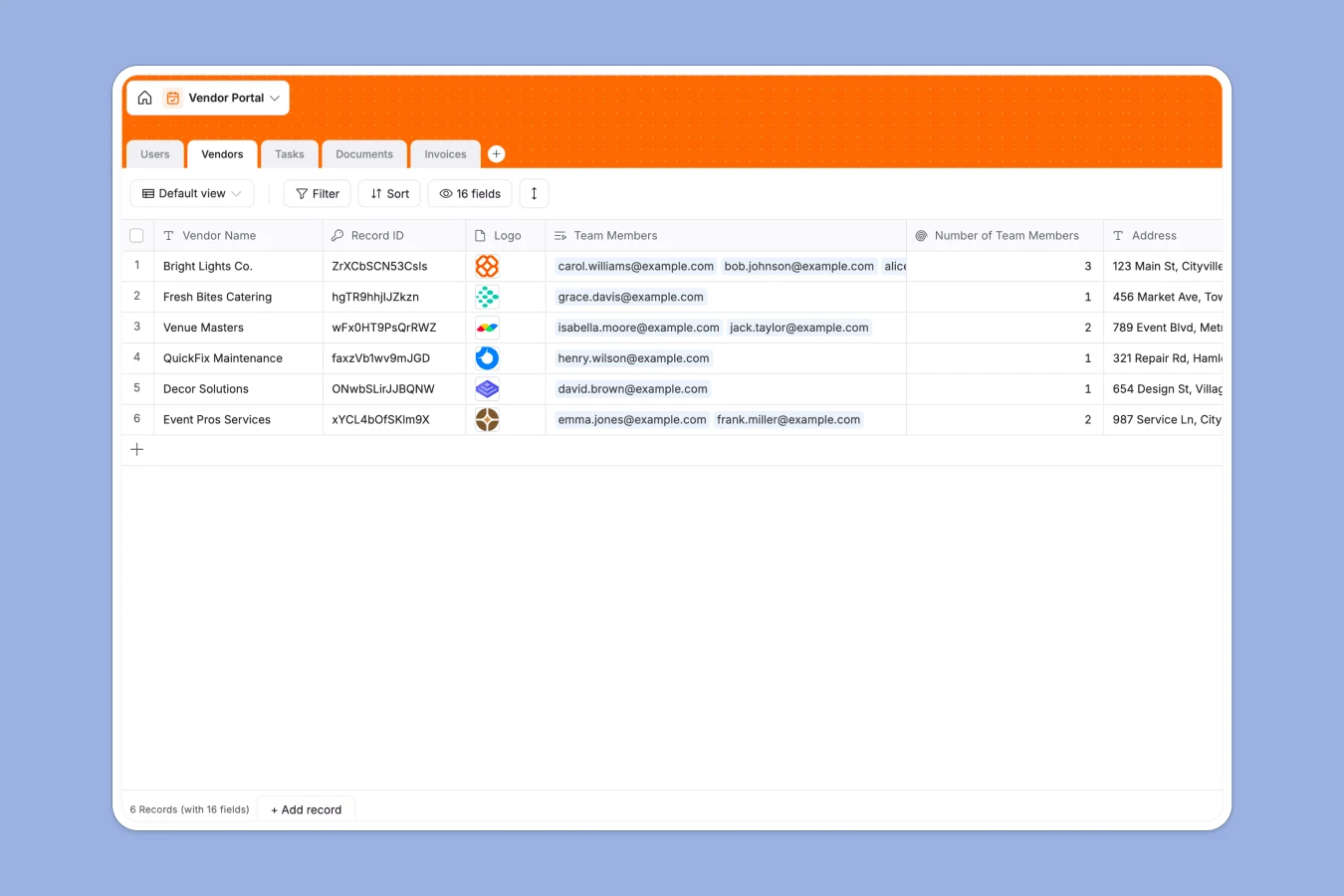
This Vendor Portal database centralizes vendor management by tracking companies, team members, tasks, documents, and invoices in a single structured system. Instead of juggling multiple spreadsheets with inconsistent formats and broken links, you maintain one source of truth where vendor profiles connect directly to their users, assigned tasks, submitted documents, and outstanding invoices.
The database includes five interconnected tables: Vendors (company profiles with status tracking and categories), Users (vendor contacts with role-based access), Tasks (assignments with due dates and progress tracking), Documents (file management with type classification), and Invoices (payment tracking with amounts and status updates). Related records connect these tables—each vendor links to their team members, open tasks, submitted documents, and pending invoices—while rollups automatically count open tasks and outstanding invoices per vendor.
AI agents enhance data quality by automatically categorizing vendors based on their descriptions, generating concise task titles from descriptions, classifying uploaded documents by type, and extracting invoice amounts from uploaded files. These agents run when records are added or updated, maintaining consistency without manual data entry.
Why choose a Vendor Portal database over spreadsheets
Spreadsheets force vendor information into rigid grids where relationships break easily and data quality degrades over time. Multiple tabs for vendors, contacts, tasks, and invoices become disconnected as your vendor network grows.
The power of Softr Databases
Softr Databases enforce proper structure with typed columns—dates remain dates, currency stays formatted, and select fields maintain consistent values across all records. Related records replace fragile VLOOKUP formulas: when you link a user to their vendor company, that connection stays intact even as data changes. Rollups automatically count open tasks and outstanding invoices per vendor, eliminating manual updates and potential errors. Following the principle of one table per object type (vendors, users, tasks, documents, invoices), your data becomes app-ready with proper relationships instead of scattered across multiple spreadsheet tabs.
Core features and functionality
The database tracks vendor approval workflows from "Under review" to "Approved" or "Rejected," maintains complete audit trails with process start dates and approval dates, and manages user access through role-based permissions (Admin vs. Vendor). Database AI agents automatically categorize vendors by business type, generate task titles from descriptions, classify documents, and extract invoice amounts from uploaded files. These automations maintain data consistency as your vendor network scales, while rollup fields surface key metrics like open task counts and outstanding invoice totals directly in vendor records.
-
Users
Manage vendor and admin profiles with roles, contact info, and activity
-
Vendors
Track vendor profiles and use AI to automatically categorize business types
-
Tasks
Organize work items using AI to generate concise titles from descriptions
-
Documents
Archive vendor files and use AI to classify documents into logical types
-
Invoices
Process payments and use AI to extract exact billing amounts from files
Who is this Vendor Portal database for
This database serves teams managing external vendor relationships who need structured oversight beyond spreadsheet limitations:
- Procurement teams: Track vendor approvals, compliance documents, and payment status across multiple suppliers in one system.
- Operations managers: Assign vendor tasks with clear ownership, monitor completion rates, and maintain accountability without email threads.
- Finance departments: Process vendor invoices with automated amount extraction, track payment statuses, and maintain complete financial records.
- Small businesses: Manage growing vendor networks without hiring dedicated procurement staff or implementing complex ERP systems.
- Event planners: Coordinate multiple vendor categories (catering, equipment, venues) with task assignments and document requirements per event.
How to take it further
Customize the database: Modify the Category select field to match your specific vendor types—replace "Equipment," "Materials," "Catering" with your industry's relevant categories. Adjust the Vendor Status choices to reflect your approval workflow stages, and customize Task status options to match how your team tracks work completion.
Import your existing data: Upload your current vendor list via CSV to populate the Vendors table with company names, descriptions, addresses, and status information. Use the API to sync vendor data from your accounting system or ERP, automatically creating new records and updating invoice statuses as payments process.
Build an app on top: Create a vendor portal where external vendors log in to view their assigned tasks, upload required documents, and submit invoices—while your internal team uses an admin interface to approve vendors, assign tasks, and process payments. Full-stack apps in Softr connect your database to custom interfaces with proper user permissions—vendors see only their company's data while admins maintain oversight across all vendors. Database + Interface + Workflows work together seamlessly in one platform, and because this database already enforces proper structure with related records and typed fields, building your vendor portal becomes straightforward rather than requiring extensive data cleanup first.
-
1
-
2
-
3
-
4
Frequently asked questions
-
What is a vendor portal database?
-
Why use a no-code database to build a vendor portal?
-
How can AI help managing data for vendor portals?
-
Can I build an app with this Vendor Portal database?
-
Is this Vendor Portal database free?
-
How is a vendor portal database different from spreadsheets?
Start building today. It's free!
Build and launch your first app in under 30 minutes.