


Overview
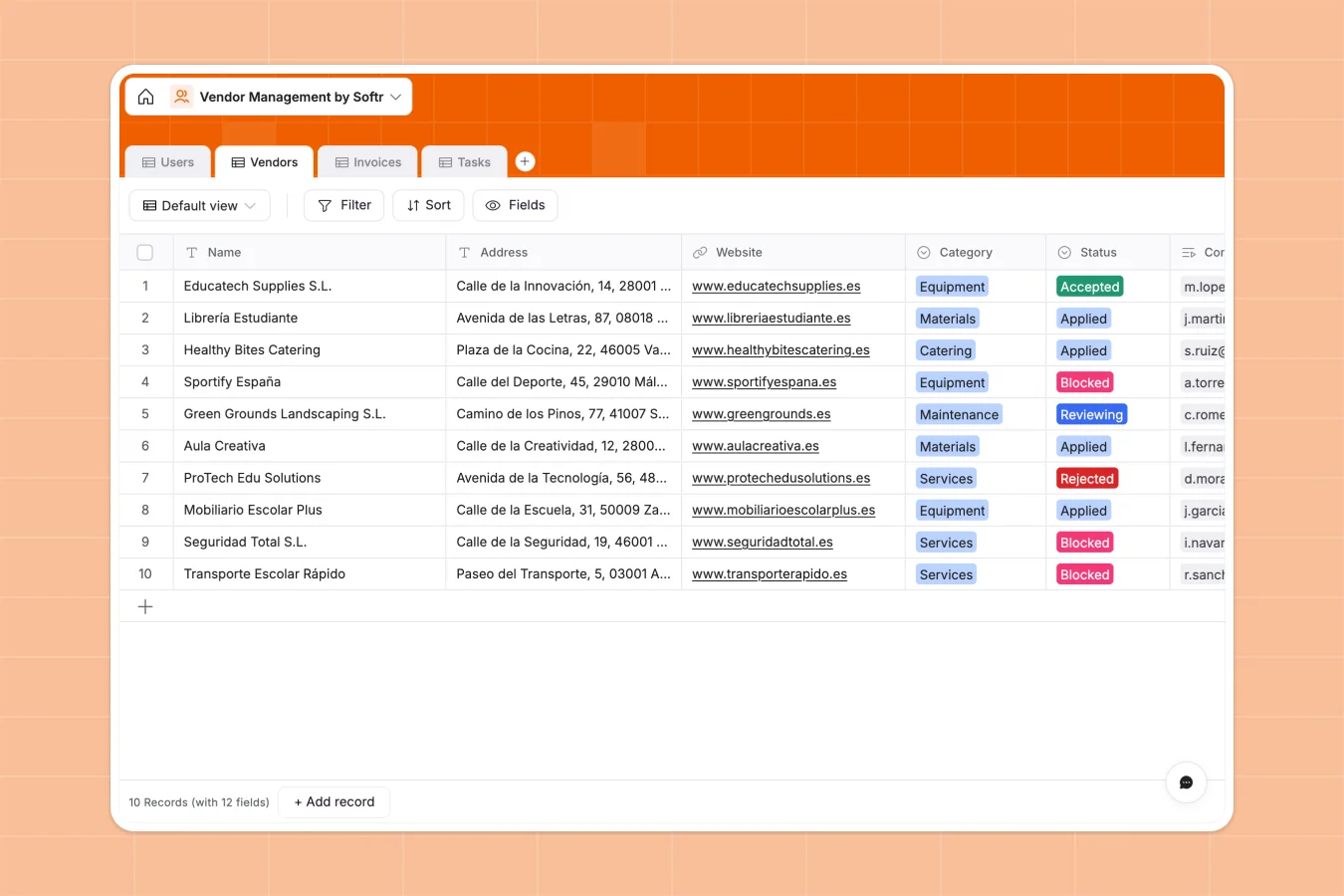
This template centralizes your entire vendor ecosystem, moving beyond static lists to a dynamic system of record. It connects vendors directly to their contracts, insurance documents, invoices, and ongoing tasks, giving procurement teams and office managers complete visibility into supplier relationships and compliance status.
The database is structured around four connected tables: Vendors, Invoices, Tasks, and Users. Key capabilities include calculated fields for invoice totals, attachment fields for storing compliance documents like insurance policies, and status tracking for vendor onboarding stages (Applied, Reviewing, Accepted).
Why choose a Vendor Management Database over spreadsheets
Spreadsheets quickly break down when managing hundreds of suppliers, contracts, and payment cycles. They lack the ability to securely store file attachments alongside data, and keeping contact details synced across multiple invoice rows often leads to costly errors and operational bottlenecks.
The power of Softr Databases
Softr Databases solve these scalability issues by enforcing strict data types and relational integrity. Instead of relying on fragile VLOOKUPs, you have native connections where one vendor record links automatically to multiple invoices and tasks. This means updating a vendor's contact information in one place instantly reflects across all related financial and operational records, ensuring data consistency.
Core features and functionality
This template includes built-in formulas to automatically calculate gross invoice amounts from net and tax figures, reducing manual math errors. You can also store critical files—like insurance certificates and signed contracts—directly within the vendor record via attachment fields. The relational structure allows you to view every task and invoice associated with a specific supplier in a single, organized view.
-
Users
Manage internal managers and external vendor contacts with roles and details
-
Vendors
Track third-party suppliers, categories, status, and associated contracts
-
Invoices
Handle billing transactions, payment statuses, and financial documentation
-
Tasks
Organize and monitor vendor-related assignments and workflow progress
Who is this Vendor Management Database for
This template is ideal for procurement teams, finance departments, and operations managers who need a reliable system of record.
- Procurement Managers: Track vendor onboarding status, contracts, and insurance compliance in one view.
- Finance Teams: Manage invoice lifecycles from pending to paid without losing track of tax calculations.
- Operations Leads: Assign and monitor tasks related to specific vendors to ensure timely service delivery.
How to take it further
1. Customize the database
You can easily adapt this template to your specific procurement process. For instance, modify the 'Category' options in the Vendors table to match your specific supply chain (e.g., add 'Software' or 'Consulting') or add a date field to track contract renewal deadlines.
2. Import your existing data
Migrate from your current vendor management spreadsheet instantly via CSV import. This allows you to bulk upload your existing supplier lists, contact details, and historical invoice data directly into the structured database tables.
3. Build an app on top
Turn this database into a secure vendor portal using the interface builder. You can configure users and permissions so vendors can log in to update their own banking details, upload invoices, or view task statuses, while your internal team retains full control over approvals and sensitive contract data.
-
1
-
2
-
3
-
4
Frequently asked questions
-
What is a vendor management database?
-
Why use a no-code database to build a vendor management system?
-
How can AI help managing data for vendor management?
-
Can I build an app with this vendor management database?
-
Is this Vendor Management Database free?
-
How is this database different from a vendor management spreadsheet?
Start building today. It's free!
Build and launch your first app in under 30 minutes.