


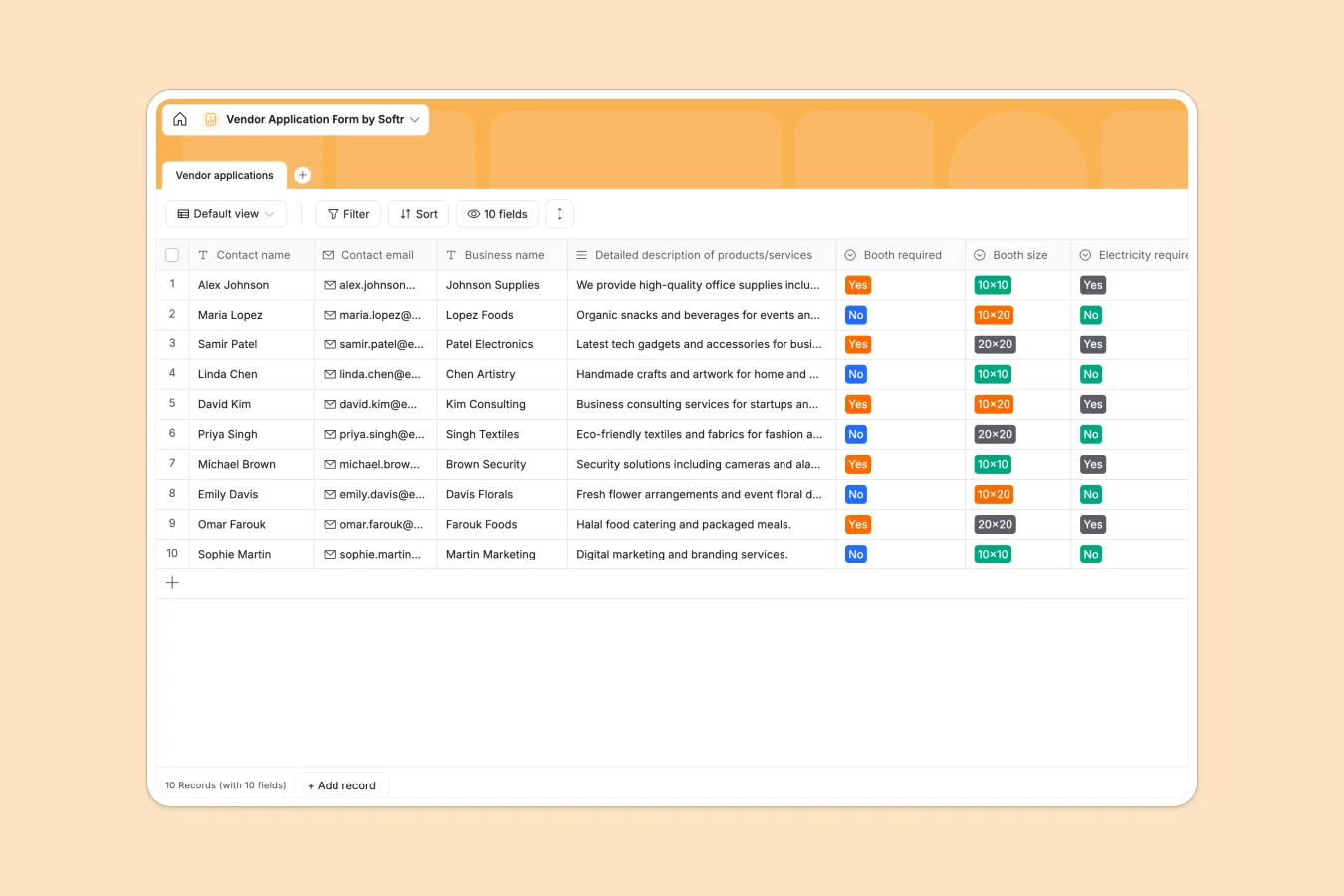
Your Vendor Application database at a glance
This template lets you collect and organize every vendor application in one strictly structured place. Review business details, booth sizes, and special requests without digging through messy rows.
It comes ready with a single, highly organized table for all incoming applications. Dropdowns for booth size and electricity ensure your event data stays perfectly standardized, while file fields securely hold digital signatures.
Why vendor applications get messy in spreadsheets
Using a spreadsheet to manage vendors usually ends in chaos as your event grows. Columns get mixed up, file attachments like signatures get lost, and tracking who needs electricity becomes a manual nightmare.
What a structured database changes
A database forces organization from the start. Instead of free-text columns where people type random answers, you get strict dropdowns and dedicated attachment fields.
Because everything has a set type, your data scales cleanly no matter how many vendors apply. This is exactly what Softr Databases are designed for.
What you can do with this template
You can instantly see exactly how many 10x10 booths or electricity hookups you need for your event. Filter applicants effortlessly by business type or special requirements.
Stop wasting time cleaning up bad data in spreadsheets. Just copy the template and start managing incoming vendors immediately.
-
Vendor applications
Collect and process vendor submissions with booth needs and contact details
Who is this Vendor Application database for
This template is built for anyone organizing events, markets, or tradeshows.
- Event Organizers: Track booth requirements and collect digital signatures across hundreds of vendors.
- Market Managers: Keep all contact details and business descriptions organized in one reliable view.
- Trade Show Planners: Map out electricity setups and special booth requests simply and without errors.
How to take it further
You can easily customize this template to fit your specific event. Add new dropdown sizes for booths or create text columns for payment statuses.
If you already have a list of past vendors, just import it via CSV. Your historical data will slide right into this clean, new structure.
When you're ready, turn this data into a professional portal using the interface builder. You can let vendors log in securely to view their application status or update their own details.
By setting up proper permissions, vendors only see their own application, while your team sees the whole list. Starting with a solid database makes building these custom event portals incredibly fast.
-
1
-
2
-
3
-
4
Frequently asked questions
-
What is a vendor application database?
-
Why use a no-code database to build a vendor application system?
-
How can AI help managing data for vendor applications?
-
Can I build an app with this vendor application database?
-
Is this Vendor Application database free?
-
How does this template beat a vendor application spreadsheet?
Start building today. It's free!
Build and launch your first app in under 30 minutes.