


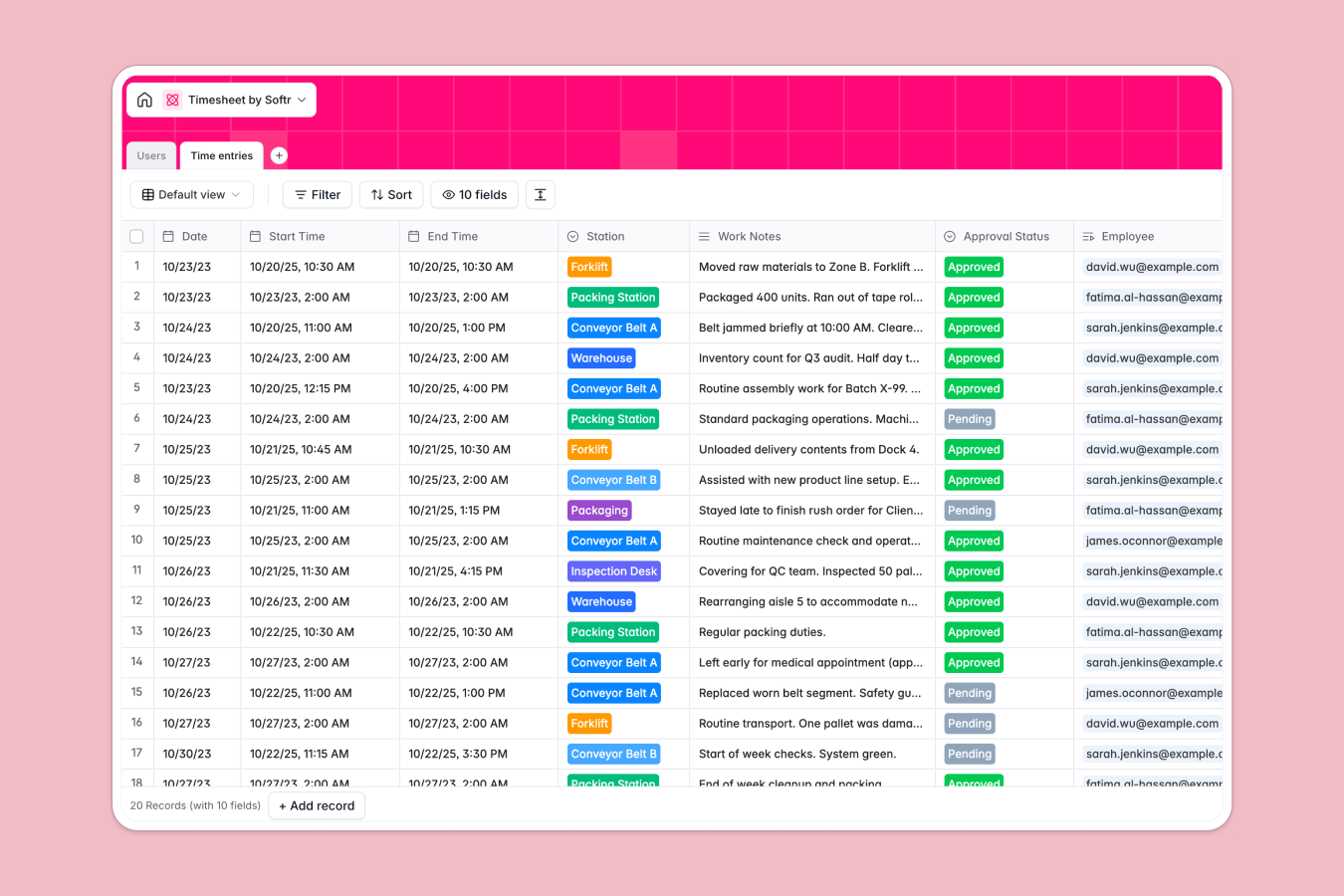
Your Timesheet Database at a glance
This template helps you track factory employee shifts, monitor work stations, and calculate hours in real time. It eliminates manual entry errors and ensures payroll accuracy by connecting every log to a specific user and department.
Employees are linked directly to their time logs, allowing you to see total shifts per person and filter by status like Active or On Leave. You can easily approve or reject entries based on the data captured at stations like the Assembly Line or Warehouse.
A built-in AI agent analyzes daily work notes to automatically flag safety risks or machinery issues, ensuring compliance without manual review.
Why managing timesheets in spreadsheets gets messy
Managing hourly wages and shift logs in a spreadsheet quickly leads to broken formulas, accidental deletions, and messy data that makes payroll a nightmare.
What a structured database changes
Spreadsheets let anyone type text into a date column, breaking your hour calculations. A database enforces structure—dates remain dates, and hourly rates stay formatted as currency. Instead of copying employee names into every row, Softr Databases link records together so you manage staff details in one place and reference them instantly in logs.
What you can do with this template
You can automatically calculate the duration between start and end times using formulas, eliminating manual math errors for every single shift. Using Database AI agents, the system reviews work notes for you, instantly spotting safety compliance issues or broken equipment described in text.
-
Users
Manage factory personnel with roles, departments, payroll rates, and shift history
-
Time entries
Log work shifts with AI-powered safety analysis to detect machinery and compliance risks
Who is this Timesheet Database for
This database is designed for manufacturing and operational teams who need accurate tracking.
- Factory Managers: Track worker attendance across stations like conveyor belts and packaging lines efficiently.
- HR & Payroll Teams: Get a meaningful summary of hours worked and approval statuses to process payments faster.
- Safety Officers: Monitor operational notes to catch machinery issues or safety risks immediately.
How to take it further
Customize the database
Add specific overtime rules or meaningful station names to match your factory floor layout. You can easily modify the department list to reflect your specific facility structure.
Import your existing data
Upload your existing roster of employees, their roles, and hourly rates via CSV to get started in seconds. This allows you to migrate from manual sheets immediately.
Build a full app around it
Turn this database into a secure employee portal using the interface builder, allowing staff to log their own time via mobile or desktop. You can set users and permissions so managers can see and approve entries while employees only access their own history.
-
1
-
2
-
3
-
4
Frequently asked questions
-
What is a timesheet database?
-
Why use a no-code database to build a timesheet tool?
-
How does AI help manage safety in this database?
-
Can I build an app with this timesheet database?
-
Is this Timesheet Database free?
-
How is this different from a timesheet spreadsheet?
Start building today. It's free!
Build and launch your first app in under 30 minutes.