


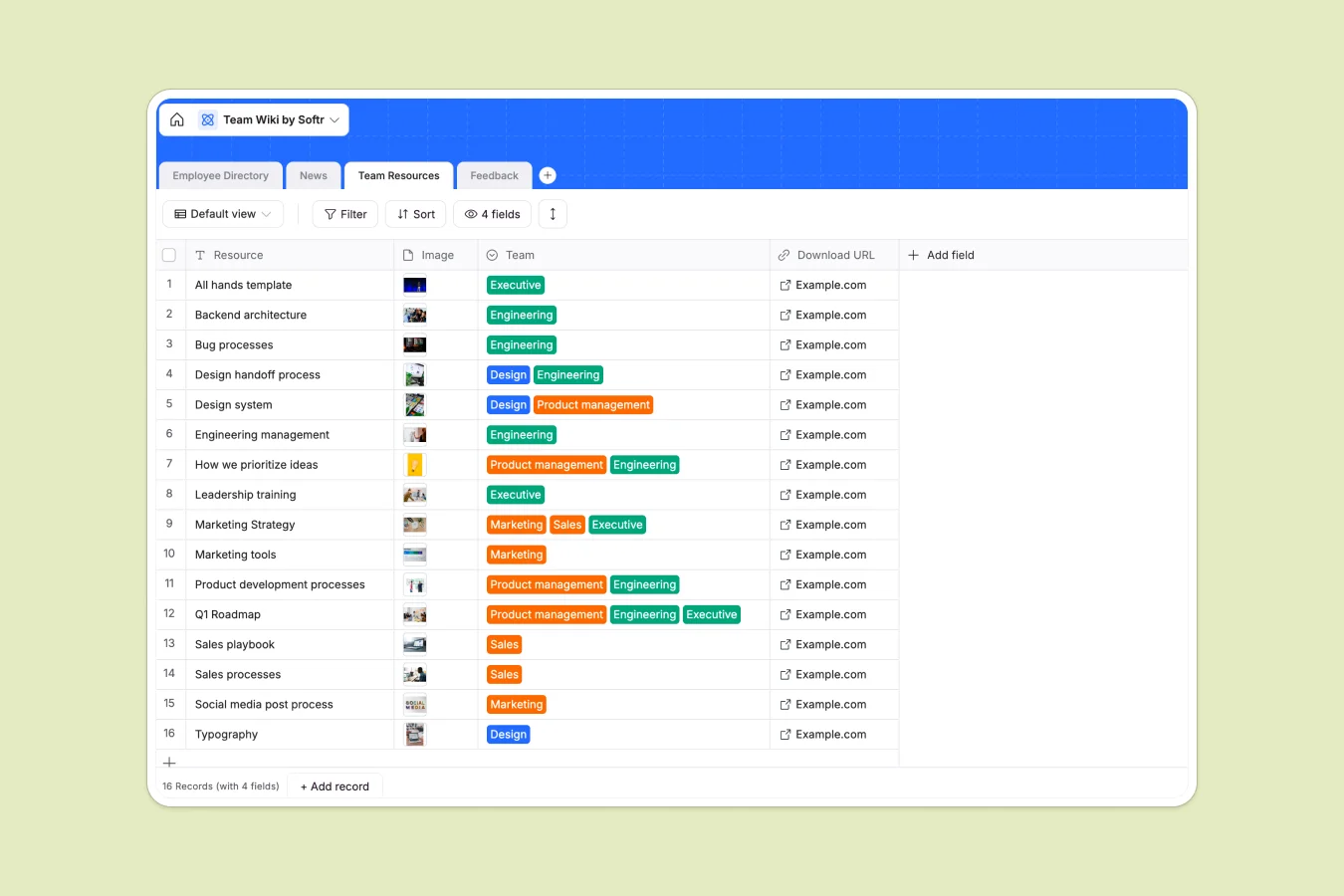
Your Team Wiki database at a glance
This template keeps your company's most important information organized and accessible. It gives your team a single source of truth for resources, announcements, and employee details.
Manage everything across four connected tables: Employee Directory, News, Team Resources, and Feedback. Because records link together logically, you can instantly see which employee submitted specific feedback without searching multiple documents.
Why team wikis get messy in spreadsheets
Relying on a team wiki spreadsheet usually leads to scattered information and broken links. As your team grows, keeping track of attachments, departments, and employee feedback quickly turns into a chaotic mess of tabs.
What a structured database changes
A true database gives every piece of information exactly the structure it needs. Photos stay neatly attached to team profiles, and select fields ensure departments are categorized correctly every time.
Instead of hacking together formulas to connect an employee to their feedback, a database uses native relational links. This is exactly what Softr Databases are designed for—keeping internal company data clean automatically.
What you can do with this template
Add new hires to the directory and attach their headshots securely in one streamlined step. You can also categorize internal news by type, like newsletters or webinars, using perfectly consistent tags.
Collect team feedback systematically, linking it directly to the exact employee record. Everything stays perfectly formatted, easily searchable, and ready to share across your company.
-
Employee Directory
Centralize staff profiles with contact details, roles and locations
-
News
Communicate company updates, interviews and blog posts to the team
-
Team Resources
Store and share essential assets, documentation and downloadable links
-
Feedback
Collect and track internal suggestions linked to specific employees
Who is this Team Wiki database for
This system is built for growing teams that need reliable access to internal information.
- HR Managers: Maintain an accurate employee directory with up-to-date contact details and specific department tags.
- Team Leads: Centralize crucial resources naturally and share secure download links specifically for their own departments.
- Operations: Track internal announcements and route employee feedback systematically in one highly organized view.
How to take it further
Start by customizing this template to match your company's specific needs. Modify the dropdown options for locations or departments, and add new text fields to capture additional employee details easily.
Import your existing team wiki spreadsheet or employee lists seamlessly. You can upload a CSV directly or connect via API to sync your current firm records instantly.
When you're ready, turn this data into a secure employee portal using our interface builder. A well-structured database backend makes it incredibly easy to launch a real, custom company app in minutes.
You can easily set up advanced users and permissions to strictly control who sees what data. Let managers review sensitive feedback while keeping personal staff phone numbers and home addresses completely secure.
-
1
-
2
-
3
-
4
Frequently asked questions
-
What is a team wiki database?
-
Why use a no-code database to build a team wiki system?
-
How can AI help managing data for a team wiki?
-
Can I build an app with this team wiki database?
-
Is this Team Wiki template free?
-
Why are databases better than a team wiki spreadsheet?
Start building today. It's free!
Build and launch your first app in under 30 minutes.