


Overview
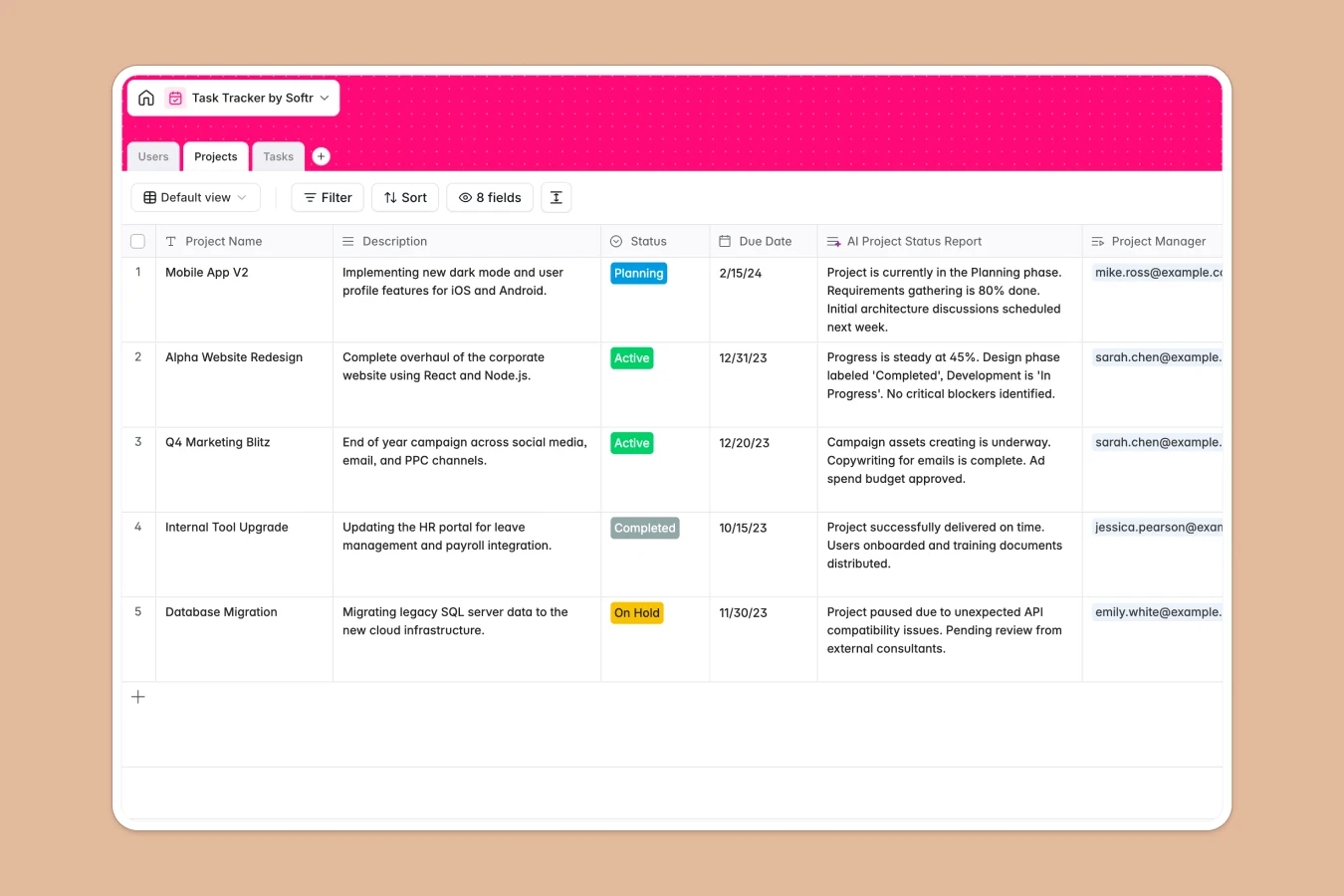
This task tracker database goes beyond simple logging by creating a structured relationship between your high-level initiatives and daily work. Instead of isolated lists, it connects three core components: Projects, Users, and Tasks. This relational structure ensures every task is directly linked to a parent project and a responsible team member, giving you full visibility into workload distribution and project progress.
The template is built to maintain accurate data through connected tables. The Projects table tracks status and deadlines, while the Tasks table holds granual work items linked back to those products. Specific fields like "Related Tasks" and "Assignee" use linked records to prevent data duplication. Additionally, an AI-powered field automatically generates project status reports, summarizing progress without manual writing.
Why choose a Task Tracker database over spreadsheets
Managing tasks in a spreadsheet often leads to chaos as rows multiply and formulas break. In a spreadsheet, assigning a task usually means typing a name into a cell, which creates inconsistencies and makes it impossible to filter by user reliable.
The power of Softr Databases
Unlike flat files, Softr Databases strictly enforce data types and relationships. For instance, the "Assignee" field in this template forces you to select from the existing Users table, ensuring that you can always see exactly what a specific person is working on via lookups. Instead of relying on fragile VLOOKUPs to connect tasks to projects, this database uses native relational connections, making it easy to roll up task completions into project-level views without complex maintenance.
Core features and functionality
This template includes advanced logic that spreadsheets struggle to replicate. A formula field automatically creates a "Composite Task Info" string to standardize how tasks appear in reports. Furthermore, built-in Database AI agents can be configured to auto-generate task names or draft project status updates based on the underlying data, turning a passive tracker into an active project assistant.
-
Projects
Manage initiatives with timelines and automated AI project status reports
-
Users
Track team members with contact details, roles, and project assignments
-
Tasks
Individual work items featuring AI-generated names and status tracking
Who is this Task Tracker for
This system is designed for teams that need structure without the complexity of enterprise software.
- Project Managers: Track high-level project health and drill down into individual task status instantly.
- Team Team Leads: Monitor assignee workload distribution to prevent burnout and ensure deadlines are met.
- Operations Managers: Standardize how tasks are defined, categorized, and reported across departments.
How to take it further
1. Customize the database
You can easily adapt this template to your specific workflow. For example, modify the "Status" single-select field in the Tasks table to match your team's specific terminology (e.g., changing "Review" to "QA Testing") or add a "Priority" column to sort critical items.
2. Import your existing data
Don't start from scratch manually. You can import your existing CSV files directly into the Tasks and Projects tables effectively migrating your history in minutes. This allows you to immediately utilize the relational structure with your current data.
3. Build an app on top
The true power of this database is its ability to power a full internal tool. Use Softr's interface builder to create a secure task portal where employees can only see and edit their assigned tasks. By configuring users and permissions, you can ensure clients see project progress without accessing internal task details, turning your database into a professional collaboration platform.
-
1
-
2
-
3
-
4
Frequently asked questions
-
What is a task tracker database?
-
Why use a no-code database to build a task tracker system?
-
How can AI help managing data for task tracking?
-
Can I build an app with this task tracker database?
-
Is this Task Tracker template free?
-
How is a task tracker database different from a task tracker spreadsheet?
Start building today. It's free!
Build and launch your first app in under 30 minutes.