


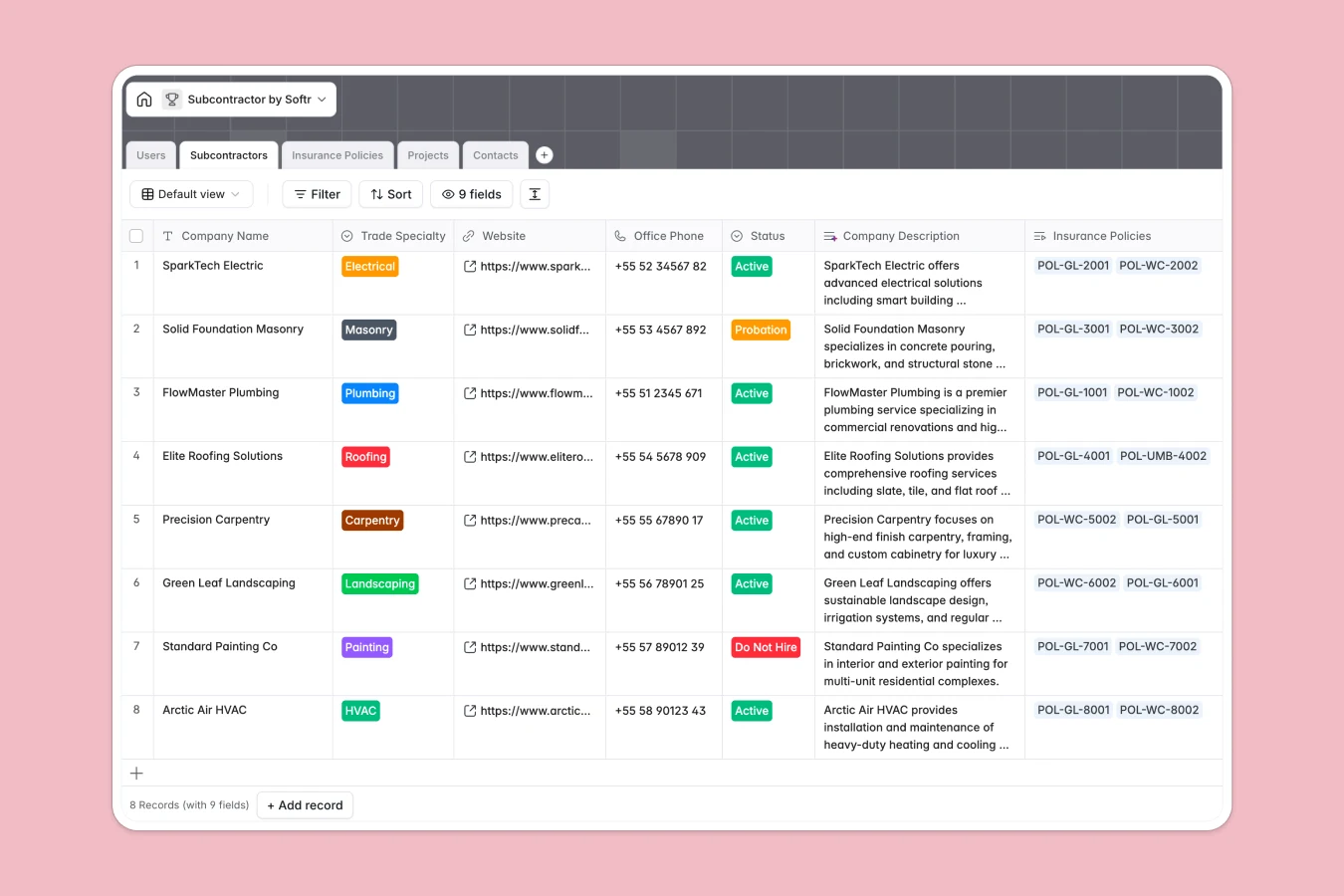
Your Subcontractor Database at a glance
Centralize your trades network, active projects, and compliance documents in a single, reliable system. This template provides a ready-to-use foundation to keep every jobsite perfectly staffed and compliant.
Connected tables seamlessly link individual contacts and insurance policies directly to their respective subcontractor profiles. When you assign trades to specific jobs, the relationships remain automatically mapped and incredibly easy to trace.
Built-in AI automatically drafts company descriptions from URLs and generates unique project codes. It also runs real-time risk assessments on coverage limits to flag potential insurance gaps before they cause issues.
Why tracking subcontractors in spreadsheets breaks down
Managing external teams across multiple tabs quickly becomes chaotic. When insurance expiration dates go unnoticed and contact details get mixed up in endless rows, projects face expensive delays and compliance risks.
What a structured database changes
Spreadsheets rely on copy-pasting data across tabs, leading to broken formulas and outdated compliance records. A structured approach ensures expiration dates stay strict and PDF documents attach cleanly to specific companies.
You can easily link multiple insurance policies and employee contacts to one subcontractor without duplicating a single row. This is exactly what Softr Databases are designed for, giving you a reliable data foundation as your contractor network grows.
What you can do with this template
Instantly access a clean directory of trade specialties, active project statuses, and key personnel without endless scrolling. Track exactly who is assigned to which jobsite and monitor their insurance validity visually.
Let native Database AI agents do the heavy lifting by automatically analyzing complex coverage notes. These dynamic fields read your records and extract crucial risk gaps the moment a new policy is logged.
-
Users
Manage system administrators and project managers with specialized access
-
Subcontractors
Directory of partner firms with AI-generated professional profiles
-
Insurance Policies
Track policy compliance using AI-powered risk assessment and gap analysis
-
Projects
Manage active job sites using AI to generate unique project identifiers
-
Contacts
Organize individual employee contact details for all subcontractor firms
Who is this Subcontractor database for
This template provides a clean operational hub for teams managing external trades and complex project deployments.
- General Contractors: Keep all specialized trades organized by status and track active project deployments effortlessly.
- Project Managers: Monitor jobsite assignments and instantly look up direct mobile numbers for specific on-site contacts.
- Compliance Officers: Manage critical insurance documents and receive AI-assisted risk analysis before policies expire.
How to take it further
Customize this setup to fit your precise operational rules in just a few clicks. You can easily modify the trade specialty dropdowns, adjust project phases, or add new columns to track subcontractor ratings.
Stop relying on outdated files by securely uploading your current roster via CSV. You can instantly import all your historical project data, contacts, and active company profiles to start getting value right away.
When you are ready to scale, you can transform this operational data into a secure desktop or mobile app using the interface builder. Adding a front-end makes it easy to share specific views with external partners without exposing the raw backend.
Because this is a native system, you can implement robust users and permissions to control exactly who sees what. Let project managers view active assignments while entirely restricting their ability to delete compliance documentation.
-
1
-
2
-
3
-
4
Frequently asked questions
-
What is a subcontractor database?
-
Why use a no-code database to build a subcontractor tracking tool?
-
How can AI help managing data for contractors?
-
Can I build an app with this subcontractor database?
-
Is this template free?
-
Why does a subcontractor database perform better than spreadsheets?
Start building today. It's free!
Build and launch your first app in under 30 minutes.