


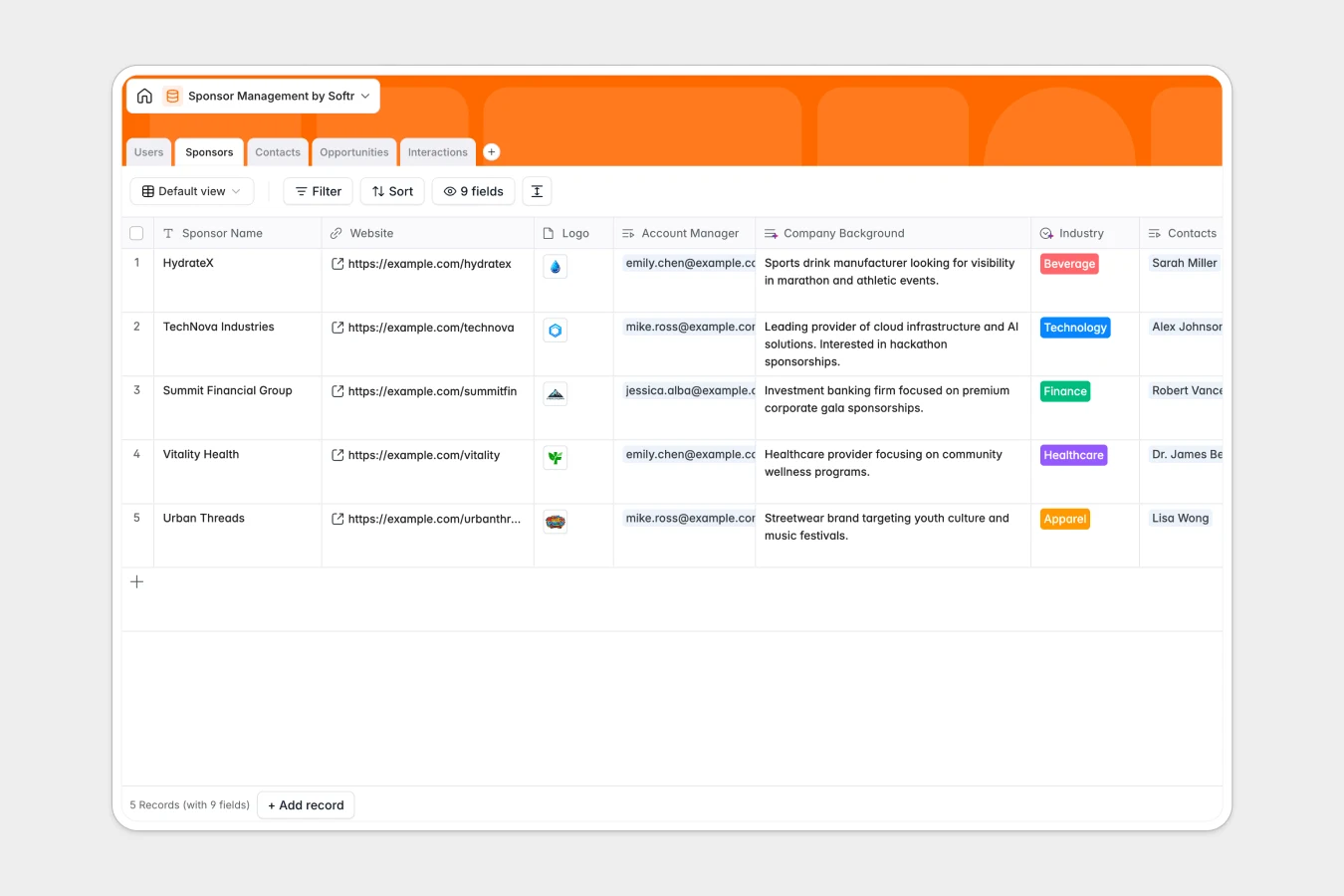
Your Sponsor Management Database at a glance
This template centralizes your entire sponsorship pipeline, from initial prospecting to closed-won deals. It gives your team full visibility into who is managing which sponsor without digging through messy rows.
It connects five distinct tables: Users, Sponsors, Contacts, Opportunities, and Interactions. Because these tables are linked natively, viewing a sponsor instantly reveals all their associated contracts, contacts, and total sponsorship value.
Plus, built-in AI fields automatically generate action items directly from your meeting notes. This ensures every interaction leads to clear next steps without manual data entry.
Why sponsor management gets messy in spreadsheets
Track a few sponsors, and a spreadsheet works fine. But as your pipeline grows, tracking contracts, contacts, and meeting notes across endless rows quickly becomes unmanageable.
What a structured database changes
In a spreadsheet, linking one sponsor to multiple contacts or deal stages requires fragile formulas that break easily. Important details like contracts and logos end up scattered in separate desktop folders.
A true database enforces strict structure so pipelines stay clean and reliable. You can link a negotiation directly to a client without copy-pasting their details across different tabs.
This is exactly what Softr Databases are designed for. They replace chaotic spreadsheets with connected, scalable tables that adapt naturally as your volume of sponsorships grows.
What you can do with this template
Instantly calculate total sponsorship values from individual opportunities using automated rollups. Easily track exactly where every deal stands, who owns it, and when it is expected to close.
You can also leverage Database AI agents to automatically summarize meeting logs into actionable steps. Stop wrestling with broken formatting and start closing more deals effectively.
-
Users
Manage internal team members with roles, contact info, and assigned sponsors
-
Sponsors
Track sponsoring companies with industry details and total financial value
-
Contacts
Store individual stakeholders and job titles linked to sponsor organizations
-
Opportunities
Manage sponsorship deals with pipeline stages, contracts, and revenue targets
-
Interactions
Log communications and extract key tasks using AI-generated action items
Who is this Sponsor Management database for
This structured workspace is perfect for teams looking to bring immediate order to their partnership pipelines.
- Account Managers: Track deal stages, manage contacts, and log daily interactions without friction.
- Event Coordinators: See exactly which sponsors are confirmed and access their logos immediately.
- Partnership Directors: Monitor total sponsorship values and oversee team progress in real time.
How to take it further
Customize the database
You can easily rename fields or add new opportunity stages to match your unique sales process. Modifying select values like industries or deal types takes seconds directly in the database view.
Import your existing data
Don't start from scratch—upload your existing sponsor and contact lists via CSV in bulk. You can also connect via API to sync data from other sales tools instantly.
Build a full app around it
When your internal team outgrows a simple database view, you can build an app directly on top of it. Turn this foundation into a custom partner portal where sponsors can log in to view their active contracts.
Simply set up users and permissions to ensure sponsors only see their own proprietary deals. A solid database foundation makes launching these custom interfaces incredibly seamless.
-
1
-
2
-
3
-
4
Frequently asked questions
-
What is a sponsor management database?
-
Why use a no-code database to build a sponsor management tool?
-
How can AI help managing data for sponsor management?
-
Can I build an app with this sponsor management database?
-
Is this Sponsor Management template free?
-
How is a sponsor management database different from a spreadsheet?
Start building today. It's free!
Build and launch your first app in under 30 minutes.