


Overview
This template centralizes all incoming support tickets and maintenance issues, replacing scattered emails and chaotic spreadsheets. It provides a structured foundation to log, prioritize, and resolve inquiries efficiently without technical complexity.
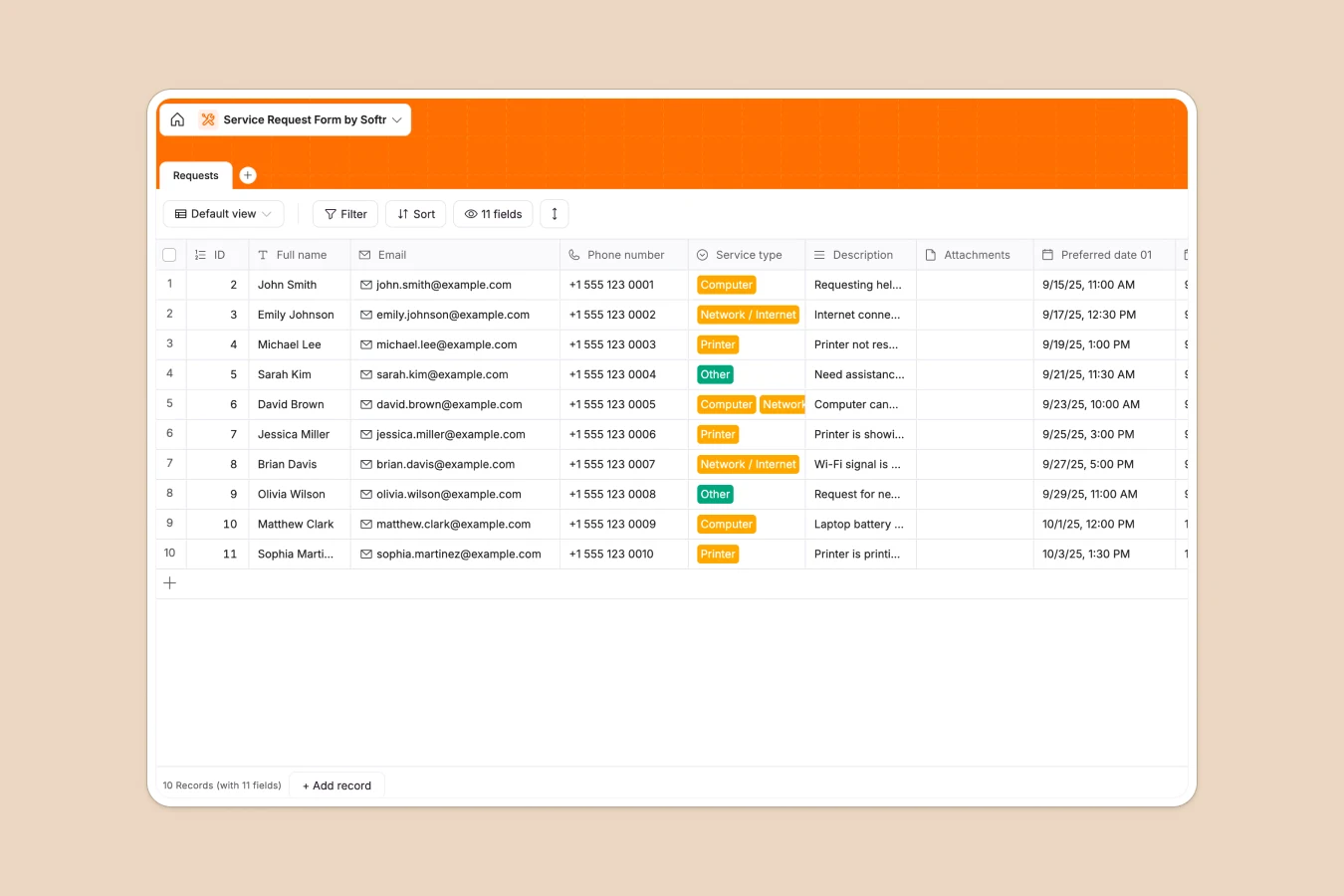
The database consists of a primary "Requests" table that captures essential details including contact info, specific service types, descriptions, and file attachments. With dedicated fields for preferred dates and status tracking, you can ensure every ticket is assigned and addressed promptly.
Why choose a Service Request Database over spreadsheets
Spreadsheets often become unmanageable as request volumes grow, leading to lost data and broken formatting. A database ensures data integrity and scalability from day one.
The power of Softr Databases
Unlike spreadsheets where data entry can be inconsistent, Softr Databases enforce strict variable types like dates, emails, and single-select options. This structure prevents errors—such as invalid dates in your "Preferred date" columns—and ensures your service records remain reliable and easy to filter.
Core features and functionality
This template handles file uploads securely via the Attachments field, allowing users to submit screenshots or documents—something spreadsheets struggle to do effectively. You can also leverage Database AI agents to automatically analyze descriptions and tag requests by urgency or type, streamlining your initial triage process.
-
Requests
Log service inquiries with contact info, hardware issues, and scheduling
Who is this Service Request Database for
This template is designed for teams that need to organize incoming work without complex ticketing software:
- IT Support Teams: Log hardware and network issues with precise categorization and attachment support.
- Facilities Managers: Track maintenance requests and preferred repair dates in one consolidated view.
- Service Providers: Organize client inquiries and intake forms without manual data entry errors.
How to take it further
1. Customize the database
Update the "Service type" select field choices (currently Computer, Network, Printer) to match your specific support offerings. Editing fields in a Softr Database is as intuitive as adjusting a spreadsheet column but ensures data consistency.
2. Import your existing data
If you are currently tracking tickets in a service request spreadsheet, simply export it to CSV and import your historic data. This allows you to migrate instantly and keep all your past records accessible.
3. Build an app on top
Turn this database into a secure client portal using Softr's interface builder. You can set granular users and permissions so clients only see their own requests while support agents view and manage the full queue.
-
1
-
2
-
3
-
4
Frequently asked questions
-
What is a service request database?
-
Why use a no-code database to build a request tracker?
-
How can AI help managing data for service requests?
-
Can I build an app with this service request database?
-
Is this template free?
-
How is this database better than a service request spreadsheet?
Start building today. It's free!
Build and launch your first app in under 30 minutes.