


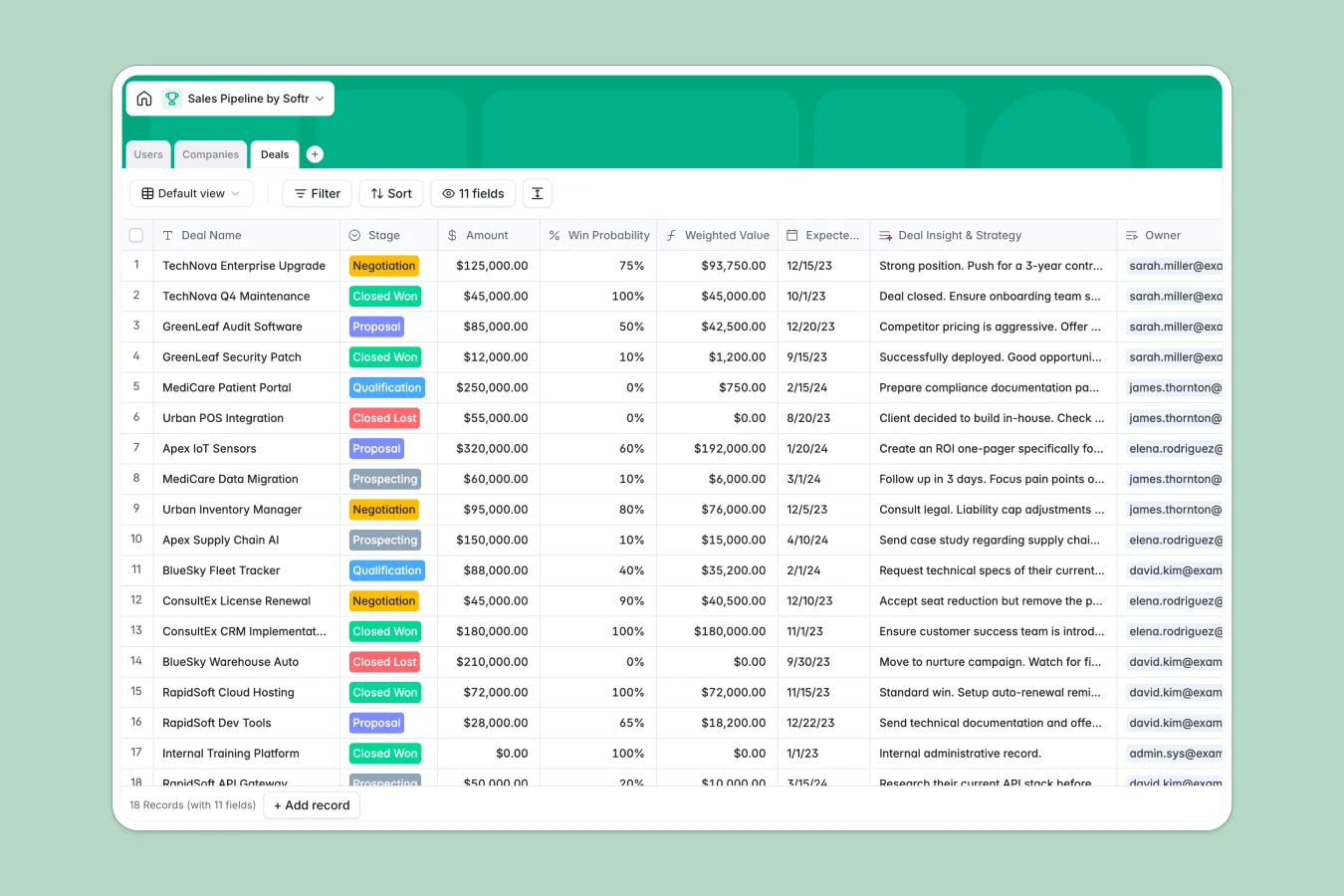
Your Sales Pipeline Database at a glance
Track every deal, company, and sales rep in one structured, reliable system. It eliminates scattered notes and gives you complete visibility into your forecasted revenue.
The template uses connected tables to link client companies directly to active deals and assigned owners. This means you can track expected close dates, calculate win probabilities, and find meeting notes instantly.
Why a messy sales pipeline spreadsheet breaks down
Managing a growing sales team in a traditional spreadsheet starts simple but quickly becomes a true operational nightmare. Rows get overwritten, critical notes get lost, and calculating accurate expected values relies on highly fragile formulas.
What a structured database changes
A structured system keeps your data clean by enforcing clear column types for every single entry. Dates stay as dates, deal stages are locked to a dropdown menu, and long notes won't visually break your entire layout.
Instead of running complex VLOOKUPs, tables connect naturally—linking a specific opportunity right to the relevant prospect and assigned rep. This is exactly what Softr Databases are designed for, keeping everything perfectly stable as your team scales.
What you can do with this template
Calculate your pipeline efficiently with built-in formulas that automatically multiply deal amounts by win probabilities. You can instantly see your weighted expected revenue without constantly fixing broken spreadsheet functions.
Maintain clear visibility by tracking every interaction in structured notes attached directly to the specific deal record. Just copy the template, invite your team, and start moving deals from prospecting to closed won immediately.
-
Users
Manage sales team members and admins with roles, avatars and ownership
-
Companies
Store target accounts and client details with industry tags and value tracking
-
Deals
Track sales opportunities with stage progression and win probability analysis
Who is this Sales Pipeline database for
This structured database is built for revenue teams who need to scale their tracking beyond fragile rows and columns.
- Sales Managers: Forecast revenue accurately with automated rollups and weighted deal values.
- Account Executives: Track individual deal stages, expected close dates, and critical meeting notes securely.
- Revenue Operations: Maintain a single source of truth without fixing broken spreadsheet formulas every week.
- Business Owners: Monitor total pipeline value and company relationships to make informed growth decisions.
How to take it further
You can easily adapt this database to perfectly match your exact sales process. Add new deal stages, update industry dropdowns, or create custom formula fields to track rep commissions natively.
Don't start from scratch if you already have a mature pipeline full of active targets. Import your historical deals, company lists, and user data via CSV to get back to selling in minutes.
When your team grows, you can easily build an app directly on top of this active pipeline. Transform it into a fully functional CRM where reps log in to a polished dashboard to manage their accounts.
By using Softr's native users and permissions, you ensure reps only edit their own deals while managers see the complete picture. Starting with a structured database makes launching these custom internal tools completely effortless.
-
1
-
2
-
3
-
4
Frequently asked questions
-
What is a sales pipeline database?
-
Why use a no-code database to build a sales tracking tool?
-
How can AI help managing data for a sales pipeline?
-
Can I build an app with this sales pipeline database?
-
Is this Sales Pipeline database free?
-
Why is this database better than a sales pipeline spreadsheet?
Start building today. It's free!
Build and launch your first app in under 30 minutes.