


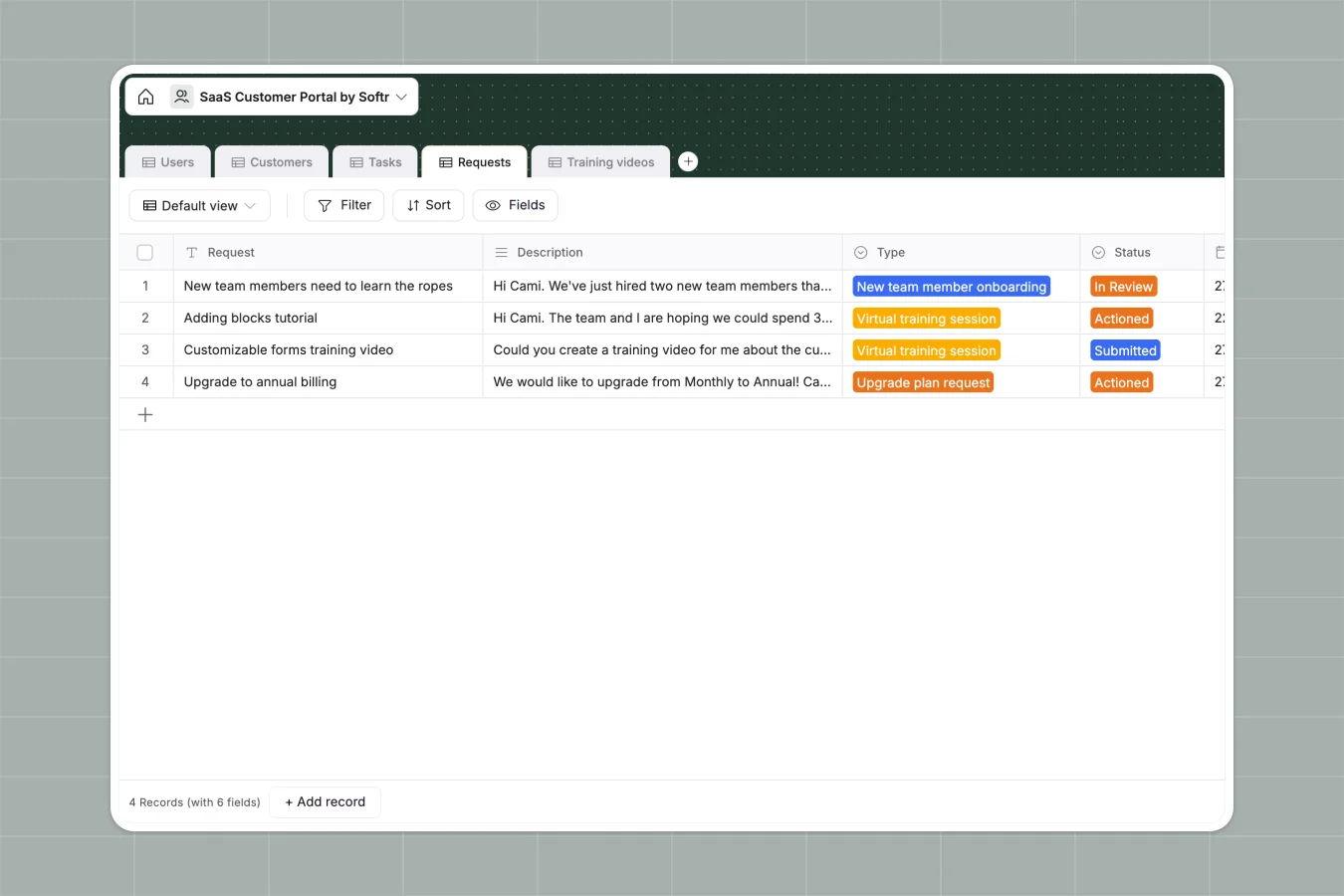
Your SaaS Customer Portal database at a glance
This template helps you track companies, assign Customer Success Managers, and manage client requests seamlessly. It eliminates scattered data by centralizing your entire customer lifecycle.
It features connected tables for Users, Customers, Tasks, and Training Videos. When a new support request comes in, it automatically links to the correct customer record without any manual data entry.
Why managing SaaS customers in spreadsheets breaks down
Tracking user onboarding, contracts, and support tickets across multiple spreadsheet tabs quickly turns into disorganized chaos. Links break, files get lost, and visibility disappears as your client base grows.
What a structured database changes
With a structured system, columns maintain strict data types so contracts stay as attachments and dates remain easily searchable. You never have to worry about a team member accidentally deleting a critical formula or mixing up client details.
You can effortlessly link requests and training tasks directly to a specific company profile without copying and pasting across rows. This is exactly what Softr Databases are designed for.
What you can do with this template
Quickly assign dedicated CSMs to accounts and track exactly where each client sits in their onboarding journey. Everything stays organized and assigned to the correct owner automatically.
Manage incoming client requests—like virtual training or plan upgrades—and instantly connect them to helpful training videos. You get a complete, ready-to-use overview of every client's health and activity.
-
Users
Manage user profiles with roles, contact info, bios, and linked customer assignments
-
Customers
Track customer companies with contract details, plans, contacts, tasks, and support history
-
Tasks
Organize and monitor customer-related tasks, statuses, comments, and linked training videos
-
Requests
Handle customer help requests with types, descriptions, status, and linked customer info
-
Training videos
Store training video resources linked to specific customers and related tasks for education
Who is this SaaS Customer Portal database for
This template provides instant structure for teams managing client relationships, onboarding, and ongoing support.
- Customer Success Managers: Easily track client tasks, monitor plan types, and handle upgrade requests.
- Support Teams: Organize incoming help tickets and share customized training videos effortlessly.
- Account Executives: Keep visibility on contract timelines, renewals, and assigned contacts.
How to take it further
Customize the database to fit your exact workflow in minutes. You can easily add new plan types to the select field or create custom status tags for your task tracking.
Import your existing client data via CSV or API to get started instantly. Populate your tables with active users, companies, and historical support requests so your team can pick up right where they left off.
When your team is ready, use the interface builder to turn this database into a secure, self-serve client portal. Customers can log in to view their own tasks, submit requests, and watch assigned training videos.
You can easily set up permissions so clients only see their own company's data while your CSMs see their entire assigned portfolio. A clean, well-structured database makes building this front-end app incredibly effortless.
-
1
-
2
-
3
-
4
Frequently asked questions
-
What is a SaaS customer portal database?
-
Why use a no-code database to build a client management tool?
-
How can AI help managing data for SaaS customers?
-
Can I build an app with this SaaS customer portal database?
-
Is this SaaS Customer Portal database free?
-
How is this database different from Google Sheets or Excel?
Start building today. It's free!
Build and launch your first app in under 30 minutes.