


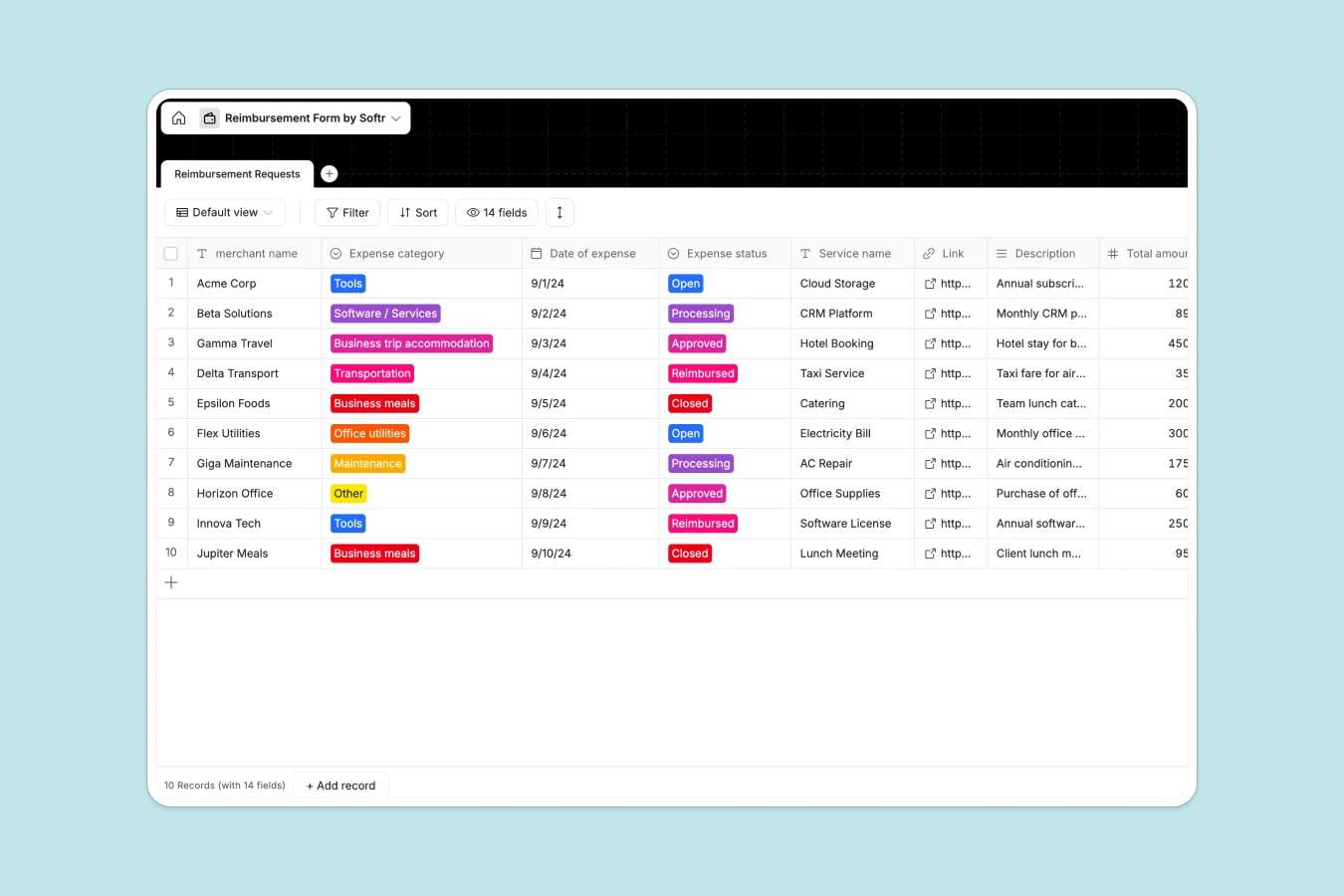
Your Reimbursement Tracker at a glance
This template replaces chaotic email threads and messy documents with a single, highly structured system for logging and processing employee expenses.
It features a comprehensive Reimbursement Requests table that captures everything from merchant details and receipt files to standardized expense categories. With clear statuses like "Processing" and "Reimbursed," your finance team always knows exactly what needs attention.
Why tracking expenses in spreadsheets breaks down
When teams use a standard reimbursement spreadsheet, things get messy quickly. Currencies get mixed up, receipt links break, and tracking what's approved versus paid becomes a manual nightmare.
What a structured database changes
A proper system brings order strictly by design. Every column has a defined type—so a date stays a date, currencies are selected from standardized drop-downs, and file attachments stay securely pinned to the right record.
There are no fragile formulas to break when someone accidentally deletes a row. This structural reliability is exactly what Softr Databases are built to provide, giving you a strong foundation from day one.
What you can do with this template
Log comprehensive expense details including VAT, total amounts, and specific recurring periods instantly.
Standardize your workflow by moving requests through clear approval stages, ensuring no expense falls through the cracks or gets paid twice.
-
Reimbursement Requests
Log staff expenses with category, amounts, currency and receipt files
Who is this Reimbursement database for
This template provides a reliable foundation for any team that processes expenses and needs to move away from manual tracking.
- Finance Teams: Maintain clear records of VAT, total amounts, and standard currencies for accurate bookkeeping.
- HR & Operations: Streamline the submission process so employees get paid quickly and without friction.
- Department Managers: Keep real-time visibility into tool subscriptions, travel costs, and team spending based on approval statuses.
How to take it further
It is extremely easy to adapt this database to your company's specific financial policy. Simply modify the standard dropdown choices for expense categories or add your own specific local currencies.
If you have historical expense data, you can bulk import it via CSV directly into the table. This gives you instant insights into past spending patterns and centralizes your records.
When you are ready, you can transform this basic tracker into a full self-serve employee portal. Using the Softr interface builder, you can create a custom app where staff securely log in to submit their receipts.
By configuring users and permissions, employees will only see their own requests. Meanwhile, the finance team gets a global administrative view to approve and process payouts safely.
-
1
-
2
-
3
-
4
Frequently asked questions
-
What is a reimbursement database?
-
Why use a no-code database to build an expense tracking tool?
-
How can AI help managing data for reimbursements?
-
Can I build an app with this reimbursement database?
-
Is this Reimbursement database free?
-
How is a reimbursement database different from a spreadsheet?
Start building today. It's free!
Build and launch your first app in under 30 minutes.