


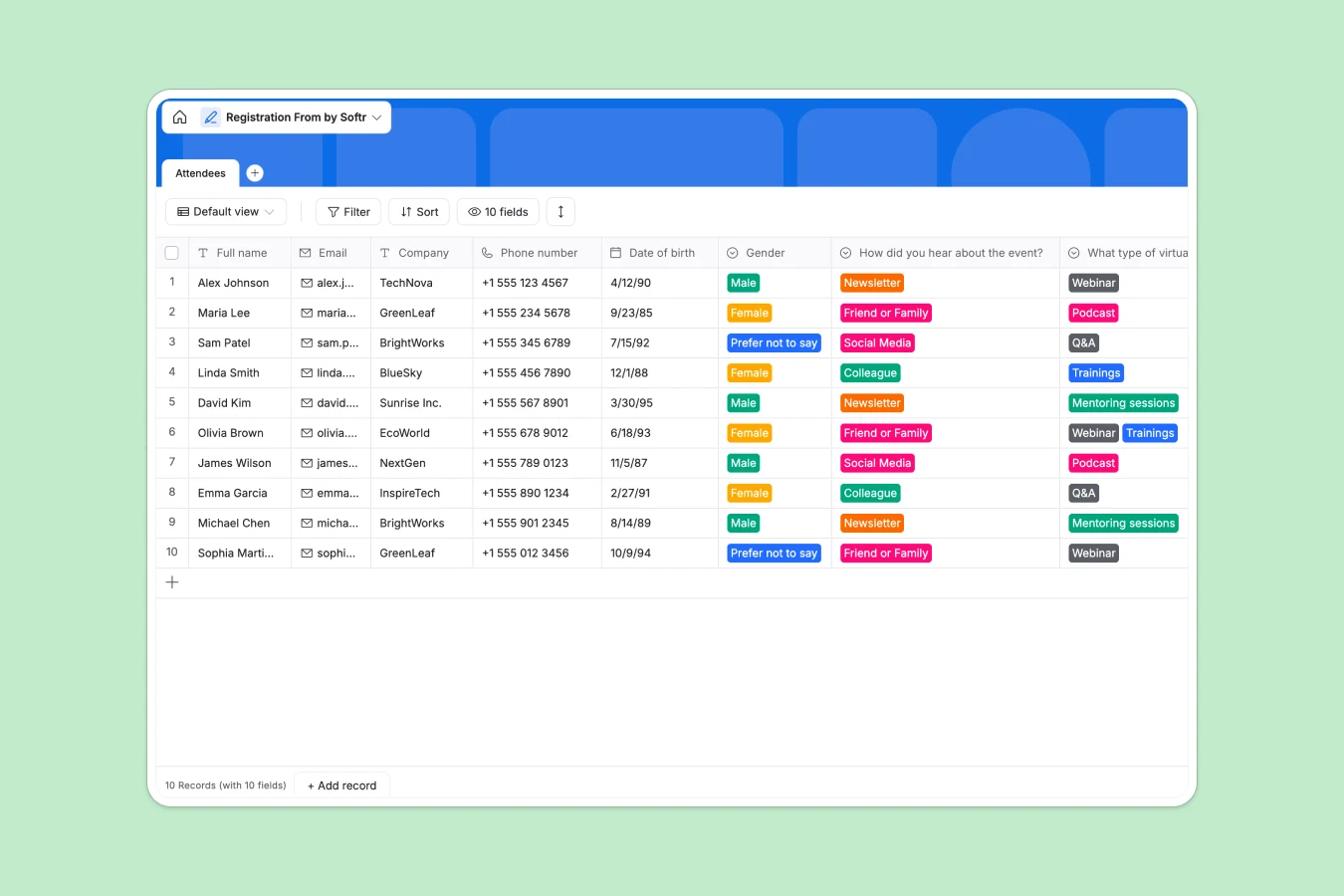
Your Registration Database at a glance
This template lets you capture, store, and manage event attendees instantly without manual data entry. It provides a structured home for all your registration data so nothing gets lost in the shuffle.
It comes with a built-in table for Attendees, tracking names, emails, companies, and even feedback like how they found your event. Every new registration gets neatly organized with an exact timestamp of when they signed up.
Why attendee registration gets messy in spreadsheets
Using a standard registration spreadsheet usually leads to a chaotic mix of misformatted dates, missing phone numbers, and accidentally deleted rows. As your attendee list grows, keeping track of everything becomes a massive and unnecessary headache.
What a structured database changes
In a database, every column enforces a specific rule, meaning phone numbers stay as numbers and emails are actually formatted as emails. You don't have to worry about broken formatting or inconsistent dropdown choices getting in your way.
This structure prevents errors from the start, keeping your attendee list pristine no matter how many people sign up. This is exactly what Softr Databases are designed for.
What you can do with this template
You can instantly capture precise answers about future event preferences and track terms and conditions agreements with simple checkboxes. Say goodbye to scrolling through thousands of messy rows just to find a single VIP guest.
It is completely ready to use out of the box so you can get moving immediately. Just copy the template, connect it to a form, and watch the attendee data organize itself seamlessly.
-
Attendees
Manage event participant profiles with contact info and registration preferences
Who is this Registration Database for
This template is perfect for anyone organizing events who wants to move past fragile spreadsheets.
- Event Managers: Collect precise attendee information and track future virtual event interests automatically.
- Community Builders: Keep a clean log of members, their companies, and how they discovered your community.
- HR Teams: Manage internal training or workshop signups reliably in one centralized place.
How to take it further
You can easily tweak this database to fit your exact event needs. Modify the dropdown options for "How did you hear about the event?" or add new columns for dietary requirements effortlessly.
Already have a list of attendees? You can import your existing RSVPs instantly via a standard CSV upload or connect an API to sync your existing software and get immediate value.
When you are ready to scale, you can transform this database into a complete event portal. Using a simple interface builder, you can create a branded frontend where attendees manage their own tickets or view the schedule.
You can also set up secure users and permissions to ensure that your event staff only sees the data they need to check people in. Starting with a well-structured database makes building these powerful tools incredibly simple.
-
1
-
2
-
3
-
4
Frequently asked questions
-
What is a registration database?
-
Why use a no-code database to build a registration system?
-
How can AI help managing data for event registrations?
-
Can I build an app with this registration database?
-
Is this Registration Database free?
-
How is a registration database different from a registration spreadsheet?
Start building today. It's free!
Build and launch your first app in under 30 minutes.